# What is Fox Magic?
Fox Magic is Foxify's built-in AI assistant — it translates your page content into other languages and helps you write or refine copy, so you spend less time on wording and more time on the parts of your page that need a human touch.
## When to use this
Best fits for:
* You're launching pages in multiple languages and want a first-pass translation instantly instead of by hand
* You need a first draft of page copy fast, or want help refining tone and wording
* You want to reach international shoppers without hiring a translator for every page
## Localize content with Fox Magic
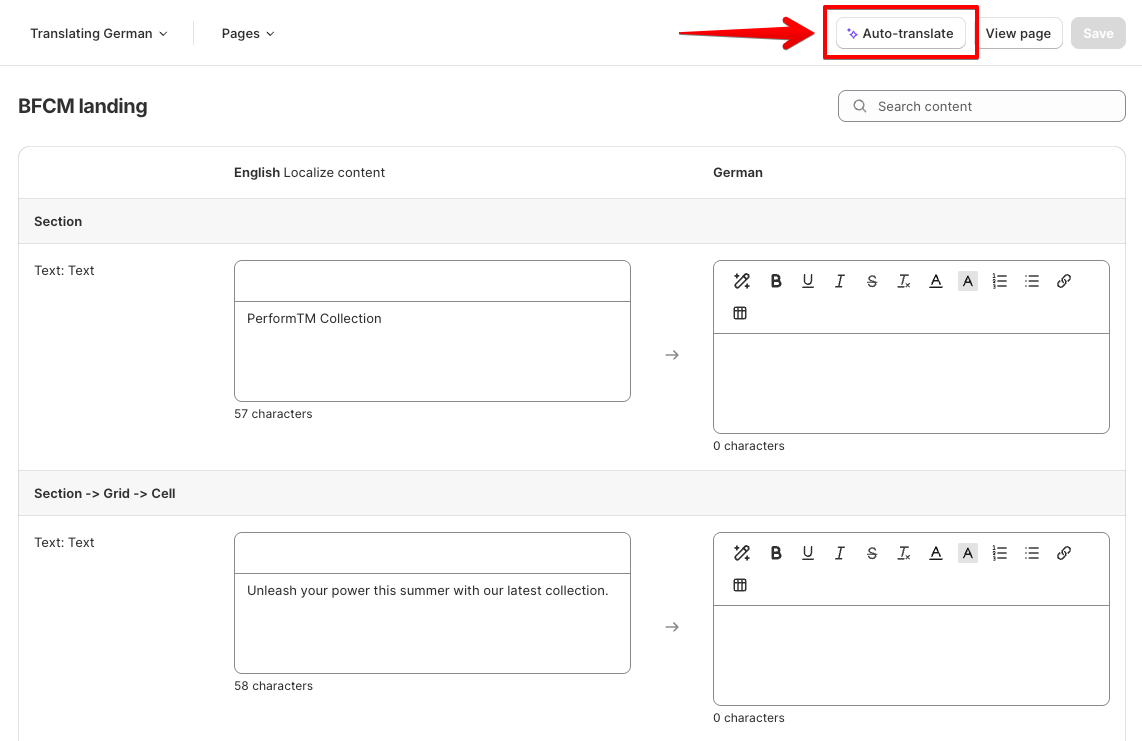
Inside **Translation**, click **Auto-translate** to translate all of a page's text into your chosen language in seconds — then edit any field by hand afterward to fine-tune tone or wording. [See the full translation guide](https://docs.foxecom.com/foxify-app/pages/translation)
## Write content with Fox Magic
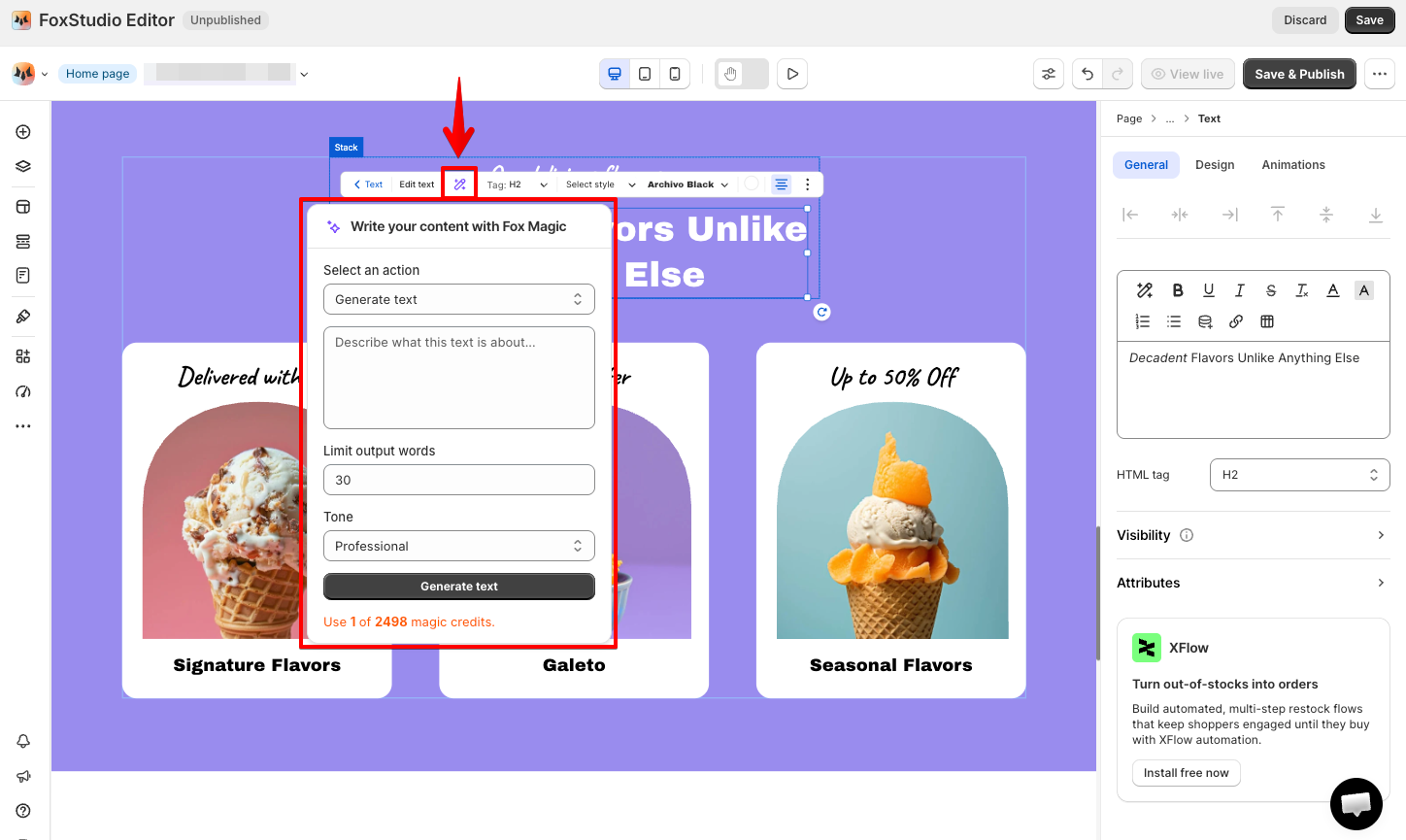
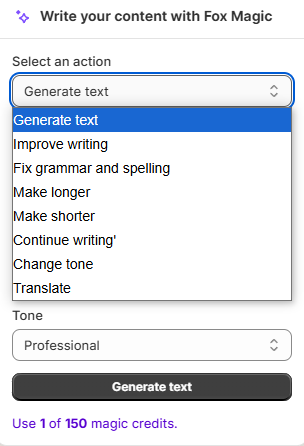
Use **Magic Write with AI** to generate new copy, improve existing text, or adjust its tone — for example, when refining a translated field in Translation. You stay in control: every result is editable before you save it.
Fox Magic runs on credits. See [All about credit](https://docs.foxecom.com/foxify-app/ai-powered-fox-magic/all-about-credit) for how credits work and how to manage them.
## FAQs
**Does Fox Magic cost anything?**
Yes — Fox Magic features run on credits. See [All about credit](https://docs.foxecom.com/foxify-app/ai-powered-fox-magic/all-about-credit).
**Can I edit what Fox Magic translates or writes?**
Yes — nothing is final until you save. Edit any translated or generated text by hand at any point.
**Besides Fox Magic, are there other AI-backed features in Foxify?**
Yes. [AI Layout Generator](https://docs.foxecom.com/foxify-app/pages/page-creation/ai-layout-generator) builds your page structure from a prompt, and [AI Responsive](https://docs.foxecom.com/foxify-app/foxstudio/editor-tools/ai-responsive) adapts your layout for every device. Fox Magic then handles the content side — writing, refining, and translating your text — so together they cover structure, wording, and responsiveness across your build.
## Related articles
Translate your pages into other languages
All about credit
Generate a page layout with AI