# Google Map

<div data-full-width="true"><figure><img src="https://1749964694-files.gitbook.io/~/files/v0/b/gitbook-x-prod.appspot.com/o/spaces%2FfgpgvtRaQLc36GYyIktZ%2Fuploads%2FETk3RTZrTHUxALnqCtTH%2FFoxEcom%20changelog%20%20%201250%20x%20200.png?alt=media&#x26;token=a72791be-b9fe-4806-8a28-f1592e470b10" alt=""><figcaption><p><a href="https://foxecom.com/pages/affiliate?utm_source=foxecom&#x26;utm_medium=help_center_foxify_google_map&#x26;utm_campaign=anchor-text&#x26;utm_term=explore_foxecom_affiliate_program_perks_now">Explore FoxEcom Affiliate program perks now</a> <span data-gb-custom-inline data-tag="emoji" data-code="2728">✨</span></p></figcaption></figure></div>

Using a Google Maps widget on your site can help consumers locate your business and improve the overall user experience.

After [adding a Google map section](https://docs.foxecom.com/foxify-app/legacy-editor/sections-and-presets/..#add-a-section) to your template, you can start configuring and adding details to it.&#x20;

{% hint style="info" %}
For the maps to display correctly, make sure you register a **Google Maps API Key.**&#x20;

See [Get API key](https://developers.google.com/maps/documentation/javascript/get-api-key).
{% endhint %}

### Customizing your map

* **Container**:
  * Fixed width
  * Full width
  * Narrow width
  * Extended width
* **Maps address**: Input your address/location.
* **Map style:** Standard/Dark/Light/Grayscale/Retor/Aubergine
* **Map zoom**: between 10-20.
* **Map overlay opacity**: between 0-100%.
* **Map height**: determine the height of the map as:
  * Small
  * Medium
  * High
  * or Custom height and input a value in px.

### Adding details to your map

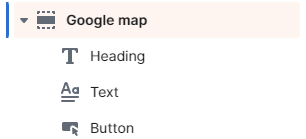
You can add a title and a description to your map location using blocks. This can be great for letting your visitors know what the location is, and any other additional details that you might need to include.

<figure><img src="https://1749964694-files.gitbook.io/~/files/v0/b/gitbook-x-prod.appspot.com/o/spaces%2FfgpgvtRaQLc36GYyIktZ%2Fuploads%2FYeA97UeJFPTL3RkWNrRx%2Fimage.png?alt=media&#x26;token=21827c14-582a-4dd3-83ea-df04b628b53e" alt=""><figcaption></figcaption></figure>

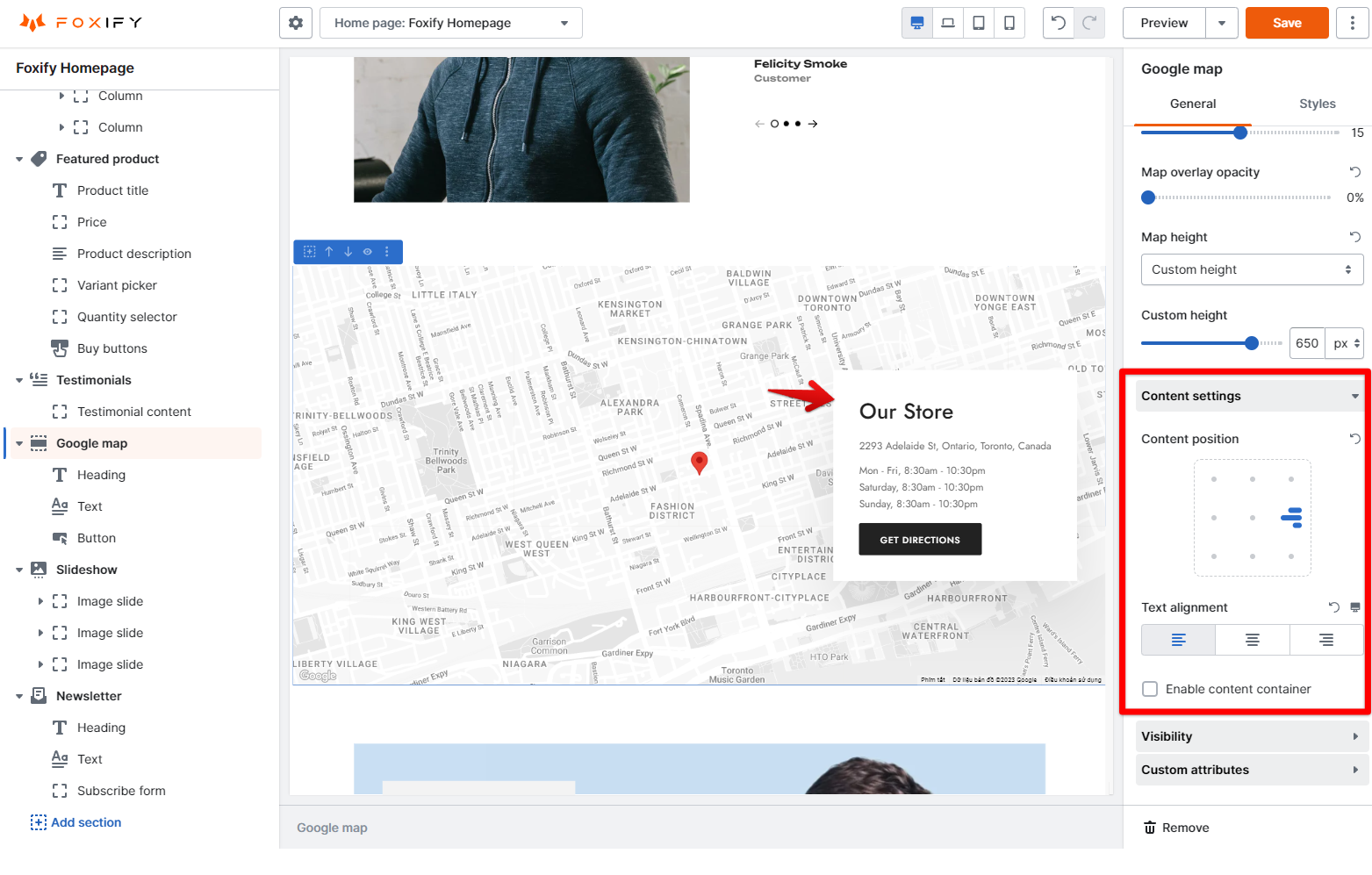
Use the **Content settings** to customize the **Content position** and **Text alignment**.

<figure><img src="https://1749964694-files.gitbook.io/~/files/v0/b/gitbook-x-prod.appspot.com/o/spaces%2FfgpgvtRaQLc36GYyIktZ%2Fuploads%2F8tdHewtaaokfv67pnPLd%2Fimage.png?alt=media&#x26;token=ef8affa0-adcd-4929-b136-bfa55f4b04e5" alt=""><figcaption></figcaption></figure>