Foxify: Ajax Add To Cart is a built-in extension in Foxify that helps merchants improve user experience, reduce cart abandonment, and boost sales by letting customers add products to the cart instantly without reloading the page. This article will show you how to enable Ajax Add To Cart on your Foxify-built pages.
Ajax Add To Cart allows shoppers to add products to the cart directly from the homepage, collection pages, or product pages without refreshing the page. The cart updates instantly in the background, creating a smoother shopping experience and encouraging customers to continue browsing.
By reducing interruptions during shopping, this extension helps streamline the checkout flow and increase conversions.
What you can do with Foxify: Ajax Add To Cart:
Improves user experience: Keeps customers engaged by removing page reload interruptions.
Reduces cart abandonment: Makes adding items smoother, so fewer customers drop off.
Reduces page load time: Eliminates unnecessary reloads and speeds up shopping.
Increases conversion rates and sales: A faster, easier buying process encourages purchases.
#How to use Foxify: Ajax Add To Cart with Foxify Smart Page Builder
Foxify: Ajax Add To Cart has been integrated as a built-in extension in Foxify Page Builder, so all you need to do is install it directly within the Foxify app; no extra app installation from the Shopify App Store is required.
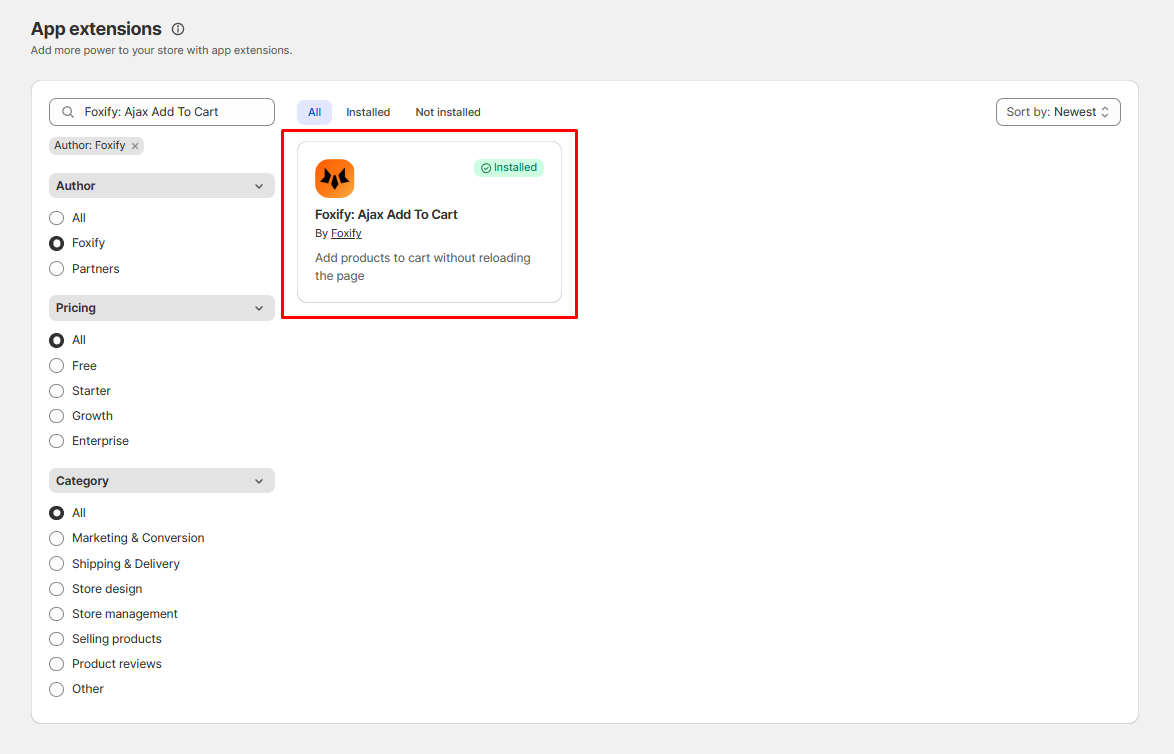
In your Foxify dashboard, select App extensions.
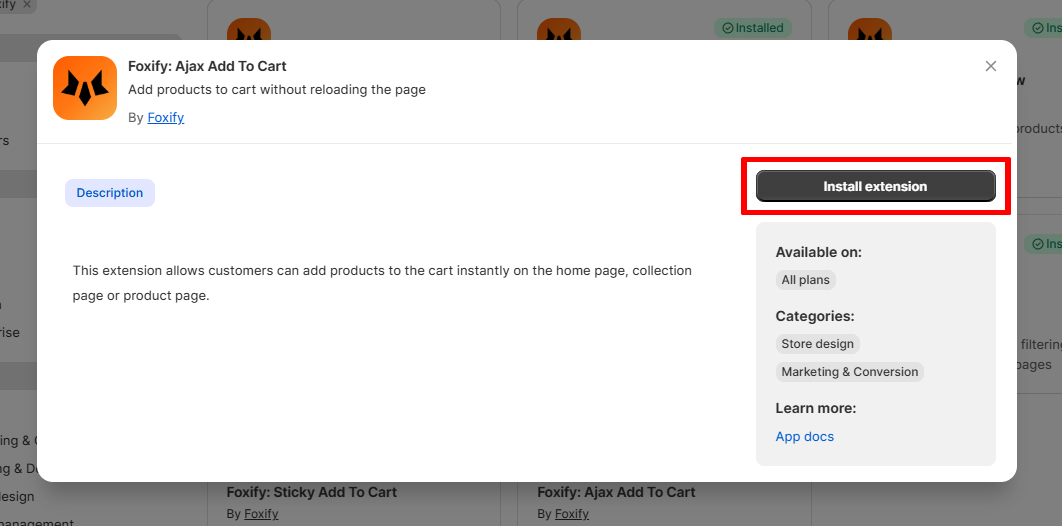
Look for Foxify: Ajax Add To Cart and Choose Install extension.
Once you see a green checkmark next to Foxify: Ajax Add To Cart ✅, it means the app has been activated and is now ready to be featured.
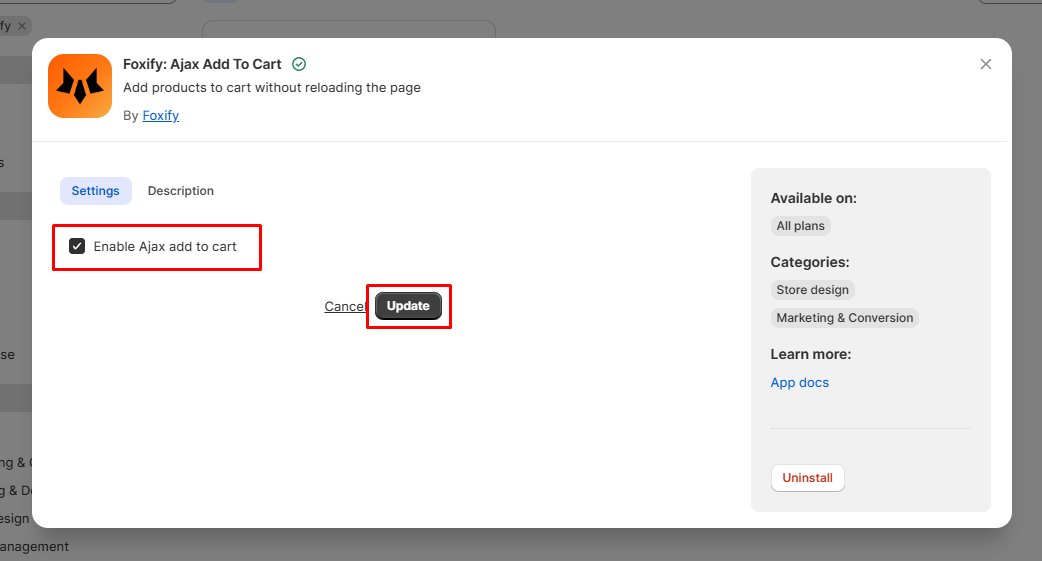
In the Settings tab, check the box Enable Ajax add to cart and click Update to apply changes.
Once enabled, customers will be able to add products instantly to the cart from the homepage, collection page, or product page without page reloads.
For a step-by-step walkthrough, please check this document, which includes a detailed tutorial video:
#Do I need to install Ajax Add To Cart from the Shopify App Store?
No. Foxify: Ajax Add To Cart is already built into Foxify Page Builder. You can enable it directly from your Foxify dashboard.
#Will enabling Ajax Add To Cart slow down my store?
No. It’s optimized for performance within Foxify and won’t add extra load time. In fact, it helps reduce unnecessary reloads.
#Can I use Ajax Add To Cart and Sticky Add To Cart together?
Yes. They complement each other. Ajax Add To Cart improves the cart-adding flow, while Sticky Add To Cart ensures the button is always visible. Using both together creates the best shopping experience.
#What should I do if Ajax Add To Cart isn’t working?
Confirm that the extension is installed and shows a green checkmark in App extensions.
In the Settings tab, make sure Enable Ajax add to cart is checked, then click Update.
Clear your browser cache and refresh the storefront.
Check that no third-party apps are overriding the cart behavior.
If the issue persists, please contact our support team for further assistance.