# Air Product Reviews

{% embed url="<https://youtu.be/QP50HOH9PkI/>" %}

## What is Air Product Reviews?

**Air Product Reviews** is a top-rated Shopify app with an average 5.0/5.0 rating which is trusted by hundreds of thousands of Shopify merchants around the world. Air Product Reviews is the **ultimate solution for harnessing the power of customer feedback to skyrocket conversions**.

With our core belief of providing merchants with reviews tools that can be used as ease as air, we are more than confident to offer an intuitive, all-in-one platform to transform customer feedback into a powerful sales engine for your Shopify store.

<figure><img src="https://1749964694-files.gitbook.io/~/files/v0/b/gitbook-x-prod.appspot.com/o/spaces%2FfgpgvtRaQLc36GYyIktZ%2Fuploads%2FnLReaLNHwNHTZ12Wglgs%2FUser%20guide%20visual.png?alt=media&#x26;token=66f8acbe-a577-4b2d-b2e9-c141296da2a4" alt=""><figcaption></figcaption></figure>

**What you can do with Air Reviews:**

* Automatically collect reviews by auto-scheduled request, importing, QR codes
* Showcase reviews (photos & videos), testimonials with appealing layout and design
* Fully customize reviews widgets and UGC, including CSS to match your brand
* Advanced reviews displays: testimonials, carousel gallery, and all review page
* Boost your reviews presence on Google search, Facebook, Instagram

## How to use Air Product Reviews in Foxify Smart Page Builder

{% hint style="success" %}
Here’s how you can insert Air Product Reviews inside the **Main product information** section, or **Featured product** section.
{% endhint %}

{% hint style="info" %}
If you have not installed the Foxify Smart Pagebuilder app, here is the [link](https://apps.shopify.com/foxify-builder?utm_source=foxecom\&utm_medium=help_center_foxify_air_product_reviews\&utm_campaign=anchor_text\&utm_term=link).
{% endhint %}

Air Reviews has been integrated as a built-in extension in Foxify Smart Pagebuilder, so all you need to do is:

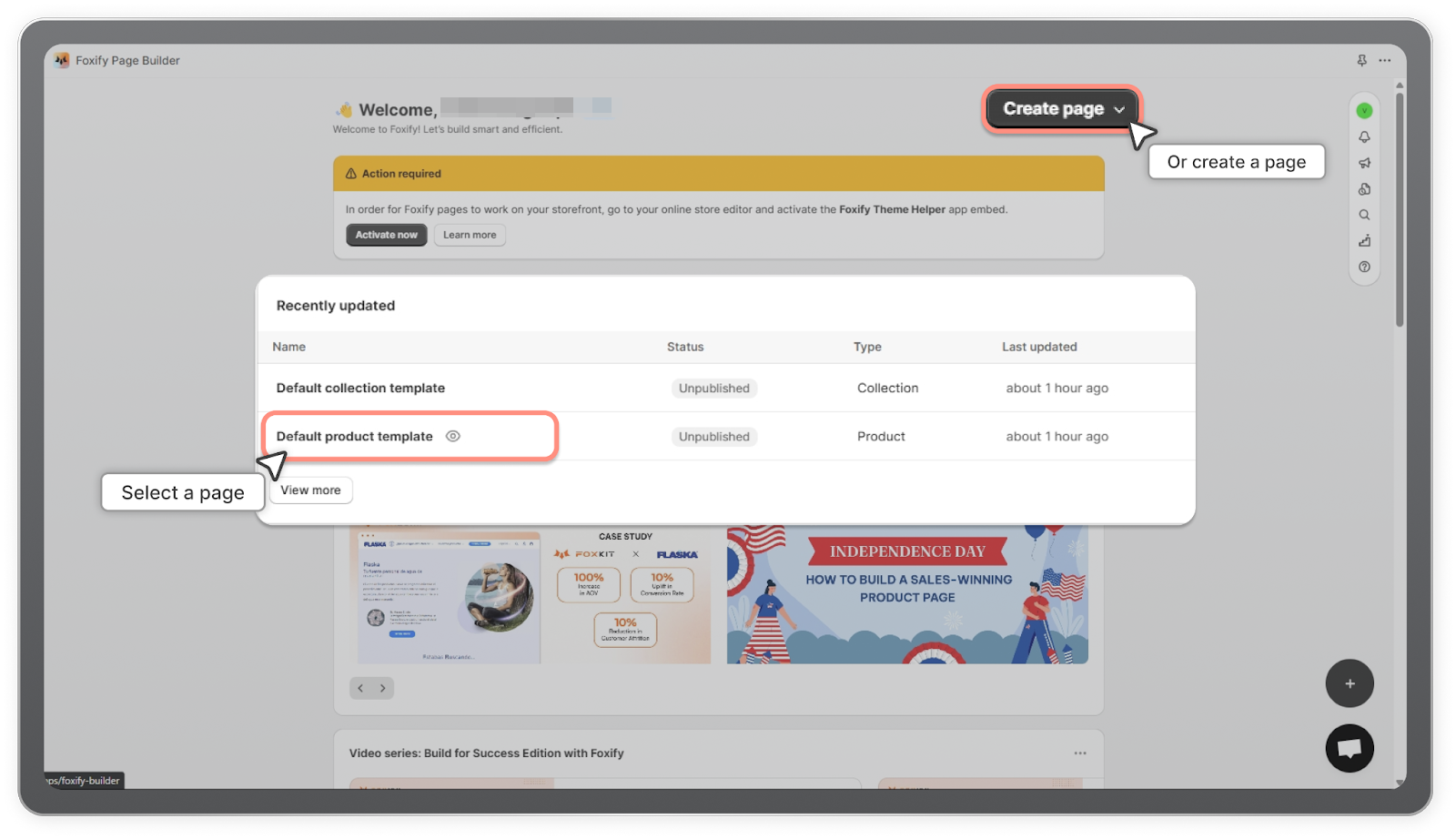
1. In your **Foxify dashboard**, open a page (or create a new one) in which you want to embed **Air Reviews** feature.
<figure><img src="https://1749964694-files.gitbook.io/~/files/v0/b/gitbook-x-prod.appspot.com/o/spaces%2FfgpgvtRaQLc36GYyIktZ%2Fuploads%2FrtgpkVq7gWtcTtJW3SEB%2Fimage.png?alt=media&#x26;token=670a1a92-12d0-46ea-a790-c2c64958d189" alt=""><figcaption></figcaption></figure>

2. On the left sidebar, select **App Extensions**; or press \[E].

3. Filter for Author: Partner, look for **Air Product Reviews.**<br>

   <figure><img src="https://lh7-us.googleusercontent.com/docsz/AD_4nXfF6gFRKI3VTqLYR0TKpQ3AGW-F06UVN4vij1FSFUPpxQcB-SQawm5KSGr4pSYEVPmCgafRIjva3SQH8t6__GI_80PEQOEwTaP19ZZVFeVToccMAzH-h_jld_7Oz3ga8SSn3HpcUbNp6v-HF3v98ebF6mDg?key=wfP4Xip2Uo0z2WDHZwXKTQ" alt=""><figcaption></figcaption></figure>

4. Choose **Install** Extension

{% hint style="success" %}
Once you see a green **checkmark** next to Air Product Reviews, it means Air Product Reviews has been activated and is now ready to be featured
{% endhint %}

<figure><img src="https://lh7-us.googleusercontent.com/docsz/AD_4nXe2KgH-x7GXf4Rsx0N13DVLB8a0-4KyrlsHkBLO2djze7gxBd4Nk1ZaMcD1hsejx6mbd3X2giT_zapBwf6o4izFvnonEwIGnegG8xR7bKh2CMaLc-CorXRb68vqt8YuOGy5k4jacwAP2XyIFuTDigcguPmB?key=wfP4Xip2Uo0z2WDHZwXKTQ" alt=""><figcaption></figcaption></figure>

In **Foxify editor** > **App extensions**, you can find Air Product Reviews (and all other extensions) installed.

In the section (here we use the Main Product section), select **Add section \[+].**

<figure><img src="https://lh7-us.googleusercontent.com/docsz/AD_4nXexF38xPWgMecxN9J6FneMUkqtAv3-jUldy5JcW-tjkckkCfd6xOUQ_lOvSkbgxjr1qaDrh4-3OCQWM_d2Se3mByuCLKATpIgyNfTtq4T20qfdTsp5IFiBFp80zw1AD8p_m464Xb97uRzNjyRR6mT-t1DXV?key=wfP4Xip2Uo0z2WDHZwXKTQ" alt=""><figcaption></figcaption></figure>

Navigate to **Extensions** and click on **Air Reviews - Reviews Widget.**

<figure><img src="https://lh7-us.googleusercontent.com/docsz/AD_4nXeuTJfX3_no6W24cgWwNwZ8N1z5OfYlj-t1HCVfldn7BB9c64ygcSrhkRHIDq4VTa8VkjDm5soooZ_5WOOxw7SZ0cnPukYrOPiXNIcNFkj7-ut-mSoaoKkcQ3VvkWTc0My3lIgzh2LxiLdZ3cgoHByfU99M?key=wfP4Xip2Uo0z2WDHZwXKTQ" alt=""><figcaption></figcaption></figure>

Have a look at the widget you just added. Update **any settings** on the right hand menu if necessary.

Don’t forget to hit the **Save** button for changes.

<figure><img src="https://lh7-us.googleusercontent.com/docsz/AD_4nXfdbj4rWmMUdNYdA1bNETSGExnQPAy4nzx7qWeeI-BhtrtGUb4-SQERxuNcPS43WLlV-lzhmO6TQO1QeUYTUPWzrbPpXjncaZxvwCkXQWDPrdIYRtHCPnaqxun8A99BKSpcttS5DNKBnCH0AddNSo9VL4Ap?key=wfP4Xip2Uo0z2WDHZwXKTQ" alt=""><figcaption></figcaption></figure>

<figure><img src="https://1749964694-files.gitbook.io/~/files/v0/b/gitbook-x-prod.appspot.com/o/spaces%2FfgpgvtRaQLc36GYyIktZ%2Fuploads%2FBUVBL0IorcYPmG2XbXsD%2FZest%20-%20Inblog%20banner%202.jpg?alt=media&#x26;token=c76a01ec-b2e7-42b4-a4c9-a7f549f08036" alt=""><figcaption><p><a href="https://foxecom.com/products/zest-shopify-theme?utm_source=foxecom&#x26;utm_medium=help_center_foxify_air_product_reviews&#x26;utm_campaign=anchor-text&#x26;utm_term=try_zest_theme_free">Try Zest theme free</a></p></figcaption></figure>
