# Loox Product Reviews
## What is Loox Product Reviews?
**Loox Product Reviews** is an elegant social proof solution designed to **enhance brand credibility and boost sales**. With Loox, brands can effortlessly **gather authentic product reviews** featuring photos and videos. Moreover, they can **customize review widgets to seamlessly integrate them into your site's design without compromising speed.**
Loox recently launched Loox Referrals, which expand your customer base through easy one-click referrals.
Loox aims to be an all-in-one social proof platform that elevates trust and drives conversions with compelling social proof upsells showcasing product reviews and ratings.

Loox is exclusive to Shopify and compatible with all themes.
What you can do with Loox Product Reviews:
* Collect product reviews on auto-pilot with customized emails and review form
* Offer customers a next-purchase discount for adding a photo or video to reviews
* Beautiful widgets that match your brand including carousels, pop-ups, and badges
* Sync reviews to and from Shop App, and to Meta Shops, Google Shopping & Search
* Drive even more sales with one-click referrals and social proof upsells
[Install Loox Product Reviews with an exclusive offer](https://foxecom.com/pages/partners/loox-product-reviews-photos) from FoxEcom 🎁
## How to add Loox Product Reviews to the Product section
Here’s how you can insert Loox Product Reviews inside the **Main product information** section, or **Featured product** section.
**Loox Product Reviews** has been integrated as a built-in extension in [Foxify Smart Page builder](https://apps.shopify.com/foxify-builder?utm_source=foxecom\&utm_medium=help_center_foxify_loox_product_reviews\&utm_campaign=anchor-text\&utm_term=foxify_smart_page_builder), so all you need to do is:
Steps:
1. In your **Foxify dashboard**, open a page (or create a new one) in which you want to embed Loox Product Reviews feature
2. On the left sidebar, select **App Extensions**; or press \[E]
3. **Filter for Author: Partner**, look for **Loox**
4. Choose **Install Extension**
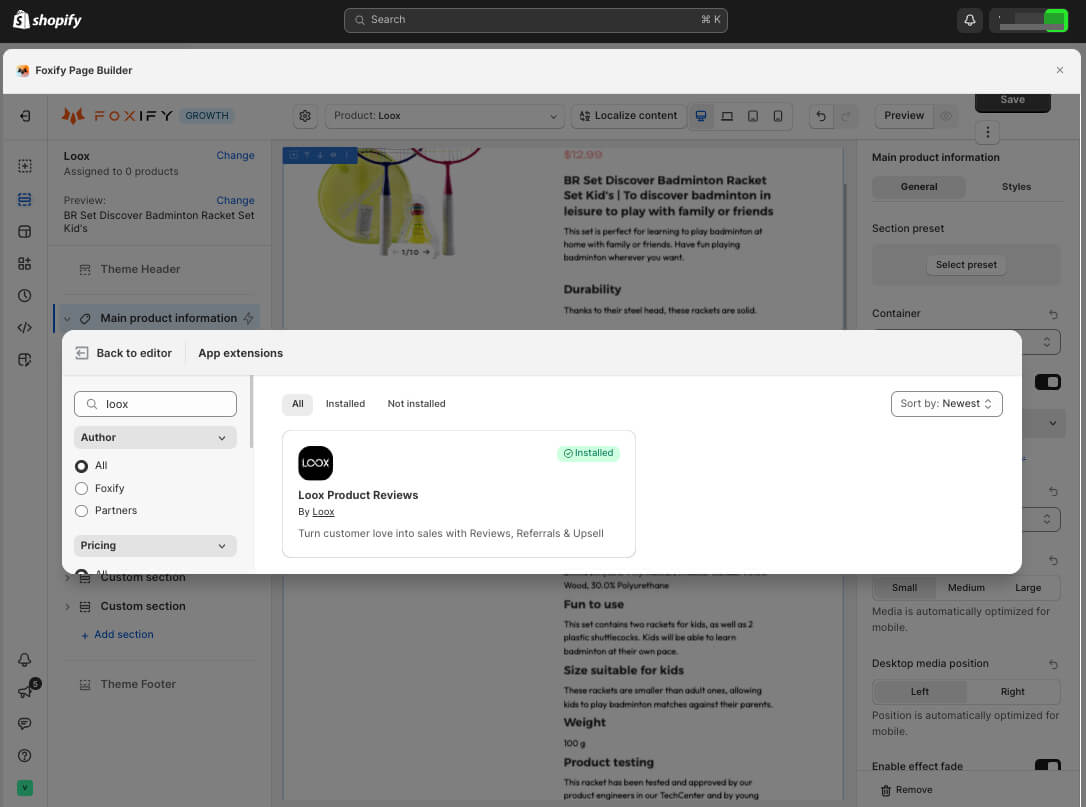
Once you see a **green checkmark** next to **Loox**, it means Loox Product Reviews has been activated and is now ready to be featured!
In **Foxify editor > App extensions**, you can find Loox Product Reviews (and all other extensions) installed.
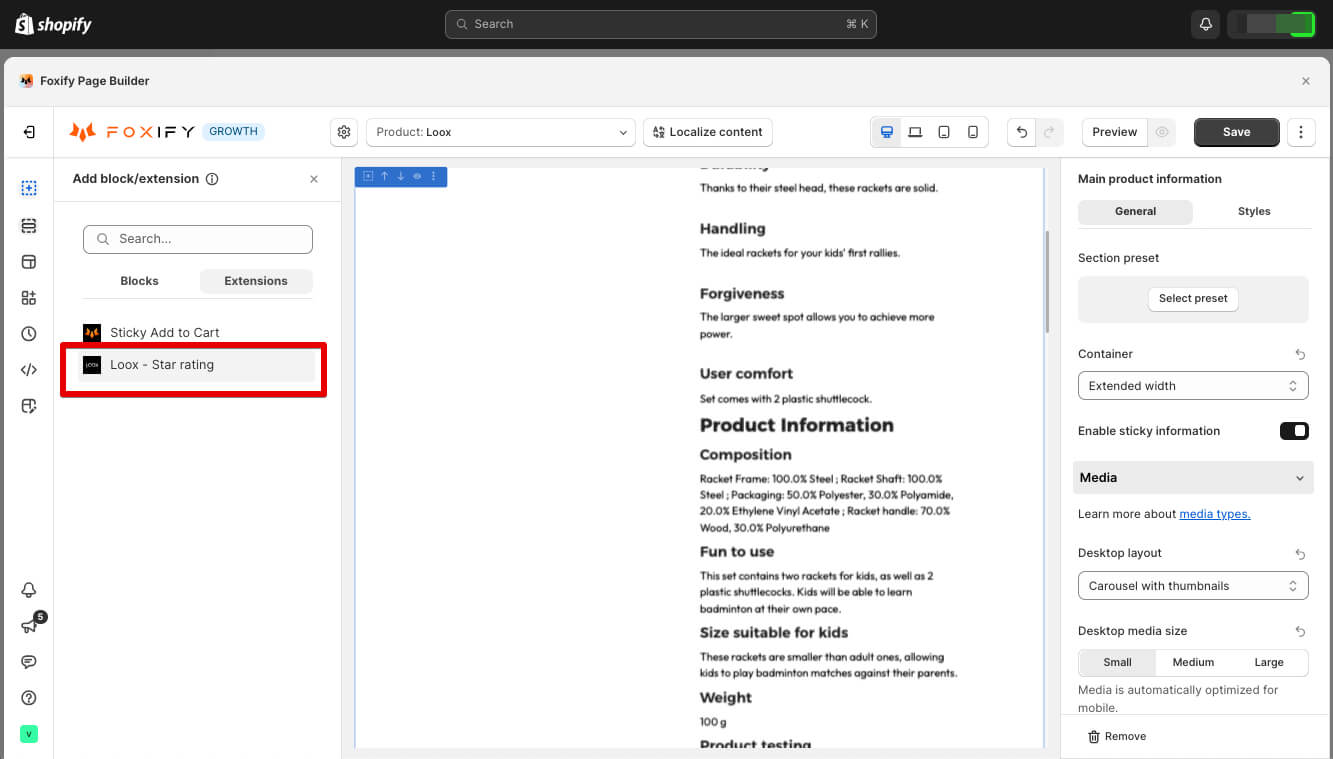
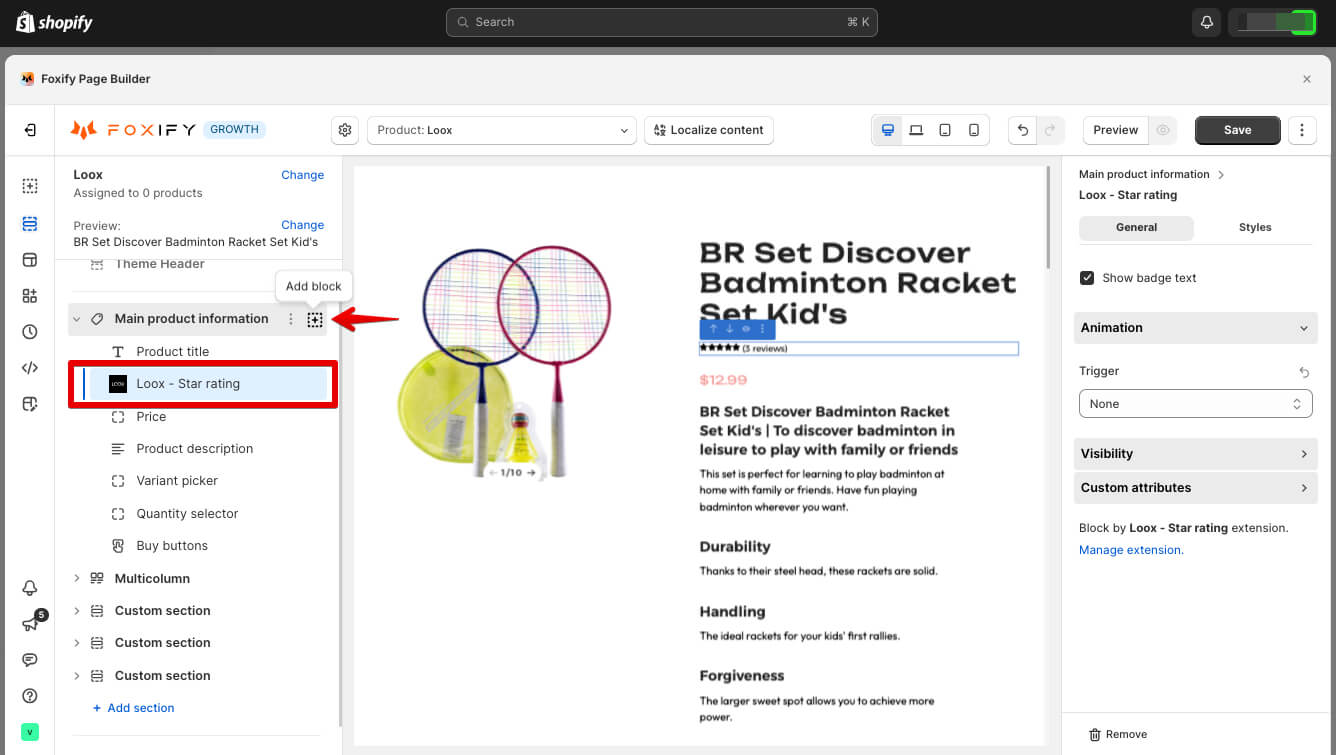
In the section (here we use the Main Product section), select **Add block \[+]**
\> navigate to **Extensions**
\> choose **Loox - Star rating**
## How to add Loox Product Reviews section to Foxify pages
Here’s how you can add Loox Product Reviews section (Reviews widget and Cards carousel) to any Foxify pages.
Loox Product Reviews has been integrated as a built-in extension in [Foxify Smart Page builder](https://apps.shopify.com/foxify-builder?utm_source=foxecom\&utm_medium=help_center_foxify_loox_product_reviews\&utm_campaign=anchor-text\&utm_term=foxify_smart_page_builder), so all you need to do is:
Steps:
1. In your **Foxify dashboard**, open a page (or create a new one) in which you want to embed Loox Product Reviews feature
2. On the left sidebar, select **App Extensions**; or press \[E]
3. **Filter for Author: Partner**, look for **Loox**
4. Choose **Install Extension**
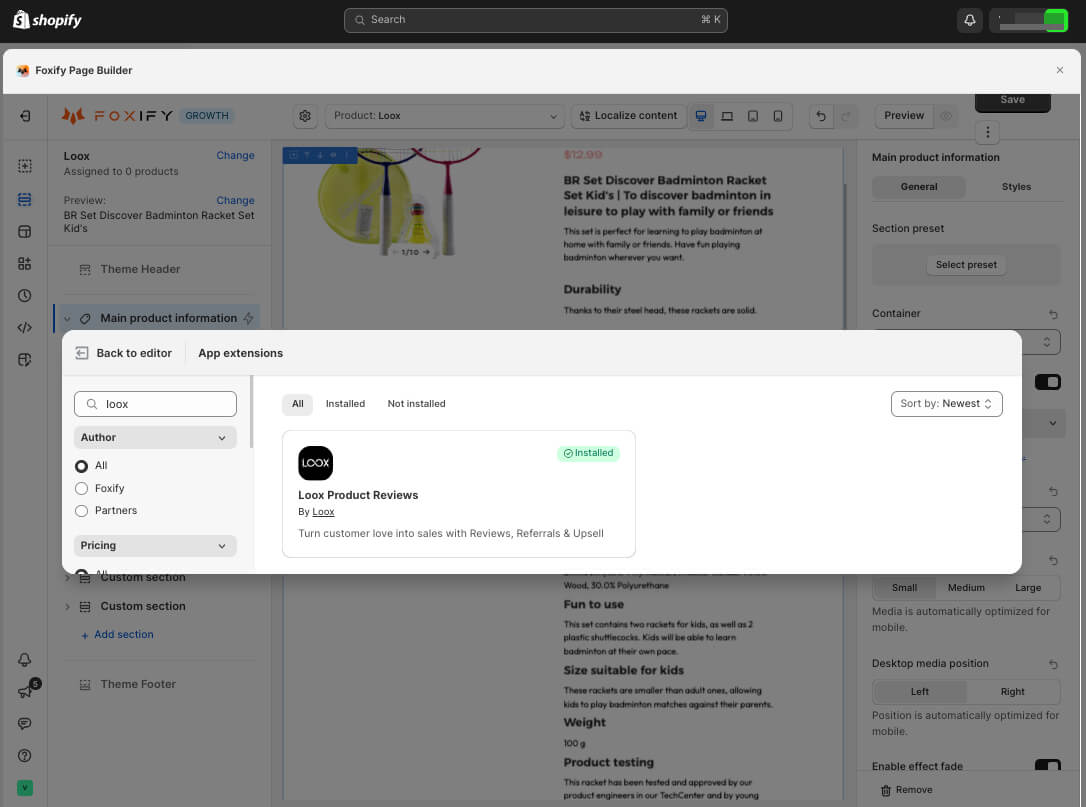
Once you see a **green checkmark** next to **Loox**, it means Loox Product Reviews has been activated and is now ready to be featured!
In **Foxify editor > App extensions**, you can find Loox Product Reviews (and all other extensions) installed.

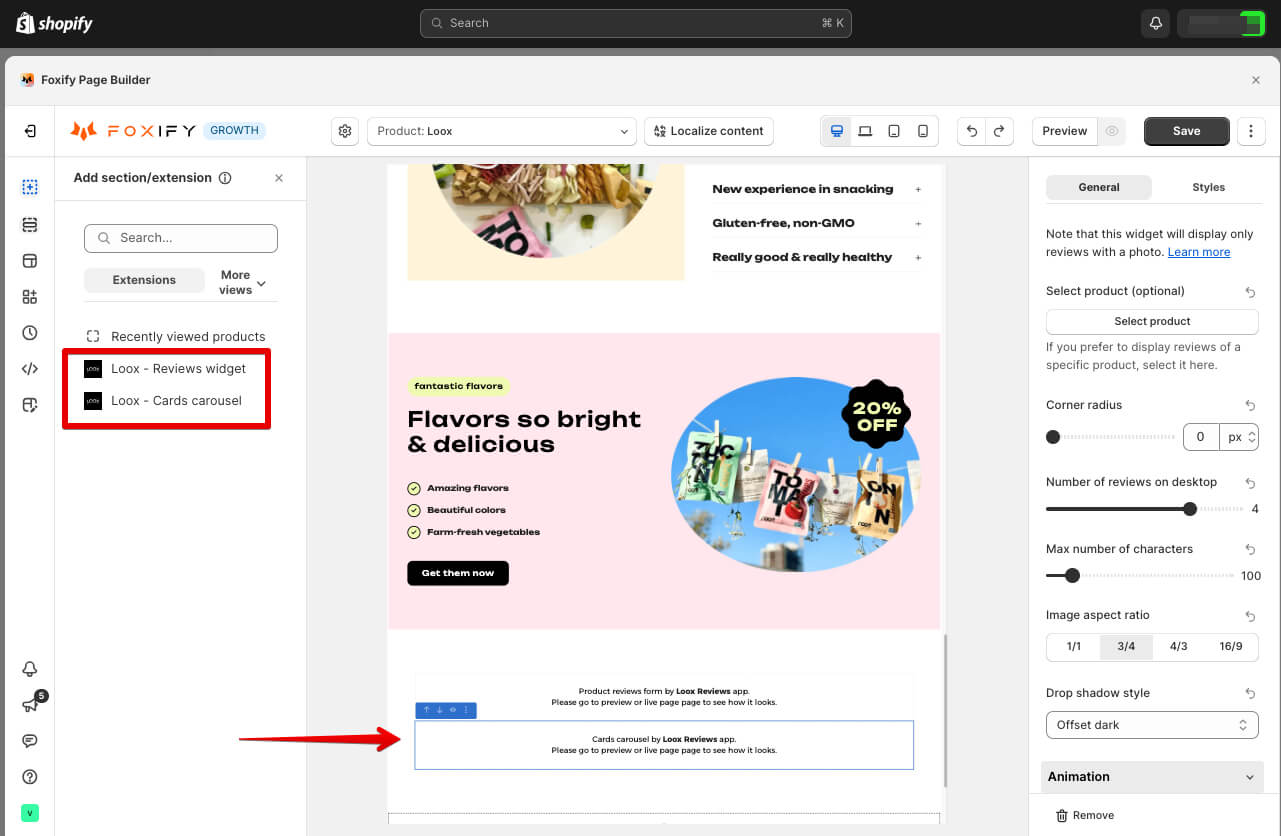
In Foxify page editor, navigate to the page outline (on the left)
\> choose **+ Add section**
\> **Extensions**
\> select **Loox - Reviews widget**, or **Loox - Cards carousel.**
### Settings for Loox Product Reviews Cards Carousel
In Foxify, you can easily update the design of Loox Cards Carousel.
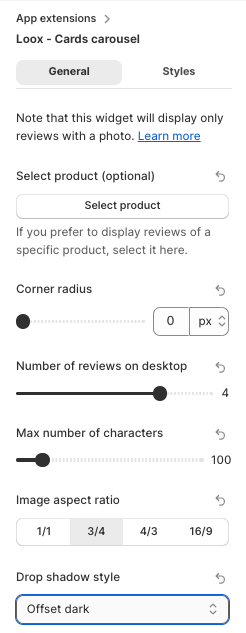
* **Select product**: Choose to display reviews of a specific product, or display the reviews of all products by default
* **Corner radius**: Adjust the corner radius of the section, from 0 to 60px
* **Number of reviews shown on desktop**: Choose how many reviews to display on desktop, from 1 to 5
* **Max numbers of characters**: Set the character limit for the text content, up to 500 characters
* **Image aspect ratio**: Set the image ratio of the cards carousel
* 1/1
* 3/4
* 4/3
* 16/9
* **Drop shadow style**: Choose any shadow style for the cards
* None
* Basic
* Offset dark
* Offset light