# Analytics

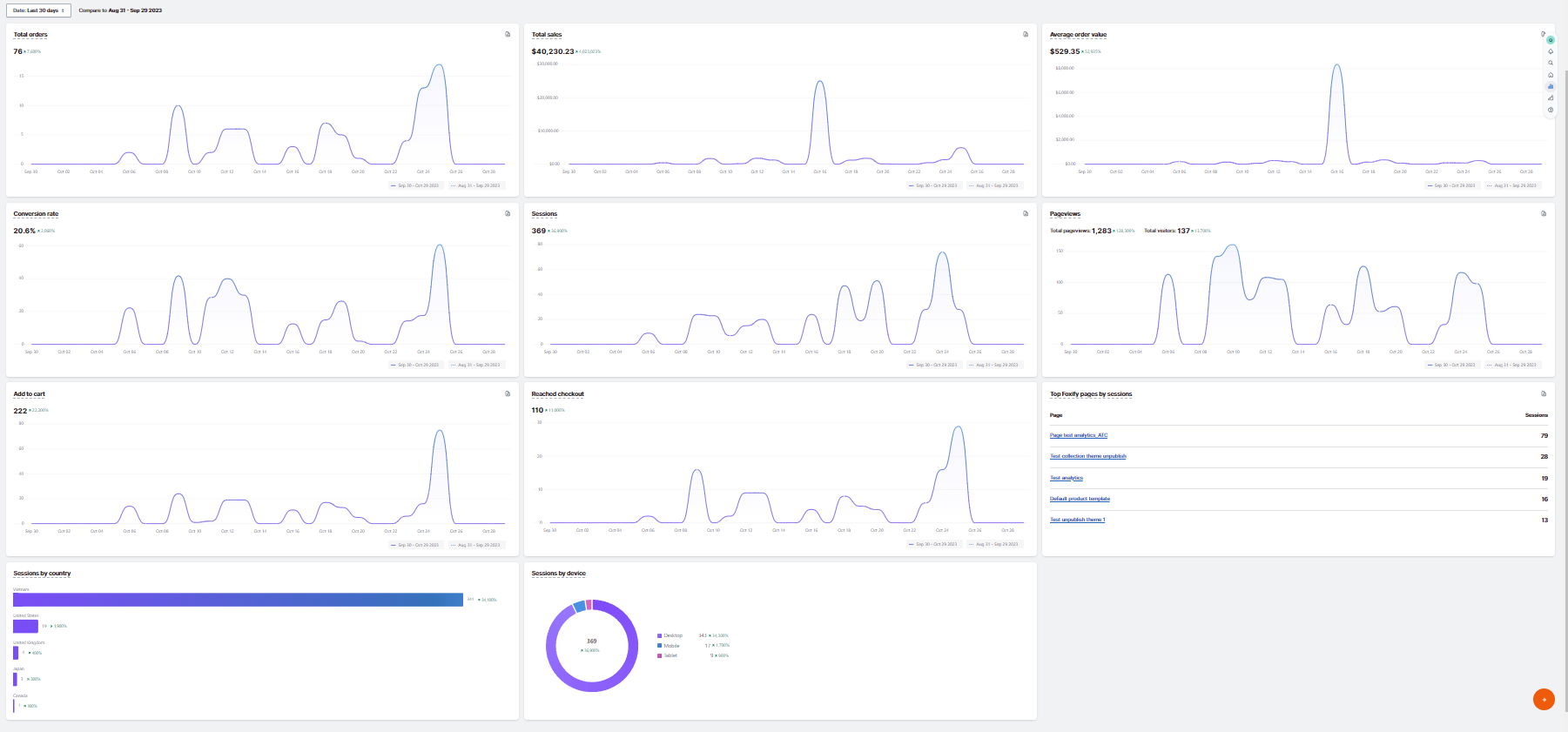
Foxify's analytics and reports allow you to review your pages' activity and get insight into your visitors for any date range.

<figure><img src="https://1749964694-files.gitbook.io/~/files/v0/b/gitbook-x-prod.appspot.com/o/spaces%2FfgpgvtRaQLc36GYyIktZ%2Fuploads%2FkIJzT9wZieSvGHyAllyV%2Fimage.png?alt=media&#x26;token=5355edea-7d53-4f97-94d5-258aed73a304" alt=""><figcaption></figcaption></figure>

## Activate Analytics with Foxify

{% hint style="success" %}
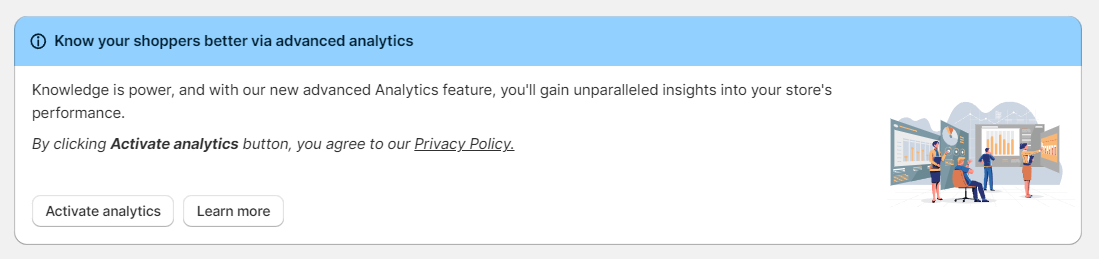
From your Foxify Dashboard, click the **Activate analytics** button to start tracking your Foxify pages' performance.&#x20;
{% endhint %}

<figure><img src="https://1749964694-files.gitbook.io/~/files/v0/b/gitbook-x-prod.appspot.com/o/spaces%2FfgpgvtRaQLc36GYyIktZ%2Fuploads%2FYu5vS85ou5cgq8kxC0GP%2Fimage.png?alt=media&#x26;token=f3f388c4-e870-4355-9de2-f7ddbf8824cf" alt=""><figcaption></figcaption></figure>

By clicking the **Activate analytics** button, you agree to our [Privacy Policy.](https://foxecom.com/pages/privacy-policy)

## Key metrics of Foxify Analytics

<table><thead><tr><th width="233">Metric</th><th>Description</th></tr></thead><tbody><tr><td>Page views</td><td>Number of views on the Foxify page</td></tr><tr><td>Visitors</td><td>Number of visitors on the Foxify page</td></tr><tr><td>Sessions</td><td>Number of sessions on the Foxify page</td></tr><tr><td>Clicks</td><td>Number of times the shoppers click on any CTA or link on the Foxify page</td></tr><tr><td>Add to cart</td><td>Number of sessions in which shoppers added one or more items to their shopping carts on the Foxify page</td></tr><tr><td>Reached checkout </td><td>Number of sessions in which shoppers added one or more items to their shopping carts on the Foxify page, proceeded to the checkout, and performed an action</td></tr><tr><td>Total sales</td><td>Displays the sales amounts related to the Foxify<br><br><em>Note</em>: Foxify only has the ability to track sales from a Foxify Add to Cart button. If you are using an add to cart button from your theme or a third-party app that affects the add-to-cart process, this may not be tracked.</td></tr><tr><td>Total orders</td><td>Displays the number of orders related to the Foxify</td></tr><tr><td>Average order value (AOV)</td><td>Displays the average value of all orders, divided by the total number of orders from Foxify pages. </td></tr><tr><td>Conversion rate</td><td>Displays the percentage of sessions that lead to an order</td></tr><tr><td>Sessions by devices</td><td>Displays the number of sessions on your online store and what kind of device was used to access your store. The most common device types are mobile, desktop, and tablet.</td></tr><tr><td>Sessions by countries</td><td>Displays the number of sessions on your online store sorted by country.</td></tr><tr><td>Top Foxify pages by sessions</td><td><p>Displays the specific Foxify pages on which your customers started their sessions on your online store. </p><p>A page is determined from the URL viewed in a unique session. </p></td></tr></tbody></table>

### Sessions and visitors

The number of sessions and the number of visitors are based on cookies.&#x20;

Cookies are small files stored on a shopper's device, such as a desktop or smartphone, when they visit your online store.&#x20;

One cookie identifies the device (the visitor). Another cookie keeps track of the length of the session.

A session ends after 30 minutes of no activity and at midnight UTC.&#x20;

Because the same visitor can have multiple sessions, the number of sessions is usually higher than the number of visitors.

Example: A shopper views products in your store for 20 minutes, then returns to your store 2 hours later for another 10 minutes. Two sessions and one visitor are reported. If the shopper instead views your store for 5 minutes, leaves, and returns 10 minutes later, then one session and one visitor are reported.<br>

***

<div data-full-width="false"><figure><img src="https://1749964694-files.gitbook.io/~/files/v0/b/gitbook-x-prod.appspot.com/o/spaces%2FfgpgvtRaQLc36GYyIktZ%2Fuploads%2FETk3RTZrTHUxALnqCtTH%2FFoxEcom%20changelog%20%20%201250%20x%20200.png?alt=media&#x26;token=a72791be-b9fe-4806-8a28-f1592e470b10" alt=""><figcaption><p><a href="https://foxecom.com/pages/affiliate?utm_source=foxecom&#x26;utm_medium=help_center_foxify_analytics&#x26;utm_campaign=anchor-text&#x26;utm_term=explore_foxecom_affiliate_program_perks_now">Explore FoxEcom Affiliate program perks now</a> <span data-gb-custom-inline data-tag="emoji" data-code="2728">✨</span></p></figcaption></figure></div>