# How to change the app language 🌍

**Foxify supports multiple languages!** You can customize the app interface to match your preferred language, making your workflow smoother and more intuitive.
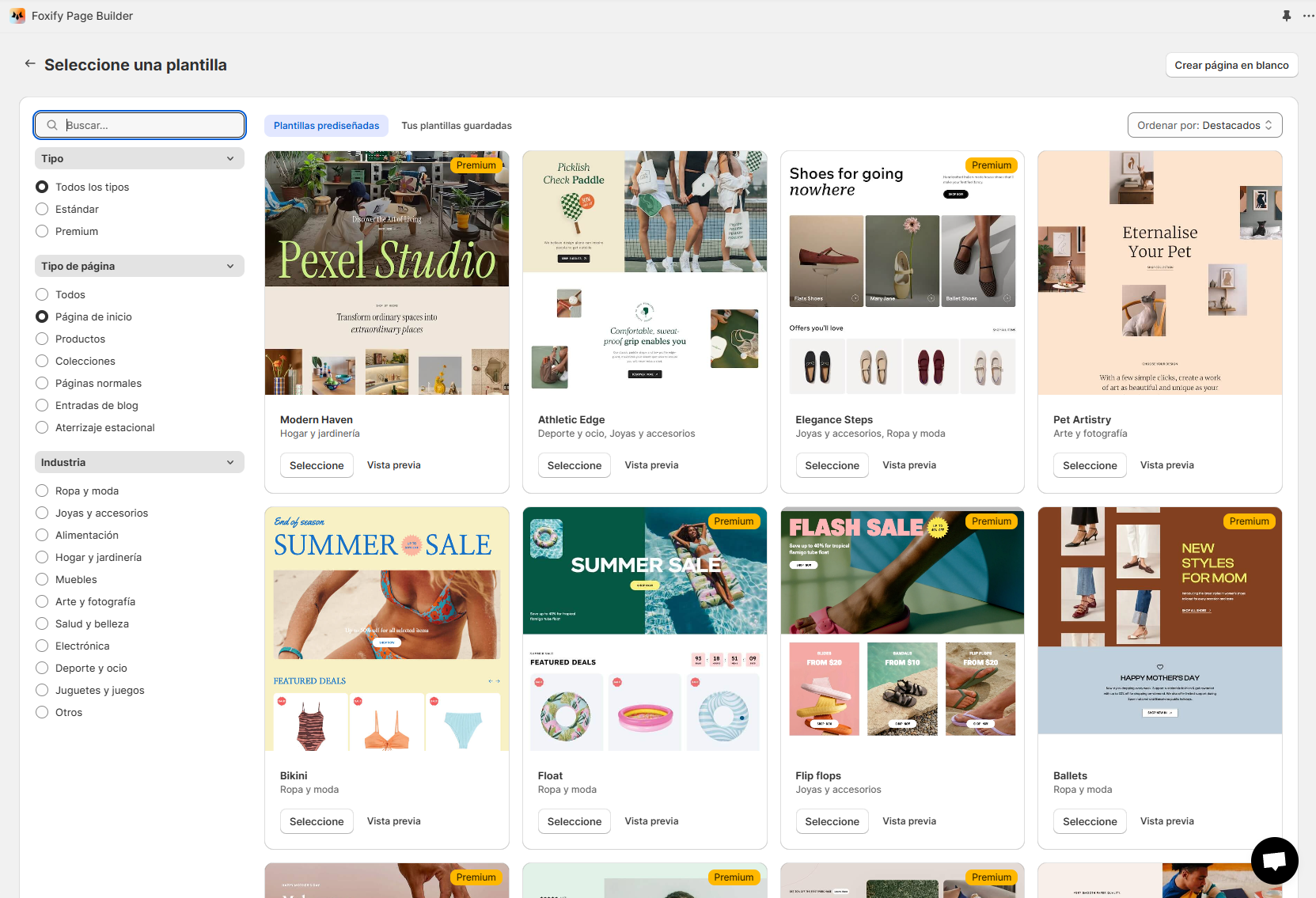
<figure><img src="https://1749964694-files.gitbook.io/~/files/v0/b/gitbook-x-prod.appspot.com/o/spaces%2FfgpgvtRaQLc36GYyIktZ%2Fuploads%2FpmPu2f9YJ5MO5alyrUjv%2Fimage.png?alt=media&#x26;token=ca1c379d-deb1-4d7a-a69b-361c2c08c995" alt=""><figcaption><p>An example of Foxify's inteface the app language is Spanish (Español)</p></figcaption></figure>

## **What are the available languages?**

You can select from the following languages:

* **English (Default)**
* **Spanish (Español)**
* **German (Deutsch)**
* **French (Français)**
* **Italian (Italiano)**

## **How to change the App language**

✅ Follow these simple steps to update the language in your Foxify app:

{% hint style="success" %}
Steps:

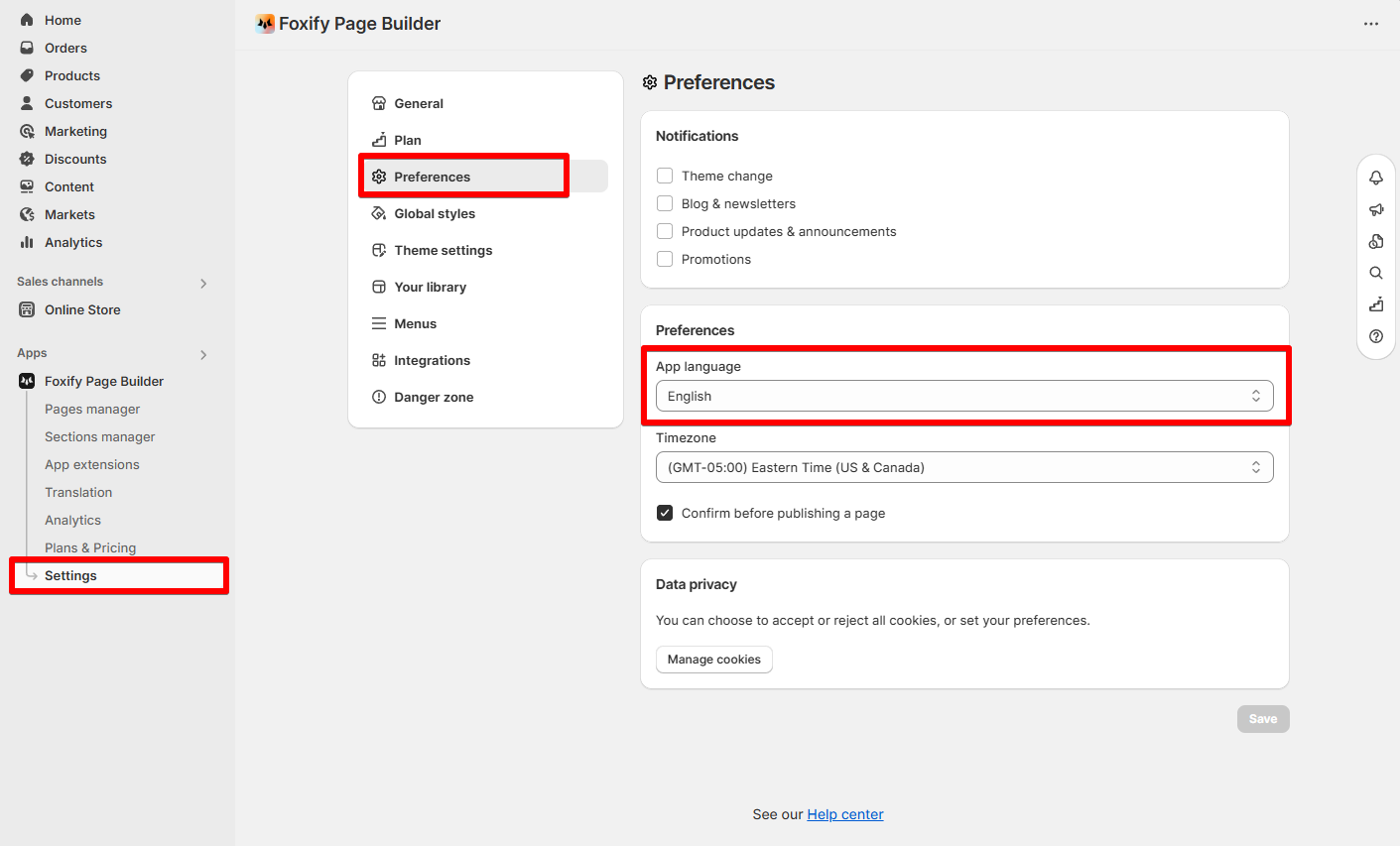
1. Open Foxify app in your Shopify Admin.&#x20;
2. Navigate to the **Settings** section.
3. Under the **Preferences** section, find the **App language** dropdown.&#x20;
4. Select your preferred language and click **Update**.
5. The app interface will update automatically to reflect your selection.
   {% endhint %}

<figure><img src="https://1749964694-files.gitbook.io/~/files/v0/b/gitbook-x-prod.appspot.com/o/spaces%2FfgpgvtRaQLc36GYyIktZ%2Fuploads%2FYVVrNxwv10RP1Wu9H0Ev%2Fimage.png?alt=media&#x26;token=ced28aa1-e29a-4a72-a9c9-fcc64d0025b8" alt=""><figcaption></figcaption></figure>

🎉 **That’s it!** Enjoy using Foxify in your chosen language.

## **Have a suggestion for a new language?** 💡

We’re always looking to improve and expand our language support! If you’d like to see Foxify in another language, let us know.

{% hint style="info" %}
Drop your suggestion via our 💬 **in-app live chat** or 📩 email <happytohelp@foxecom.com>.
{% endhint %}


---

# Agent Instructions: Querying This Documentation

If you need additional information that is not directly available in this page, you can query the documentation dynamically by asking a question.

Perform an HTTP GET request on the current page URL with the `ask` query parameter:

```
GET https://docs.foxecom.com/foxify-app/faqs-and-troubleshooting/faqs/how-to-change-the-app-language.md?ask=<question>
```

The question should be specific, self-contained, and written in natural language.
The response will contain a direct answer to the question and relevant excerpts and sources from the documentation.

Use this mechanism when the answer is not explicitly present in the current page, you need clarification or additional context, or you want to retrieve related documentation sections.
