# Rivyo Product Reviews
Rivyo Product Reviews is a highly rated Shopify app that helps you build social proof through customer reviews and star ratings. In this guide, you’ll learn how to add Rivyo features with Foxify Page Builder to easily display reviews on your product pages—without touching any code.
_p6dal5fo.gif)
## What is Rivyo Product Reviews App?
Rivyo Product Reviews allows you to collect and display customer feedback in the form of star ratings, photo/video reviews, and Q\&A. It supports importing reviews from AliExpress and Amazon and helps boost trust, SEO, and conversion rates across your store.
**What you can do with Judge.me:**
* Collect text, image, and video reviews from real customers
* Import reviews from Amazon and AliExpress
* Display star ratings on product pages, collection pages, and homepage
* Showcase a dedicated reviews page and carousel
* SEO-friendly rich snippets for Google search
* Question & answer section for pre-sale inquiries
* Easy moderation and auto-publish settings
* Multi-language support and theme compatibility
👉 [Install Rivyo Product Reviews now](https://apps.shopify.com/rivyo-product-review)
## How to use Rivyo with Foxify Smart Page Builder
### Install Rivyo Product Reviews from the Shopify App Store
Before using the app widget in Foxify, you have to install it in your Shopify store and configure the app settings. If you’re new to this app, check [its documentation](https://webcontrive.helpscoutdocs.com/collection/4-rivyo-product-reviews) to understand how it works.
Steps:
1. Log in to the Shopify App Store.
2. Find the Rivyo: Reviews & Loyalty app and click **Install**.
3. In your Shopify admin, to authorize the use of the app, click **Install.**
After the app is installed, you can view and use it from the **Apps** page in your Shopify admin.
### Set up Rivyo with Foxify
Rivyo has been integrated as a built-in extension in Foxify Page Builder, so all you need to do is:
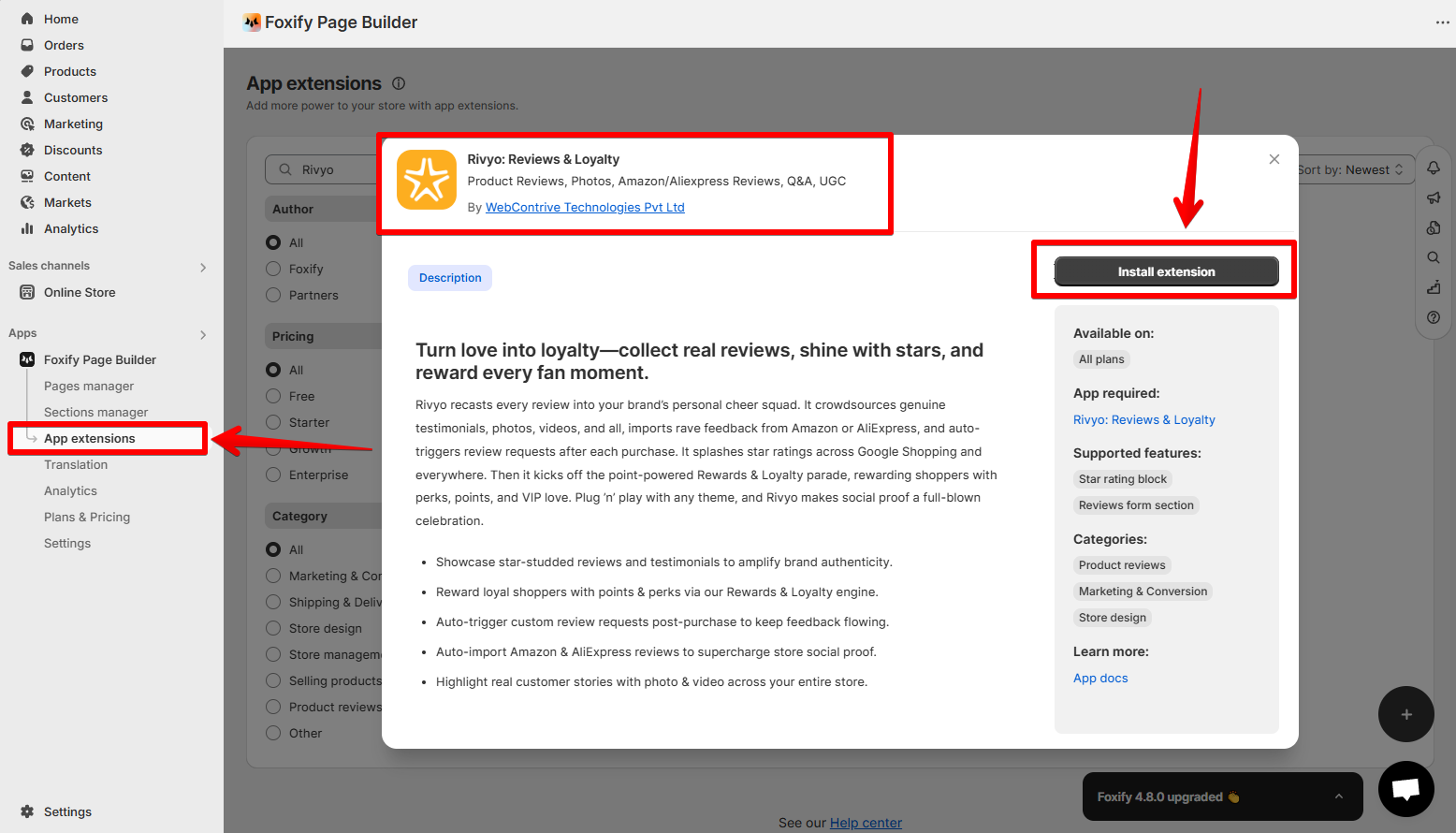
1. In your **Foxify dashboard**, select **App Extensions.**
2. Look for **Rivyo: Reviews & Loyalty** and Choose **Install extension.**
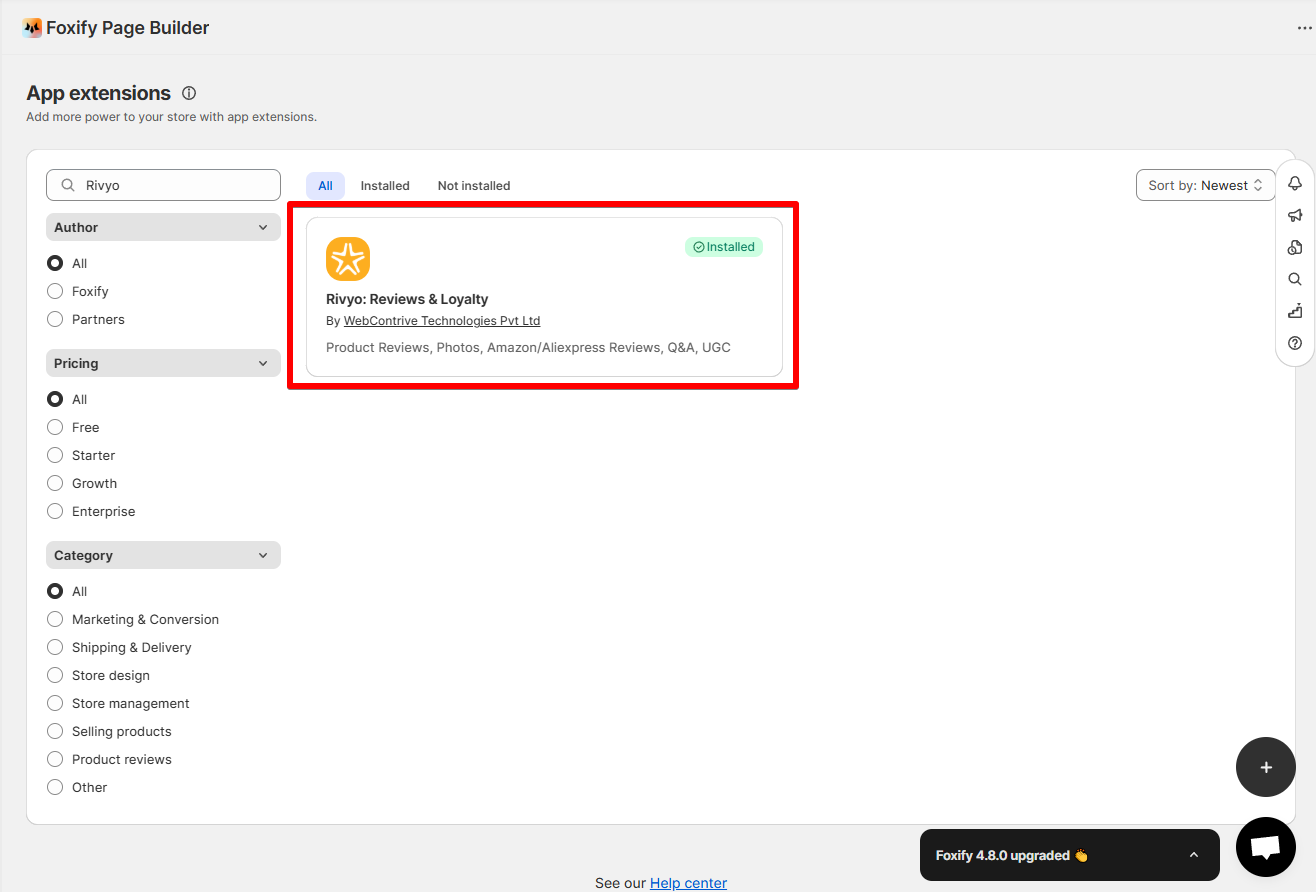
Once you see a green checkmark next to **Rivyo** ✅**,** it means the app has been activated and is now ready to be featured.
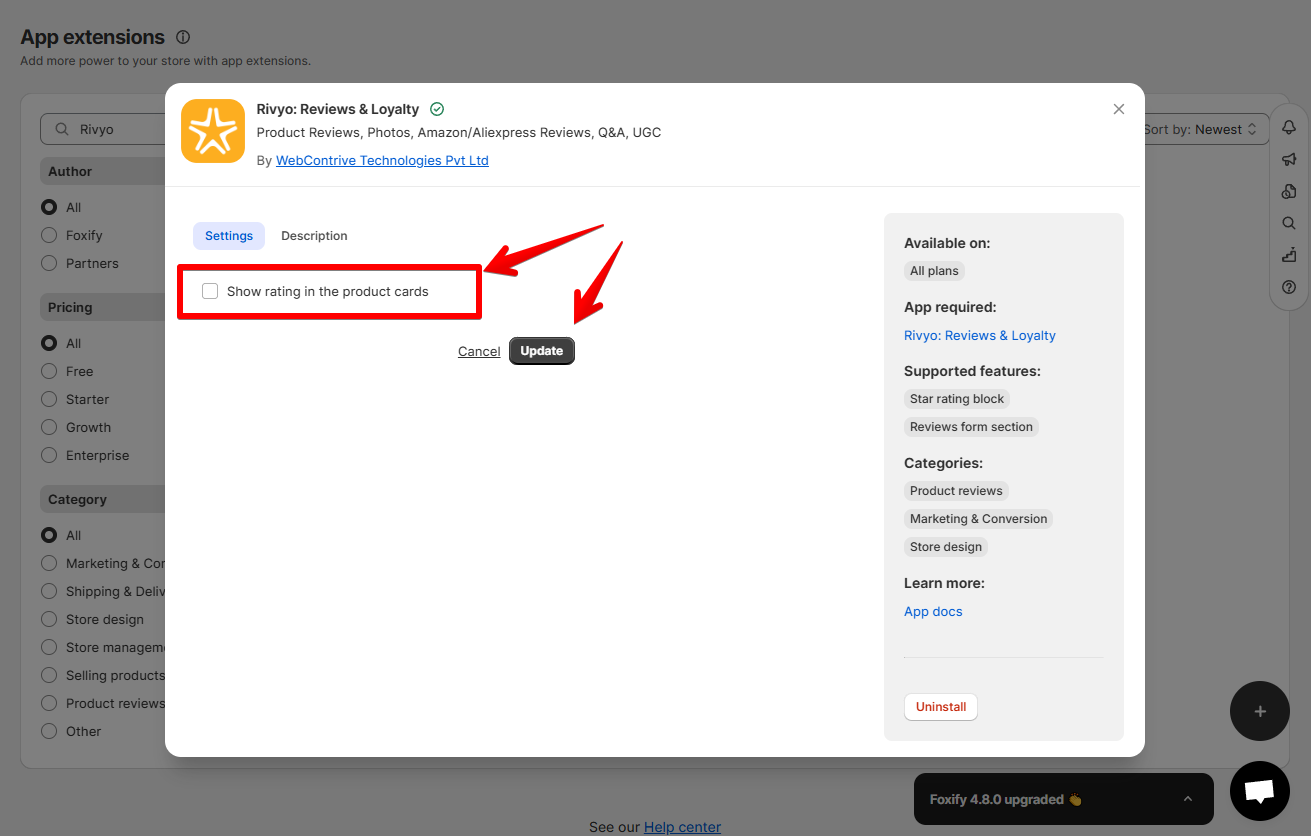
3. If you want to show the star ratings in product cards on your Foxify pages, select the extension and select the option **Show rating in the product cards**.
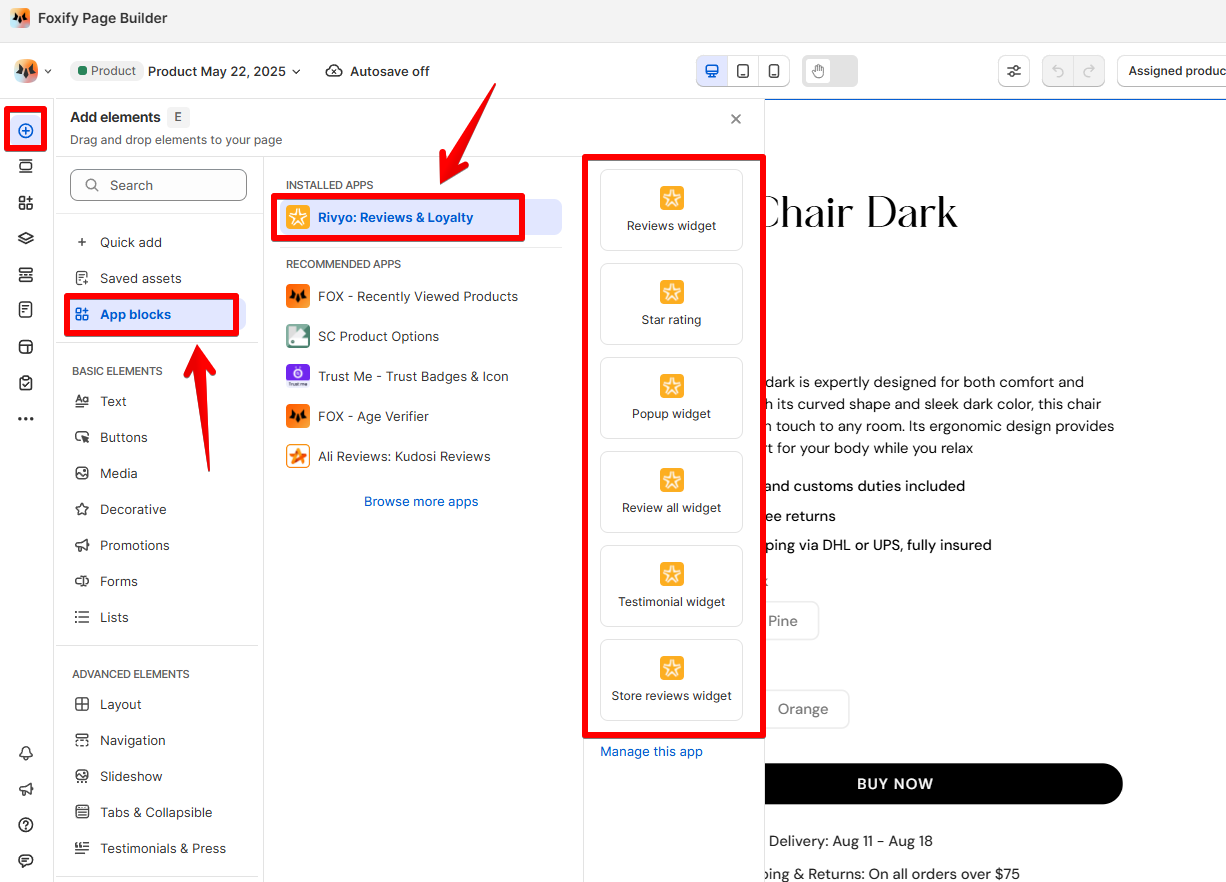
4. In **Pages manager**, open the page you want to add the app features to. Select **Add element > App blocks.**
Select **Rivyo** from the **Installed apps** list, and drag the app widget you want to feature on your page.
5. Adjust the element's sizing if needed.
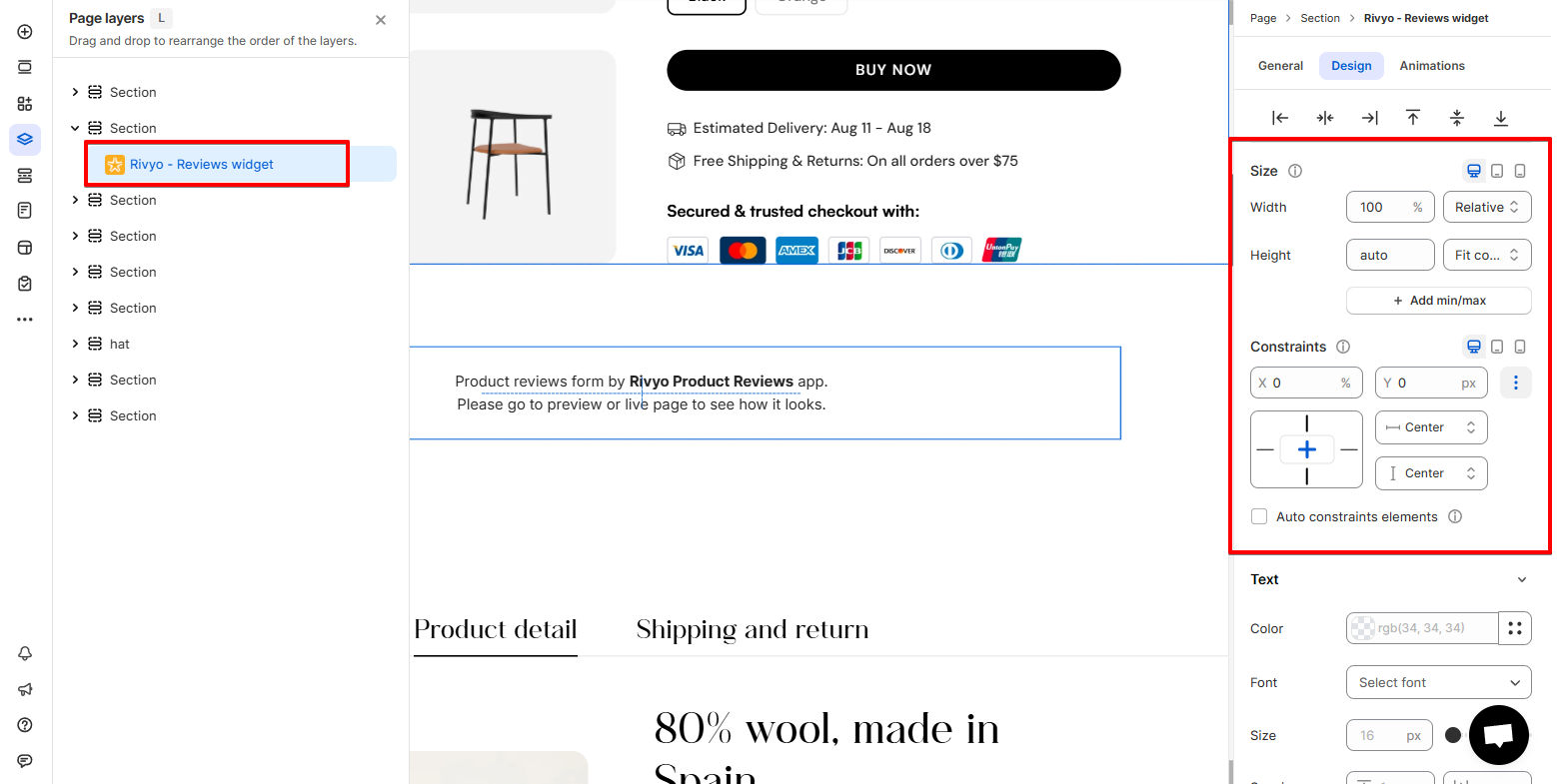
6. **Save** the changes. Once published, the widgets will display on the live page.
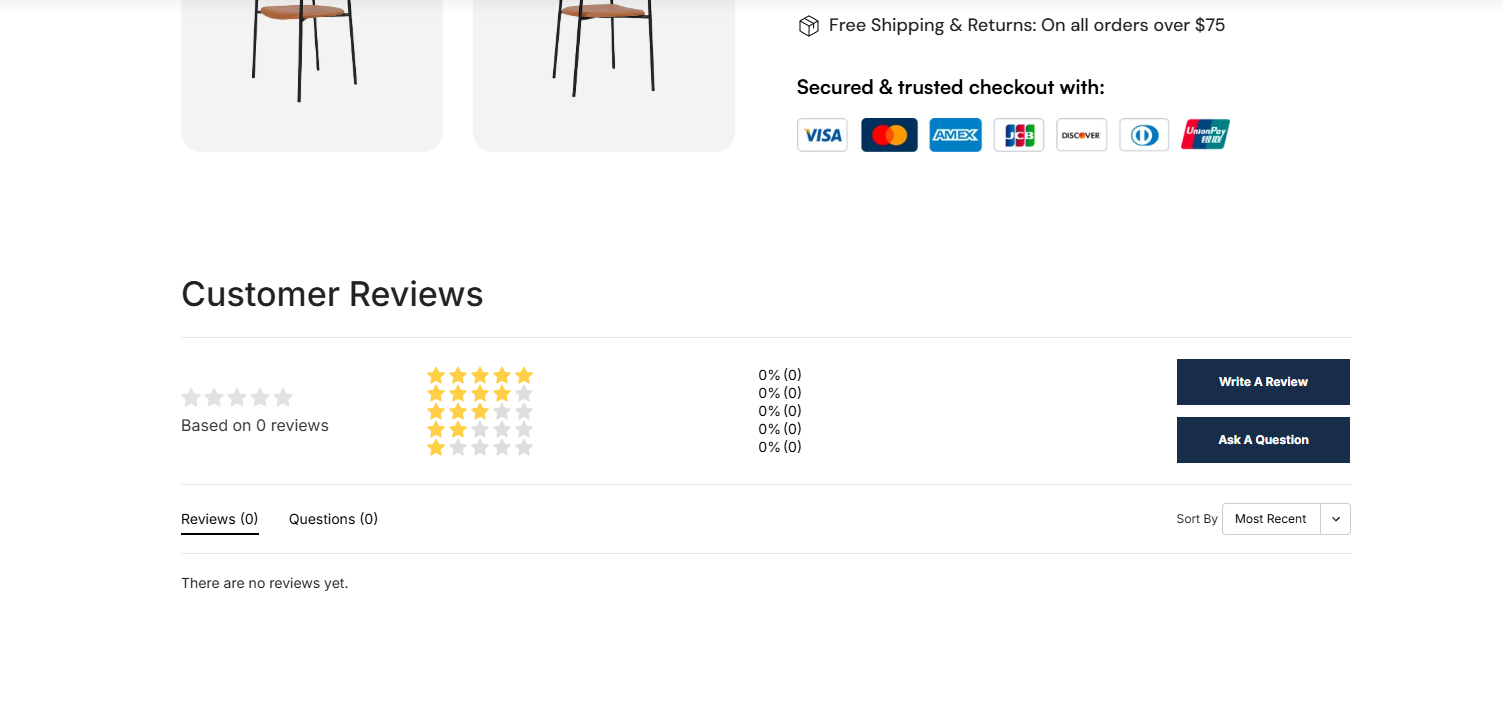
### Rivyo widget available in Foxify
* **Reviews widget:** Display a list of verified customer reviews with optional photo/video content.
* **Star Rating widget:** Show the average star rating for a product.
* **Popup widget:** Highlights top customer reviews in a slider format to boost credibility.
* **Review all widget**: Display all reviews across products in one place.
* **Testimonial widget**: Showcase handpicked customer testimonials.
* **Store reviews widget**: Highlight overall store ratings from buyers.
## FAQs
### Is there a free plan for Rivyo?
Yes, Rivyo offers a free plan with core review functionalities.
### **Can I import reviews from AliExpress or Amazon?**
Yes, importing is supported on paid plans.
### **Can I style the reviews section in Foxify?**
You can control placement and widget sizing in Foxify. Styling and formatting should be configured within the Rivyo app dashboard.