# Ai Loyalty, Email, Review, SMS
## What is Ai Loyalty, Email, Review, SMS?
AiTrillion is a sales & marketing automation platform built to grow eCommerce via powerful modules to maximize customer engagement, and retention.
**What you can do with Air Reviews:**
* **Automated email campaigns**: AiTrillion’s email marketing feature enables sellers to create automated email campaigns for abandoned cart recovery, order follow-ups, and more.
* **Personalized recommendations**: AiTrillion’s product recommendations feature analyzes customers’ behavior and suggests products that are most likely to interest them, thereby increasing the chances of conversion.
* **Loyalty rewards program**: AiTrillion’s loyalty rewards feature encourages customers to make repeat purchases by offering rewards and discounts for their loyalty.
* **Streamlined review management**: AiTrillion’s review management feature enables store owners to collect and display product reviews on their website, which helps increase customer trust and conversions.
* **Smart popups**: AiTrillion’s smart popups feature enables store owners to display targeted popups based on customer behavior, such as exit-intent popups or timed popups, to help increase sales.
[Install Ai Loyalty, Email, Review, SMS now](https://foxecom.com/pages/partners/ai-t-loyalty-program-email) for 20% OFF for 1 year 🎁
## How to use Ai Loyalty, Email, Review, SMS with Foxify Smart Page Builder
### Install Ai Loyalty, Email, Review, SMS from the Shopify App Store
Before using the app widget in Foxify, you have to install it in your Shopify store and configure the app settings. If you’re new to this app, check [its documentation](https://docs.aitrillion.com/en/?utm_source=shopifapppage\&utm_medium=listing_page\&utm_campaign=link_click_help) to understand how it works.
Steps:
1. Log in to the Shopify App Store.
2. Find the [Ai Loyalty Rewards, Email, SMS app](https://apps.shopify.com/aitrillion) and click **Install**.
3. In your Shopify admin, to authorize the use of the app, click **Install.**
After the app is installed, you can view and use it from the **Apps** page in your Shopify admin.
### Set up Ai Loyalty, Email, Review, SMS with Foxify
Ai Loyalty, Email, Review, SMS has been integrated as a built-in extension in Foxify Smart Pagebuilder, so all you need to do is:
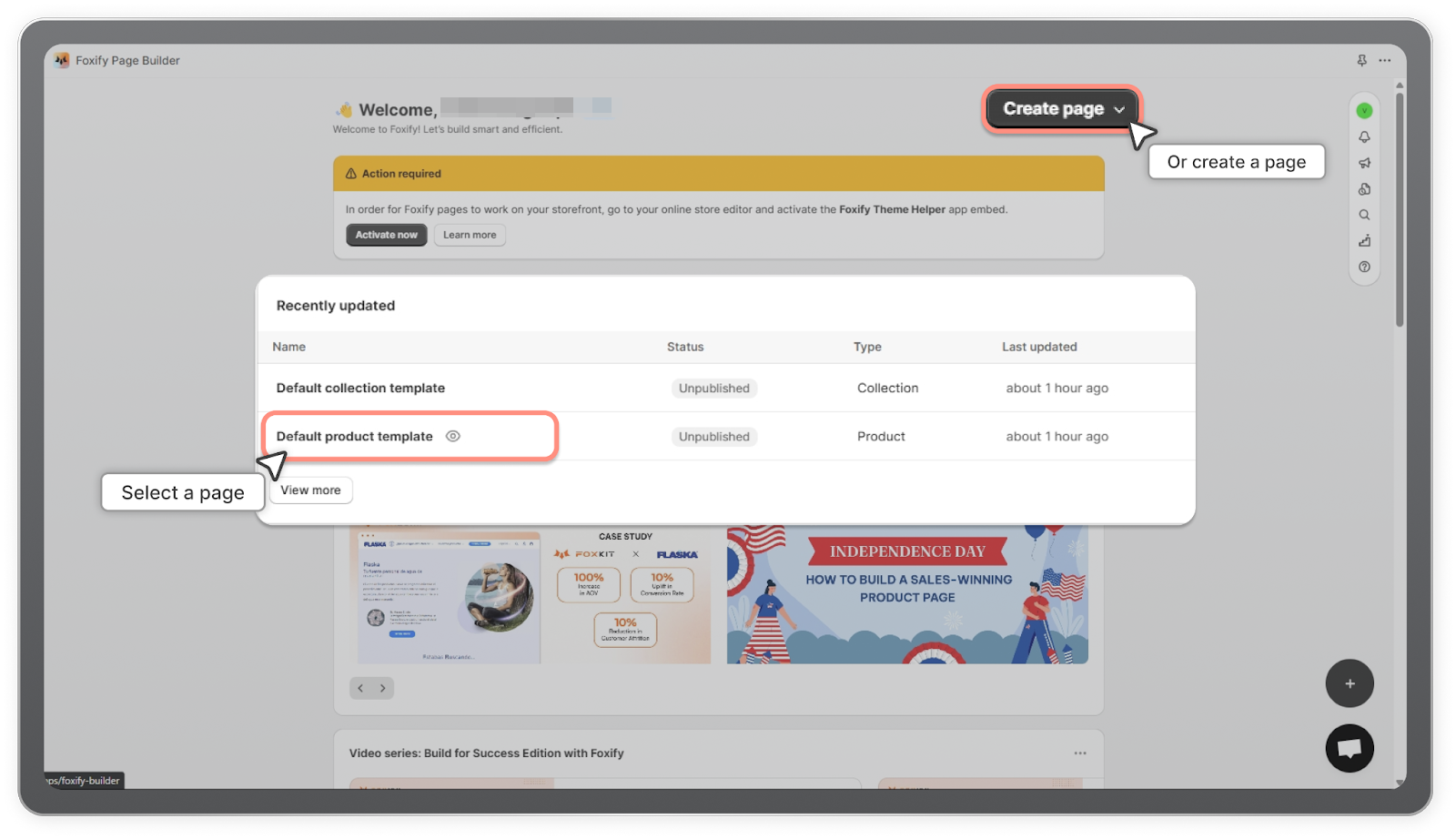
1. In your **Foxify dashboard**, open a page (or create a new one) in which you want to embed **Ai Loyalty, Email, Review, SMS** feature.
2. On the left sidebar, select **App Extensions > Browse more apps.**
3. Look for **Ai Loyalty, Email, Review, SMS** and Choose **Install extension.**
Once you see a green checkmark next to **Ai Loyalty, Email, Review, SMS**, it means the app has been activated and is now ready to be featured.
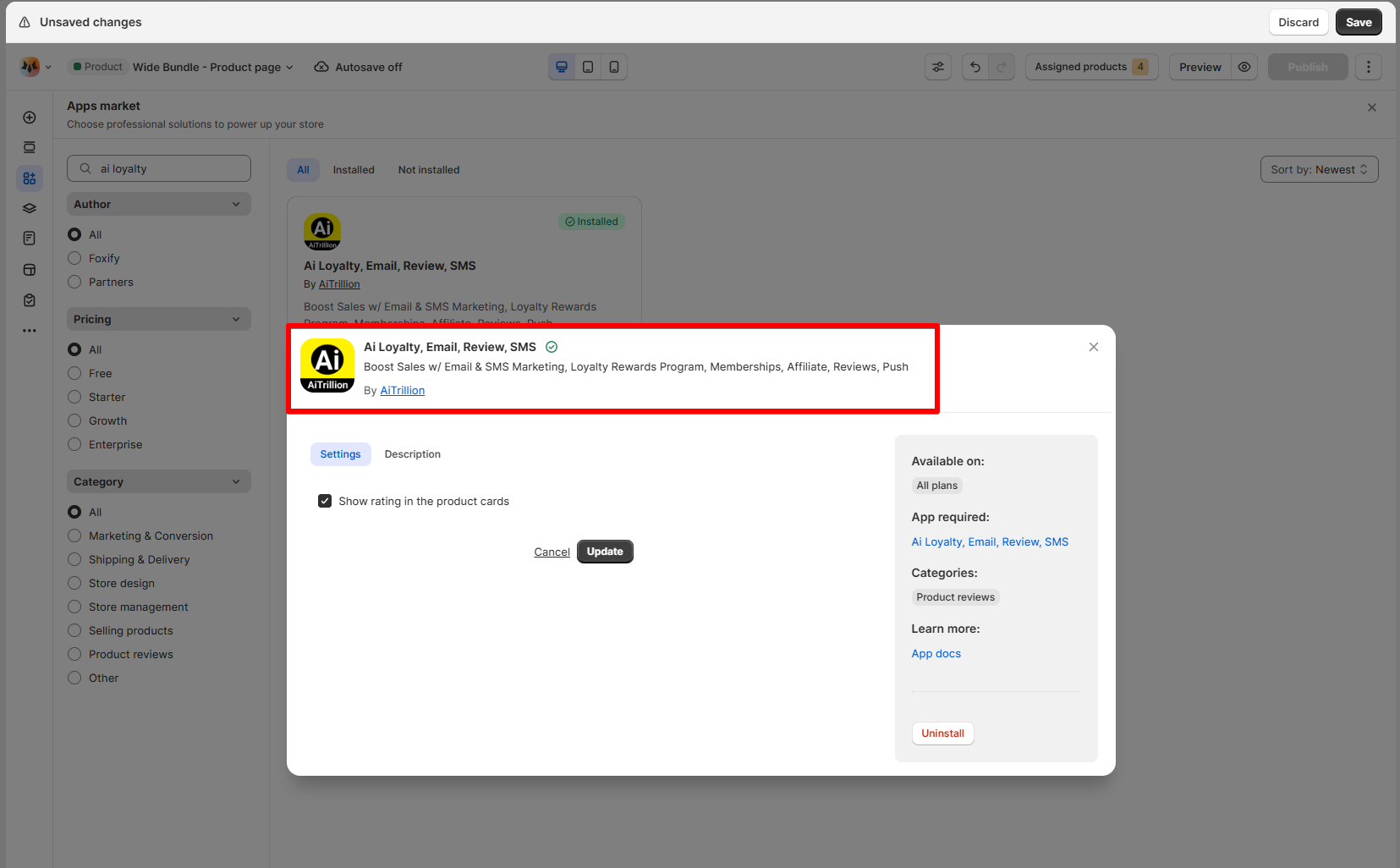
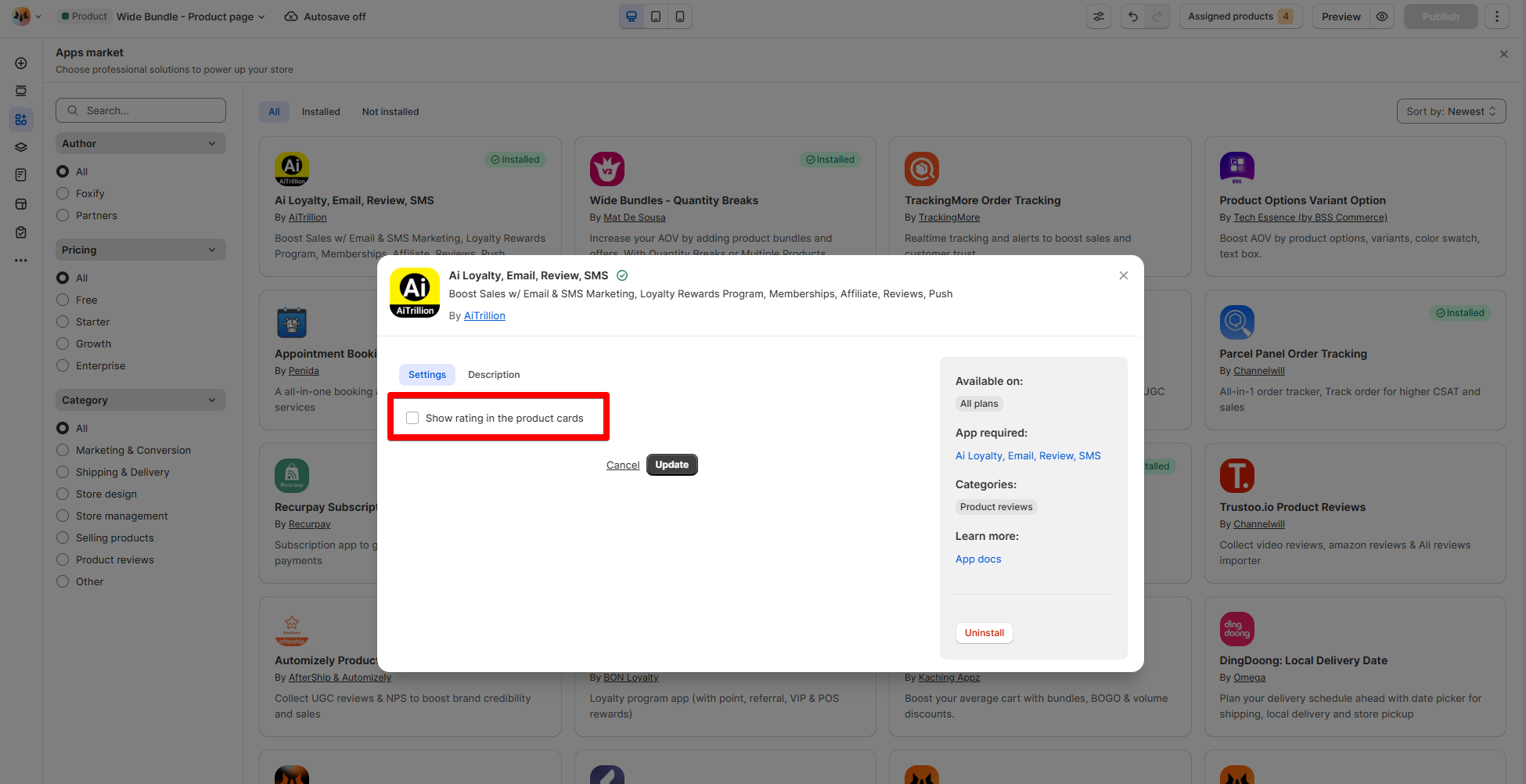
If you want to show the review rating in the product cards, enable the setting accordingly and click **Update.**
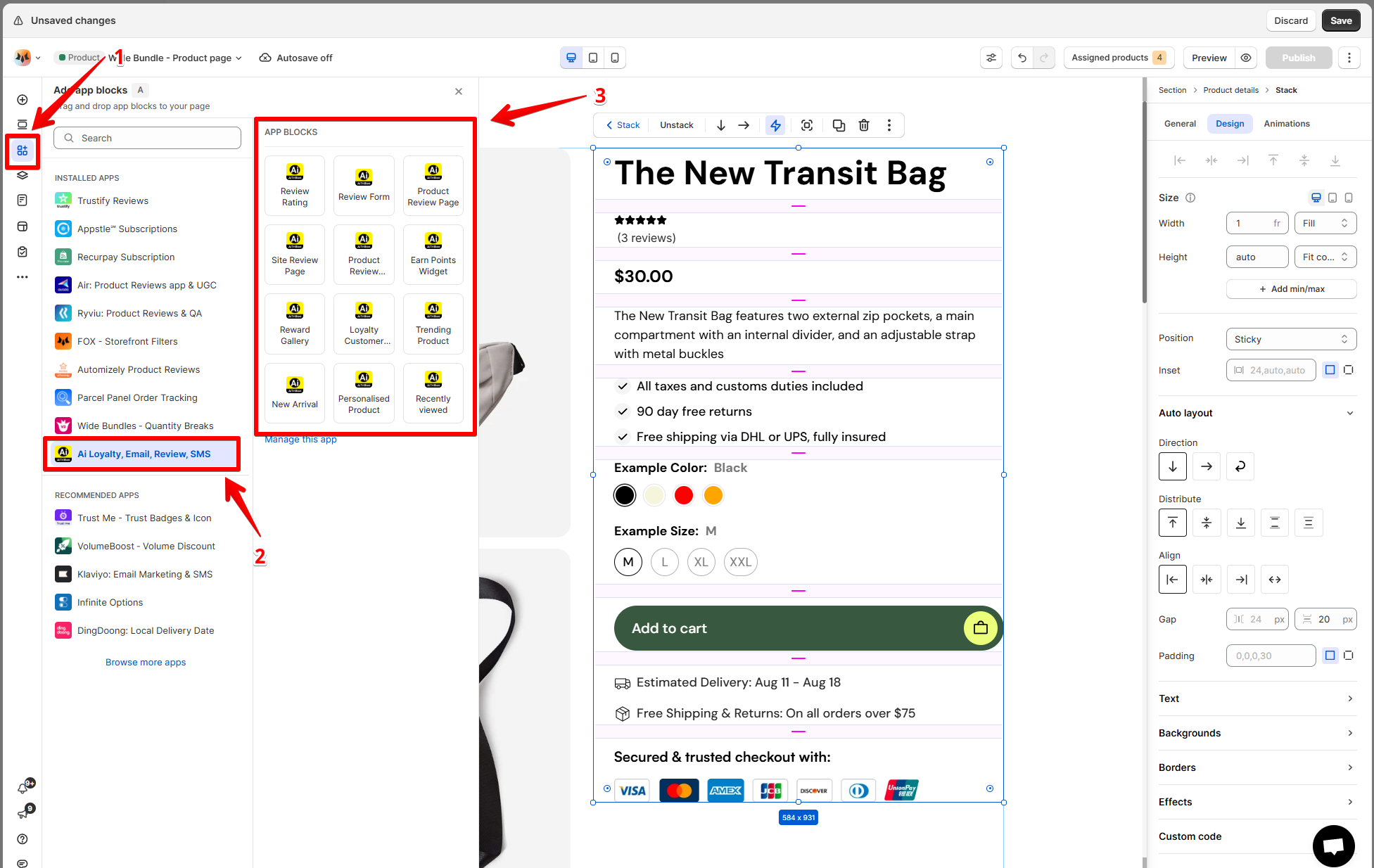
4. In **Foxify editor** > **App extensions**, you can find **Ai Loyalty, Email, Review, SMS** (and all other extensions) installed.
Drag and drop the app widget to your Foxify pages.
Update **any settings** on the right-hand menu if necessary.
5. **Save** the changes.