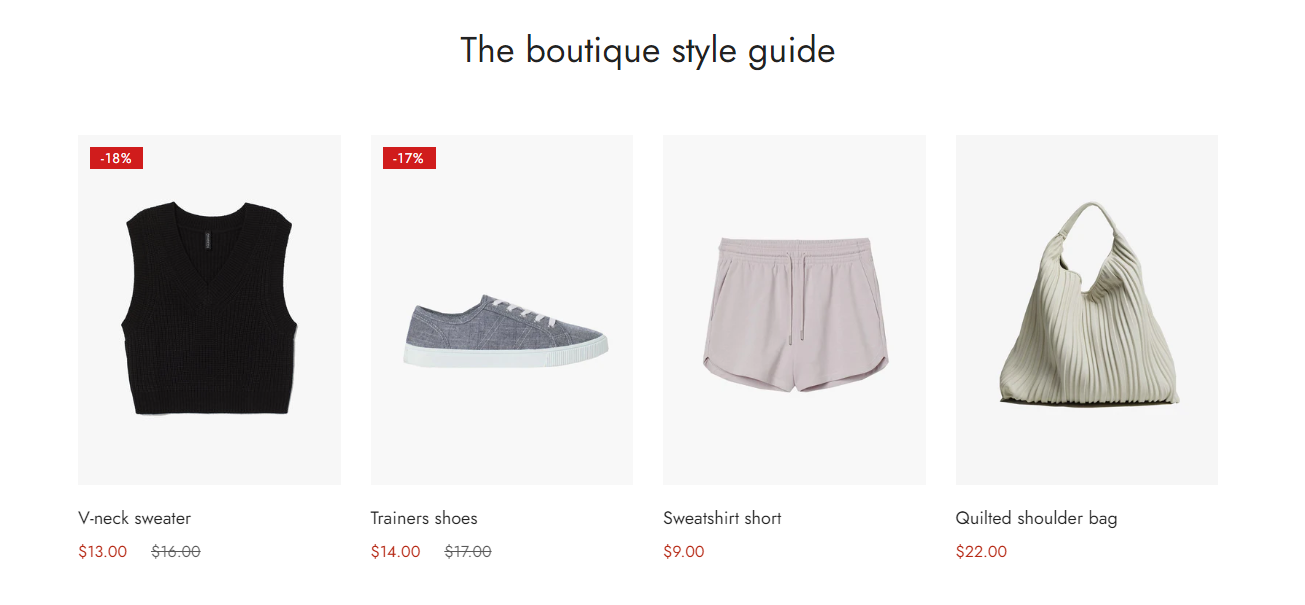
# Featured collection

<div data-full-width="true"><figure><img src="https://1749964694-files.gitbook.io/~/files/v0/b/gitbook-x-prod.appspot.com/o/spaces%2FfgpgvtRaQLc36GYyIktZ%2Fuploads%2FETk3RTZrTHUxALnqCtTH%2FFoxEcom%20changelog%20%20%201250%20x%20200.png?alt=media&#x26;token=a72791be-b9fe-4806-8a28-f1592e470b10" alt=""><figcaption><p><a href="https://foxecom.com/pages/affiliate?utm_source=foxecom&#x26;utm_medium=help_center_foxify_featured_collection&#x26;utm_campaign=anchor-text&#x26;utm_term=explore_foxecom_affiliate_program_perks_now">Explore FoxEcom Affiliate program perks now</a> <span data-gb-custom-inline data-tag="emoji" data-code="2728">✨</span></p></figcaption></figure></div>

<figure><img src="https://1749964694-files.gitbook.io/~/files/v0/b/gitbook-x-prod.appspot.com/o/spaces%2FfgpgvtRaQLc36GYyIktZ%2Fuploads%2FaXa1eAks2gKJY3SLHacF%2Fimage.png?alt=media&#x26;token=9d381c13-89ba-4e53-a271-1526875c474e" alt=""><figcaption></figcaption></figure>

Featuring collections can help merchants promote sales for a list of targeted products.

## Customize a featured collection

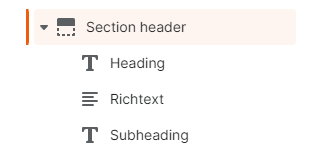
A featured collection section has two blocks, namely: **Section header** and **Product grid**.

### **Section header**

Use this block to give your section a heading, subheading, or description if needed.&#x20;

<figure><img src="https://1749964694-files.gitbook.io/~/files/v0/b/gitbook-x-prod.appspot.com/o/spaces%2FfgpgvtRaQLc36GYyIktZ%2Fuploads%2FNvEzGIg3lFLh8m60Ohzk%2Fimage.png?alt=media&#x26;token=dff985f5-66f5-4659-9e90-daaf63467801" alt=""><figcaption></figcaption></figure>

### Product grid

#### Content

First things first, select a collection and adjust the number of products you want to display (between 2 and 24).&#x20;

<figure><img src="https://1749964694-files.gitbook.io/~/files/v0/b/gitbook-x-prod.appspot.com/o/spaces%2FfgpgvtRaQLc36GYyIktZ%2Fuploads%2FWZeb9086QPTwkNk7Tc8p%2Fezgif.com-gif-maker%20(9).gif?alt=media&#x26;token=2e679ffa-36cd-48c5-8289-bbcf1ad1f378" alt=""><figcaption></figcaption></figure>

Then, choose your favorite card style and image aspect ratio. You can either set them as inherited from theme settings or use other options.

#### Desktop and Mobile layout

Create a perfect section across all devices by adjusting your desktop layout and mobile layout settings.&#x20;

<figure><img src="https://1749964694-files.gitbook.io/~/files/v0/b/gitbook-x-prod.appspot.com/o/spaces%2FfgpgvtRaQLc36GYyIktZ%2Fuploads%2FxeAW4r6j5hRUCL1B16F7%2FFeatured%20collection.gif?alt=media&#x26;token=80033e77-4e79-4293-b018-76f3cae6e26e" alt=""><figcaption></figcaption></figure>

Un-check **Enable swipe on mobile** to display your products as a grid in mobile view.

#### Slider settings

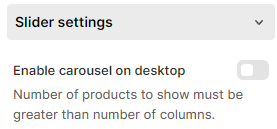
You can also enable the carousel on the desktop using the **Slider settings** (the number of products to show > the number of columns).

<figure><img src="https://1749964694-files.gitbook.io/~/files/v0/b/gitbook-x-prod.appspot.com/o/spaces%2FfgpgvtRaQLc36GYyIktZ%2Fuploads%2FwsK9hqb27iKcZDudIwpI%2Fimage.png?alt=media&#x26;token=c47c406b-b1bd-44d4-991e-d80d76d26ca6" alt=""><figcaption></figcaption></figure>