# Testimonials

<div data-full-width="true"><figure><img src="https://1749964694-files.gitbook.io/~/files/v0/b/gitbook-x-prod.appspot.com/o/spaces%2FfgpgvtRaQLc36GYyIktZ%2Fuploads%2FETk3RTZrTHUxALnqCtTH%2FFoxEcom%20changelog%20%20%201250%20x%20200.png?alt=media&#x26;token=a72791be-b9fe-4806-8a28-f1592e470b10" alt=""><figcaption><p><a href="https://foxecom.com/pages/affiliate?utm_source=foxecom&#x26;utm_medium=help_center_foxify_testimonials&#x26;utm_campaign=anchor-text&#x26;utm_term=explore_foxecom_affiliate_program_perks_now">Explore FoxEcom Affiliate program perks now</a> <span data-gb-custom-inline data-tag="emoji" data-code="2728">✨</span></p></figcaption></figure></div>

{% embed url="<https://youtu.be/_ktWlSTn80U?si=kins5Y04O86zeatZ>" %}

{% tabs %}
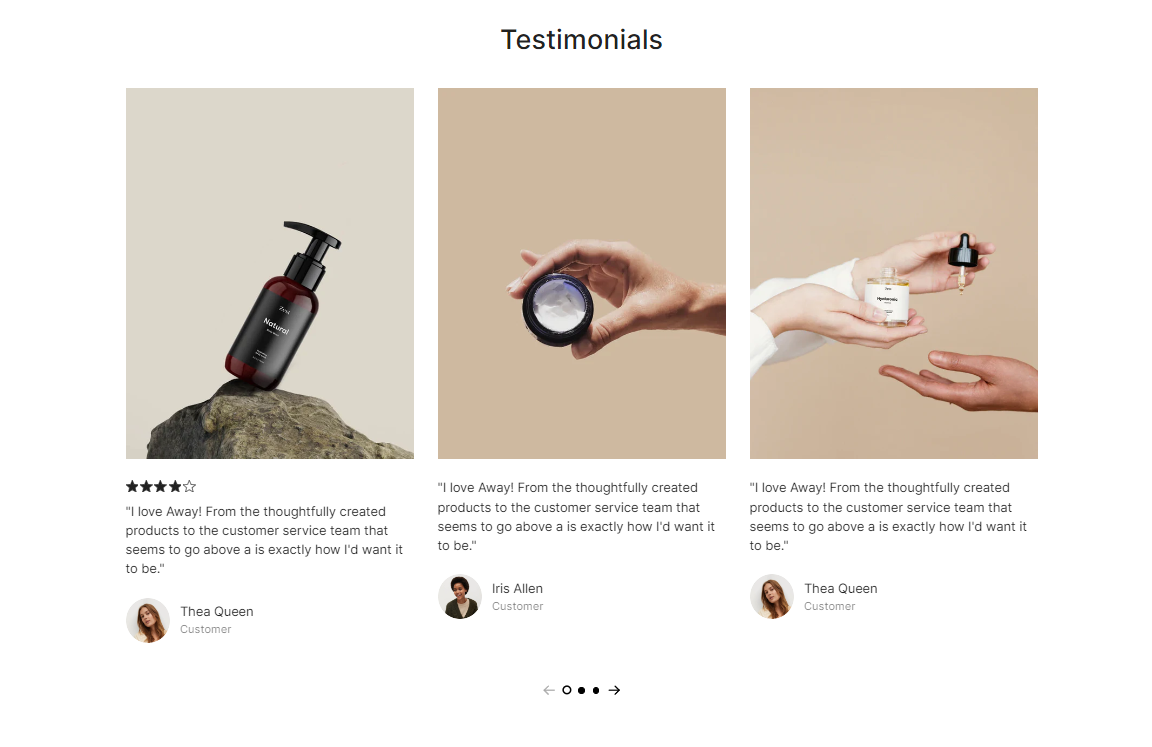
{% tab title="Layout 1" %}

<figure><img src="https://1749964694-files.gitbook.io/~/files/v0/b/gitbook-x-prod.appspot.com/o/spaces%2FfgpgvtRaQLc36GYyIktZ%2Fuploads%2Fr41CzGSarzV4lSKEdJqK%2Fimage.png?alt=media&#x26;token=d3fbbe33-c0ff-45d5-a63b-1c94e4d89ad6" alt=""><figcaption></figcaption></figure>
{% endtab %}

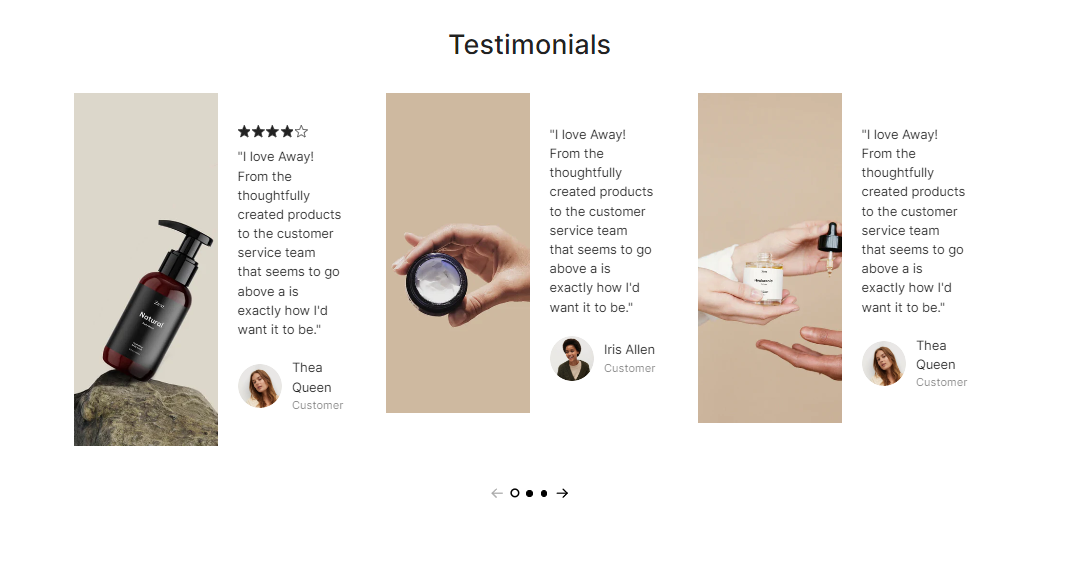
{% tab title="Layout 2" %}

<figure><img src="https://1749964694-files.gitbook.io/~/files/v0/b/gitbook-x-prod.appspot.com/o/spaces%2FfgpgvtRaQLc36GYyIktZ%2Fuploads%2FYh9VmvCfGQsKqShHKDSc%2Fimage.png?alt=media&#x26;token=2041a5fb-b568-405a-80a7-17dd0c8e04f7" alt=""><figcaption></figcaption></figure>
{% endtab %}

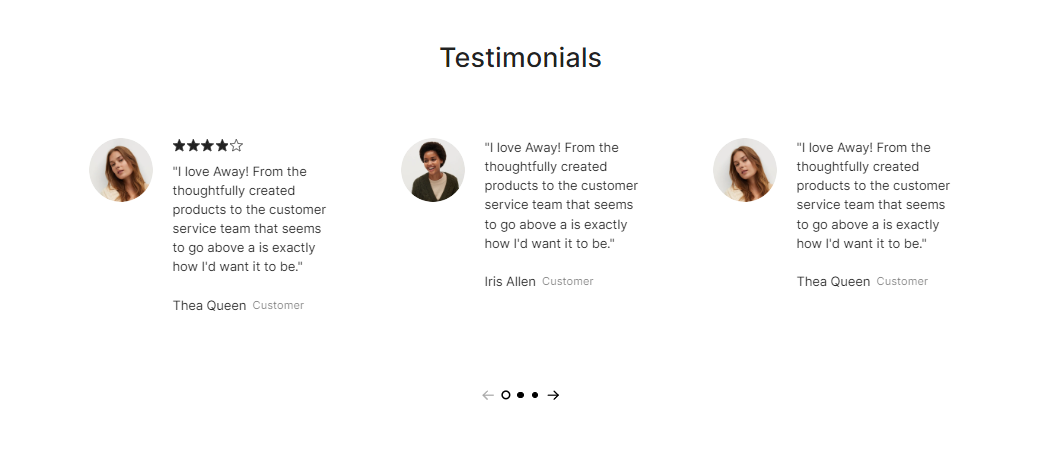
{% tab title="Layout 3" %}

<figure><img src="https://1749964694-files.gitbook.io/~/files/v0/b/gitbook-x-prod.appspot.com/o/spaces%2FfgpgvtRaQLc36GYyIktZ%2Fuploads%2Fl0UjRFhjQ6XKOUVaHVVA%2Fimage.png?alt=media&#x26;token=6d458426-0a92-4966-a97a-6d78956a8778" alt=""><figcaption></figcaption></figure>
{% endtab %}

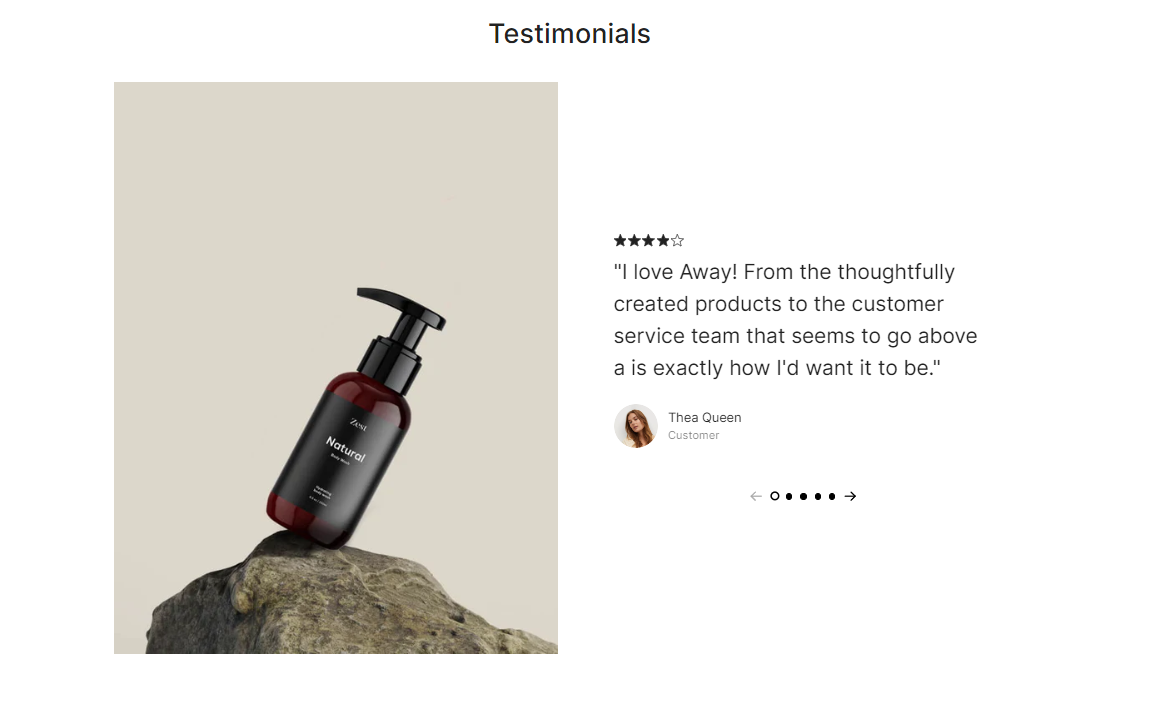
{% tab title="Layout 4" %}

<figure><img src="https://1749964694-files.gitbook.io/~/files/v0/b/gitbook-x-prod.appspot.com/o/spaces%2FfgpgvtRaQLc36GYyIktZ%2Fuploads%2FaYvdWBkxJCvHy89CdWv9%2Fimage.png?alt=media&#x26;token=60a6baa7-de76-4000-92d2-ea93c99cd155" alt=""><figcaption></figcaption></figure>
{% endtab %}

{% tab title="Layout 5" %}

<figure><img src="https://1749964694-files.gitbook.io/~/files/v0/b/gitbook-x-prod.appspot.com/o/spaces%2FfgpgvtRaQLc36GYyIktZ%2Fuploads%2FA8eDSh6X60Qcz0bnIH1n%2Fimage.png?alt=media&#x26;token=e33fd69c-760c-45ed-bb71-3d066cf04910" alt=""><figcaption></figcaption></figure>
{% endtab %}

{% tab title="Layout 6" %}

<figure><img src="https://1749964694-files.gitbook.io/~/files/v0/b/gitbook-x-prod.appspot.com/o/spaces%2FfgpgvtRaQLc36GYyIktZ%2Fuploads%2Fb2Nmm1o58ILHoT318U4l%2Fimage.png?alt=media&#x26;token=26970283-c1a6-45f6-a100-25eb5c4c2ed5" alt=""><figcaption></figcaption></figure>
{% endtab %}
{% endtabs %}

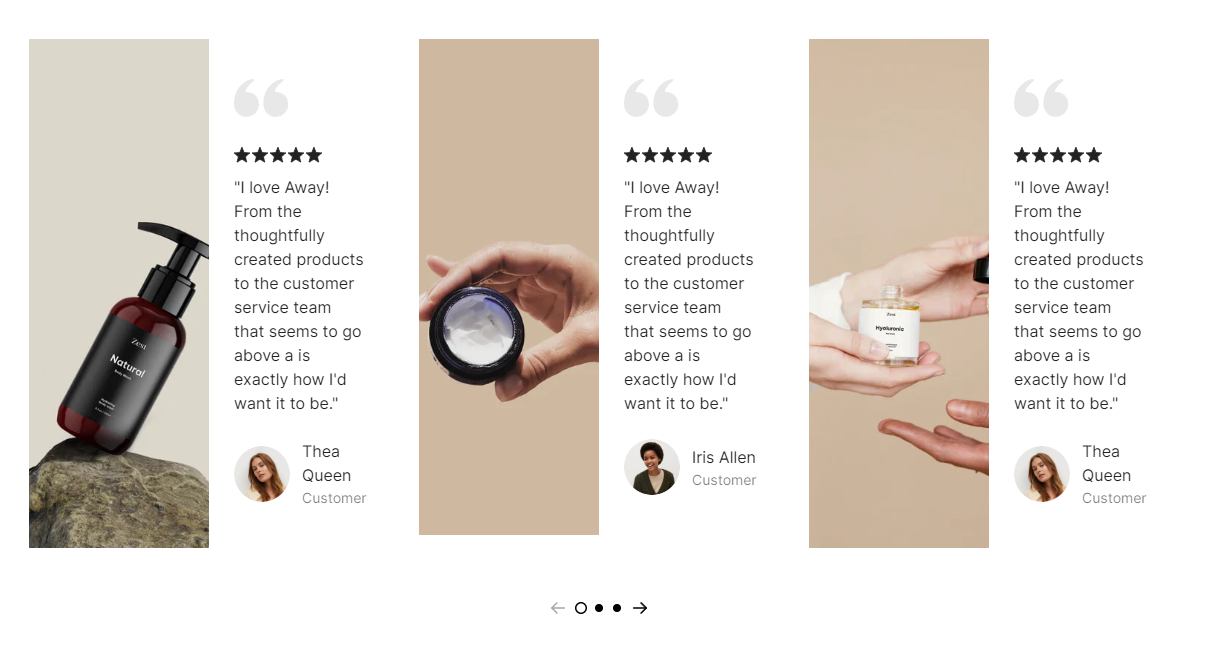
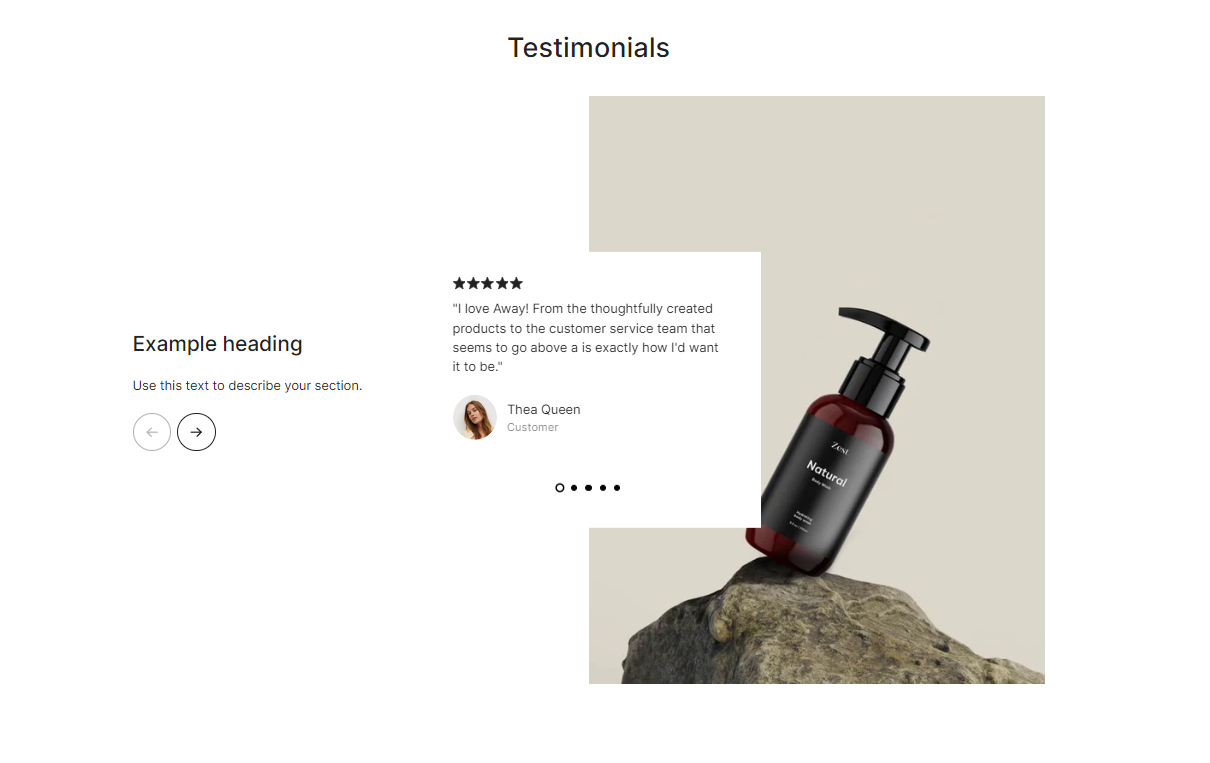
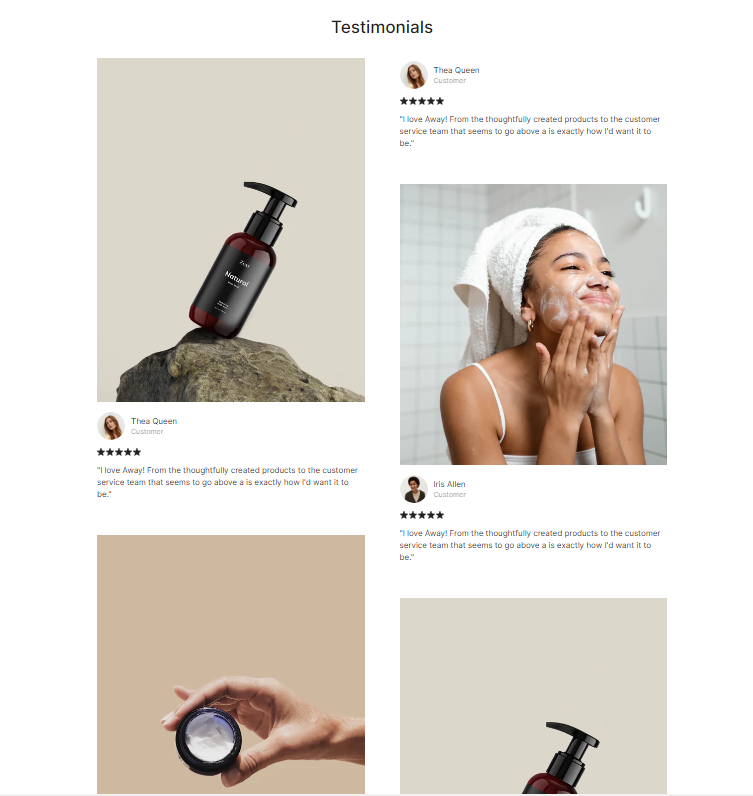
The **Testimonials** section lets you quote customers' reviews and public recognition.

It's a simple but effective way to showcase positive feedback from customers.&#x20;

Testimonials help build credibility and trust with potential customers by providing social proof, enhancing credibility, and building trust.

## Customize a Testimonials section

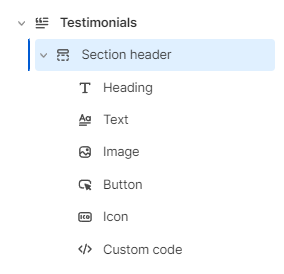
A **Testimonials** section has 2 blocks:&#x20;

* **Section header** and&#x20;
* **Testimonial content**

### **Section header**

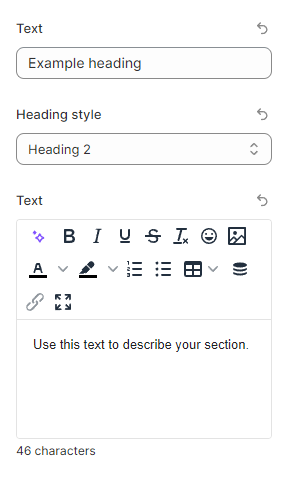
Use this block to give your section a Heading, Text, Button, Image, Icon, or Custom code if needed.&#x20;

<figure><img src="https://1749964694-files.gitbook.io/~/files/v0/b/gitbook-x-prod.appspot.com/o/spaces%2FfgpgvtRaQLc36GYyIktZ%2Fuploads%2Flj1GgBgN94KElCQijOHg%2Fimage.png?alt=media&#x26;token=e5e2617c-d289-4fe0-8afd-4de088178e77" alt=""><figcaption></figcaption></figure>

### Testimonial content

#### General

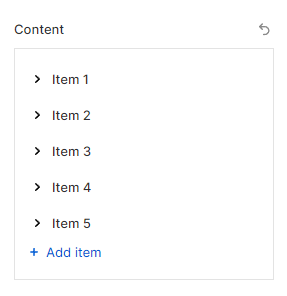
Add testimonial items you want to display in the section.
<figure><img src="https://1749964694-files.gitbook.io/~/files/v0/b/gitbook-x-prod.appspot.com/o/spaces%2FfgpgvtRaQLc36GYyIktZ%2Fuploads%2FbdAxsI5XHUrVhLKHG0ru%2Fimage.png?alt=media&#x26;token=10bb6978-53fe-4dbb-8715-fb6673530951" alt=""><figcaption></figcaption></figure>

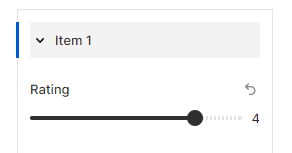
Adjust suitable **Rating** stars for each Testimonial item (0-5) to enhance the credibility and the customer's trust.
<figure><img src="https://1749964694-files.gitbook.io/~/files/v0/b/gitbook-x-prod.appspot.com/o/spaces%2FfgpgvtRaQLc36GYyIktZ%2Fuploads%2FeuNndX1sZQz0QTPWrrbS%2Fimage.png?alt=media&#x26;token=b328d9f2-cfd2-47f7-8090-d690ea356168" alt=""><figcaption></figcaption></figure>

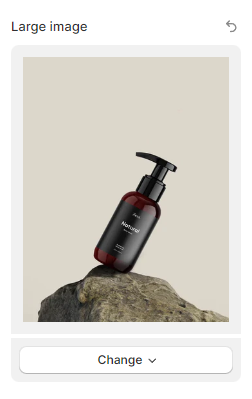
You can also increase the credibility of the testimonial by adding an image of your client sharing their success or feedback in the **Large image** field.

<figure><img src="https://1749964694-files.gitbook.io/~/files/v0/b/gitbook-x-prod.appspot.com/o/spaces%2FfgpgvtRaQLc36GYyIktZ%2Fuploads%2FOxaKTk51mOJMQDGeU2l7%2Fimage.png?alt=media&#x26;token=2a8df7a1-0542-4e2a-b713-afcef0f3bdef" alt=""><figcaption></figcaption></figure>

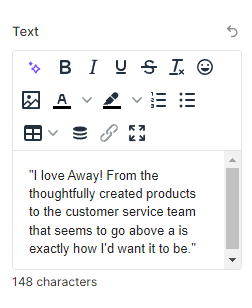
Insert the description to the **Text** field which fully describes the benefit the client received as well as objectively showcases the tangible value.
<figure><img src="https://1749964694-files.gitbook.io/~/files/v0/b/gitbook-x-prod.appspot.com/o/spaces%2FfgpgvtRaQLc36GYyIktZ%2Fuploads%2F0R3I1k4vcSBtNfApdTst%2Fimage.png?alt=media&#x26;token=f54069f8-18cc-4331-8d5f-4acef0a67762" alt=""><figcaption></figcaption></figure>

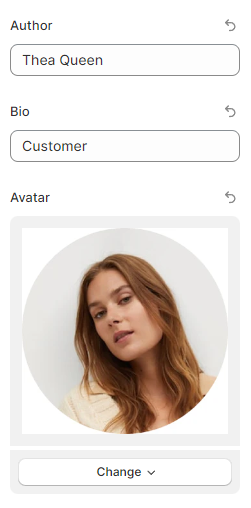
This testimonial is more compelling and credible when you use your client’s name, business, title, and picture by adding relevant information to the **Author**, **Bio**, and **Avatar** fields.

<figure><img src="https://1749964694-files.gitbook.io/~/files/v0/b/gitbook-x-prod.appspot.com/o/spaces%2FfgpgvtRaQLc36GYyIktZ%2Fuploads%2F4nueVe7EsrW5CYNElaBM%2Fimage.png?alt=media&#x26;token=240a4c95-3c3c-4af7-bcef-883244321e6f" alt=""><figcaption></figcaption></figure>

You can also re-order them by dragging and dropping the drag handle icon next to the item name.

<figure><img src="https://1749964694-files.gitbook.io/~/files/v0/b/gitbook-x-prod.appspot.com/o/spaces%2FfgpgvtRaQLc36GYyIktZ%2Fuploads%2FHmqg4Mcqt9JyNtKwP1QQ%2F3333333333.gif?alt=media&#x26;token=fdb3d6ff-f0ec-491b-9f9e-ebc24094a0df" alt=""><figcaption></figcaption></figure>

#### Layout settings

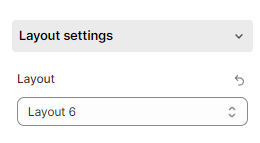
Determine which testimonial layout best fits your website's aesthetic by selecting an option in the **Layout** field. (Layout 1 -6)

<figure><img src="https://1749964694-files.gitbook.io/~/files/v0/b/gitbook-x-prod.appspot.com/o/spaces%2FfgpgvtRaQLc36GYyIktZ%2Fuploads%2FFSFz6R5Al40jjSlbDEX7%2Fimage.png?alt=media&#x26;token=cc392a48-4aa5-4484-93ea-61e64e86a7b1" alt=""><figcaption></figcaption></figure>

Enable the **Show quote icon** toggle to display the large quote icon for each testimonial item.  (Note: This setting is not available for **Layout 6**)

<figure><img src="https://1749964694-files.gitbook.io/~/files/v0/b/gitbook-x-prod.appspot.com/o/spaces%2FfgpgvtRaQLc36GYyIktZ%2Fuploads%2FQCk8V9Pcj64vLuagTw7U%2Fimage.png?alt=media&#x26;token=08cad453-1dcd-454c-af9c-03fb5b1aac21" alt=""><figcaption></figcaption></figure>

<figure><img src="https://1749964694-files.gitbook.io/~/files/v0/b/gitbook-x-prod.appspot.com/o/spaces%2FfgpgvtRaQLc36GYyIktZ%2Fuploads%2Fli3dWFRUoffvuyZXu0zL%2Fimage.png?alt=media&#x26;token=0a68f107-85ac-4dd3-aee8-070cfbad383b" alt=""><figcaption></figcaption></figure>

In **Layout 4**, you are allowed to swap the position of the large image and testimonial content by using the **Reverse order** option.

<figure><img src="https://1749964694-files.gitbook.io/~/files/v0/b/gitbook-x-prod.appspot.com/o/spaces%2FfgpgvtRaQLc36GYyIktZ%2Fuploads%2Feoqw350VOkygrBIw1A7y%2Fimage.png?alt=media&#x26;token=67261b0d-a745-40d4-b8a0-6f1532308b3e" alt=""><figcaption></figcaption></figure>

In **Layout 5**, you have a chance to insert more suitable **Text** (heading and description) to describe your testimonial item and draw the customer's attention. Also, feel free to change the **Heading style** to your liking.

<figure><img src="https://1749964694-files.gitbook.io/~/files/v0/b/gitbook-x-prod.appspot.com/o/spaces%2FfgpgvtRaQLc36GYyIktZ%2Fuploads%2FXe9nmlTKen7I047hqW8Y%2Fimage.png?alt=media&#x26;token=cdd3170c-f567-4593-9bf8-3918487c3b1b" alt=""><figcaption></figcaption></figure>

#### Slider settings

{% hint style="info" %}
This setting is only available for **Layout 1 - 5**, not **Layout 6**
{% endhint %}

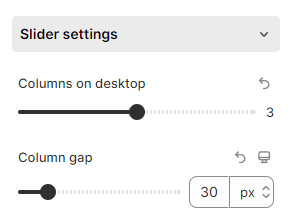
Select your number of **Columns on desktop** between 1 and 5 and the **Column gap** (0 - 200px) by tweaking the toggles.

<figure><img src="https://1749964694-files.gitbook.io/~/files/v0/b/gitbook-x-prod.appspot.com/o/spaces%2FfgpgvtRaQLc36GYyIktZ%2Fuploads%2FzJJRi3zZg3Oj8nYm1Lp0%2Fimage.png?alt=media&#x26;token=5d832e08-768e-42df-9f23-c8fc0f56e529" alt=""><figcaption></figcaption></figure>

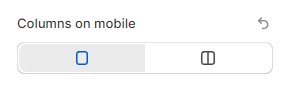
Especially, you are allowed to adjust the number of **Columns on mobile** with 2 options (1 or 2 columns) for **Layout 1** only.

<figure><img src="https://1749964694-files.gitbook.io/~/files/v0/b/gitbook-x-prod.appspot.com/o/spaces%2FfgpgvtRaQLc36GYyIktZ%2Fuploads%2F9GPouhb0Vd5cnuwzm1QM%2Fimage.png?alt=media&#x26;token=ad64ca74-6a1a-446e-9e70-8a47d50ce861" alt=""><figcaption></figcaption></figure>

If you prefer the infinite slider, the **Enable loop** option will work in this case (Note: It works only on the live page).

<figure><img src="https://1749964694-files.gitbook.io/~/files/v0/b/gitbook-x-prod.appspot.com/o/spaces%2FfgpgvtRaQLc36GYyIktZ%2Fuploads%2FlY9gg5eIcFnctGU493oz%2Fimage.png?alt=media&#x26;token=bb2ab6a2-924a-446b-a4b1-bad112937517" alt=""><figcaption></figcaption></figure>

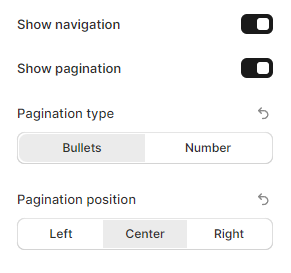
Check the corresponding boxes (**Show navigation** and **Show pagination**) if you want to enable navigation and/or pagination on your Testimonial section.

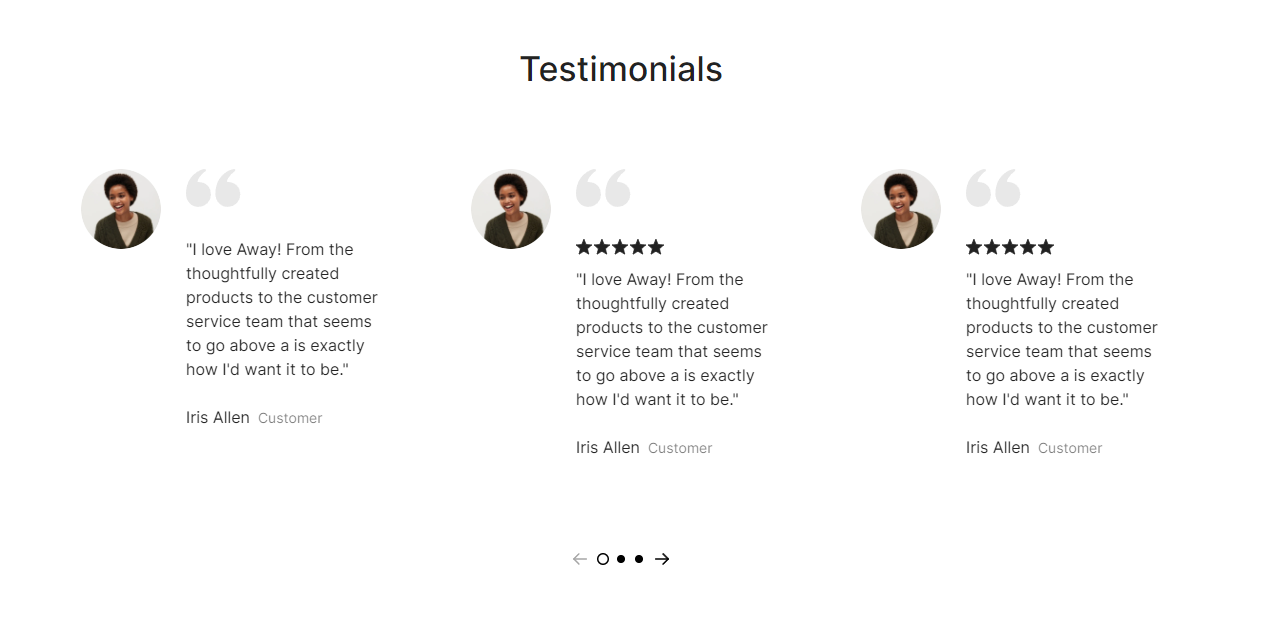
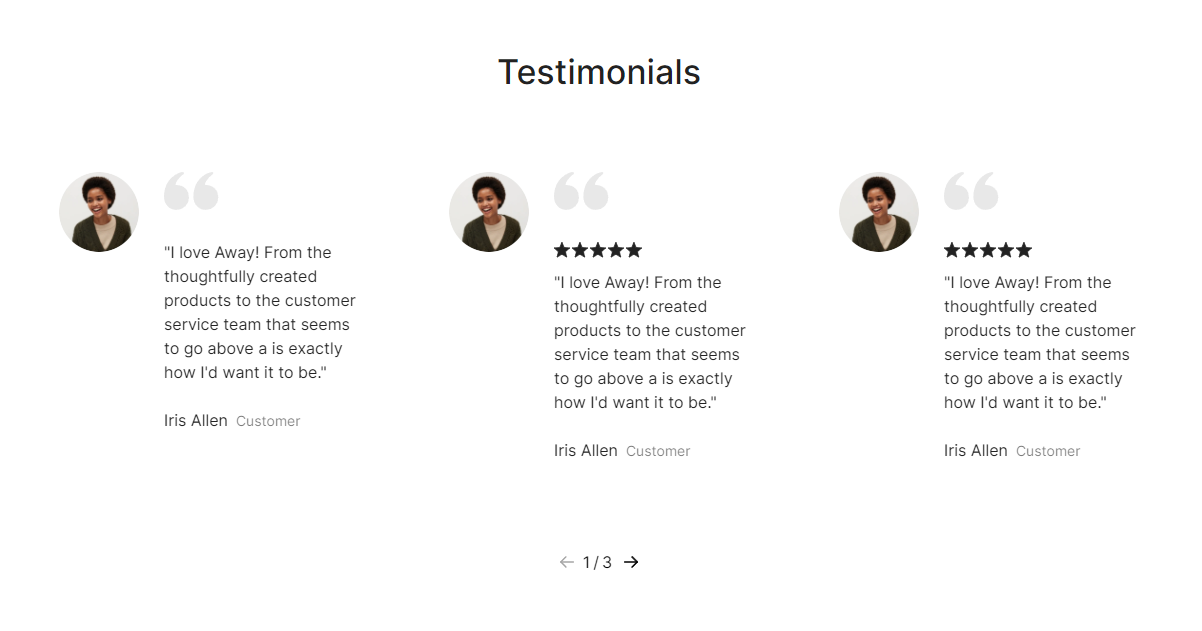
Note: Navigation and/or pagination show when you have the number of testimonial items **larger** than the number of **Columns on desktop.**

Moreover, you can adjust the **Pagination type** and **Pagination position** to **Left**/ **Center**/ **Right**.

<figure><img src="https://1749964694-files.gitbook.io/~/files/v0/b/gitbook-x-prod.appspot.com/o/spaces%2FfgpgvtRaQLc36GYyIktZ%2Fuploads%2FUGosqRbnkrKJpdjAMVZC%2Fimage.png?alt=media&#x26;token=9c31afc6-f9bc-4a9b-b1cb-e236e83e8f1b" alt=""><figcaption></figcaption></figure>

There are 2 types of pagination (**Bullets** and **Numbers**):

{% tabs %}
{% tab title="Pagination type as Bullets" %}

<figure><img src="https://1749964694-files.gitbook.io/~/files/v0/b/gitbook-x-prod.appspot.com/o/spaces%2FfgpgvtRaQLc36GYyIktZ%2Fuploads%2FxihPzUymj7lBFBgXPu2w%2Fimage.png?alt=media&#x26;token=08067c7d-f637-4f76-8833-9e5017d5147a" alt=""><figcaption></figcaption></figure>
{% endtab %}

{% tab title="Pagination type as Numbers" %}

<figure><img src="https://1749964694-files.gitbook.io/~/files/v0/b/gitbook-x-prod.appspot.com/o/spaces%2FfgpgvtRaQLc36GYyIktZ%2Fuploads%2F8QEFAnu95fHF3sr5qSPO%2Fimage.png?alt=media&#x26;token=b26b3108-b6bf-4fbb-9a34-9fff13704e3d" alt=""><figcaption></figcaption></figure>
{% endtab %}
{% endtabs %}

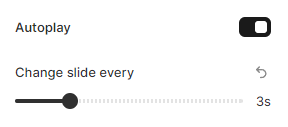
If you want your Testimonial items to change automatically after a certain interval without needing to manually slide you can seamlessly turn on the **Autoplay** toggle.&#x20;

Then, adjust the duration in the **Change slide every** field from 1s to 10s.

<figure><img src="https://1749964694-files.gitbook.io/~/files/v0/b/gitbook-x-prod.appspot.com/o/spaces%2FfgpgvtRaQLc36GYyIktZ%2Fuploads%2FeWIerpEcldKGl1UHAMoF%2Fimage.png?alt=media&#x26;token=393029a8-2a19-411c-bd93-83ce62c86158" alt=""><figcaption></figcaption></figure>