# Save and re-use Assets
Save elements and sections as assets of your FoxStudio and use them anytime and on any pages you want.
Simply drag and drop Saved Assets for design consistency without having to recreate the same elements.
## Save a design as an Asset
**Steps:**
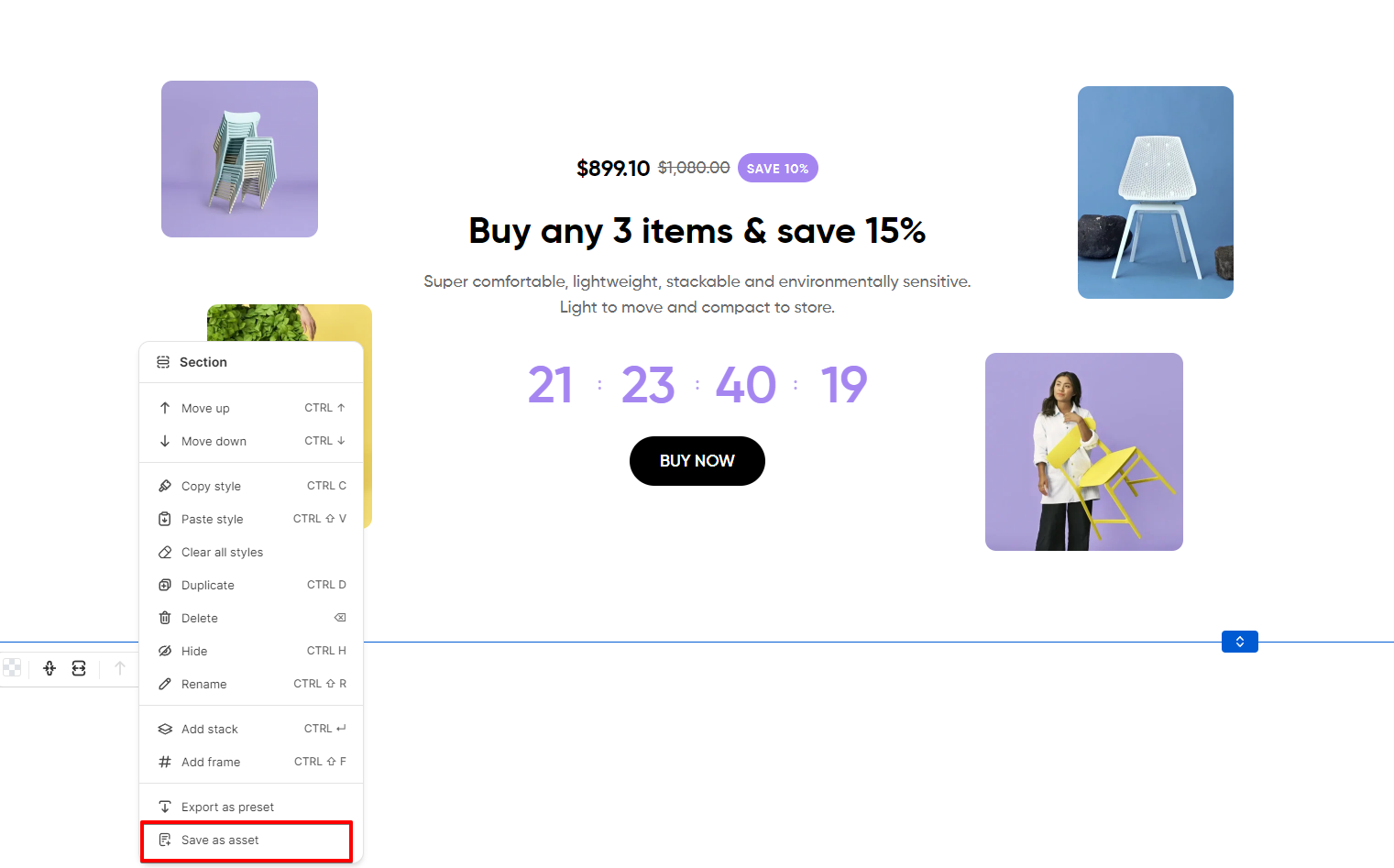
1. Right-click the relevant element or section.
2. Click **Save as Asset**.
3. Enter a name for your design.
4. Click **Save**.
## Use a Saved Asset
Your saved assets will be categorized by element (element type) and section.
**Steps:**
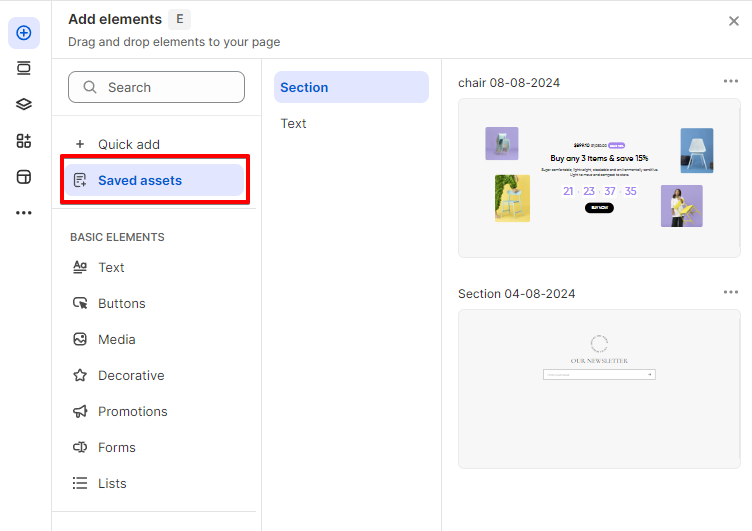
1. Click **Add elements** on the left side of the Editor or press **E**.
2. Click **Saved assets**.
3. Click the relevant category and browse for the saved assets you want to use for your page.
4. Drag the relevant element or section to the page.
The number of saved assets you can store for future use will depend on your Foxify app plan.
## Manage a Saved Asset
You can rename your assets, or delete them when you no longer need them.
Steps:
1. In the Left Sidebar, click **Add elements,** or press **E**.
2. Click **Saved Assets**.
3. Click the relevant category and browse for the saved asset you want to manage.
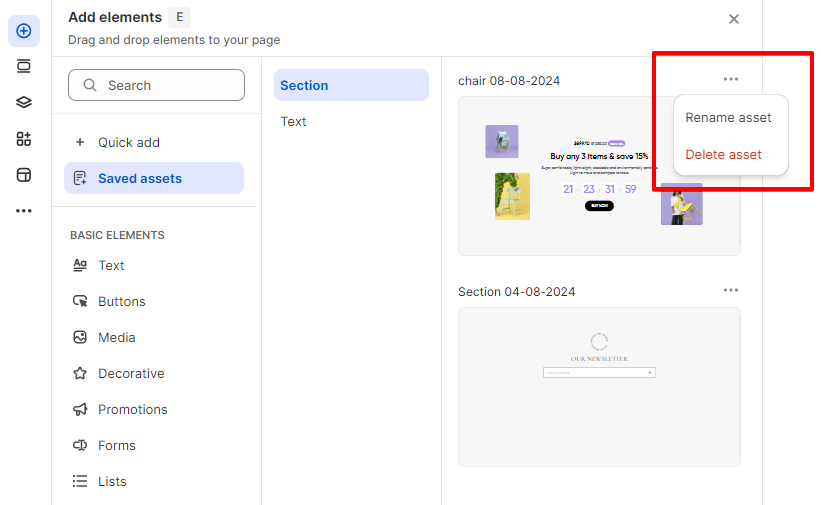
4. Click the More Actions icon next to that asset.
5. Select the action:
**+ Rename asset**: To add a new name for your asset.
**+ Delete asset**: To remove the asset.
Removing a Saved Asset won't affect where the design has been used. The action of deleting an asset can't be undone.
***