# Add custom code to your page
Add custom CSS and JavaScript directly to your Foxify pages — for advanced styling and effects beyond what the editor provides.
**For developers only:** Custom code requires working knowledge of CSS and JavaScript. If you're not familiar with these, avoid using this feature — incorrect code can break your page layout or functionality. Custom code is outside the scope of Foxify support.
## What you can do
Style overrides
Behavior & integrations
**Scope:** Custom code applies to all pages using the same template — not just the current page. If you only want to affect one page, make sure it uses a unique template.
## How to add Custom codes
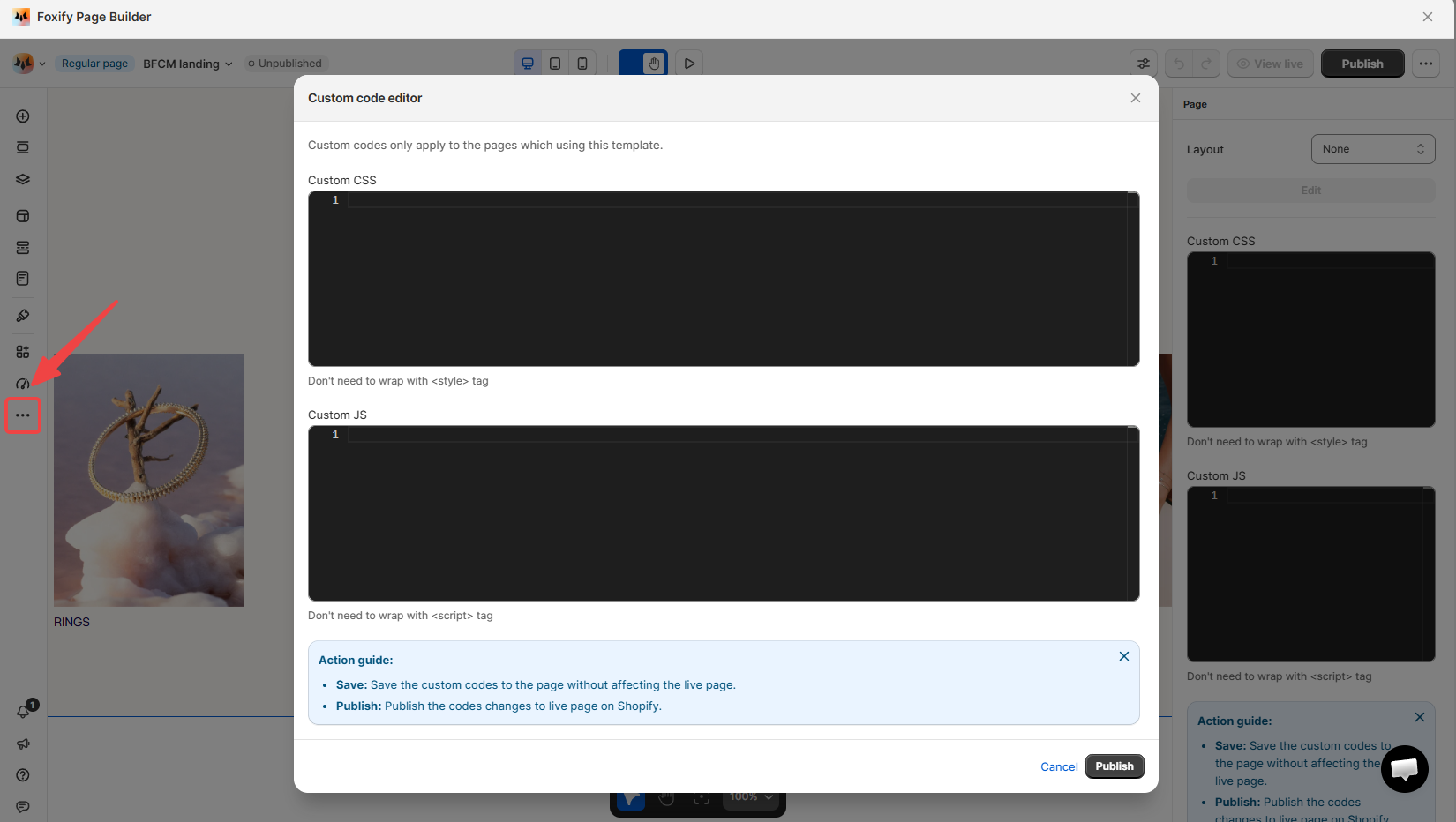
#### Open Custom code
In the left sidebar, click **\ Custom code** — or press C on your keyboard.
#### Add your code
Paste your CSS into the **Custom CSS** box and/or your JavaScript into the **Custom JS** box.
#### Save and publish
Click **Save** to store your code without pushing changes to the live page yet.
Once you're happy, click **Publish** to apply the custom code to your live Shopify page.
## Related resources
Inspector panel
Add and edit elements
***