# Image banner

<div data-full-width="true"><figure><img src="https://1749964694-files.gitbook.io/~/files/v0/b/gitbook-x-prod.appspot.com/o/spaces%2FfgpgvtRaQLc36GYyIktZ%2Fuploads%2FETk3RTZrTHUxALnqCtTH%2FFoxEcom%20changelog%20%20%201250%20x%20200.png?alt=media&#x26;token=a72791be-b9fe-4806-8a28-f1592e470b10" alt=""><figcaption><p><a href="https://foxecom.com/pages/affiliate?utm_source=foxecom&#x26;utm_medium=help_center_foxify_image_banner&#x26;utm_campaign=anchor-text&#x26;utm_term=explore_foxecom_affiliate_program_perks_now">Explore FoxEcom Affiliate program perks now</a> <span data-gb-custom-inline data-tag="emoji" data-code="2728">✨</span></p></figcaption></figure></div>

<figure><img src="https://1749964694-files.gitbook.io/~/files/v0/b/gitbook-x-prod.appspot.com/o/spaces%2FfgpgvtRaQLc36GYyIktZ%2Fuploads%2FnrTdEFkazjYCba30Ff0x%2Fimage.png?alt=media&#x26;token=e3c832eb-200f-49a9-b0b9-eef456f6931b" alt=""><figcaption></figcaption></figure>

## What is an image banner and why do you need it?

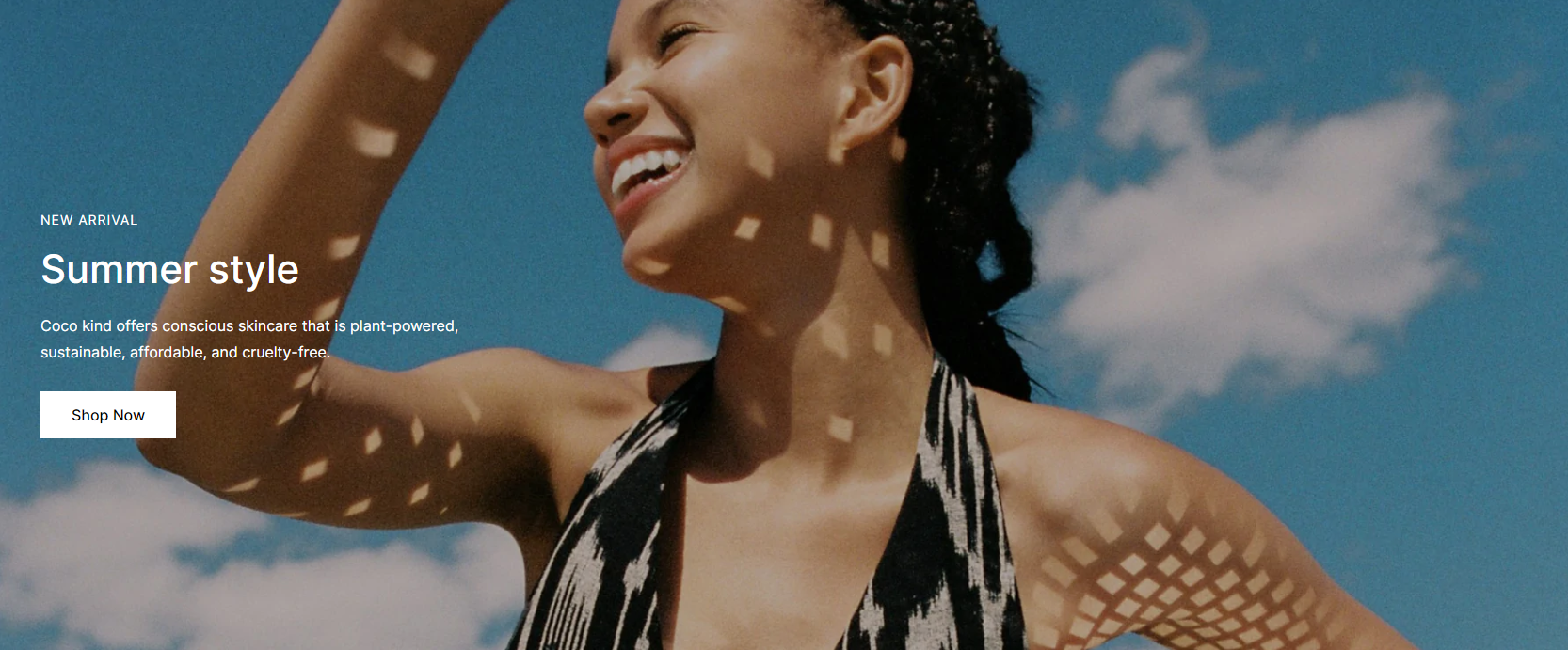
An image banner is a large image that usually spans the full width of the page. Great banners are generally composed of three elements:&#x20;

* An eye-catching image
* Compelling copy
* A strong call-to-action (CTA)

A thoughtful combination of each of these elements can lead to a persuasive banner image that compels the visitor to take the action you want them to, helping to boost conversion rates.&#x20;

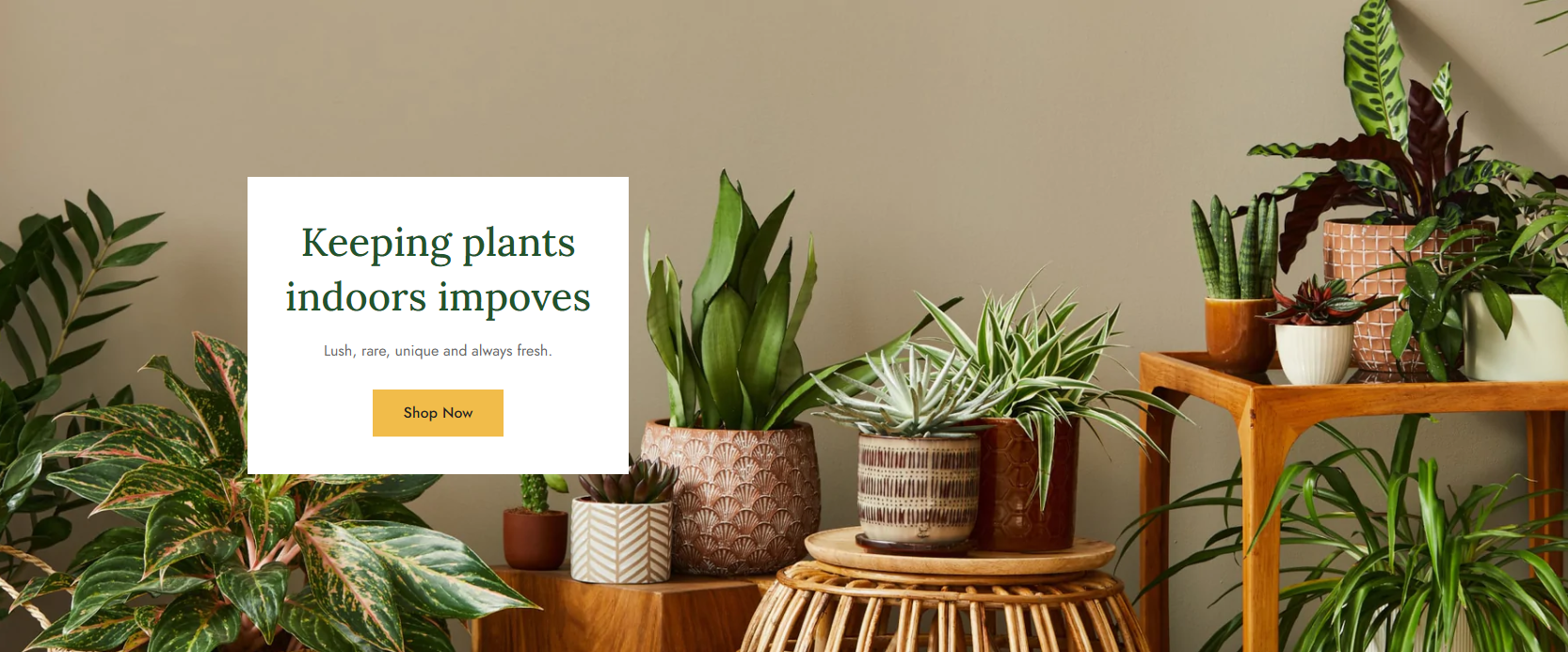
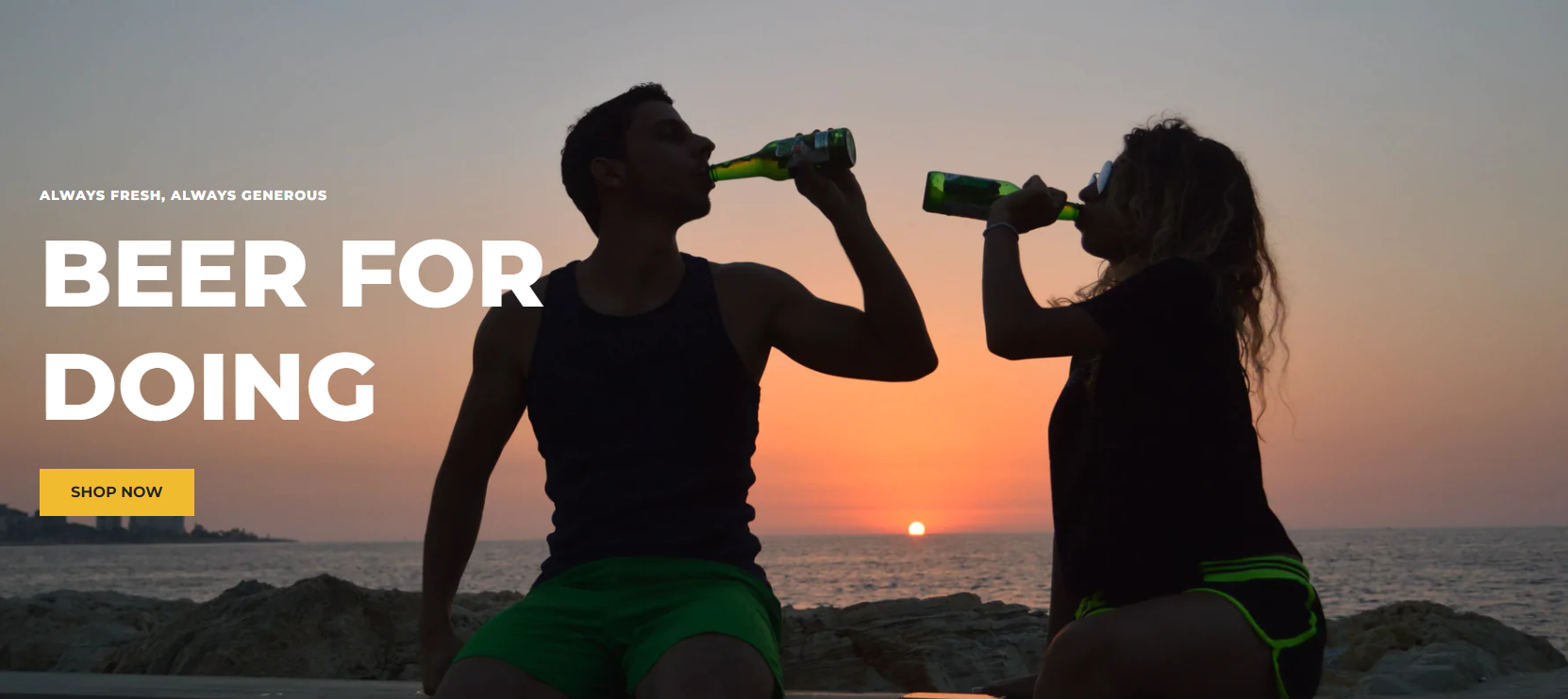
Below are some examples of Image banner sections in Foxify pre-made templates:

{% tabs %}
{% tab title="Plants" %}

<figure><img src="https://1749964694-files.gitbook.io/~/files/v0/b/gitbook-x-prod.appspot.com/o/spaces%2FfgpgvtRaQLc36GYyIktZ%2Fuploads%2FUcLOk1JerCHzjLfKP79h%2Fimage.png?alt=media&#x26;token=8087de75-0db3-4d38-929d-fccaaf84c41e" alt=""><figcaption></figcaption></figure>
{% endtab %}

{% tab title="Floral" %}

<figure><img src="https://1749964694-files.gitbook.io/~/files/v0/b/gitbook-x-prod.appspot.com/o/spaces%2FfgpgvtRaQLc36GYyIktZ%2Fuploads%2F2708uxHNvce8oxXwvD16%2Fimage.png?alt=media&#x26;token=65ce6150-5e67-4fd0-8de1-8c0a73992027" alt=""><figcaption></figcaption></figure>
{% endtab %}

{% tab title="Supplement " %}

<figure><img src="https://1749964694-files.gitbook.io/~/files/v0/b/gitbook-x-prod.appspot.com/o/spaces%2FfgpgvtRaQLc36GYyIktZ%2Fuploads%2F7d2g5qr5w4Y7EzFCMy7d%2Fimage.png?alt=media&#x26;token=80b17c58-fdf5-4846-adf6-80a4e013a9c0" alt=""><figcaption></figcaption></figure>
{% endtab %}

{% tab title="Beauty " %}

<figure><img src="https://1749964694-files.gitbook.io/~/files/v0/b/gitbook-x-prod.appspot.com/o/spaces%2FfgpgvtRaQLc36GYyIktZ%2Fuploads%2F7fgsRfp1fFQ1t2CqnCq3%2Fimage.png?alt=media&#x26;token=4e0f3343-b158-47aa-937c-a926eca2691f" alt=""><figcaption></figcaption></figure>
{% endtab %}

{% tab title="Drink " %}

<figure><img src="https://1749964694-files.gitbook.io/~/files/v0/b/gitbook-x-prod.appspot.com/o/spaces%2FfgpgvtRaQLc36GYyIktZ%2Fuploads%2F4ooTNAurwaomL60I3Rel%2Fimage.png?alt=media&#x26;token=6fcedf9a-2230-4c7b-8705-f1fb8bb5970b" alt=""><figcaption></figcaption></figure>
{% endtab %}
{% endtabs %}

## When should you use an image banner?

Let’s take a look at some of the most common approaches for using image banners:

* To build your brand and tell your story.
* To answer customer questions.
* To highlight your value proposition.
* To make an announcement

## Customize an Image banner&#x20;

### Section settings

#### Layout settings

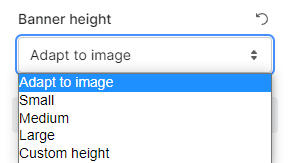
Select the banner height:

<figure><img src="https://1749964694-files.gitbook.io/~/files/v0/b/gitbook-x-prod.appspot.com/o/spaces%2FfgpgvtRaQLc36GYyIktZ%2Fuploads%2FYw1QvUwxzQcZsuqTNhCL%2Fimage.png?alt=media&#x26;token=559e61ef-8322-49e1-abe2-85489c3a794b" alt=""><figcaption></figcaption></figure>

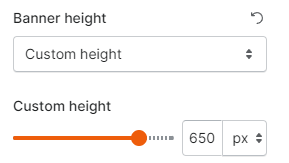
If you set your banner height as Custom height, tweak the toggle to adjust the value as you wish:&#x20;

<figure><img src="https://1749964694-files.gitbook.io/~/files/v0/b/gitbook-x-prod.appspot.com/o/spaces%2FfgpgvtRaQLc36GYyIktZ%2Fuploads%2F4keA0x7fYuBOzsdd2UQY%2Fimage.png?alt=media&#x26;token=84ffbb2e-8be3-47bb-b517-887ee7c9c991" alt=""><figcaption></figcaption></figure>

#### Image settings

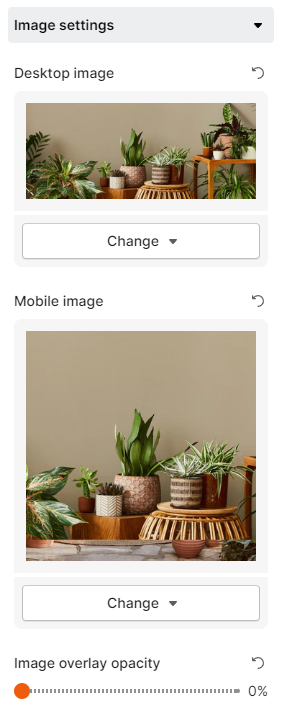
Select your image banner. You can upload different images for desktop view and mobile view.

<figure><img src="https://1749964694-files.gitbook.io/~/files/v0/b/gitbook-x-prod.appspot.com/o/spaces%2FfgpgvtRaQLc36GYyIktZ%2Fuploads%2FImjvMujRAnOl0PhD6PrO%2Fimage.png?alt=media&#x26;token=21d8ff2d-7f7c-498c-aa34-9b6ef625a172" alt=""><figcaption></figcaption></figure>

#### Content settings

These settings let you select your image banner's content position, the text alignment, and enable content container/boxed content if needed.

<figure><img src="https://1749964694-files.gitbook.io/~/files/v0/b/gitbook-x-prod.appspot.com/o/spaces%2FfgpgvtRaQLc36GYyIktZ%2Fuploads%2FmcnJl32FROCJrDCnBSHw%2Fezgif.com-gif-maker%20(16).gif?alt=media&#x26;token=c824aa3f-0528-4407-aff4-5428c3117530" alt=""><figcaption></figcaption></figure>

#### Mobile layout

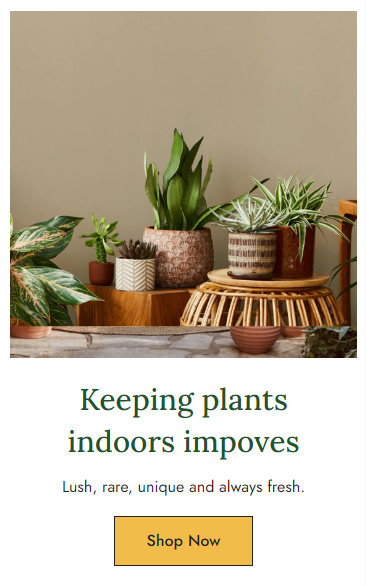
Uncheck **Show content above image** if you want to display the content below the banner in mobile view.

<figure><img src="https://1749964694-files.gitbook.io/~/files/v0/b/gitbook-x-prod.appspot.com/o/spaces%2FfgpgvtRaQLc36GYyIktZ%2Fuploads%2Fqohg0q6WH58d7RPIEodG%2Fimage.png?alt=media&#x26;token=eb725256-f9c4-4f1a-a9bd-b21f51c15ba2" alt="" width="275"><figcaption></figcaption></figure>

### Block settings

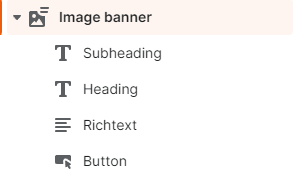
In this section, you can add child blocks for a heading, subheading, rich text, and buttons. You can add up to two buttons for one image banner section.

<figure><img src="https://1749964694-files.gitbook.io/~/files/v0/b/gitbook-x-prod.appspot.com/o/spaces%2FfgpgvtRaQLc36GYyIktZ%2Fuploads%2FO0jU4dpCueXtO57xgfXu%2Fimage.png?alt=media&#x26;token=ca4195c5-2cdb-40e8-9332-7ca7b0388671" alt=""><figcaption></figcaption></figure>