# Templates

<div data-full-width="false"><figure><img src="https://1749964694-files.gitbook.io/~/files/v0/b/gitbook-x-prod.appspot.com/o/spaces%2FfgpgvtRaQLc36GYyIktZ%2Fuploads%2FEj8YgLWvHPzkL3z1Emhb%2FBANNER%201%2C%202%20%20%20%20%20%20%20%20%20%20%20%20%20%20800x400%20(2)%20(1).png?alt=media&#x26;token=7e11de75-84e5-4576-902e-8c435aff2578" alt=""><figcaption><p>Foxify AI turns a prompt into a well-structured page layout in seconds. <a href="https://admin.shopify.com/apps/foxify-builder?utm_source=foxecom&#x26;utm_medium=help_center_foxify_templates&#x26;utm_campaign=anchor-text&#x26;utm_term=try_foxify_ai"><mark style="color:orange;">Try Foxify AI</mark></a> ✨</p></figcaption></figure></div>

Get inspired by Foxify templates that will lead to a stellar user experience!

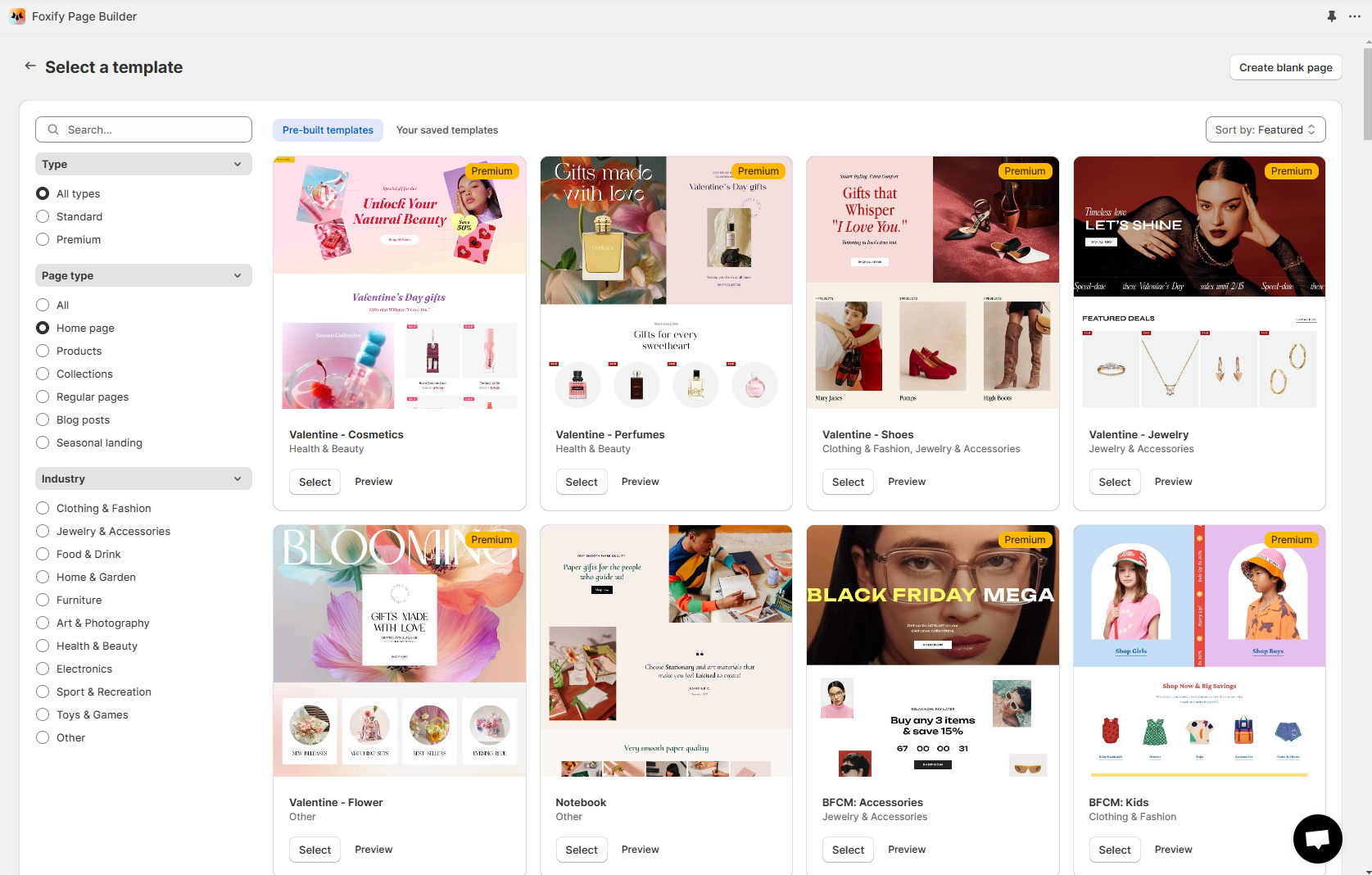
Foxify offers a wide range of high-converting page templates for different industries. These ready-to-use designs help you get started, customize, and publish a page within minutes.&#x20;

{% embed url="<https://youtu.be/G9cSHACcAjo?si=VtFLAnbcRySmQiwe>" %}

## How to use Foxify templates

Using Foxify's editable templates is a breeze!&#x20;

Simply select your favorite template when you start the page creation process. You can also preview a template before using it.

<figure><img src="https://1749964694-files.gitbook.io/~/files/v0/b/gitbook-x-prod.appspot.com/o/spaces%2FfgpgvtRaQLc36GYyIktZ%2Fuploads%2F7Tpr9P5pbEDQ6gch8W6h%2Fimage.png?alt=media&#x26;token=097b36d4-766d-4cc4-96ea-171c813dcf7d" alt=""><figcaption></figcaption></figure>

## How to change your page template

While creating a page, you might want to change your template.&#x20;

{% hint style="success" %}
Steps:

1. In the Editor, navigate to the left sidebar > choose **Page templates**.&#x20;
2. Select a template you would like to change to.
   {% endhint %}

<figure><img src="https://1749964694-files.gitbook.io/~/files/v0/b/gitbook-x-prod.appspot.com/o/spaces%2FfgpgvtRaQLc36GYyIktZ%2Fuploads%2Fu3sOeMjmge7FGoQdss0B%2FUntitled%20design%20(17).gif?alt=media&#x26;token=a77f4792-459d-4870-adaa-d26b04de5dd6" alt=""><figcaption></figcaption></figure>

{% hint style="info" %}
Have an idea for a new template? Let us know via in-app live chat or [email](mailto:happytohelp@gmail.com) :heart\_eyes:.
{% endhint %}