# Page settings
In this article, we will show you how to access your Foxify **Page settings** and what's included in this modal.
To begin, you will need to access your **Foxify dashboard** and select the page you would like to make changes to the **Page settings**.
## How to access the Page settings
Steps:
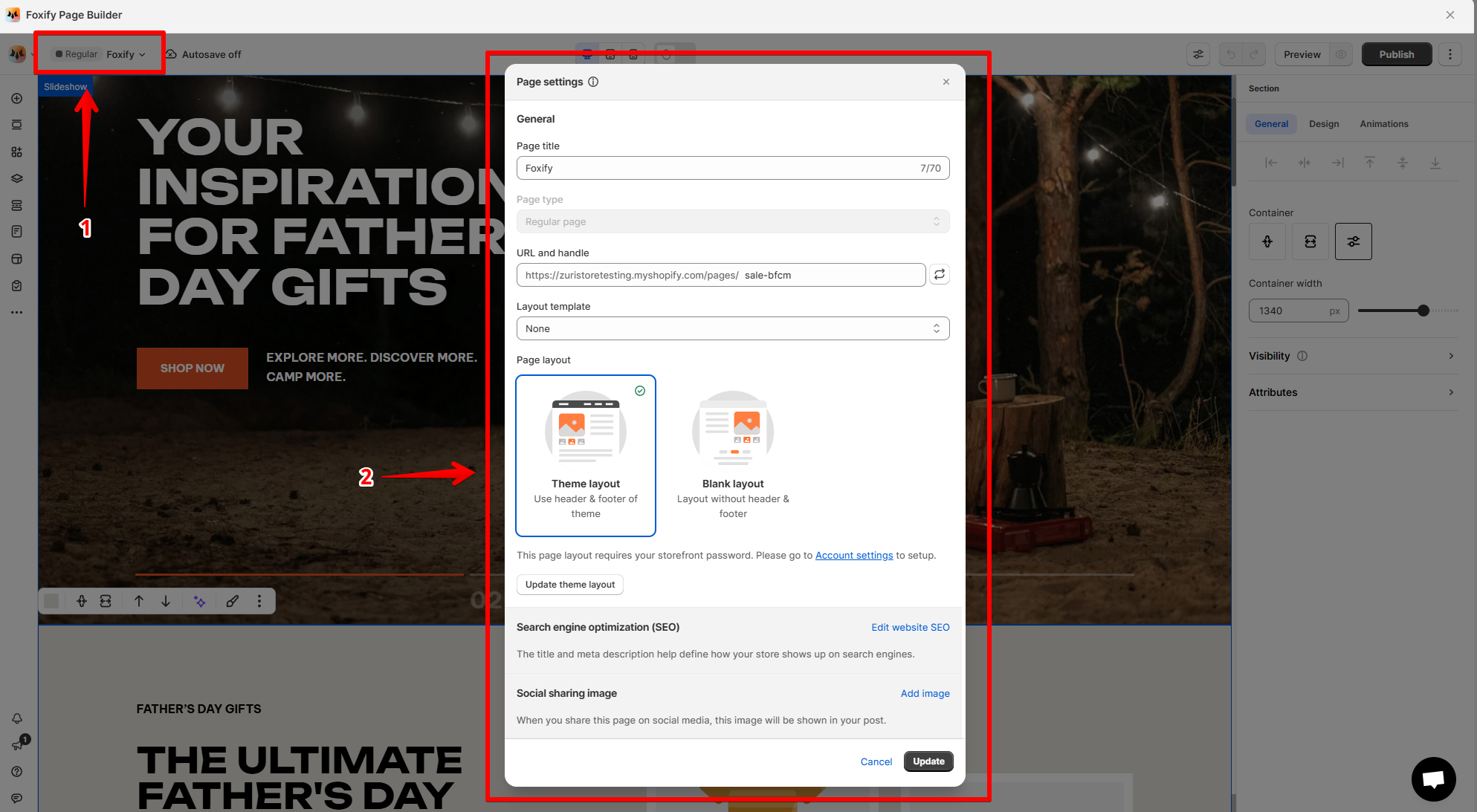
1. In the page editor, click on the name of the page in the top-right corner of the Top bar.
2. The **Page settings** modal will be opened.
3. Make necessary changes
4. Save the settings.
## What's included in Foxify Page settings
### General settings
In the **Page settings** modal of **all page types**, there are two sections for you to set up:
* **Page title:** You can change the title of the page here.
* **Layout template**: Assign a custom header and footer created in Foxify to the page or set it none to use the Page layout setting.
* *Learn more:* [Layout template](https://docs.foxecom.com/foxify-app/foxstudio/editor-tools/layout-template)
* **Page layout:**
* Theme layout: Use the header and footer of your Shopify theme.
* Blank layout: Layout without the header and footer.
### Seasoned settings
Beside **Page title** and **Page layout** as in other page types, you can change the following settings on **Regular pages**:
* **URL and handle:**
Changing the URL (or handle, or page path) of your regular pages is super simple.
The page URL needs to be unique and can only consist of lowercase, letters, numbers, or dashes.
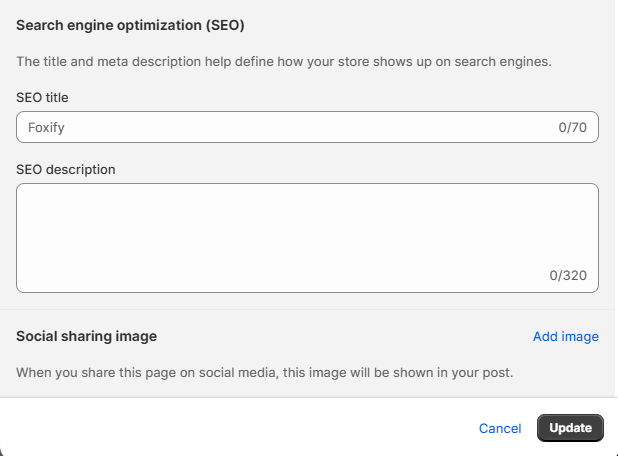
* **Search engine optimization (SEO):**
This settings section allows you to add your page's **SEO title**, **SEO description**, and add the page's **social sharing image**.
The recommended size for the social sharing image is 1200 x 628px .jpg or .png.
***