# Kaching Bundles Quantity Break
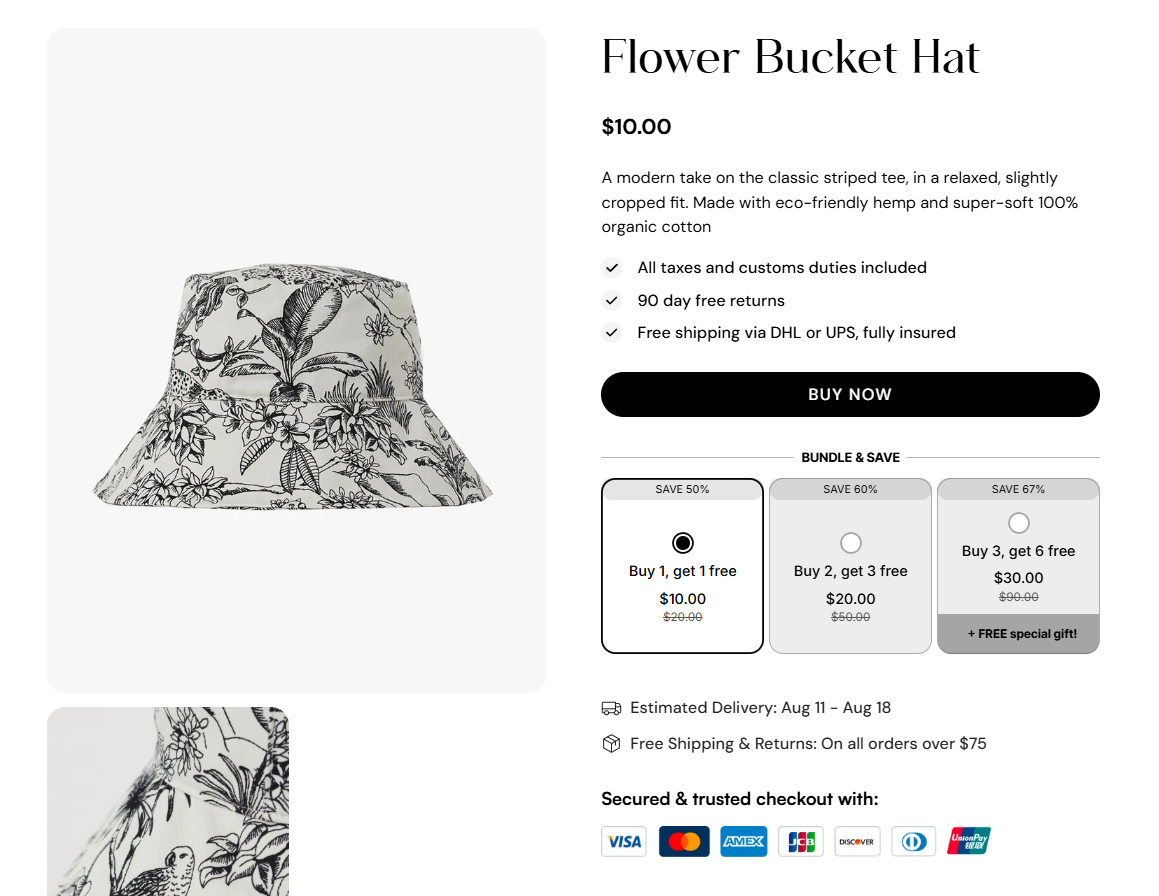
Kaching Bundles is a high-converting Shopify app that helps merchants increase average order value through smart bundles and quantity breaks. This article will show you how to seamlessly integrate Kaching with the Foxify Page Builder so you can display beautiful, conversion-driven bundles on your store.
## What is Kaching Bundles Quantity Break?
Kaching Bundles is a sales-boosting app that lets Shopify merchants offer tiered pricing, bundles, and quantity discounts—no coding needed. With flexible styling options and blazing-fast load speeds, it’s perfect for stores that want to drive more upsells and maximize revenue without compromising user experience.
**What you can do with Kaching Bundles**:
* Create bundle offers, volume discounts, and quantity breaks
* Customize bundle design, discount types, layout, and labels
* Works with all Shopify themes, no theme editing required
* High-performance load time with minimal impact on store speed
* Real-time performance tracking and analytics
👉 [Install Kaching Bundles Quantity Break now for 20% OFF all plans](https://foxecom.com/pages/partners/kaching-bundle-quantity-breaks) (with code **FOXECOM20**) 🎁
## How to use Kaching Bundles with Foxify Smart Page Builder
### Install Kaching Bundles from the Shopify App Store
Before using the app widget in Foxify, you have to install it in your Shopify store and configure the app settings. If you’re new to this app, check [its documentation](https://www.youtube.com/watch?v=w8ySerJcZ5g) to understand how it works.
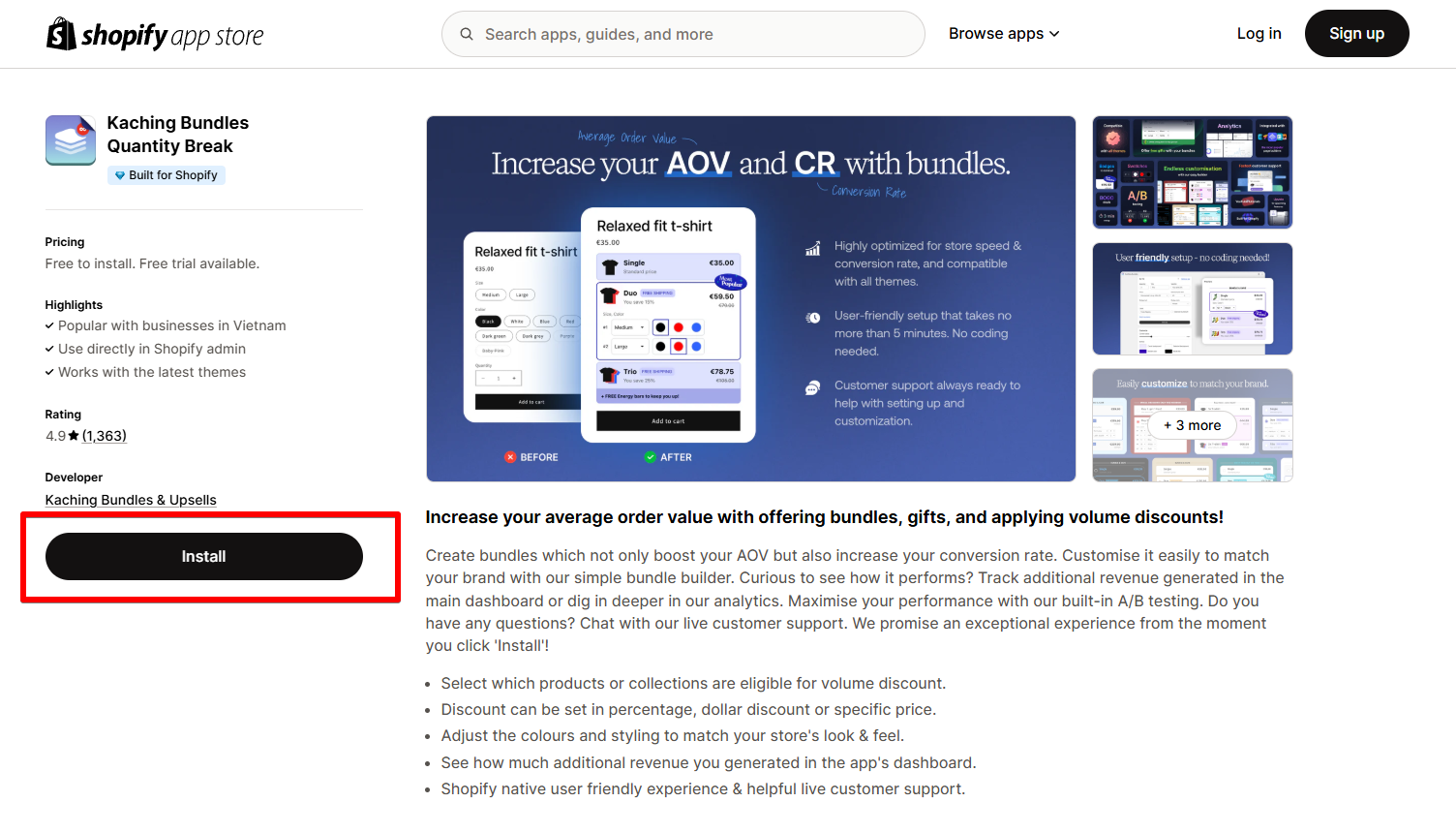
Steps:
1. Log in to the Shopify App Store.
2. Find the Kaching Bundles app and click **Install**.
3. In your Shopify admin, to authorize the use of the app, click **Install.**
After the app is installed, you can view and use it from the **Apps** page in your Shopify admin.
### Set up with Foxify
Kaching Bundles has been integrated as a built-in extension in Foxify Page Builder, so all you need to do is:
1. In your **Foxify dashboard**, select **App Extensions.**
2. Look for **Kaching Bundles** and Choose **Install extension.**
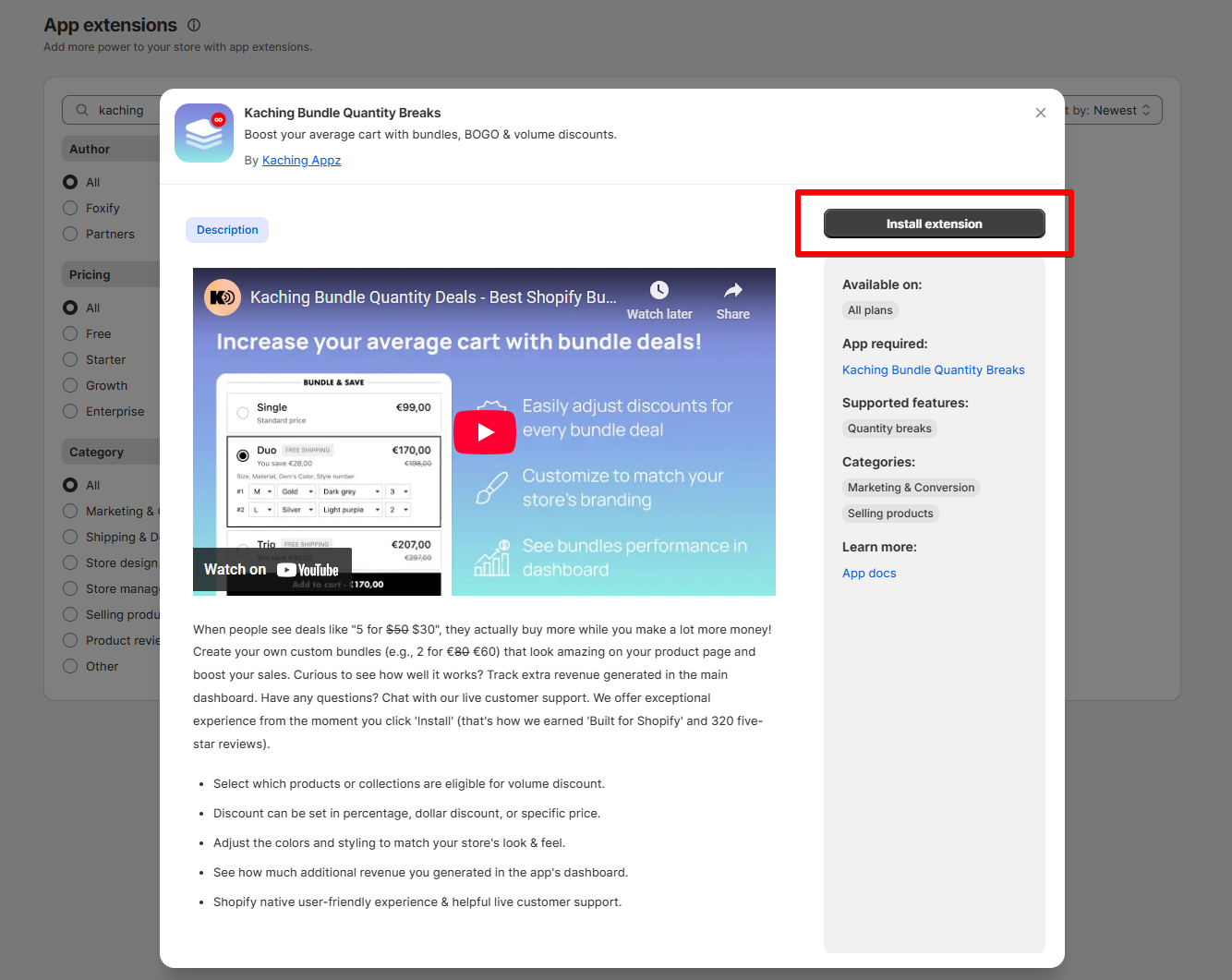
Once you see a green checkmark next to **Kaching Bundles** ✅**,** it means the app has been activated and is now ready to be featured.
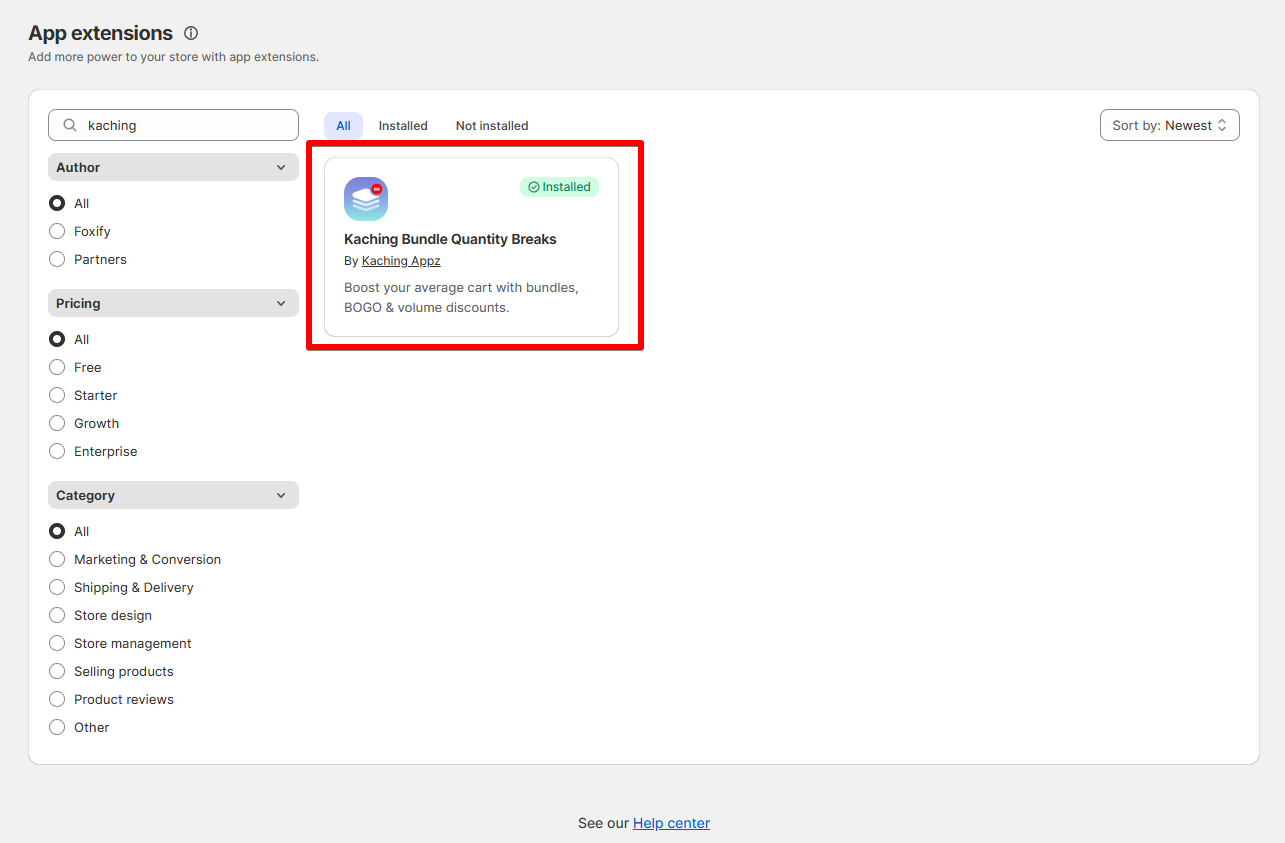
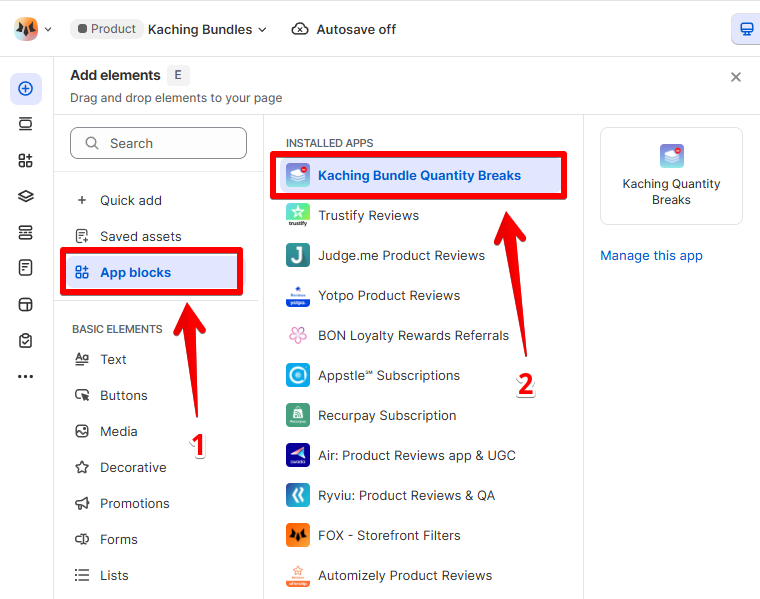
3. In **Pages manager**, open the page you want to add the app features to. Select **Add element > App blocks.**
Select Kaching bundles from the **Installed apps** list, and drag the app widget you want to feature on your page.
4. Adjust the element's sizing if needed.
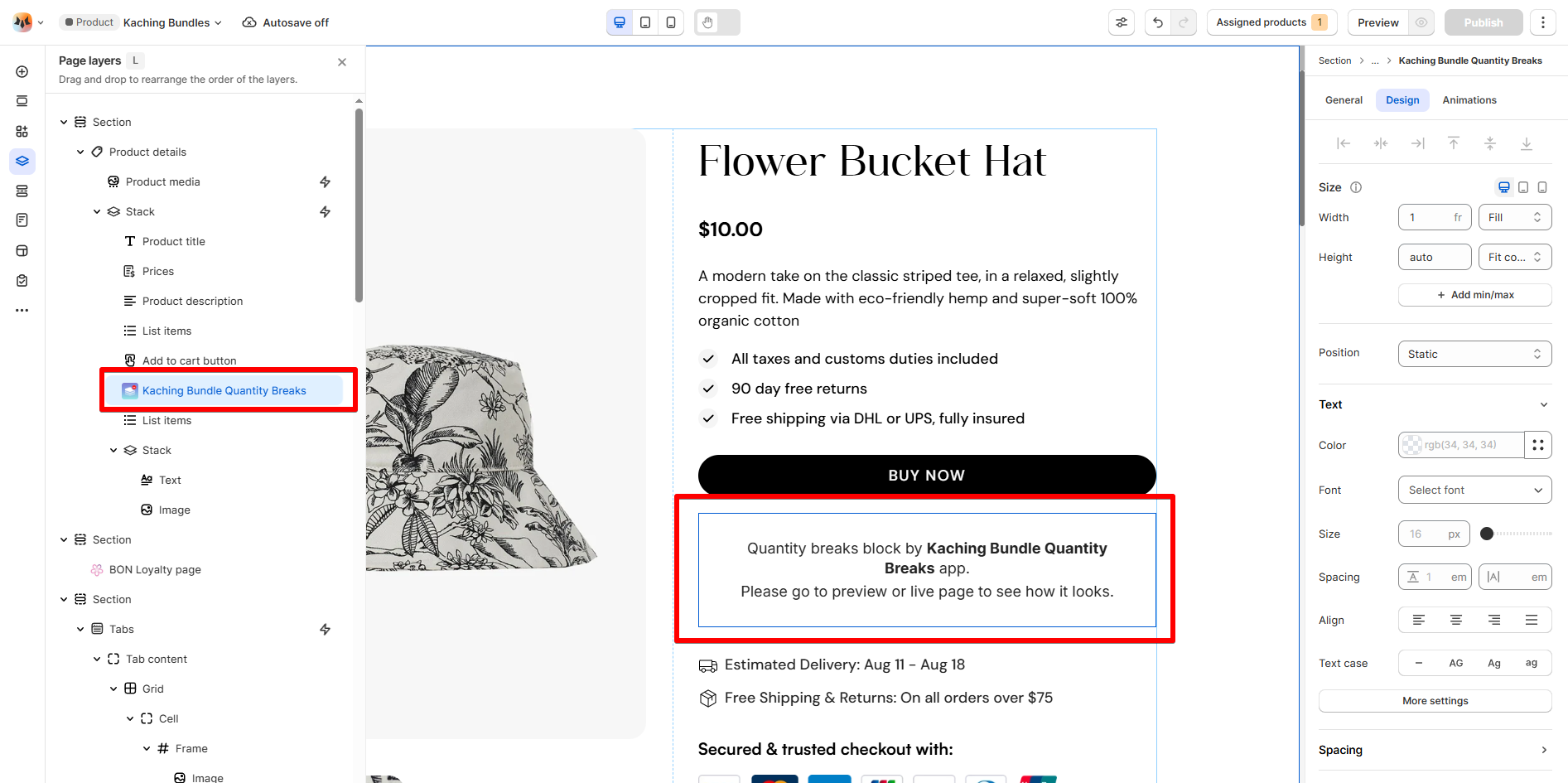
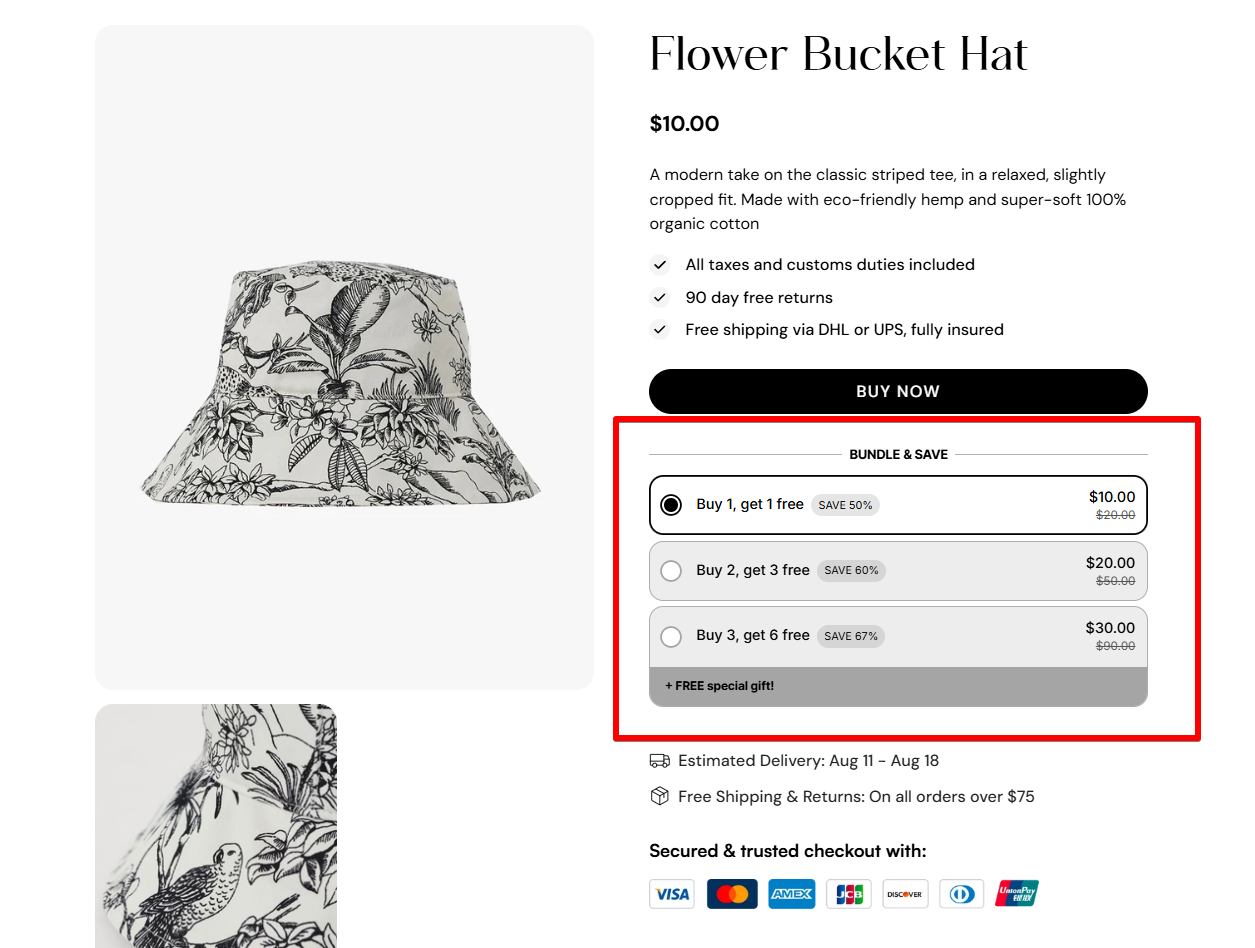
4. **Save** the changes and go to the preview page or live page to see the app widget.
## FAQs
### **Does Kaching work with all Shopify themes?**
Yes! Kaching is fully compatible with any Shopify theme and doesn’t require theme edits.
### **Is there a Free plan?**
Yes. Kaching offers a Free plan with essential features and generous limits for small to medium stores.
### **Can I style the bundle widget to match my store?**
Absolutely. You can customize the colors, text, layout, and design directly in the Kaching dashboard.