# Custom section

<div data-full-width="true"><figure><img src="https://1749964694-files.gitbook.io/~/files/v0/b/gitbook-x-prod.appspot.com/o/spaces%2FfgpgvtRaQLc36GYyIktZ%2Fuploads%2FETk3RTZrTHUxALnqCtTH%2FFoxEcom%20changelog%20%20%201250%20x%20200.png?alt=media&#x26;token=a72791be-b9fe-4806-8a28-f1592e470b10" alt=""><figcaption><p><a href="https://foxecom.com/pages/affiliate?utm_source=foxecom&#x26;utm_medium=help_center_foxify_custom_section&#x26;utm_campaign=anchor-text&#x26;utm_term=explore_foxecom_affiliate_program_perks_now">Explore FoxEcom Affiliate program perks now</a> <span data-gb-custom-inline data-tag="emoji" data-code="2728">✨</span></p></figcaption></figure></div>

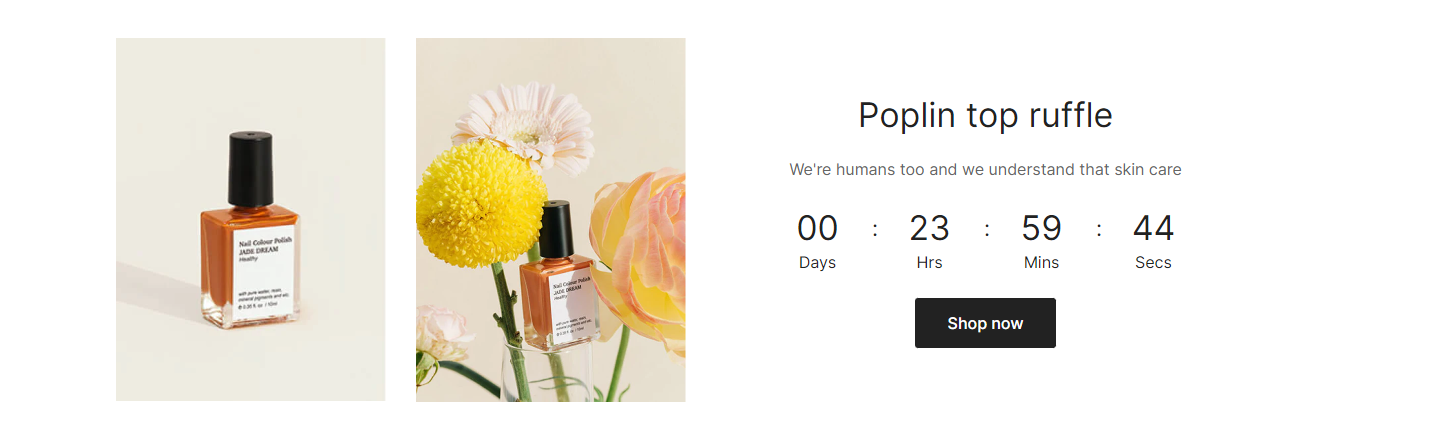
For customers to have a better understanding of the store, you can utilize **Custom section** to showcase extra information that is beneficial for the brand, the business, or sales in general.

<figure><img src="https://1749964694-files.gitbook.io/~/files/v0/b/gitbook-x-prod.appspot.com/o/spaces%2FfgpgvtRaQLc36GYyIktZ%2Fuploads%2FgVEOqzYT3VbV7UF19aZ3%2Fimage.png?alt=media&#x26;token=5ca8fbf1-1eab-4d00-80c7-dfc2332b970c" alt=""><figcaption></figcaption></figure>

### Grid layout

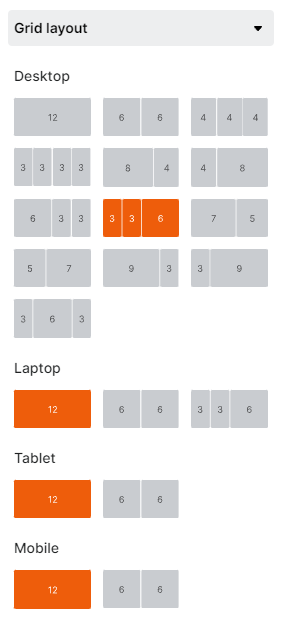
The settings let you decide on your grid layout on different screen sizes. Use the device mode selector on the top bar to view the section on desktop/laptop/tablet/mobile.&#x20;

<figure><img src="https://1749964694-files.gitbook.io/~/files/v0/b/gitbook-x-prod.appspot.com/o/spaces%2FfgpgvtRaQLc36GYyIktZ%2Fuploads%2FJauN9DUhUOXnmsIQsjOn%2Fimage.png?alt=media&#x26;token=e1b5b0a7-54f8-4d35-b031-a0dac60d4ba3" alt=""><figcaption></figcaption></figure>

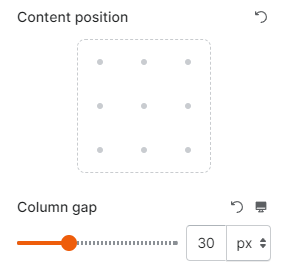
You can also adjust the content position and gap between columns of that grid (between 0 and 100px).&#x20;

<figure><img src="https://1749964694-files.gitbook.io/~/files/v0/b/gitbook-x-prod.appspot.com/o/spaces%2FfgpgvtRaQLc36GYyIktZ%2Fuploads%2FdTCYgxpGyGNLh0BOw8Nu%2Fimage.png?alt=media&#x26;token=76414273-f894-4aca-988e-27e1a3044b90" alt=""><figcaption></figcaption></figure>

Then, you can add child blocks to each of the columns accordingly to create a custom section as you wish.&#x20;

<figure><img src="https://1749964694-files.gitbook.io/~/files/v0/b/gitbook-x-prod.appspot.com/o/spaces%2FfgpgvtRaQLc36GYyIktZ%2Fuploads%2FZIOEEVpoLjCcgNKxb1ul%2Fezgif.com-gif-maker%20(5).gif?alt=media&#x26;token=dabb936d-9d46-4fad-8846-1613eea6c580" alt=""><figcaption></figcaption></figure>