# AI responsive

{% hint style="warning" %}
AI Responsive is currently in **beta** stage.
{% endhint %}

## What is responsiveness?

{% tabs %}
{% tab title="Desktop" %}

<figure><img src="https://1749964694-files.gitbook.io/~/files/v0/b/gitbook-x-prod.appspot.com/o/spaces%2FfgpgvtRaQLc36GYyIktZ%2Fuploads%2FkJJ9RmCliUFe7pPhzwWH%2Fimage.png?alt=media&#x26;token=cb49bce9-1b37-46e9-8dee-7610b43eabbc" alt=""><figcaption></figcaption></figure>
{% endtab %}

{% tab title="Tablet" %}

<figure><img src="https://1749964694-files.gitbook.io/~/files/v0/b/gitbook-x-prod.appspot.com/o/spaces%2FfgpgvtRaQLc36GYyIktZ%2Fuploads%2FGvbK4iZt1W7GRSDCuOJh%2Fimage.png?alt=media&#x26;token=cf91f352-85a3-488c-b1a7-6530acdac0a0" alt=""><figcaption></figcaption></figure>
{% endtab %}

{% tab title="Mobile" %}

<figure><img src="https://1749964694-files.gitbook.io/~/files/v0/b/gitbook-x-prod.appspot.com/o/spaces%2FfgpgvtRaQLc36GYyIktZ%2Fuploads%2FAezLH0bcrvtvS6EphwBJ%2Fimage.png?alt=media&#x26;token=e54d209a-d0ee-430f-8bf9-0b18da38dbb0" alt=""><figcaption></figcaption></figure>
{% endtab %}
{% endtabs %}

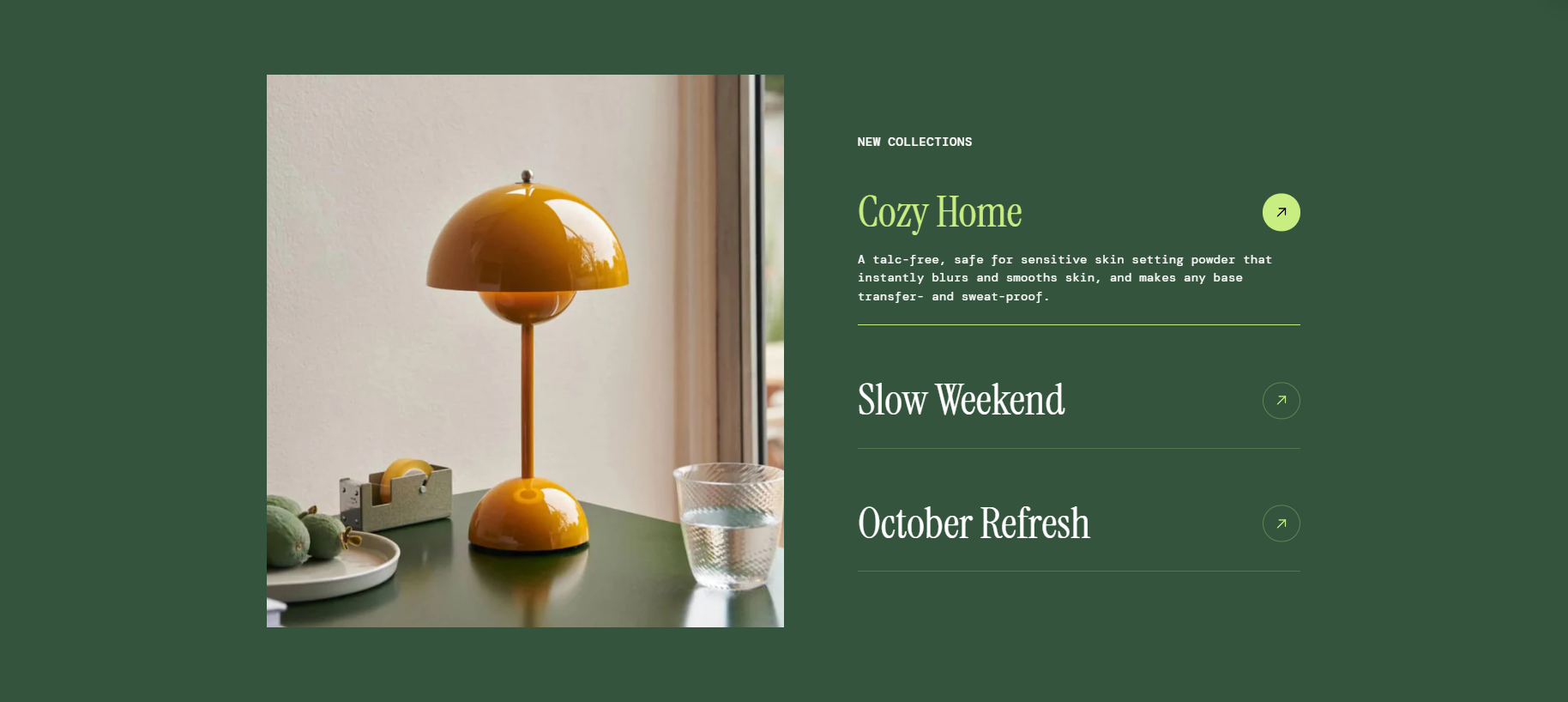
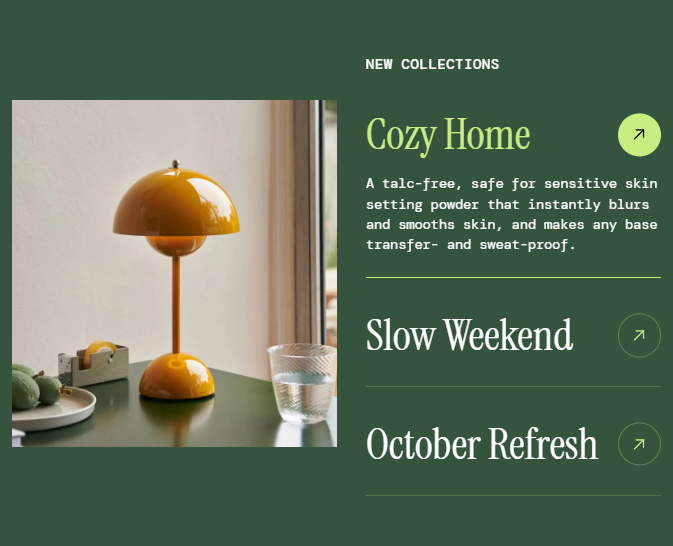
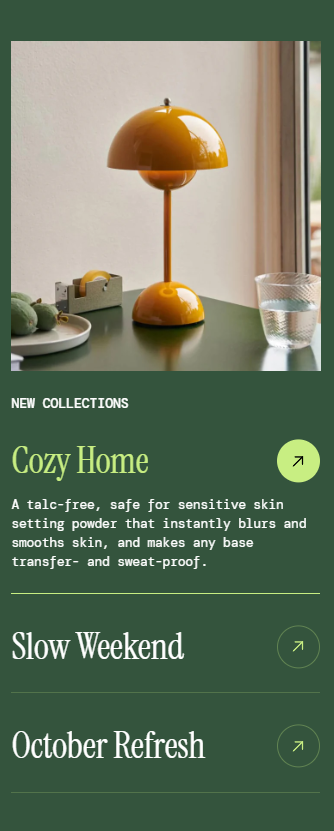
Responsiveness in web design refers to a website’s ability to adapt and display correctly across different screen sizes and devices (desktops, tablets, and mobile phones). &#x20;

Without responsiveness, websites may appear cluttered, with broken layouts, unreadable text, and misaligned sections when viewed on different devices.

## How AI responsive works

Foxify’s **AI Responsive** feature automates section optimization, ensuring your design looks great and functions well on **all screen sizes**.

When you enable **AI Responsive**, the system analyzes your section’s structure and adjusts the positioning of all nested elements dynamically. This includes:

* Prevent content overlap ✅
* Ensure all elements within the viewport ✅
* Dynamically adjust spacing and alignment ✅

## How to use AI responsive in Foxify

<figure><img src="https://1749964694-files.gitbook.io/~/files/v0/b/gitbook-x-prod.appspot.com/o/spaces%2FfgpgvtRaQLc36GYyIktZ%2Fuploads%2FuHpfSd8r1pP0anVR8WSA%2FUntitled%20design%20(19).gif?alt=media&#x26;token=93ef6356-ab5c-4fb9-9af1-d0f06dffe7b9" alt=""><figcaption></figcaption></figure>

{% hint style="success" %}
**Steps**:

1. **Select a section** that needs optimizations.
2. Select the option **AI responsive** in the toolbar.
3. Review the AI-generated adjustments to ensure they meet your design expectations.
4. If you're happy with the result, click **Apply changes**.&#x20;
   {% endhint %}

{% hint style="warning" %}
This feature doesn't replace manual changes but works like a smart helper to speed up layout adjustments.
{% endhint %}

<div data-full-width="false"><figure><img src="https://1749964694-files.gitbook.io/~/files/v0/b/gitbook-x-prod.appspot.com/o/spaces%2FfgpgvtRaQLc36GYyIktZ%2Fuploads%2FEj8YgLWvHPzkL3z1Emhb%2FBANNER%201%2C%202%20%20%20%20%20%20%20%20%20%20%20%20%20%20800x400%20(2)%20(1).png?alt=media&#x26;token=7e11de75-84e5-4576-902e-8c435aff2578" alt=""><figcaption><p>Foxify AI turns a prompt into a well-structured page layout in seconds. <a href="https://admin.shopify.com/apps/foxify-builder?utm_source=foxecom&#x26;utm_medium=help_center_foxify_ai-responsive&#x26;utm_campaign=anchor-text&#x26;utm_term=try-foxify-ai"><mark style="color:orange;">Try Foxify AI</mark></a> ✨</p></figcaption></figure></div>