# General settings

<div data-full-width="true"><figure><img src="https://1749964694-files.gitbook.io/~/files/v0/b/gitbook-x-prod.appspot.com/o/spaces%2FfgpgvtRaQLc36GYyIktZ%2Fuploads%2FETk3RTZrTHUxALnqCtTH%2FFoxEcom%20changelog%20%20%201250%20x%20200.png?alt=media&#x26;token=a72791be-b9fe-4806-8a28-f1592e470b10" alt=""><figcaption><p><a href="https://foxecom.com/pages/affiliate?utm_source=foxecom&#x26;utm_medium=help_center_foxify_general_settings&#x26;utm_campaign=anchor-text&#x26;utm_term=explore_foxecom_affiliate_program_perks_now">Explore FoxEcom Affiliate program perks now</a> <span data-gb-custom-inline data-tag="emoji" data-code="2728">✨</span></p></figcaption></figure></div>

## General Settings

### Animation

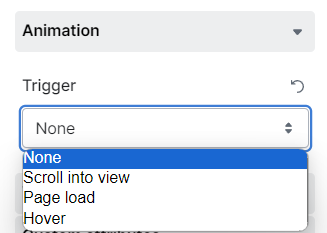
As readers scroll up and down the site, the animation, when enabled, is triggered following one of the following conditions:

* The element comes into view
* After the page loads
* On hovering over the element

Animations can add some flair, impress customers, and encourage them to engage more.

<figure><img src="https://1749964694-files.gitbook.io/~/files/v0/b/gitbook-x-prod.appspot.com/o/spaces%2FfgpgvtRaQLc36GYyIktZ%2Fuploads%2FDLrE8hIZxy0QU1ikmJQK%2Fimage.png?alt=media&#x26;token=39aa5dc6-5fc4-4daa-a655-e4d1d5101e9f" alt=""><figcaption></figcaption></figure>

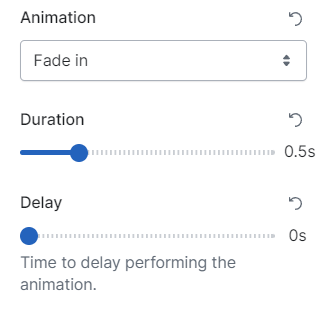
After selecting the **Trigger** condition for your Animation, you can choose the **Animation type**, its **duration**, and the **delay time**.

<figure><img src="https://1749964694-files.gitbook.io/~/files/v0/b/gitbook-x-prod.appspot.com/o/spaces%2FfgpgvtRaQLc36GYyIktZ%2Fuploads%2FIsmxxwmSJbw4aXo7mrrf%2Fimage.png?alt=media&#x26;token=82d08a43-fdbf-450f-9e45-54ac0a3f9f5d" alt=""><figcaption></figcaption></figure>

* **Animation type:**
  * Fade in
    * Fade in up
    * Fade in down
    * Fade in left
    * Fade in right
  * Tada
  * Shake X
  * Shake Y
  * Head shake
  * Heart beat
  * Bounce in
  * Wobble
  * Swing
  * Flip in X
  * Light speed in right
  * Light speed in left
  * Spin
* **Duration**: between 0.1s-2s
* **Delay time** to perform the animation: 0-2s

{% hint style="info" %}
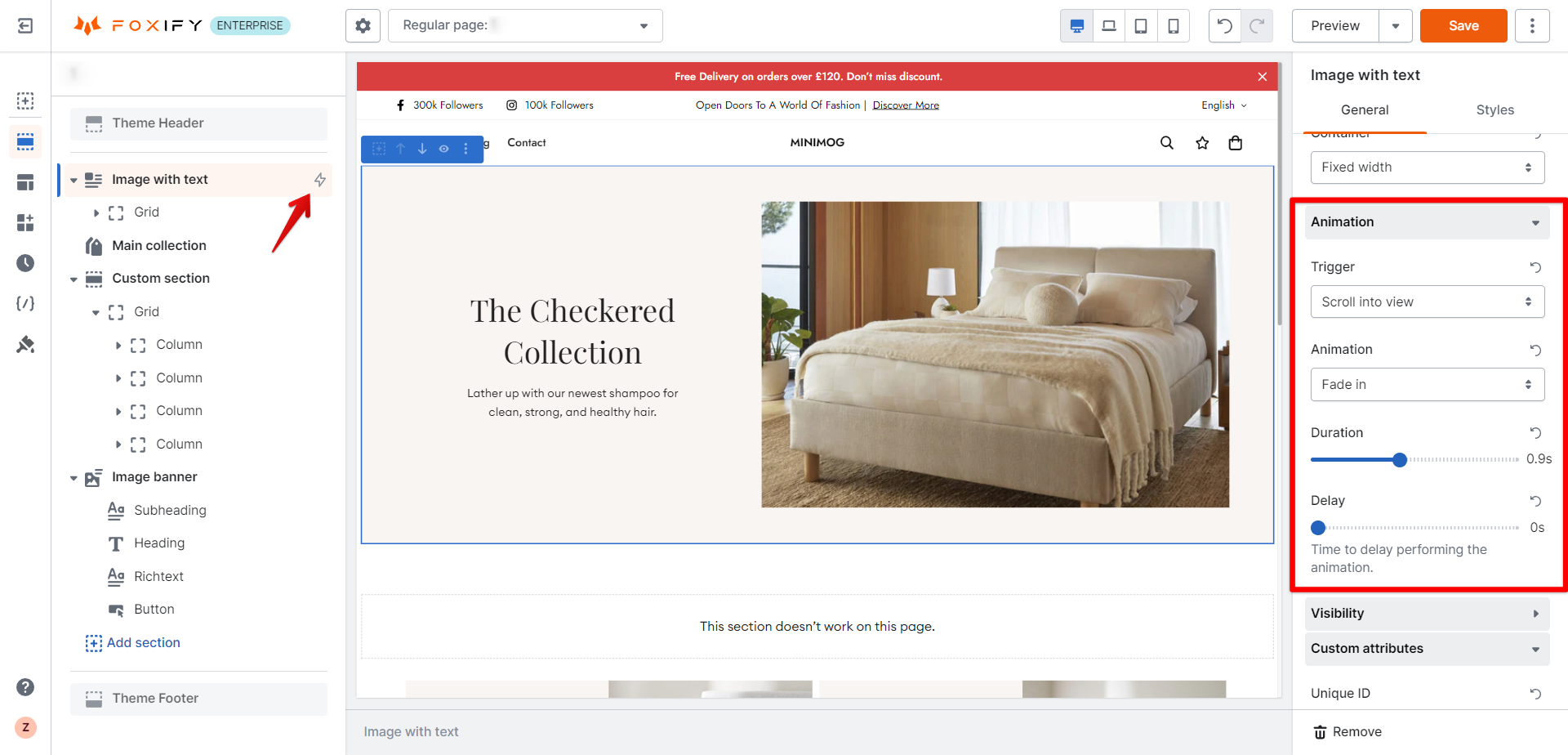
💡 On the page outline, an element with activated animation has the :zap: icon by its name.
{% endhint %}

<figure><img src="https://1749964694-files.gitbook.io/~/files/v0/b/gitbook-x-prod.appspot.com/o/spaces%2FfgpgvtRaQLc36GYyIktZ%2Fuploads%2FWubPikTWyiDunbQhhJF8%2Fimage.png?alt=media&#x26;token=f2a4c5d3-a72e-4600-988f-1fc7e36d16ce" alt=""><figcaption></figcaption></figure>

### Visibility

<figure><img src="https://1749964694-files.gitbook.io/~/files/v0/b/gitbook-x-prod.appspot.com/o/spaces%2FfgpgvtRaQLc36GYyIktZ%2Fuploads%2FI4twKR4g9Txus9u6gwkV%2Fimage.png?alt=media&#x26;token=eada8914-725e-417a-8b02-56913330a3e4" alt=""><figcaption></figcaption></figure>

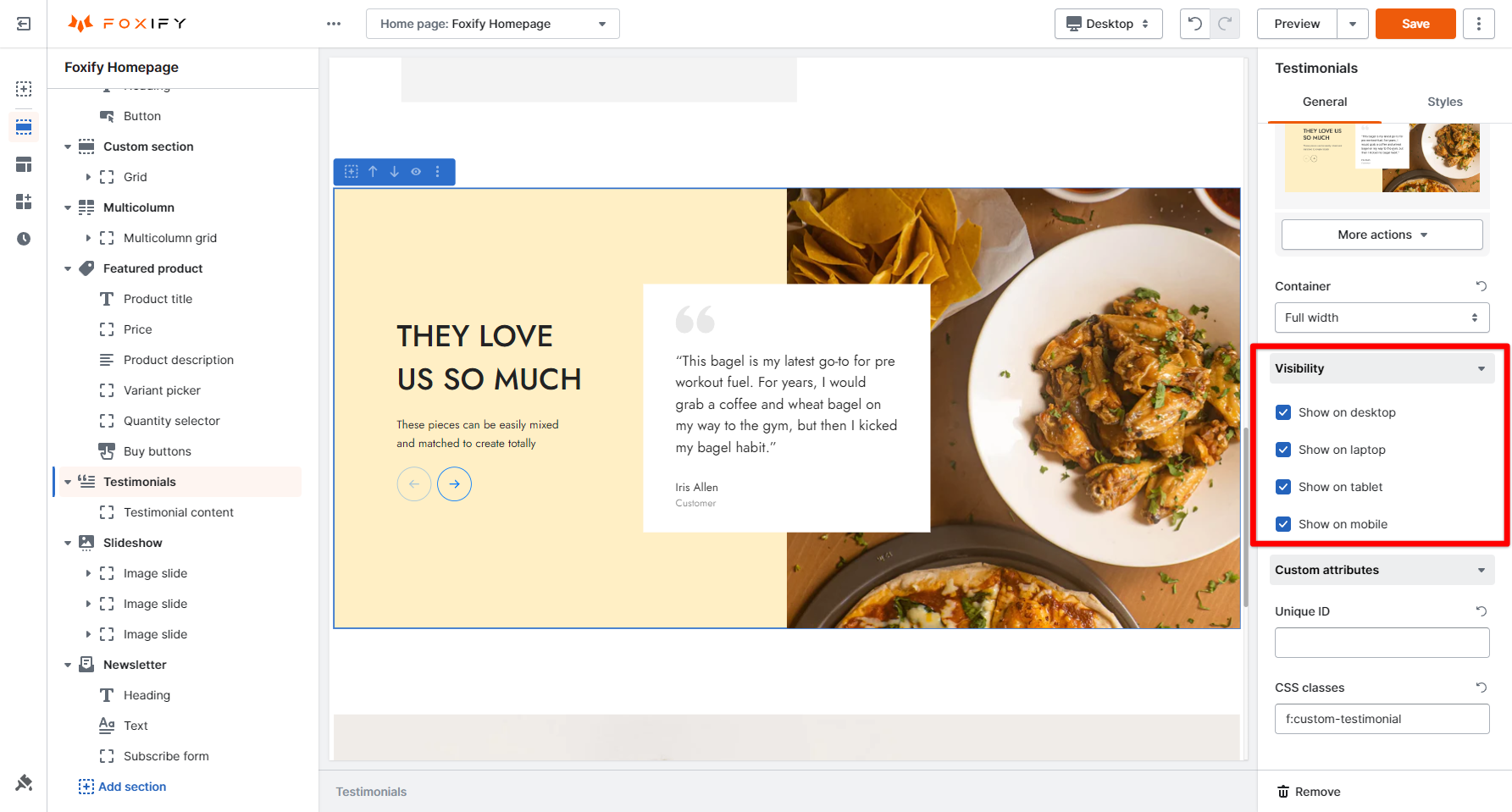
The Visibility setting lets you show or hide the element on different devices, including Desktop/ Laptop/ Tablet/ Mobile.

By default, an element is visible to all 4 device views:

* Mobile
* Tablet
* Laptop
* Desktop

To hide the element in a particular view, uncheck the option.

#### Example

<figure><img src="https://1749964694-files.gitbook.io/~/files/v0/b/gitbook-x-prod.appspot.com/o/spaces%2FfgpgvtRaQLc36GYyIktZ%2Fuploads%2FQ999PqmCF7irQRG6lArF%2Fezgif.com-video-to-gif%20(24).gif?alt=media&#x26;token=27c15dbd-2e5f-4d81-99b5-88f6b5b9a635" alt=""><figcaption></figcaption></figure>

We want to hide the **Testimonials** section on tablet and mobile view.&#x20;

In the **Visibility** settings, simply uncheck the options **Show on tablet** and **Shop on mobile.**

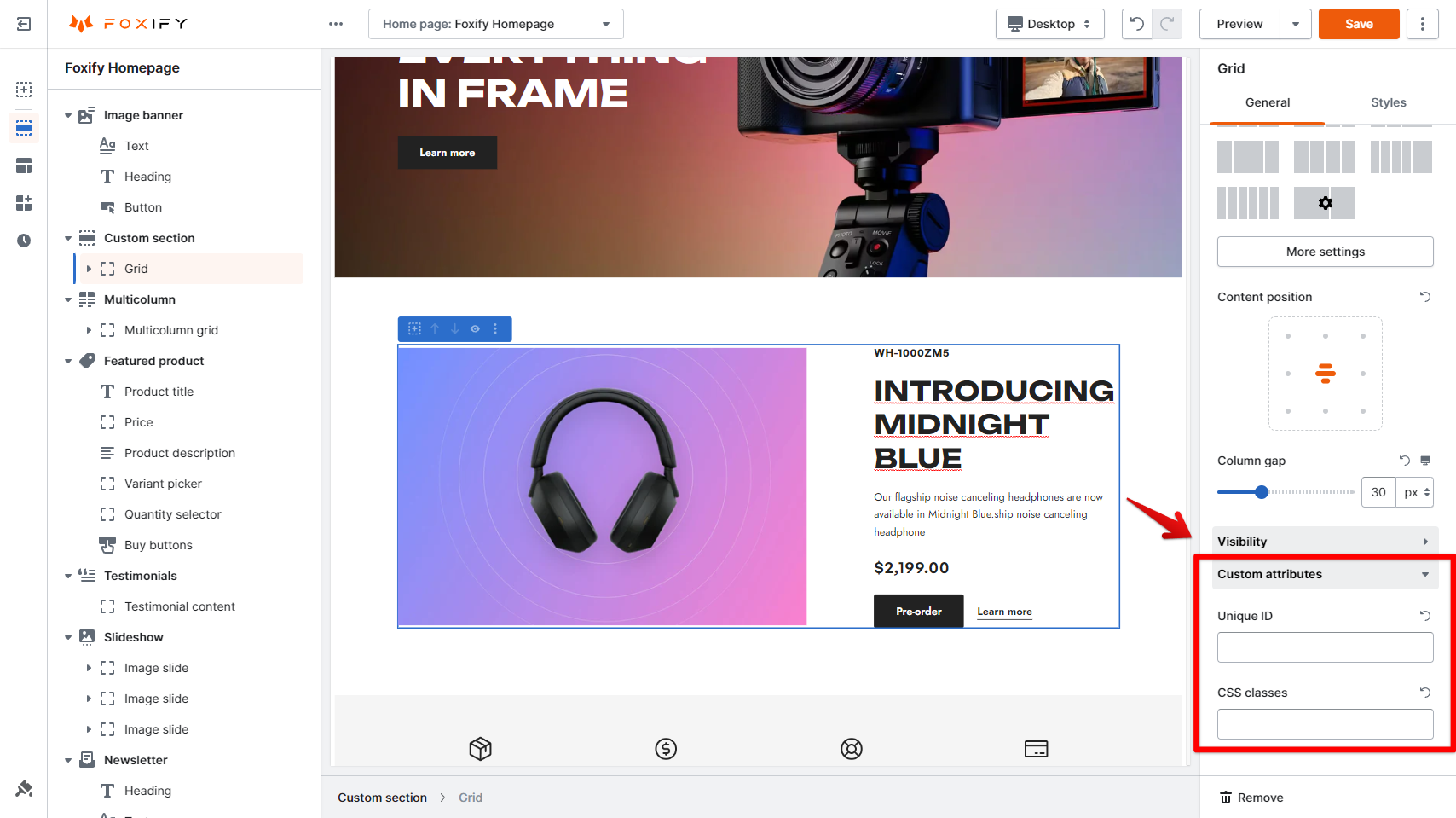
### Custom attributes

<figure><img src="https://1749964694-files.gitbook.io/~/files/v0/b/gitbook-x-prod.appspot.com/o/spaces%2FfgpgvtRaQLc36GYyIktZ%2Fuploads%2FvOsCBRc9mKFL7vaJq3er%2Fimage.png?alt=media&#x26;token=6dd9f51d-1716-4416-b01c-eedca35b71fa" alt=""><figcaption></figcaption></figure>

Although Foxify offers a large variety of attributes, we understand that giving customers the freedom of creativity and execution is necessary.

That's when **Custom attributes** come in handy.&#x20;

Once an element is selected, this can be found at the bottom of the General settings tab.

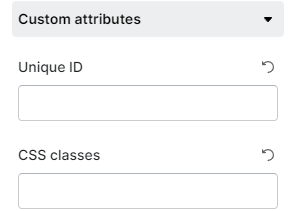
Supported attributes include:

* ID
* CSS classes

<figure><img src="https://1749964694-files.gitbook.io/~/files/v0/b/gitbook-x-prod.appspot.com/o/spaces%2FfgpgvtRaQLc36GYyIktZ%2Fuploads%2FY93tWF0zP9j2pJ1oMN0V%2Fimage.png?alt=media&#x26;token=183bdd55-af52-4f0e-84cf-b9db988b2aa0" alt=""><figcaption></figcaption></figure>

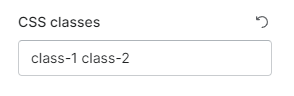
{% hint style="info" %}
If you want to add multiple CSS class names to the field, make sure to leave a space between the classes.&#x20;
{% endhint %}

<figure><img src="https://1749964694-files.gitbook.io/~/files/v0/b/gitbook-x-prod.appspot.com/o/spaces%2FfgpgvtRaQLc36GYyIktZ%2Fuploads%2FXWGU5FPOfVXMMUMlWQz6%2Fimage.png?alt=media&#x26;token=56587bfa-f74e-4f6a-86f4-415d11a71a6e" alt=""><figcaption></figcaption></figure>

{% hint style="info" %}
All the settings set in that selected block will be overwritten by the Custom attributes (if present).
{% endhint %}