# Use discount code
Apply a promo code to get a discounted rate on your Foxify subscription — works when you're selecting a new plan or staying on your current plan.
### Before you start
Make sure you have a valid discount code. Codes are case-sensitive and each code has its own expiry date and eligible plans — check the source of your code for details.
## Apply a code when selecting a new plan
Use this flow if you're upgrading, downgrading, or activating a paid plan for the first time.
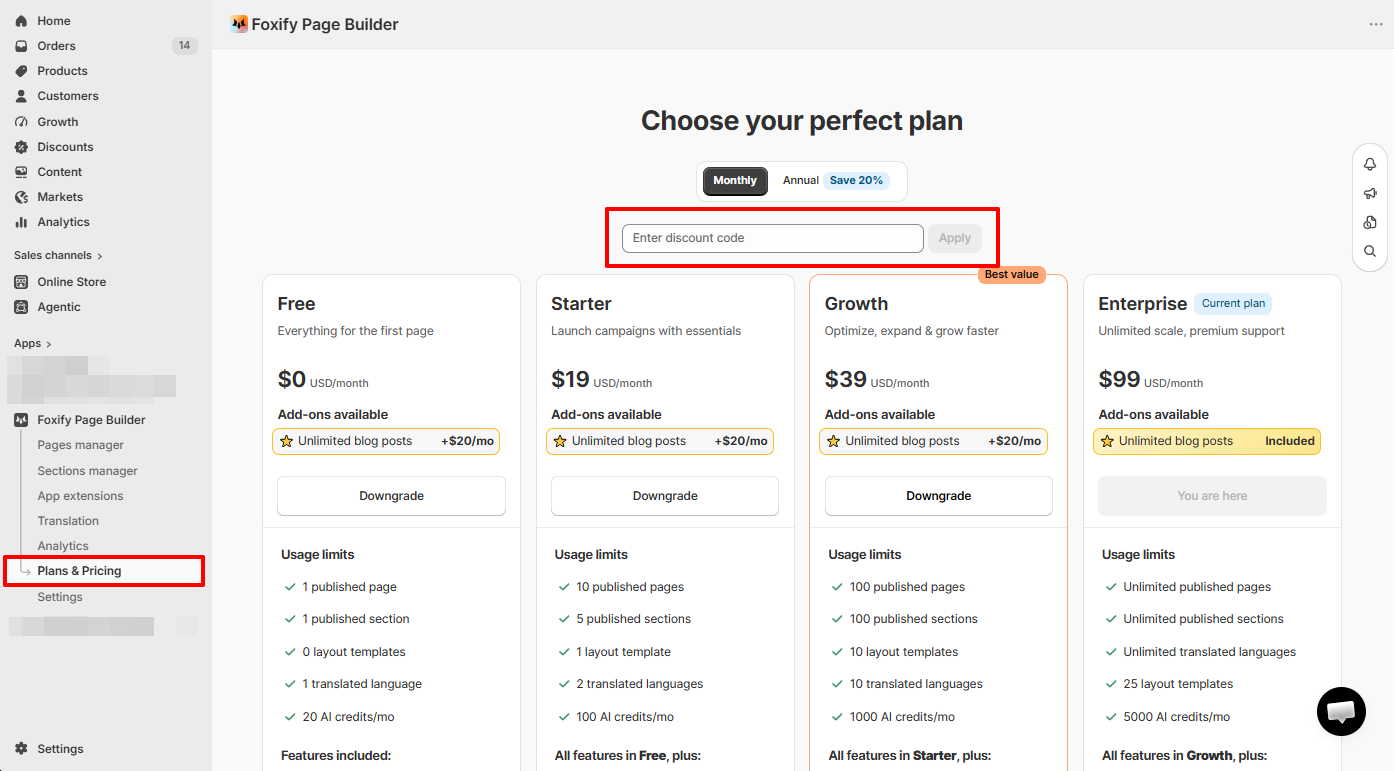
1. In the Foxify left sidebar, go to **Plans & Pricing**.
2. Locate the **Have a discount code?** message and click **Enter here**.
3. Enter your code and click **Apply** — your discounted pricing will show immediately.
4. Select a plan.
5. On the Shopify subscription approval page, click **Approve**.
✅ Done when: Your plan is active and the discounted rate appears in your Shopify billing.
## Apply a code to your current plan
Use this flow if you want to apply a discount without changing your plan. The discounted subscription will replace your existing one from the next billing cycle.
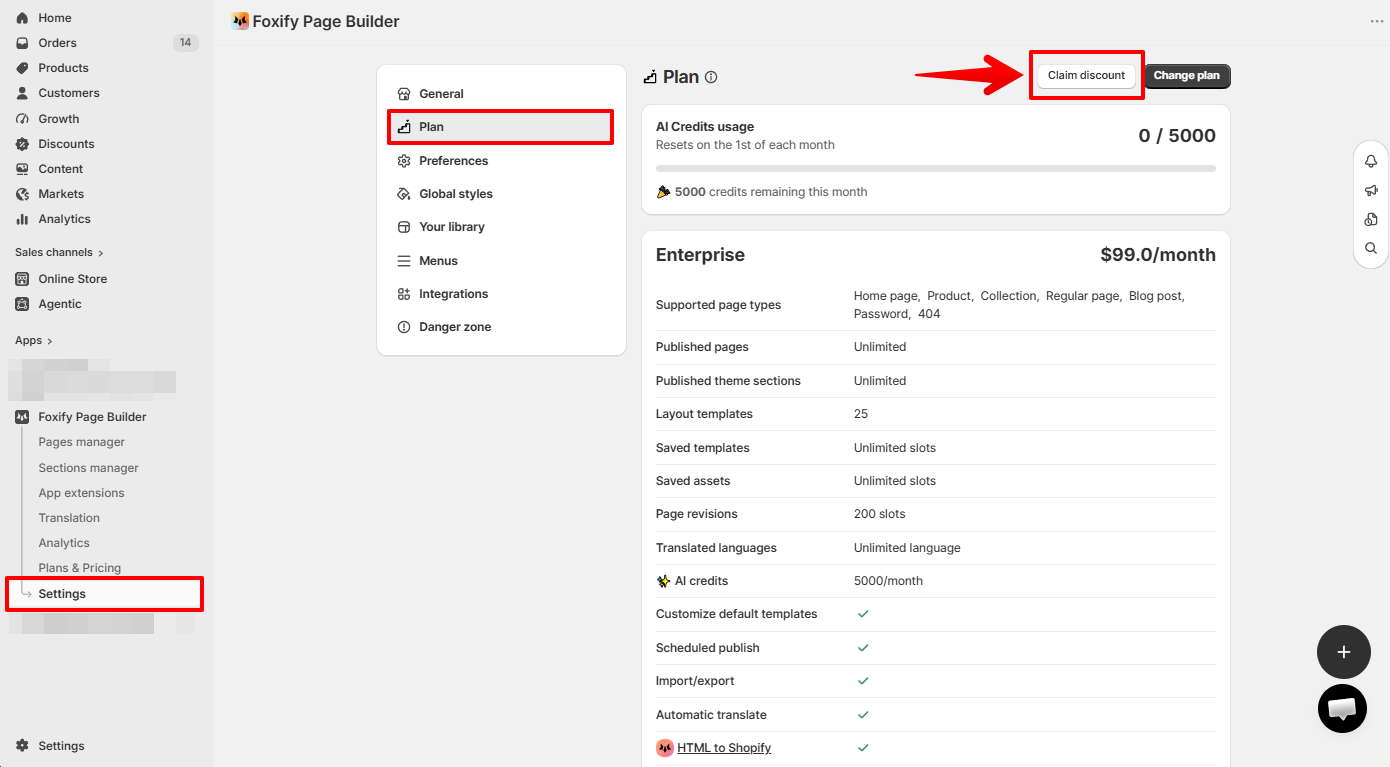
1. In the Foxify left sidebar, go to **Settings > Plan**.
2. Click **Claim discount**.
3. Enter your code in the pop-up and click **Claim discount**.
4. On the Shopify subscription approval page, click **Approve**.
✅ Done when: The discounted rate is confirmed and your new subscription is active.
## FAQs
#### My discount code isn't working. What should I check?
A few common reasons: the code has expired or it's not valid for your current plan.
#### Can I use a discount code during my free trial?
Yes — you can apply a code during your trial. The discounted rate will take effect when the trial ends and billing begins.
#### Can I stack multiple discount codes?
No — only one discount code can be active per subscription at a time.
#### The discount was applied but I don't see it reflected in my billing.
Go to your Shopify admin > **Settings > Billing** to verify the active subscription charge. If the discounted rate isn't showing, contact us via live chat.
## Related articles
Pricing plans
Change your plan
Free trial