# Yotpo ‑ Product Reviews
Yotpo is one of the most trusted review platforms used by thousands of Shopify merchants to boost credibility and sales. This article will show you how to integrate and display Yotpo’s Product Reviews on your [Foxify-built pages.](https://foxecom.com/products/foxify-shopify-app?utm_source=foxecom\&utm_medium=help_center_foxify_yotpo_product_reviews\&utm_campaign=anchor-text\&utm_term=foxify_built_page)
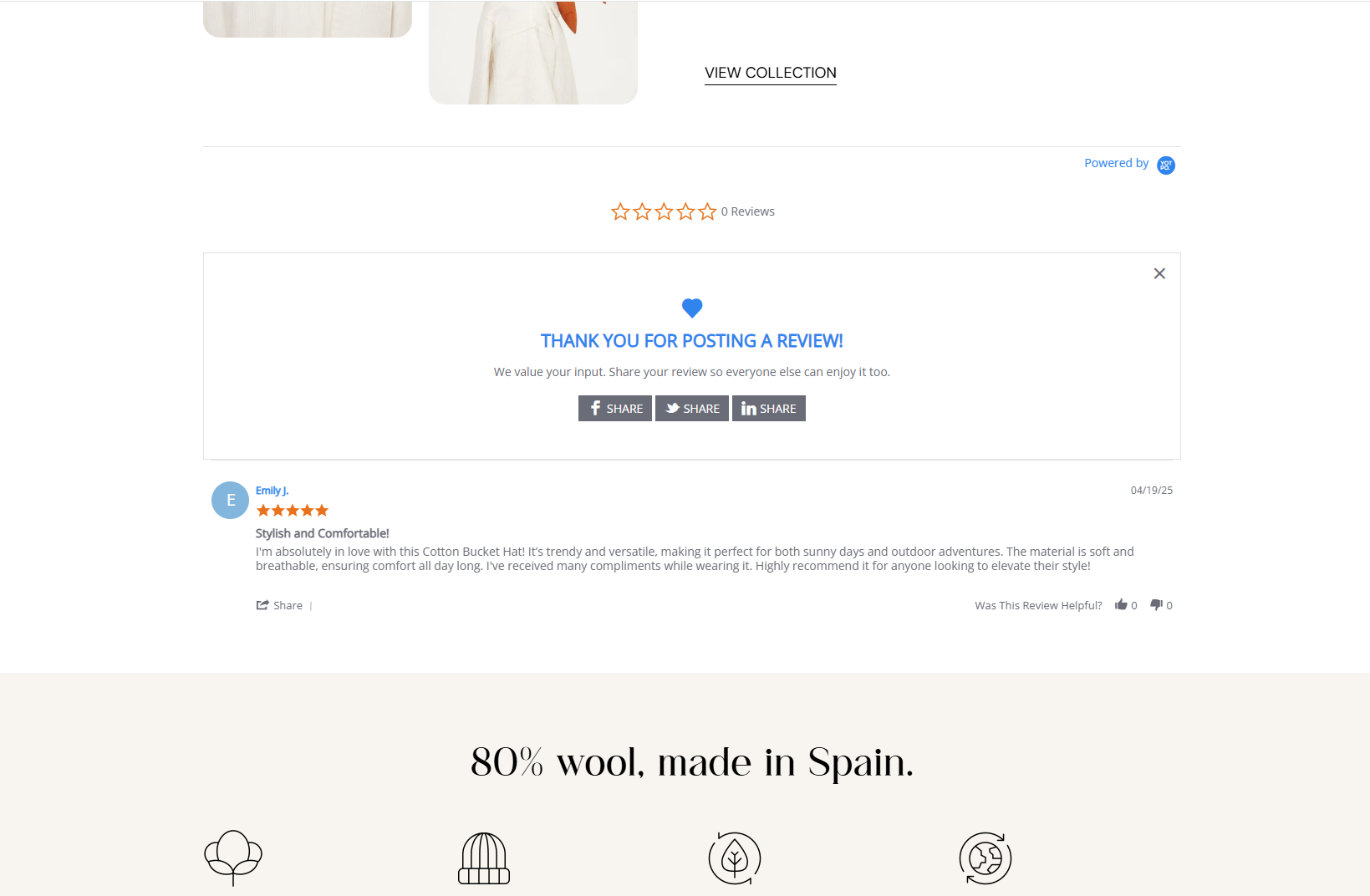
## What is Yotpo ‑ Product Reviews App?
Yotpo helps eCommerce brands collect product reviews that drive social proof. With AI-powered reviews widgets, Yotpo makes it easy for eCommerce brands of all sizes to gather high-quality product reviews that impact the path to purchase.
**What you can do with Yotpo:**
* Collect reviews via post-purchase emails, SMS, or directly from product pages.
* Showcase reviews with photos, videos, and star ratings.
* Highly customizable review widgets to match your store's design.
* Advanced display options like carousel sliders and review highlights.
* Integration with Google Shopping and social platforms like Facebook.
* Boosts SEO with Google-rich snippets.
* Central dashboard to manage and moderate reviews easily.
[Install Yotpo Product Reviews app](https://apps.shopify.com/yotpo-social-reviews) to get started. 🚀
## How to use Yotpo with Foxify Smart Page Builder
### Install Yotpo Product Reviews from the Shopify App Store
Before using the app widget in Foxify, you have to install it in your Shopify store and configure the app settings. If you’re new to this app, check [its documentation](https://support.yotpo.com/v1/docs/reviews-product) to understand how it works.
Steps:
1. Log in to the Shopify App Store.
2. Find the [Yotpo Product Reviews app](https://apps.shopify.com/yotpo-social-reviews) and click **Install**.
3. In your Shopify admin, to authorize the use of the app, click **Install.**
After the app is installed, you can view and use it from the **Apps** page in your Shopify admin.
### Set up Yotpo Product Reviews with Foxify
FoxKit has been integrated as a built-in extension in Foxify Smart Pagebuilder, so all you need to do is:
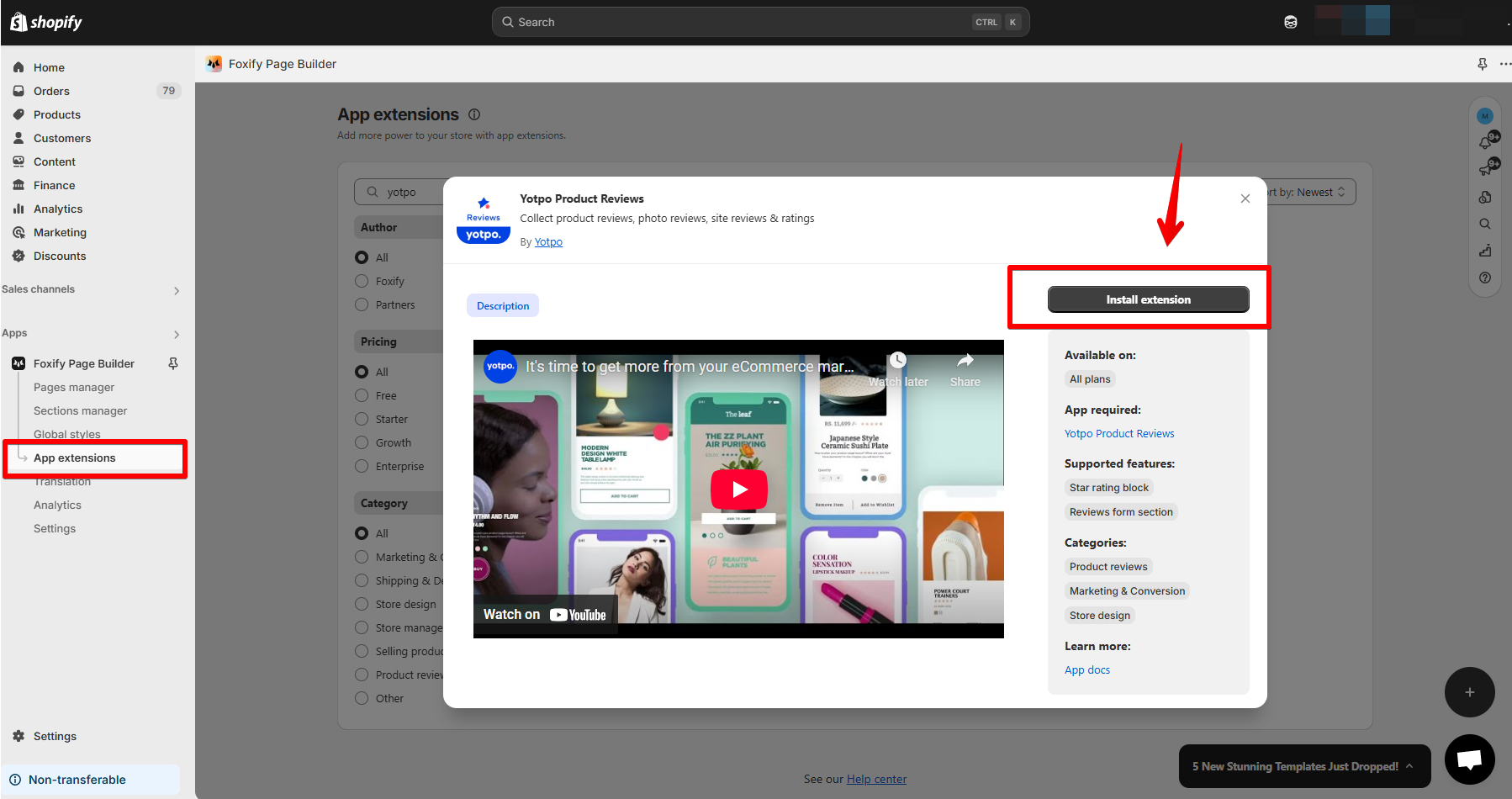
1. In your **Foxify dashboard**, select **App Extensions.**
2. Look for **Yotpo Product Reviews** and Choose **Install extension.**
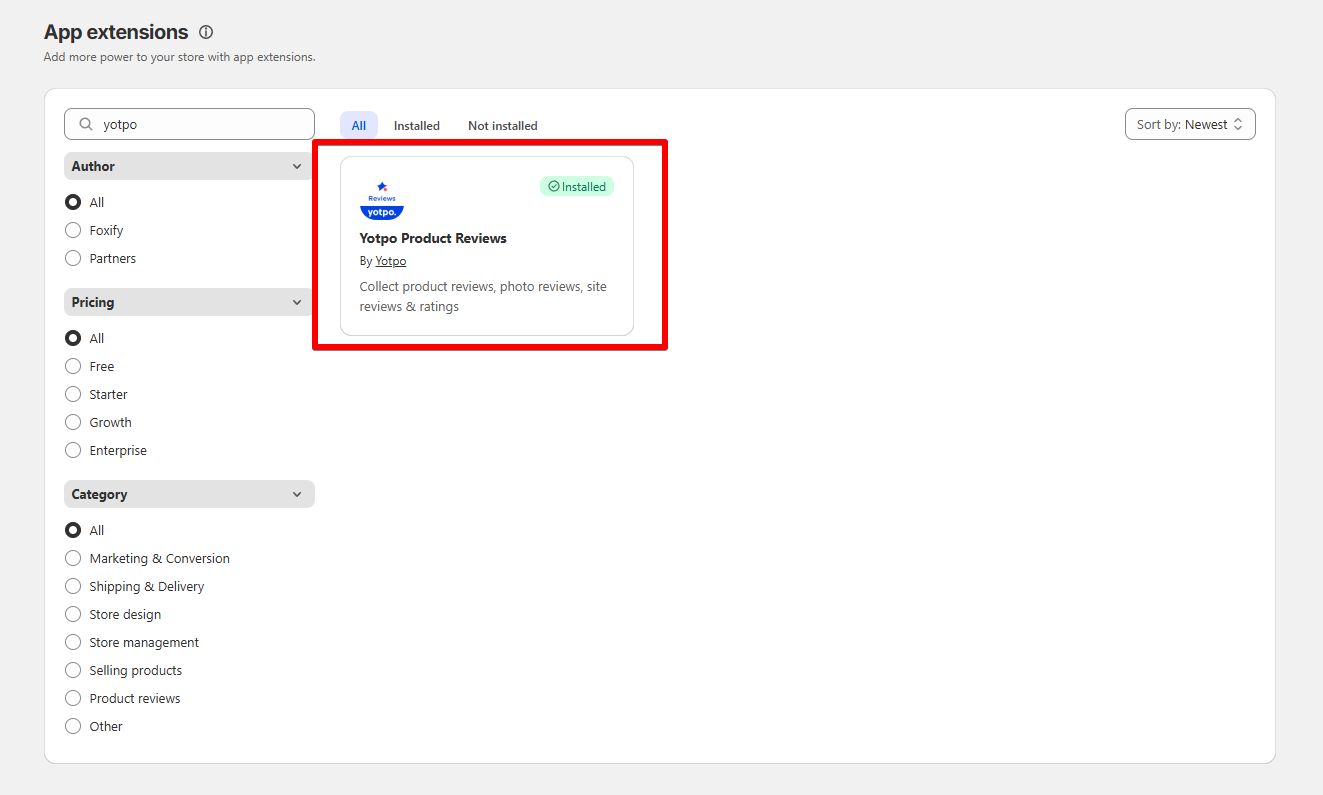
Once you see a green checkmark ✅ next to **Yotpo,** it means the app has been activated and is now ready to be featured.
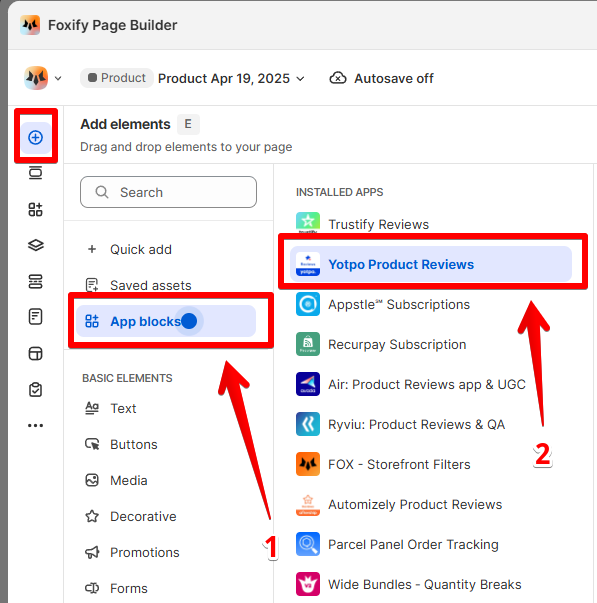
3. In **Pages manager**, open the page you want to add the app features to. Select **Add element > App blocks.**
Select Yotpo from the **Installed apps** list, and drag the app widget you want to feature on your page.
4. Adjust the element's sizing if needed.
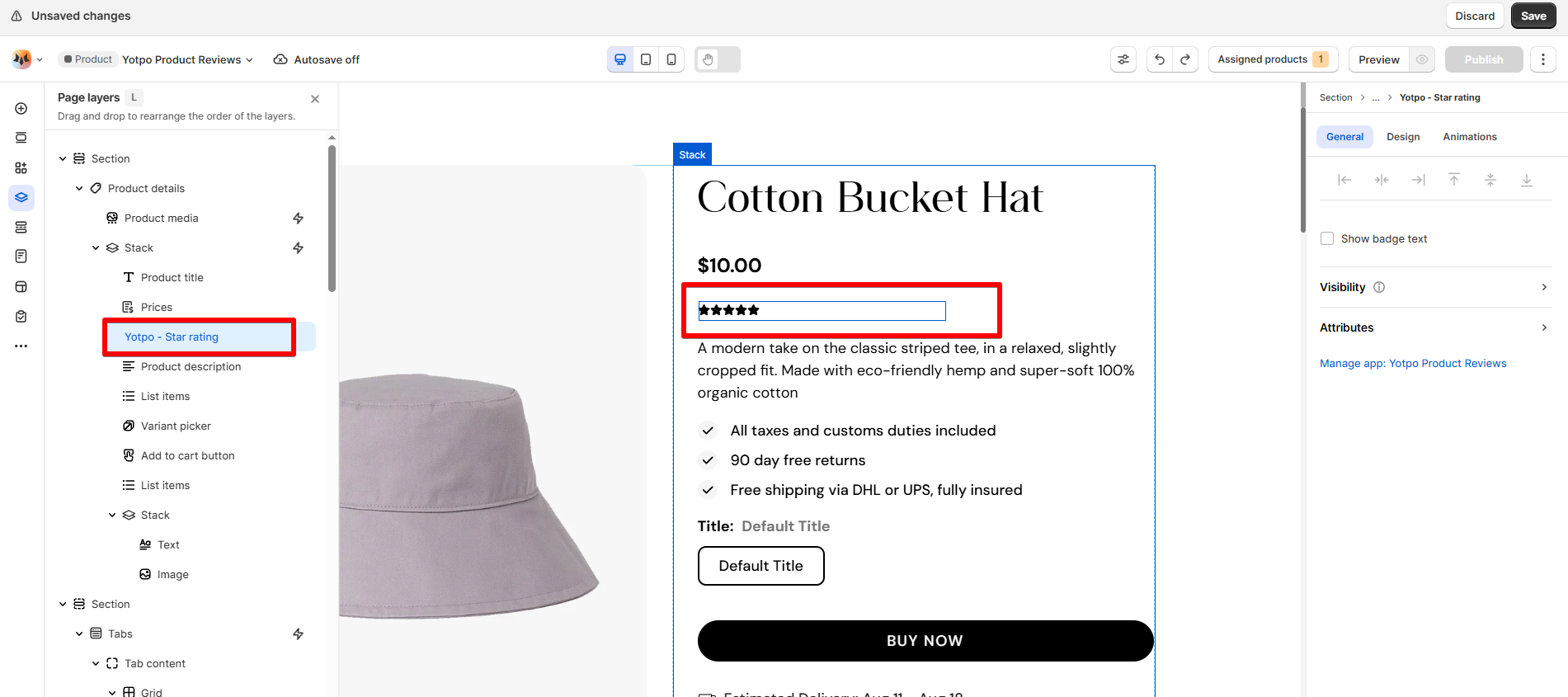
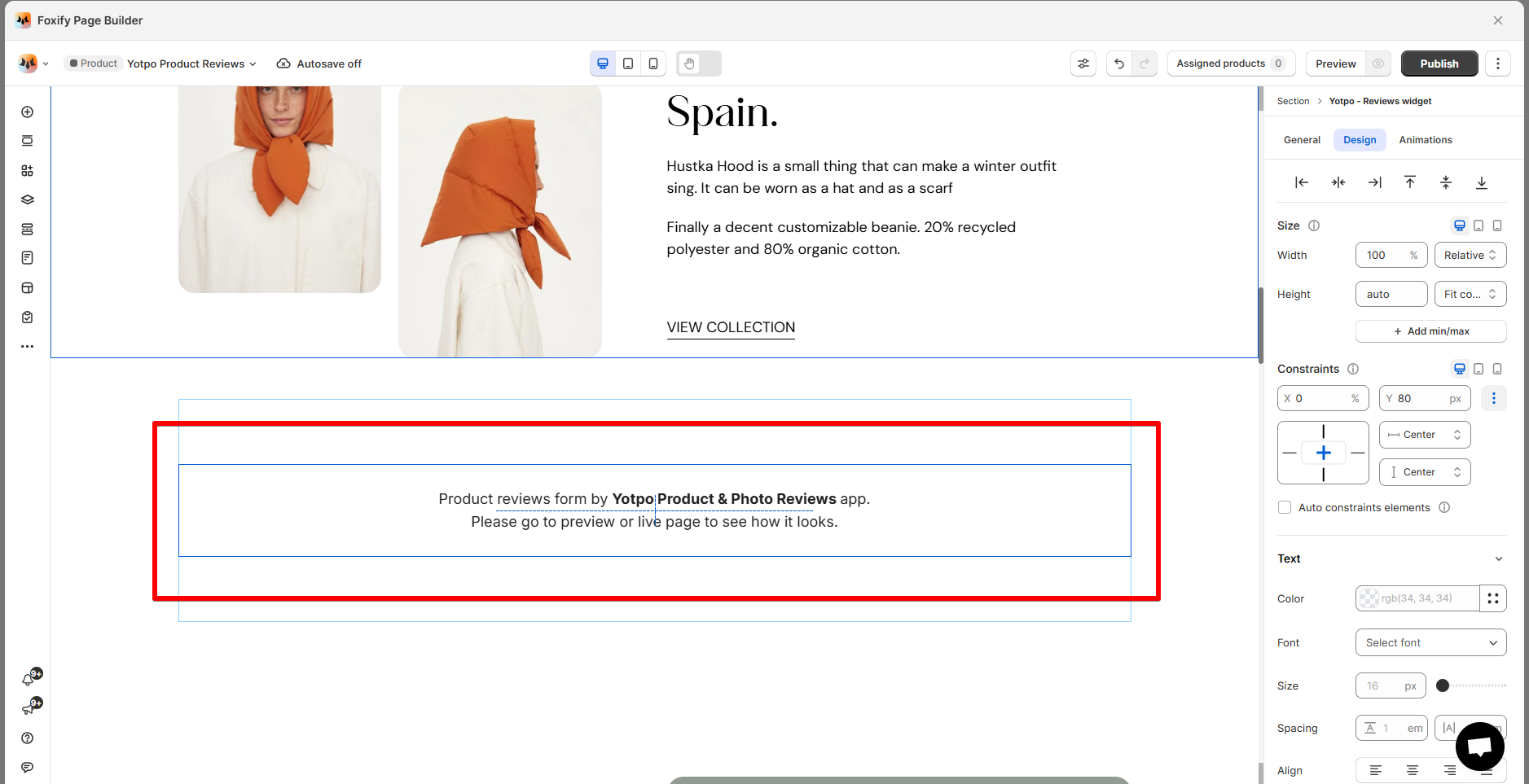
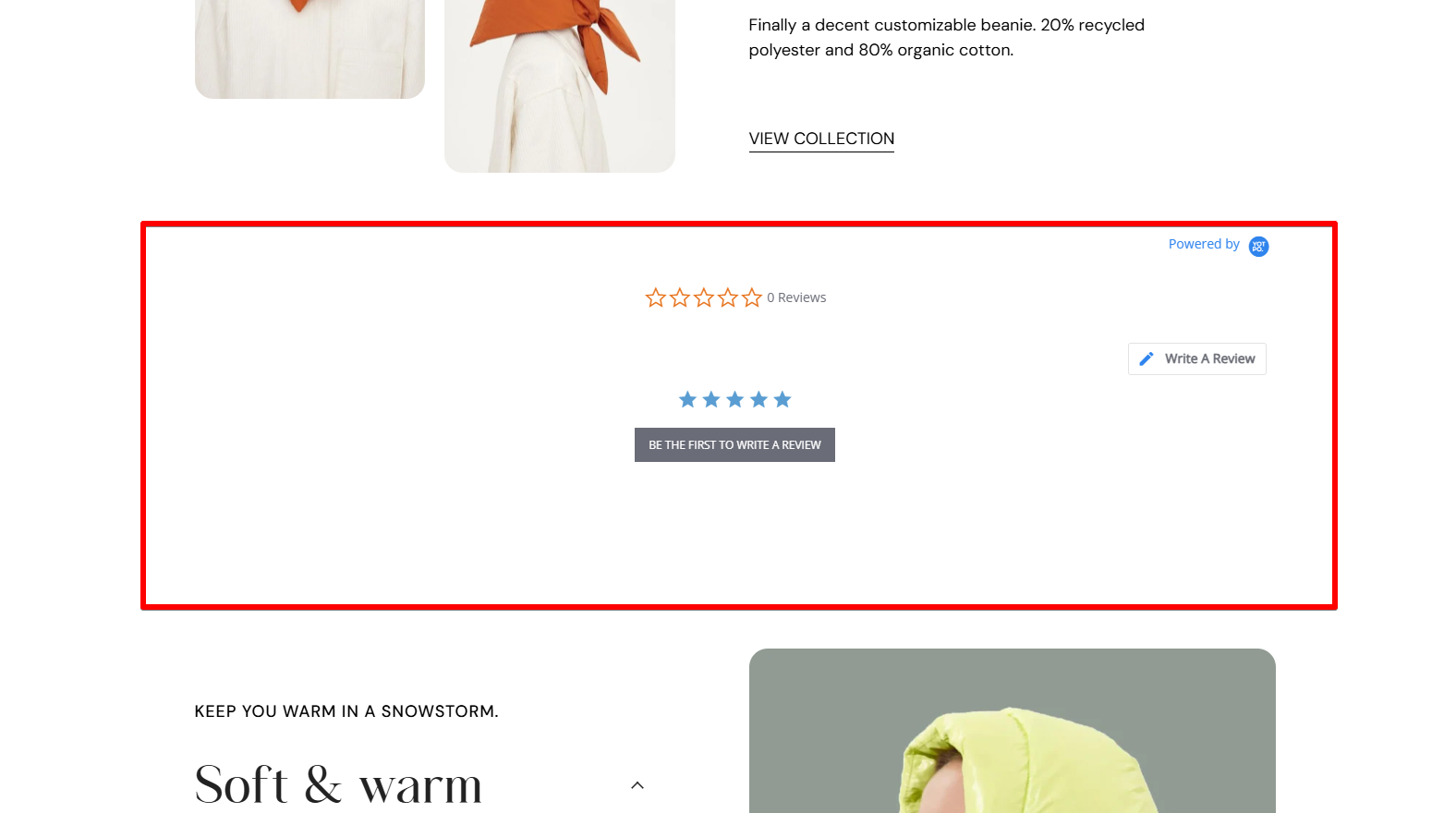
5\. **Save** the changes and go to the preview page or live page to see the app widget.
## FAQs
### **What is the pricing for Yotpo Product Reviews?**
Free plan available. Premium plans offer additional features like SMS collection, AI sentiment analysis, and UGC curation.
### **Does Yotpo offer a yearly plan?**
Yes, yearly billing options are available under paid tiers.
### **Can I customize the appearance of the widget?**
You can customize the widget's sizing in Foxify. For the widget appearance, please configure in the app settings itself.