# Translation

Expose your business to international audiences with our **Translation** feature :flag\_jp: :flag\_de: :flag\_zm:

Foxify offers a powerful feature to translate your store into multiple languages hassle-free, using:

* AI-powered Fox Magic to translate the whole page in milliseconds
* Human customization to improve personalization and tone of voice

## Translate your page content

1. From the Foxify **Dashboard**, go to **Translation**
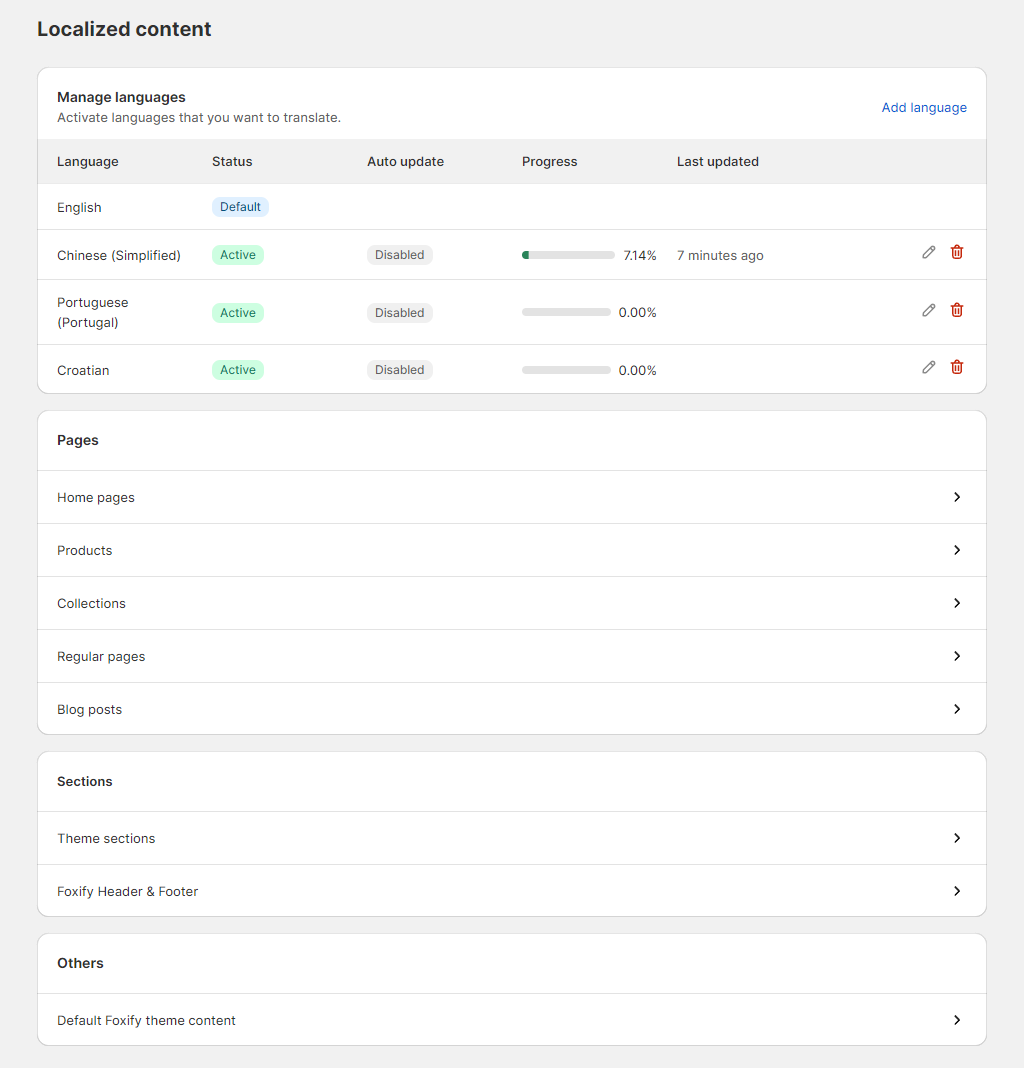
2. Add languages to start translating your Foxify content

The languages that you can translate to can be added in Shopify admin > **Settings** > [**Languages**](https://help.shopify.com/en/manual/markets/languages/manage-languages) (both Published and Unpublished languages).
{% hint style="info" %}
Keep track of your translating progress with the **Progress** report and the **Last updated** time.
{% endhint %}

<figure><img src="/files/97ETas7I92liZbtDD00V" alt=""><figcaption></figcaption></figure>

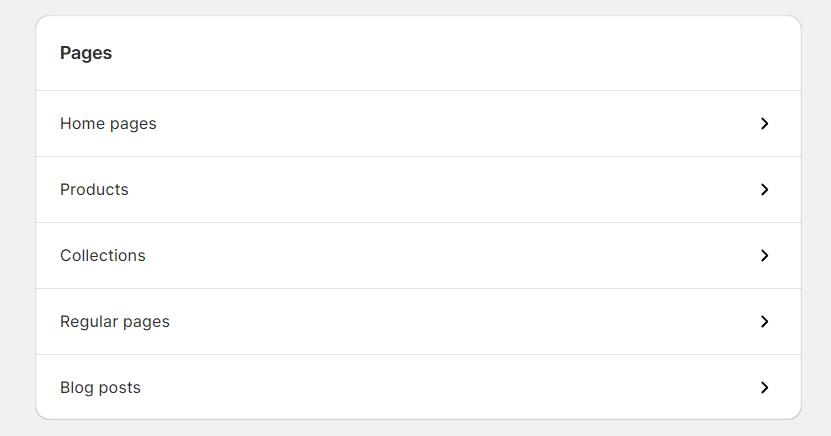
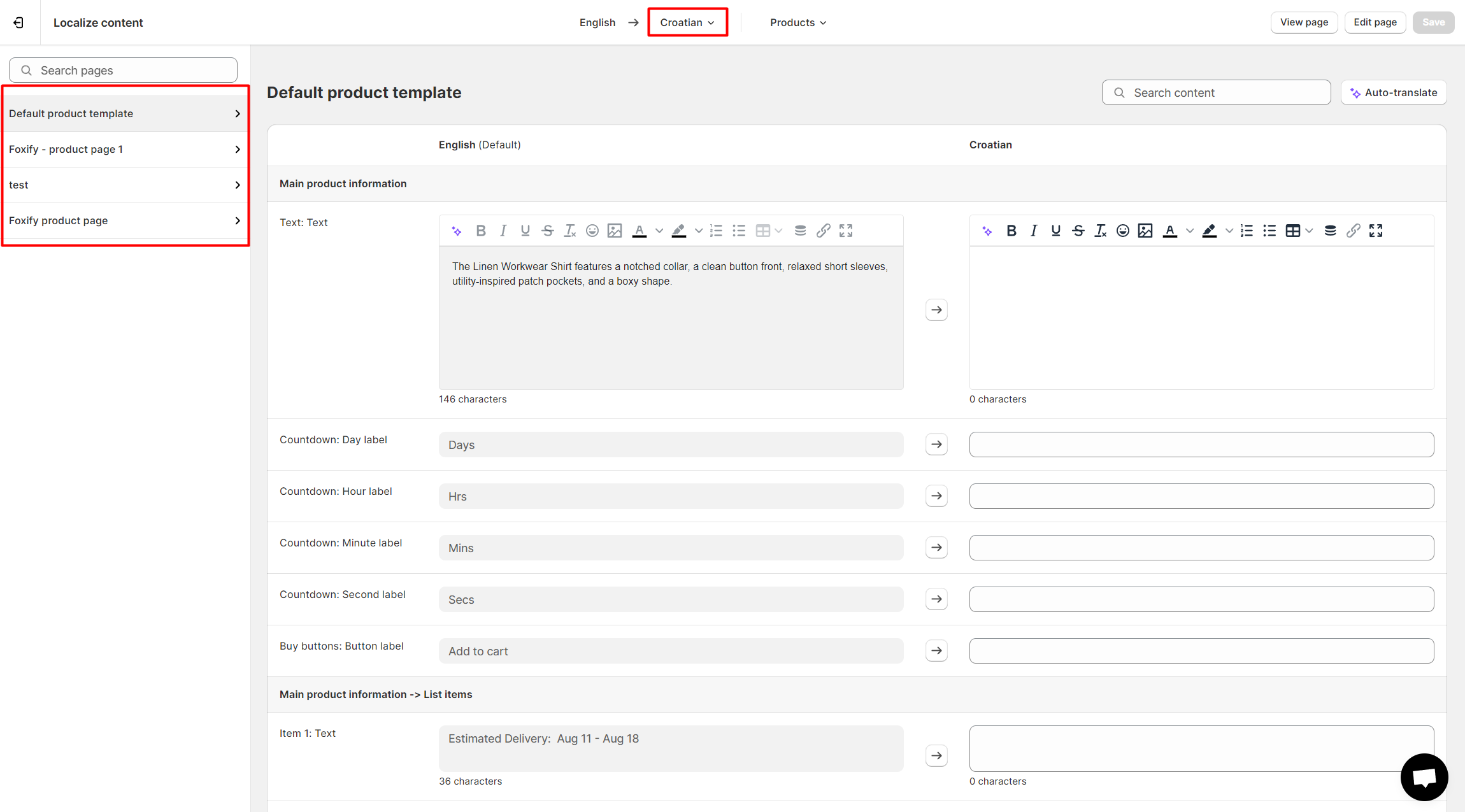
Text are grouped by categories:

* Page type:&#x20;

<figure><img src="/files/nypflVuMX4Mh09R1hfsS" alt=""><figcaption></figcaption></figure>

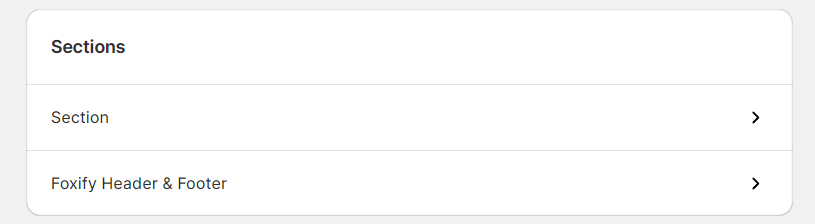
* Sections:

<figure><img src="/files/wplDsmKzuguGY7PC1MMc" alt=""><figcaption></figcaption></figure>

Click on the tabs to find the dynamic content you want to change.

Then, you will find options to select the language and a specific Foxify template to translate.

{% hint style="warning" %}

### Requirements and limitations

* A maximum of 3400 translations are allowed in a single locale file (template)
* Translation values cannot exceed 1000 characters
  {% endhint %}

<figure><img src="/files/HbQIWv7Re0HzJ2tZZmxZ" alt=""><figcaption></figcaption></figure>

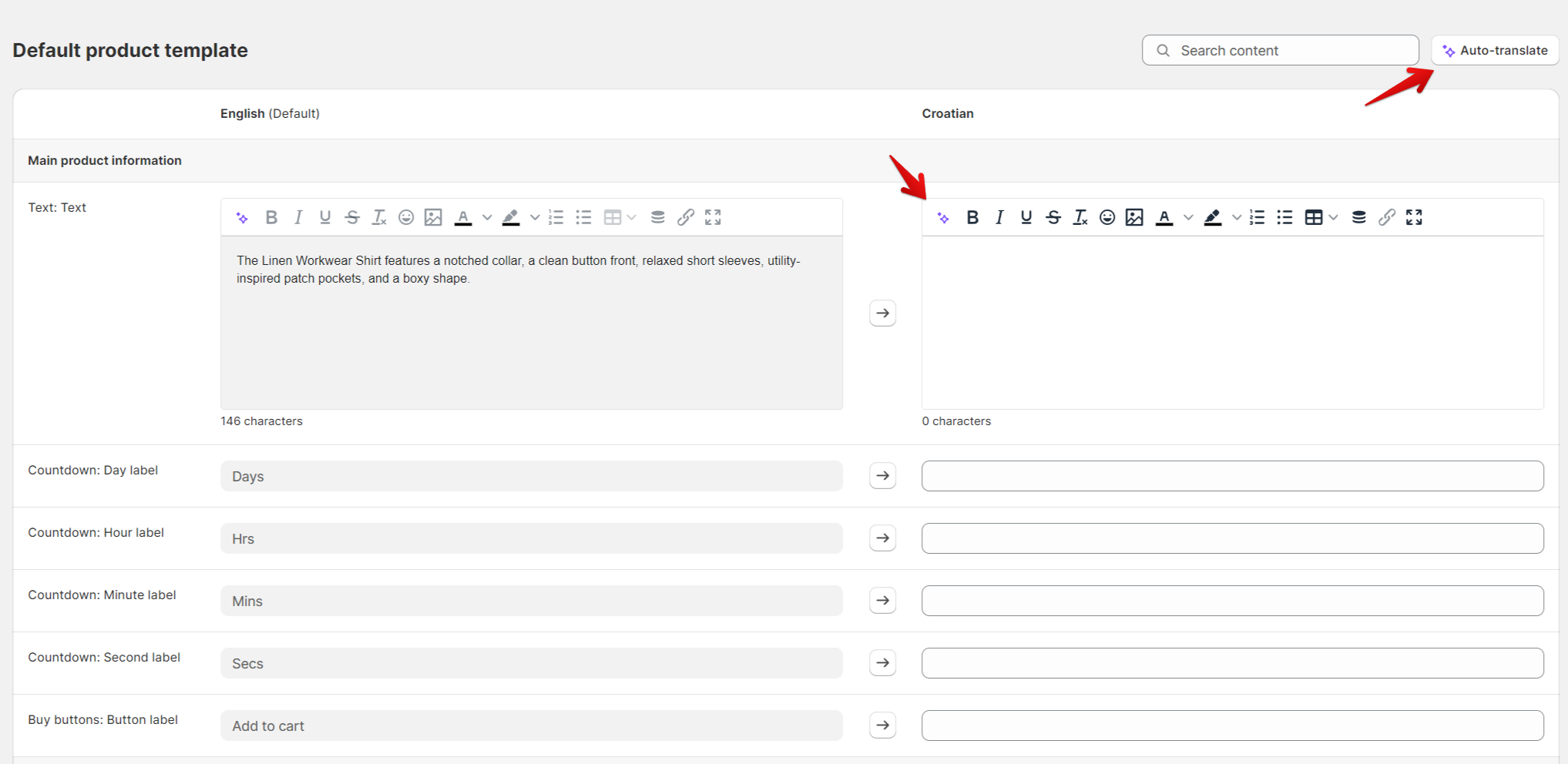
### Auto-translate the page with AI-backed :sparkles:Fox Magic :sparkles:

Translates all of your texts in milliseconds with the power of Fox Magic, our AI-driven tool to speed up the process efficiently.

<figure><img src="/files/MkudOnyYtg1AtIUAzGcb" alt=""><figcaption></figcaption></figure>

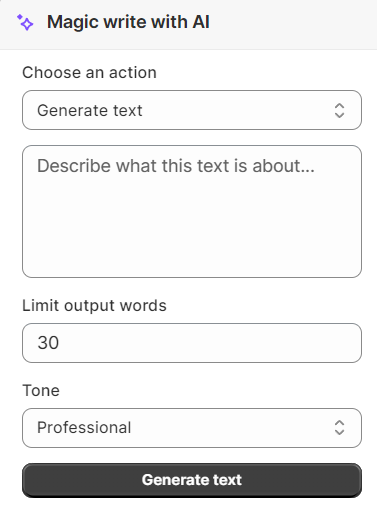
**Magic Write with AI** feature allows you to:&#x20;

* Translate text
* Generate text/ Improve writing
* Change tone

and so much more 🙌

<figure><img src="/files/WDlJpvxejSHhERhMzFIH" alt=""><figcaption></figcaption></figure>

Credits are required for Fox Magic. Learn more here: [All about credit](/foxify-app/ai-powered-fox-magic/all-about-credit.md)

<figure><img src="/files/osE0TqmEK0BTYKBoIrie" alt=""><figcaption><p><a href="https://www.figma.com/community/plugin/1415136291103675876/figma-to-shopify-with-foxify-shopify-smart-visual-page-builder?utm_source=foxecom&#x26;utm_medium=help_center_foxify_translation&#x26;utm_campaign=anchor-text&#x26;utm_term=use_free_now">Use free now </a><span data-gb-custom-inline data-tag="emoji" data-code="26a1">⚡</span></p></figcaption></figure>

<figure><img src="/files/w4KcZVGhV8kMjivsnpdR" alt=""><figcaption><p><a href="https://chromewebstore.google.com/detail/foxtransfer-html-to-shopi/babcinhpofjfhjjbcnjhoikcjbgebimb?utm_source=foxecom&#x26;utm_medium=help_center_foxify_translation&#x26;utm_campaign=anchor-text&#x26;utm_term=install_foxtransfer_chrome_extension_free">Install FoxTransfer Chrome Extension FREE</a></p></figcaption></figure>

## Change the default wording in Foxify

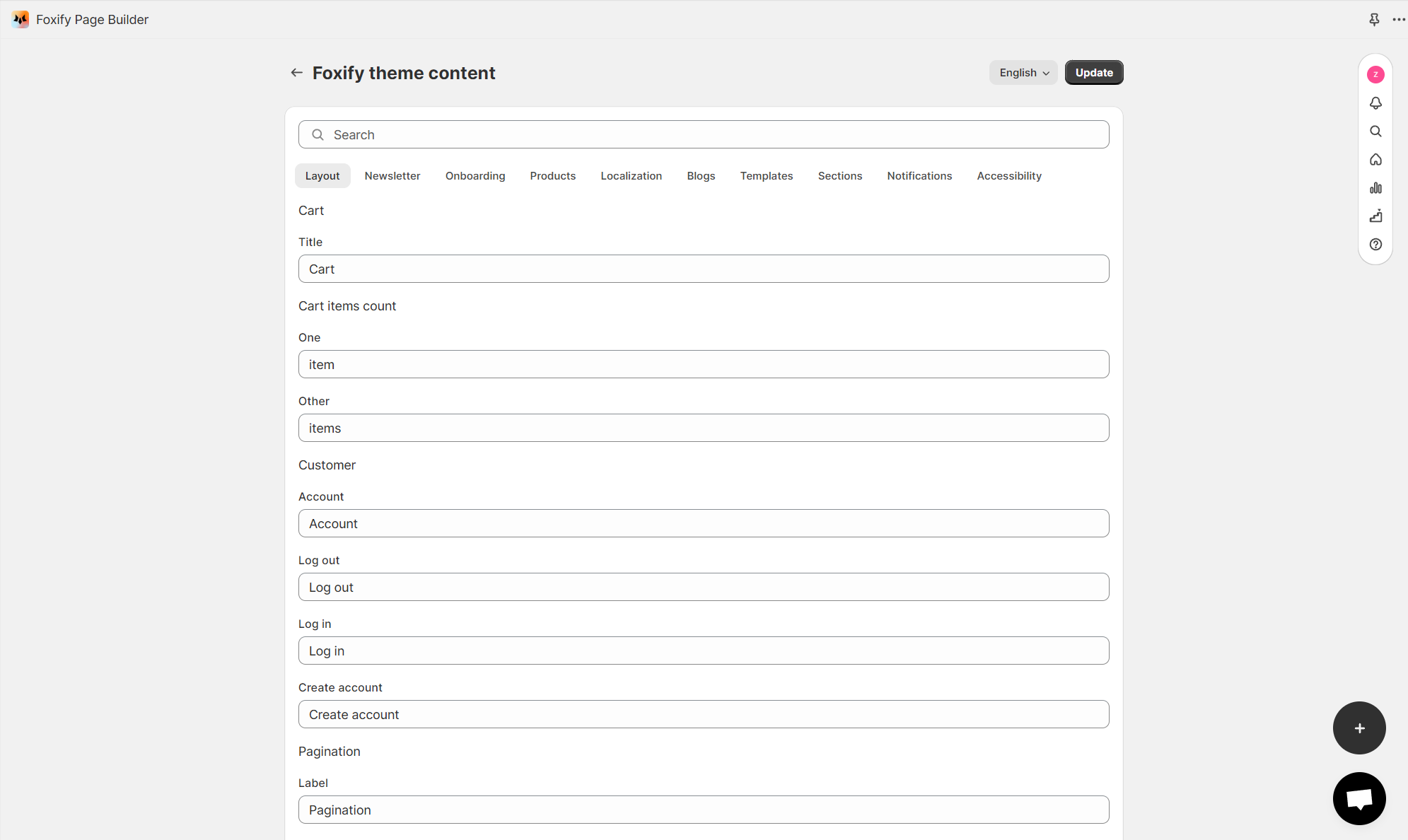
You can access the **Default Foxify theme content** to:

* Change the default wording in your templates for your default language, or&#x20;
* Translate them into multiple languages.
<figure><img src="/files/X1FeH2SYjz2gNwORQk6U" alt=""><figcaption></figcaption></figure>


---

# Agent Instructions: Querying This Documentation

If you need additional information that is not directly available in this page, you can query the documentation dynamically by asking a question.

Perform an HTTP GET request on the current page URL with the `ask` query parameter:

```
GET https://docs.foxecom.com/foxify-app/page-management/translation.md?ask=<question>
```

The question should be specific, self-contained, and written in natural language.
The response will contain a direct answer to the question and relevant excerpts and sources from the documentation.

Use this mechanism when the answer is not explicitly present in the current page, you need clarification or additional context, or you want to retrieve related documentation sections.