# Wide Bundles - Quantity Breaks
## What is Wide Bundles - Quantity Breaks?
WideBundle is designed to help merchants create flexible and high-converting product bundles without complexity.
**What you can do with Wide Bundles:**
* **Custom bundle creation** – Offer multiple bundle options to fit different customer needs.
* **Tiered pricing strategies** – Increase AOV by incentivizing larger purchases with discounts.
* **Seamless Shopify integration** – Work effortlessly with your store without coding.
* **Mobile-friendly checkout** – Optimize for a smooth purchasing experience.
[Install Wide Bundles - Quantity Breaks now ](https://foxecom.com/pages/partners/wide-bundles-quantity-breaks) for 20% OFF for all paid plans 🎁
## How to use Wide Bundles - Quantity Breaks with Foxify Smart Page Builder
### Install Wide Bundles - Quantity Breaks from the Shopify App Store
Before using the app widget in Foxify, you have to install it in your Shopify store and configure the app settings. If you’re new to this app, check [its documentation](https://help.widebundle.com/en/article/getting-started-with-widebundle-9zb0t0/) to understand how it works.
Steps:
1. Log in to the Shopify App Store.
2. Find the [Wide Bundles ‑ Quantity Breaks app](https://apps.shopify.com/widebundle) and click **Install**.
3. In your Shopify admin, to authorize the use of the app, click **Install.**
After the app is installed, you can view and use it from the **Apps** page in your Shopify admin.
### Set up Wide Bundles - Quantity Breaks with Foxify
Wide Bundles - Quantity Breaks has been integrated as a built-in extension in Foxify Smart Pagebuilder, so all you need to do is:
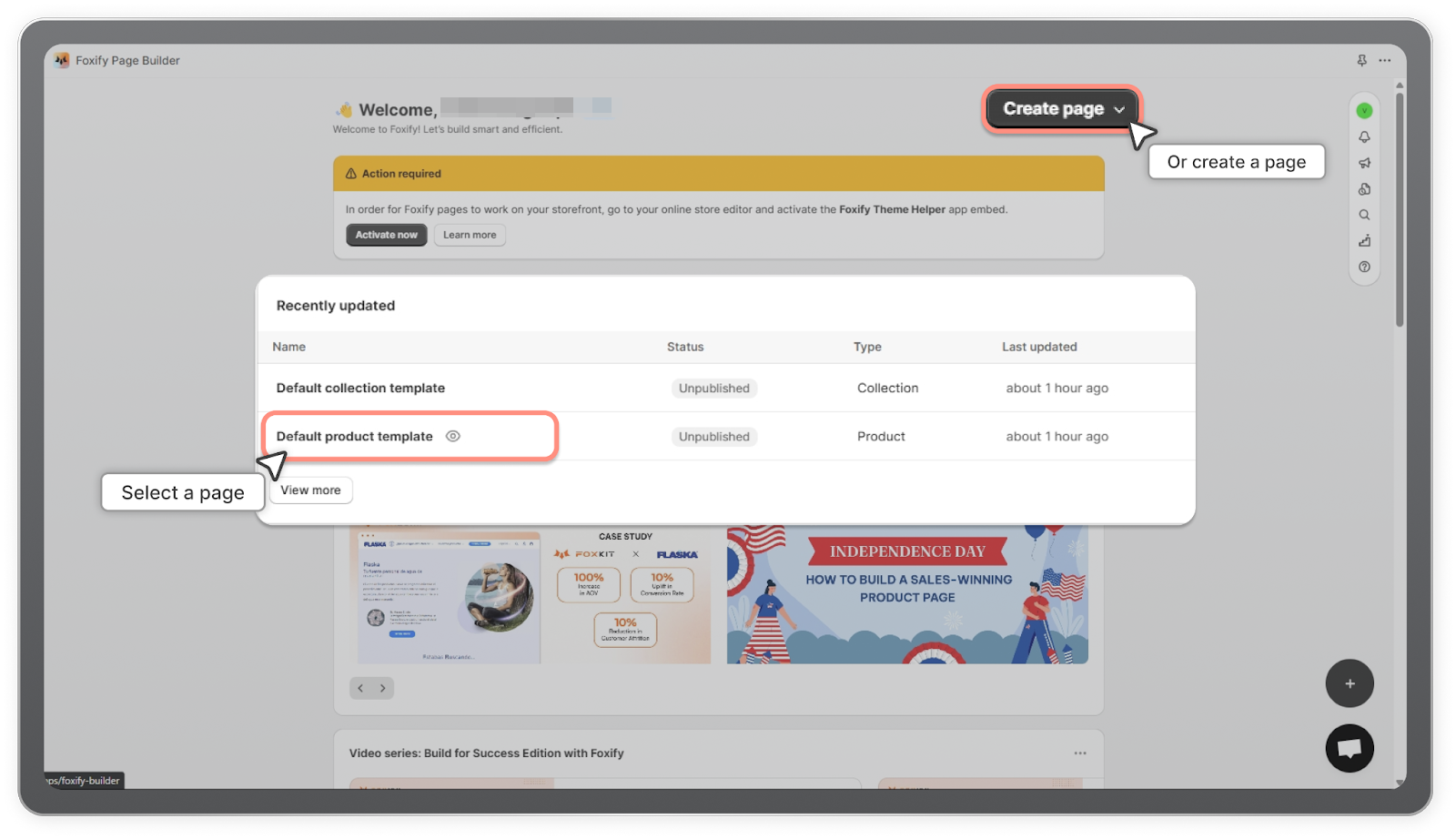
1. In your **Foxify dashboard**, open a page (or create a new one) in which you want to embed **Wide Bundles - Quantity Breaks** feature.
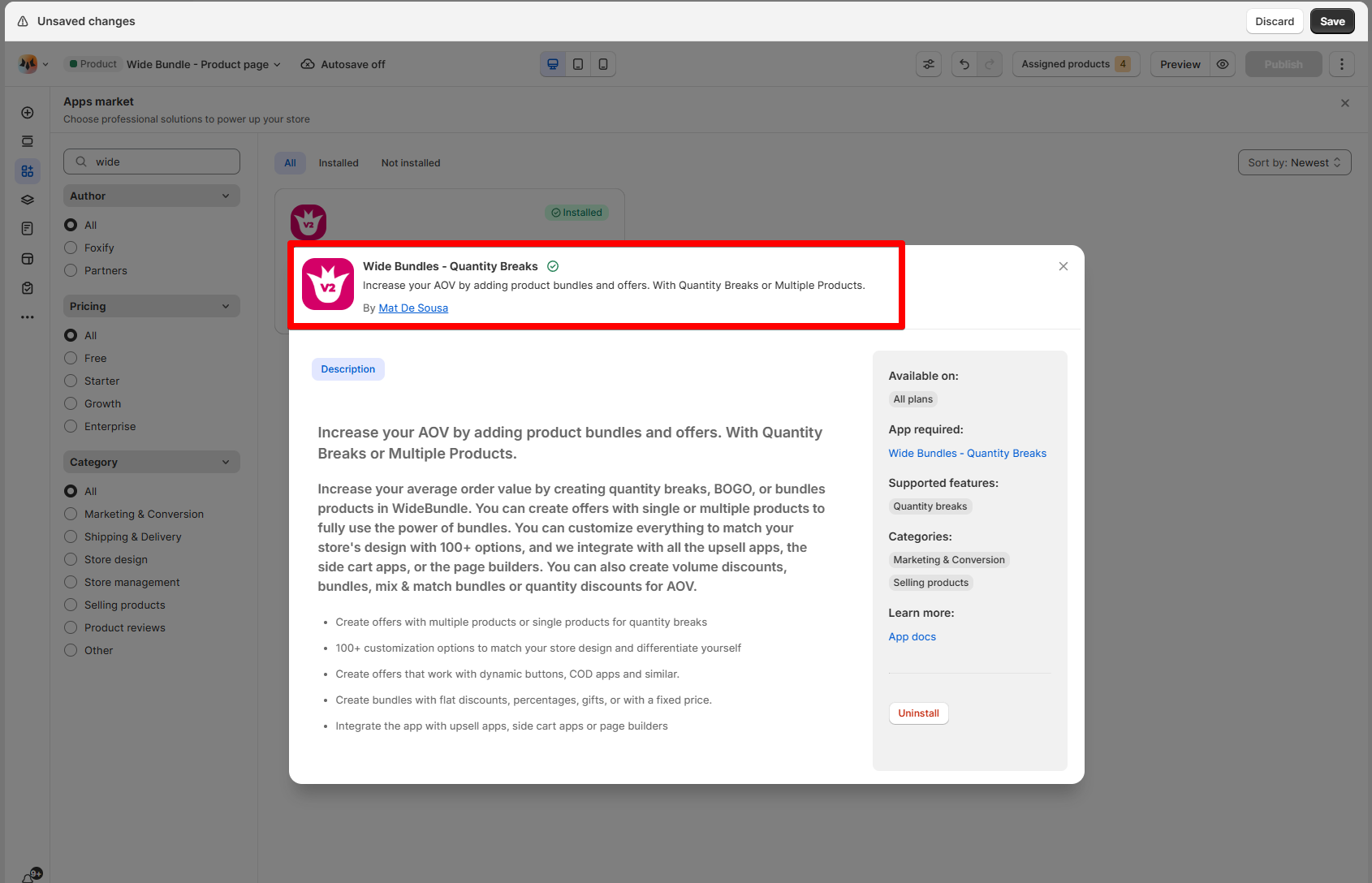
2. On the left sidebar, select **App Extensions > Browse more apps.**
3. Look for **Wide Bundles ‑ Quantity Breaks** and Choose **Install extension.**
Once you see a green **checkmark** next to Wide Bundles - Quantity Breaks, it means Wide Bundles - Quantity Breaks has been activated and is now ready to be featured.
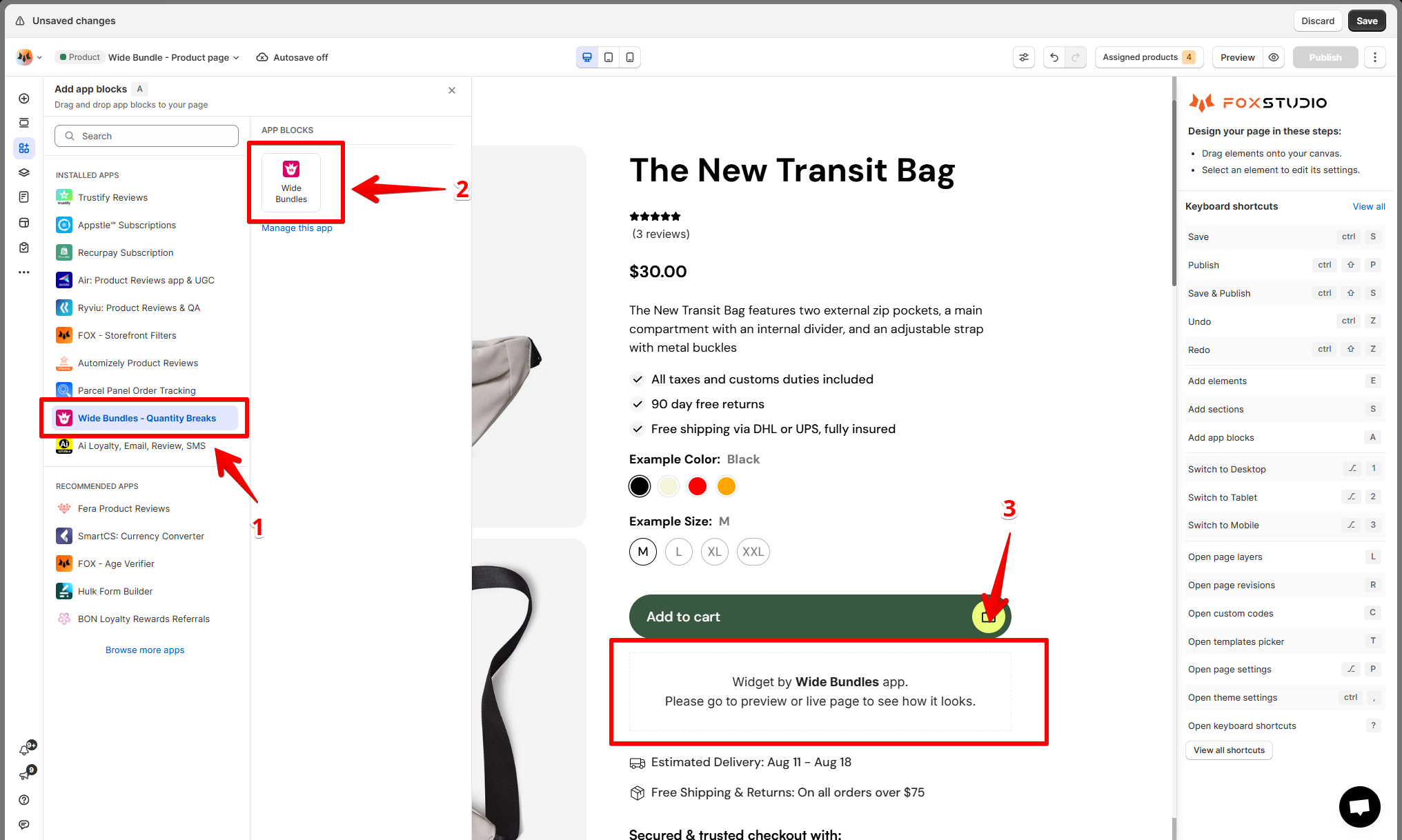
4. In **Foxify editor** > **App extensions**, you can find **Wide Bundles - Quantity Breaks** (and all other extensions) installed.
Drag and drop the app widget to your **Product details** page.
Update **any settings** on the right-hand menu if necessary.
5. **Save** the changes.