# Restore a previous version with Page revisions
Roll back your page to any previously saved version — so you never lose important design progress.
**Plan limit:** The number of saved revisions you can access depends on your Foxify plan. See [Pricing plans](https://docs.foxecom.com/foxify-app/getting-started/account-and-billing/pricing-plans)
## Open Page revisions
#### Open the page in FoxStudio
Navigate to the page you want to restore.
#### Open the menu
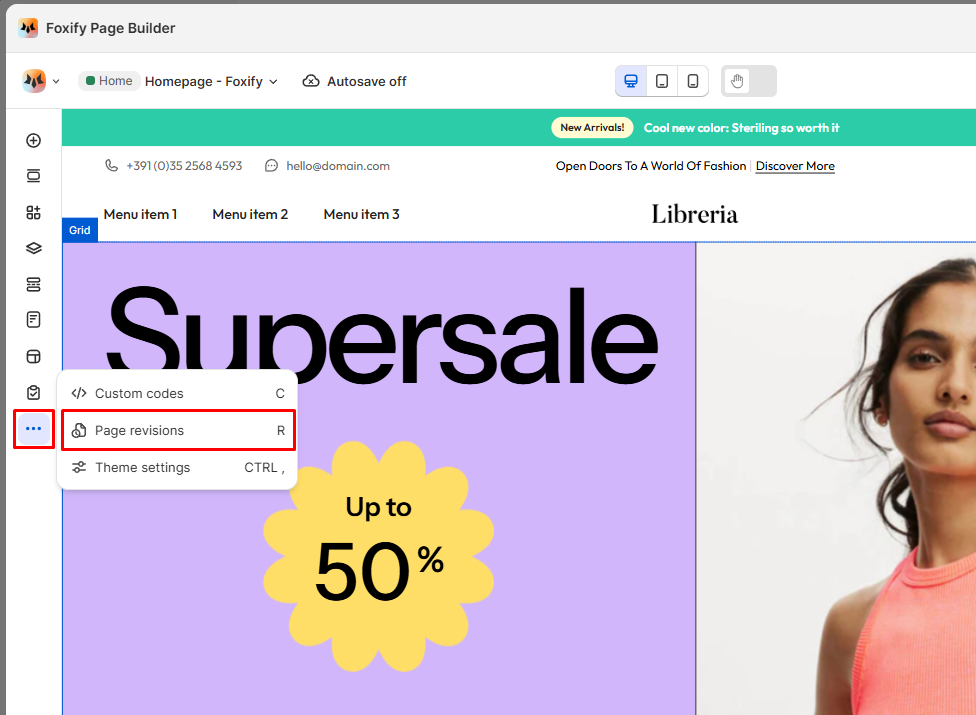
Click the **three-dot menu (···)** in the left sidebar.
#### Select Page revisions
The revisions panel opens showing a list of all saved versions with timestamps.
## Restore an earlier version
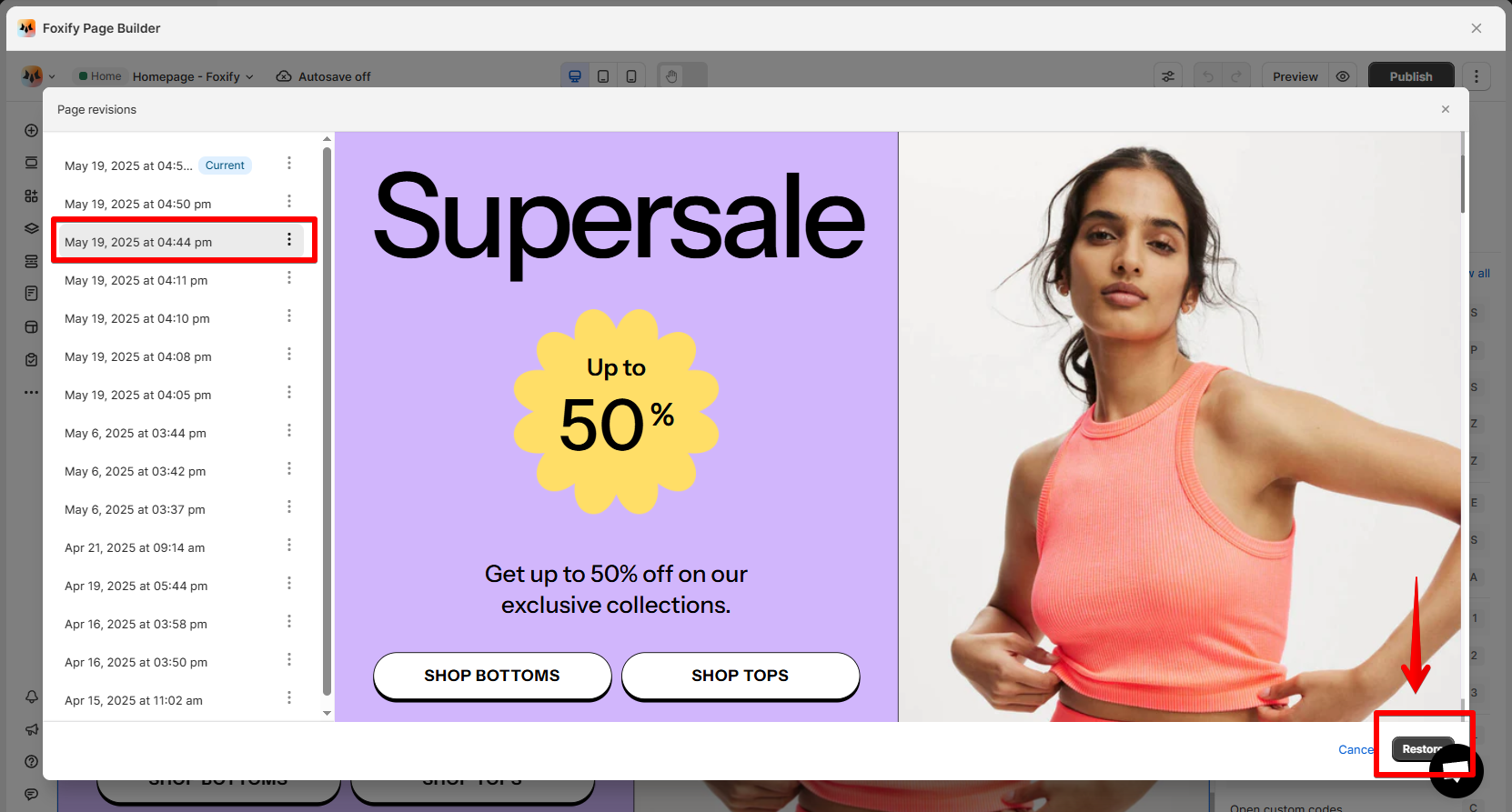
#### Browse the revision list
Each entry shows a timestamp of when that version was saved. Named revisions show your custom label instead.
#### Preview a version
Click a timestamp to preview that version on the canvas before committing.
#### Restore
When ready, click **Restore** at the bottom right to bring that version back as your current page.
## Manage revisions
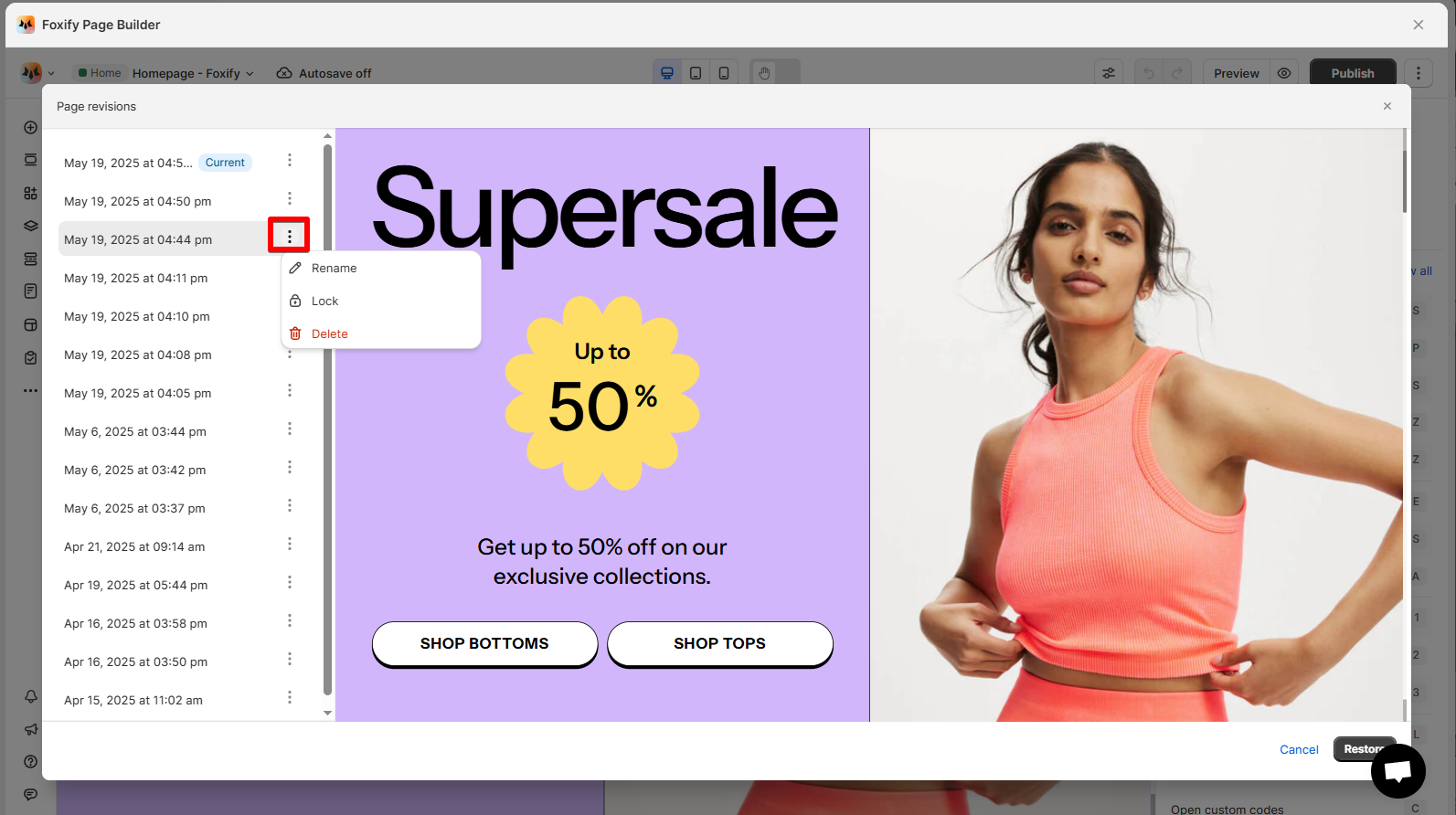
Click the **three-dot menu** next to any revision to manage it:
| Action | When to use |
| --- | --- |
| Rename | Give a revision a meaningful name so it's easy to find later — e.g. "Before Black Friday redesign" or "Client review v2" |
| Lock | Protect a version from being automatically deleted as new revisions are added. Use for important milestones. |
| Delete | Remove a version you no longer need. Cannot be undone. |
## Tips
✅ Before making major changes, manually save first to create a clean restore point — then start editing.
✅ Use **Rename** and **Lock** to mark milestone versions — especially before sharing a page for review or going live.
✅ Preview before restoring — clicking a timestamp shows you exactly what that version looks like without overwriting anything.
## Related resources
Overview
Page management
***