# Judge.me Product Reviews

{% embed url="<https://youtu.be/QP50HOH9PkI/>" %}

<figure><img src="https://1749964694-files.gitbook.io/~/files/v0/b/gitbook-x-prod.appspot.com/o/spaces%2FfgpgvtRaQLc36GYyIktZ%2Fuploads%2FioO1Nypg7Hg0qltVp5l1%2Fimage.png?alt=media&#x26;token=fca31cf4-383e-4903-a5b2-eaa06051bbe0" alt=""><figcaption></figcaption></figure>

Judge.me Product Reviews grows your online store in 4 easy steps: installing widgets, collecting reviews, managing the social proof, and sharing them to the world! This article will guide you through setting up Judge.me with the Foxify Page Builder app to enhance your store’s credibility and design flexibility.

## What is Judge.me Product Reviews App?

Judge.me helps you collect and display star ratings and reviews about your products and Shopify store. Social proof from reviews and other user-generated content like photos and videos increases your conversion rate, organic traffic, and buyer engagement.

**What you can do with Judge.me:**

* Collect and manage unlimited reviews on autopilot, including photos and videos
* Display eye-catching reviews, ratings and carousels in your store pages
* Send coupons and referrals to encourage new and repeated purchases
* Sync to and from the Shop app, push ratings to Meta, X, Google and TikTok
* Import reviews from Amazon, Etsy, and other review platforms (Loox, Yotpo..)

{% hint style="success" %}
👉 [Install Judge.me with exclusive perks from FoxEcom](https://foxecom.com/pages/partners/judgeme-product-reviews)
{% endhint %}

## How to use Judge.me with Foxify Smart Page Builder

### Install Judge.me Product Reviews from the Shopify App Store&#x20;

{% hint style="info" %}
Before using the app widget in Foxify, you have to install it in your Shopify store and configure the app settings. If you’re new to this app, check [its documentation](https://judge.me/help/en/) to understand how it works.
{% endhint %}

{% hint style="success" %}
Steps:

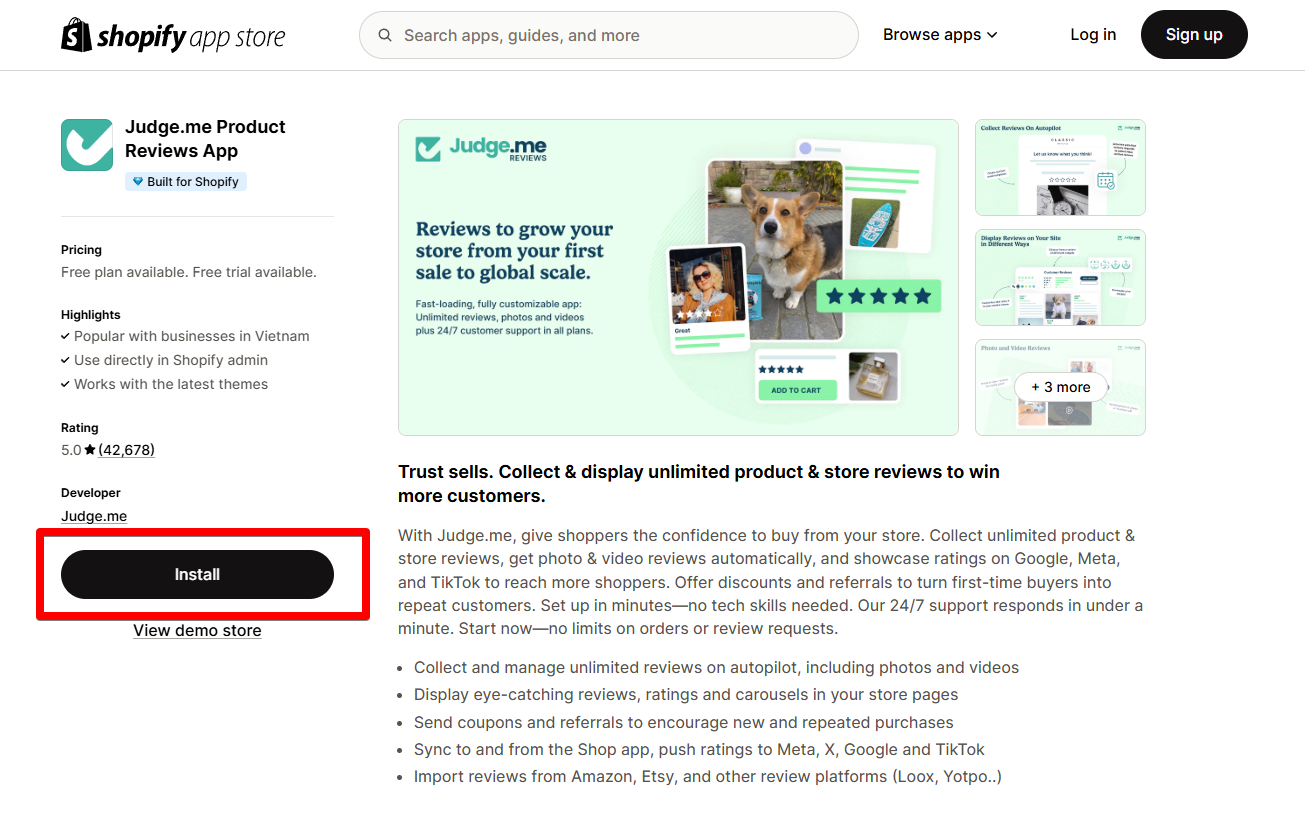
1. Log in to the Shopify App Store.
2. Find the Judge.me Product Reviews app and click **Install**.
3. In your Shopify admin, to authorize the use of the app, click **Install.**

After the app is installed, you can view and use it from the **Apps** page in your Shopify admin.
{% endhint %}

<figure><img src="https://1749964694-files.gitbook.io/~/files/v0/b/gitbook-x-prod.appspot.com/o/spaces%2FfgpgvtRaQLc36GYyIktZ%2Fuploads%2F2nWnHPA9hILlird7EdaK%2Fimage.png?alt=media&#x26;token=66d618a1-52aa-4712-a860-98e763d77d75" alt=""><figcaption></figcaption></figure>

### Set up Judge.me with Foxify&#x20;

Judge.me has been integrated as a built-in extension in Foxify Page Builder, so all you need to do is:

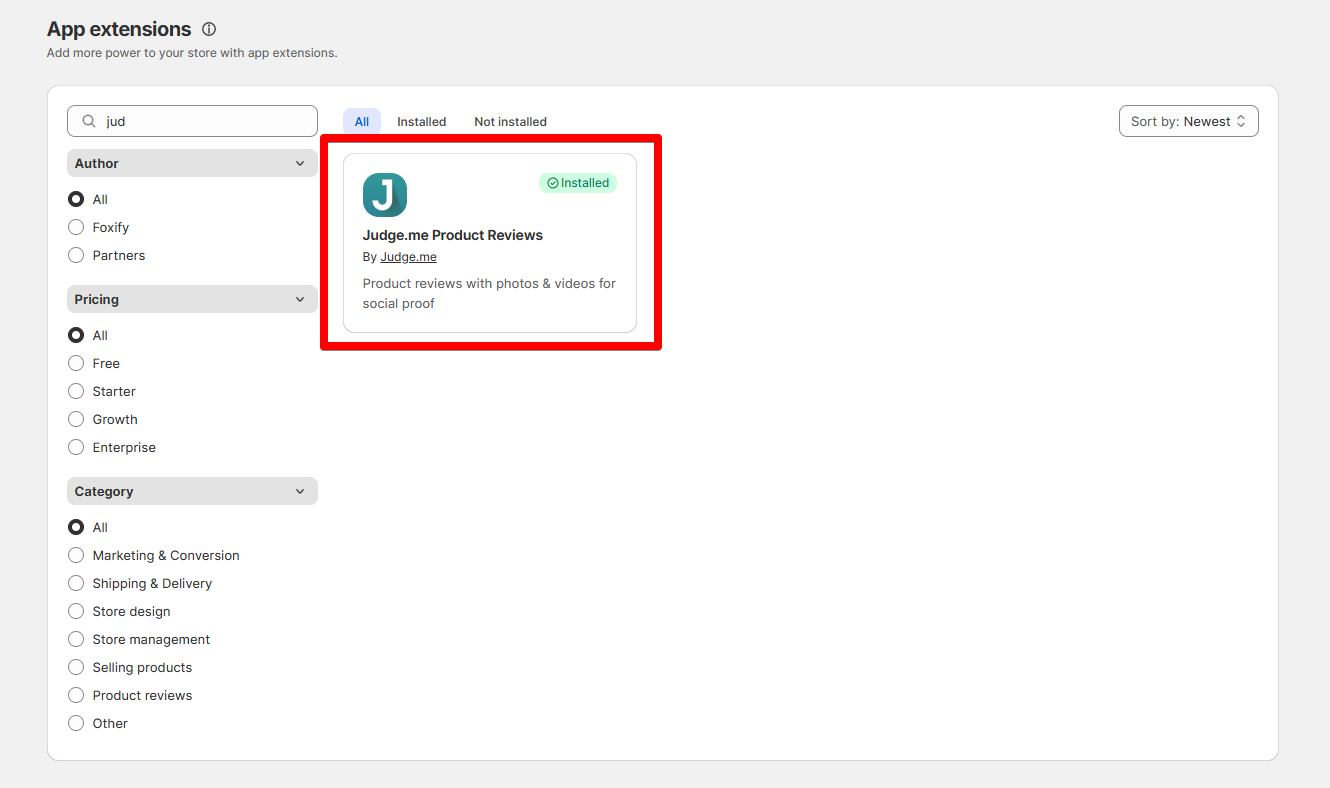
1. In your **Foxify dashboard**, select **App Extensions.**
2. Look for **Judge.me Product Reviews** and Choose **Install extension.**

{% hint style="info" %}
Once you see a green checkmark next to **Judge.me** :white\_check\_mark:**,** it means the app has been activated and is now ready to be featured.
{% endhint %}

<figure><img src="https://1749964694-files.gitbook.io/~/files/v0/b/gitbook-x-prod.appspot.com/o/spaces%2FfgpgvtRaQLc36GYyIktZ%2Fuploads%2FoUJZdETUPix0snqmGai3%2Fimage.png?alt=media&#x26;token=e6a047f0-ba18-45d3-8b4a-6015ecd4e146" alt=""><figcaption></figcaption></figure>

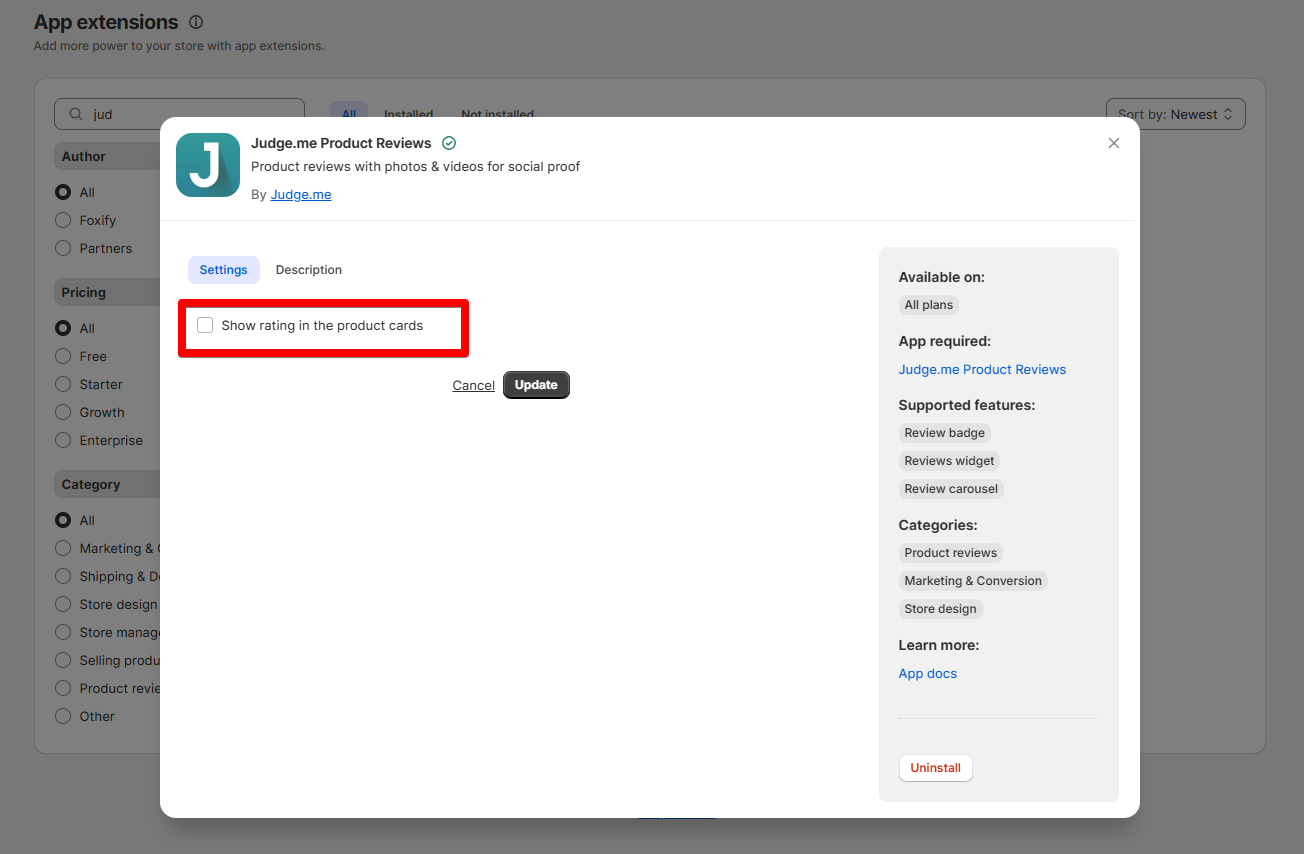
3. If you want to show the star ratings in product cards on your Foxify pages, select the extension and select the option **Show rating in the product cards**.

<figure><img src="https://1749964694-files.gitbook.io/~/files/v0/b/gitbook-x-prod.appspot.com/o/spaces%2FfgpgvtRaQLc36GYyIktZ%2Fuploads%2FeOXbzCd7BcXrkUThqB9u%2Fimage.png?alt=media&#x26;token=1983f008-4ca3-4b39-98f8-ad148c175843" alt=""><figcaption></figcaption></figure>

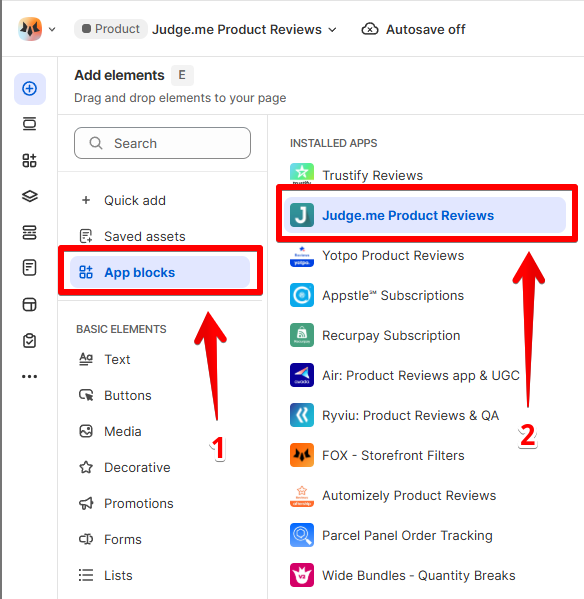
4. In **Pages manager**, open the page you want to add the app features to. Select **Add element > App blocks.**

Select Judge.me from the **Installed apps** list, and drag the app widget you want to feature on your page.

<figure><img src="https://1749964694-files.gitbook.io/~/files/v0/b/gitbook-x-prod.appspot.com/o/spaces%2FfgpgvtRaQLc36GYyIktZ%2Fuploads%2FLPsNvwUPjPioiO1MoTtG%2Fimage.png?alt=media&#x26;token=b67c7ada-7215-44a0-9255-44eaf0e74cdc" alt=""><figcaption></figcaption></figure>

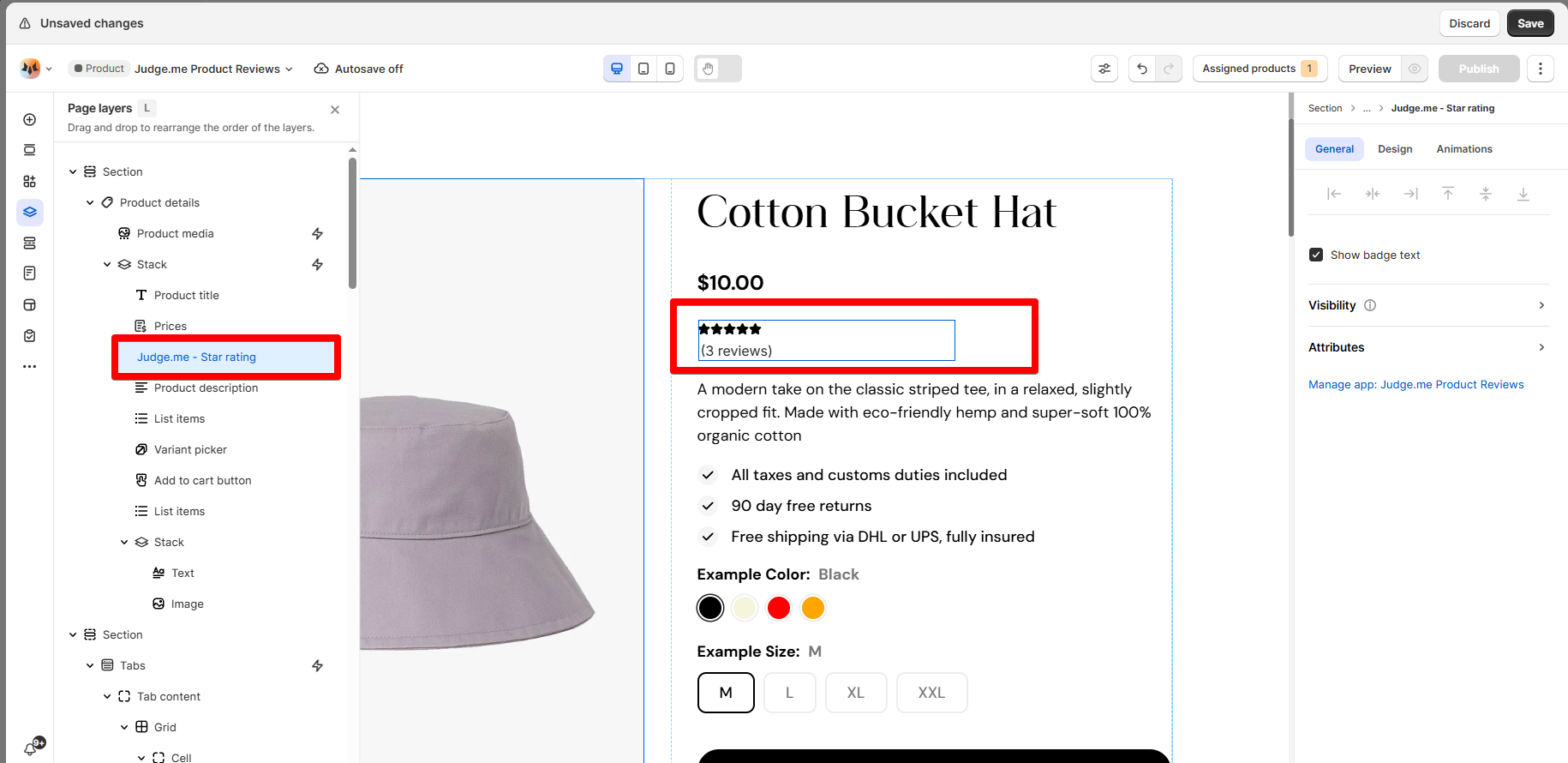
<figure><img src="https://1749964694-files.gitbook.io/~/files/v0/b/gitbook-x-prod.appspot.com/o/spaces%2FfgpgvtRaQLc36GYyIktZ%2Fuploads%2FXnUrorKBkrVV25ctEwww%2Fimage.png?alt=media&#x26;token=c9a705c4-6d14-4100-b789-bcb389d564fb" alt=""><figcaption><p>An example of Judge.me's Star rating widget</p></figcaption></figure>

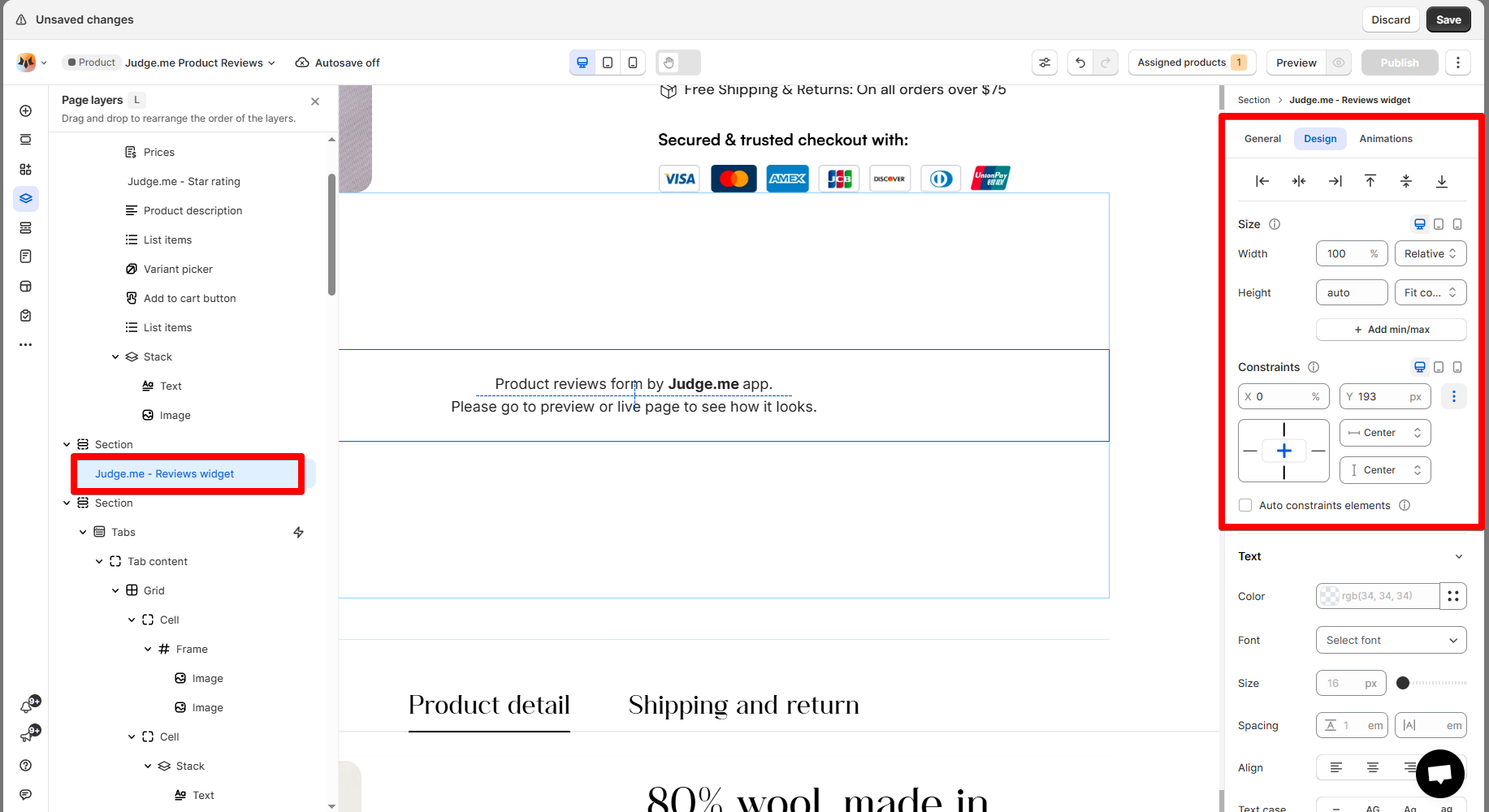
5. Adjust the element's sizing if needed.
<figure><img src="https://1749964694-files.gitbook.io/~/files/v0/b/gitbook-x-prod.appspot.com/o/spaces%2FfgpgvtRaQLc36GYyIktZ%2Fuploads%2FtUxO2iC6kqw769ZCjsUn%2Fimage.png?alt=media&#x26;token=46745fd3-b801-4fd7-899e-4d87e5bd0266" alt=""><figcaption></figcaption></figure>

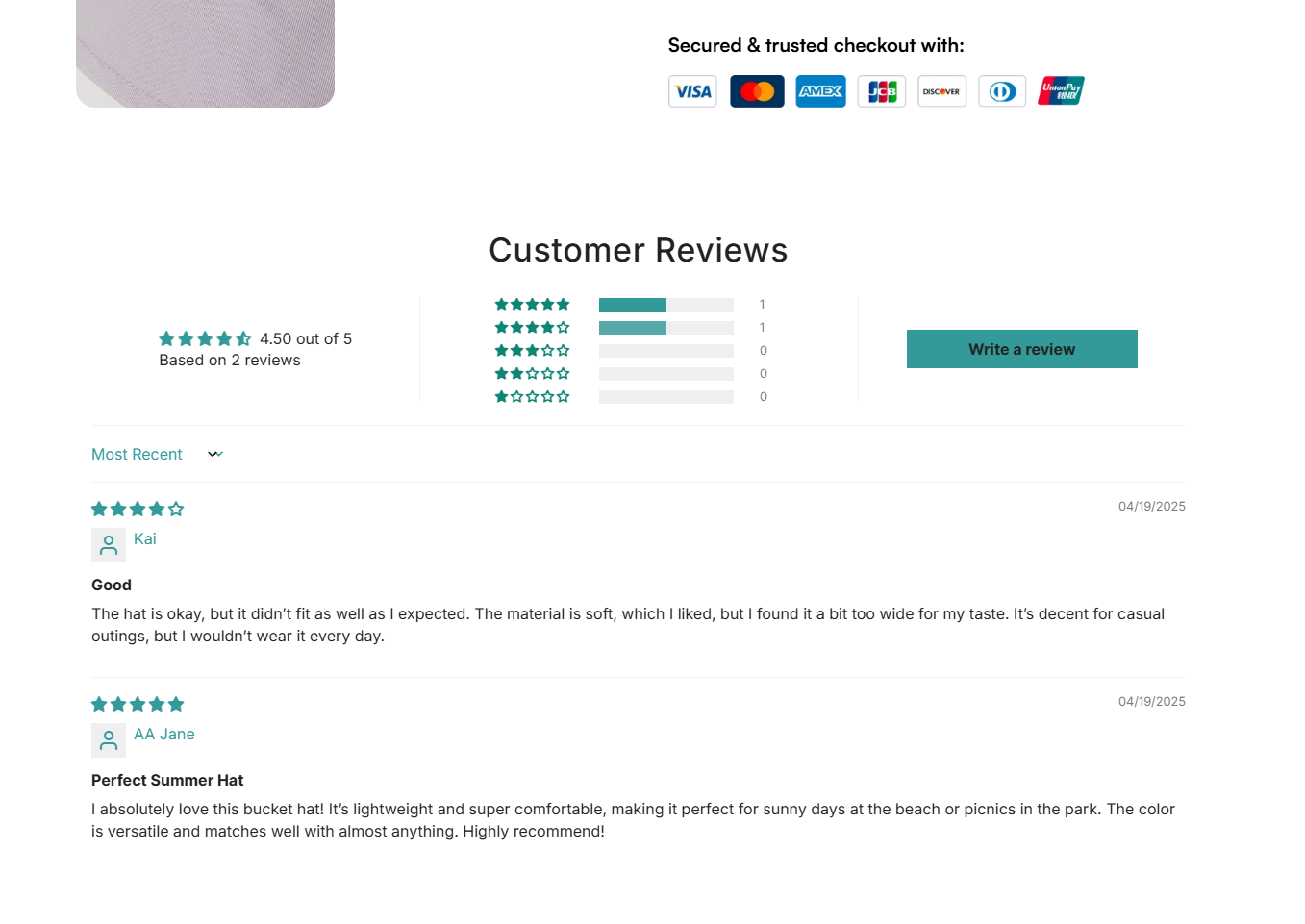
6. **Save** the changes and go to the preview page or live page to see the app widget.
<figure><img src="https://1749964694-files.gitbook.io/~/files/v0/b/gitbook-x-prod.appspot.com/o/spaces%2FfgpgvtRaQLc36GYyIktZ%2Fuploads%2FNq5gEGJPpDeuOmrvBuSC%2Fimage.png?alt=media&#x26;token=8c709901-d5f5-4477-8533-2618f065cdcb" alt=""><figcaption></figcaption></figure>

### App widgets available in Foxify

* **Reviews widget:** Display a list of verified customer reviews with optional photo/video content.
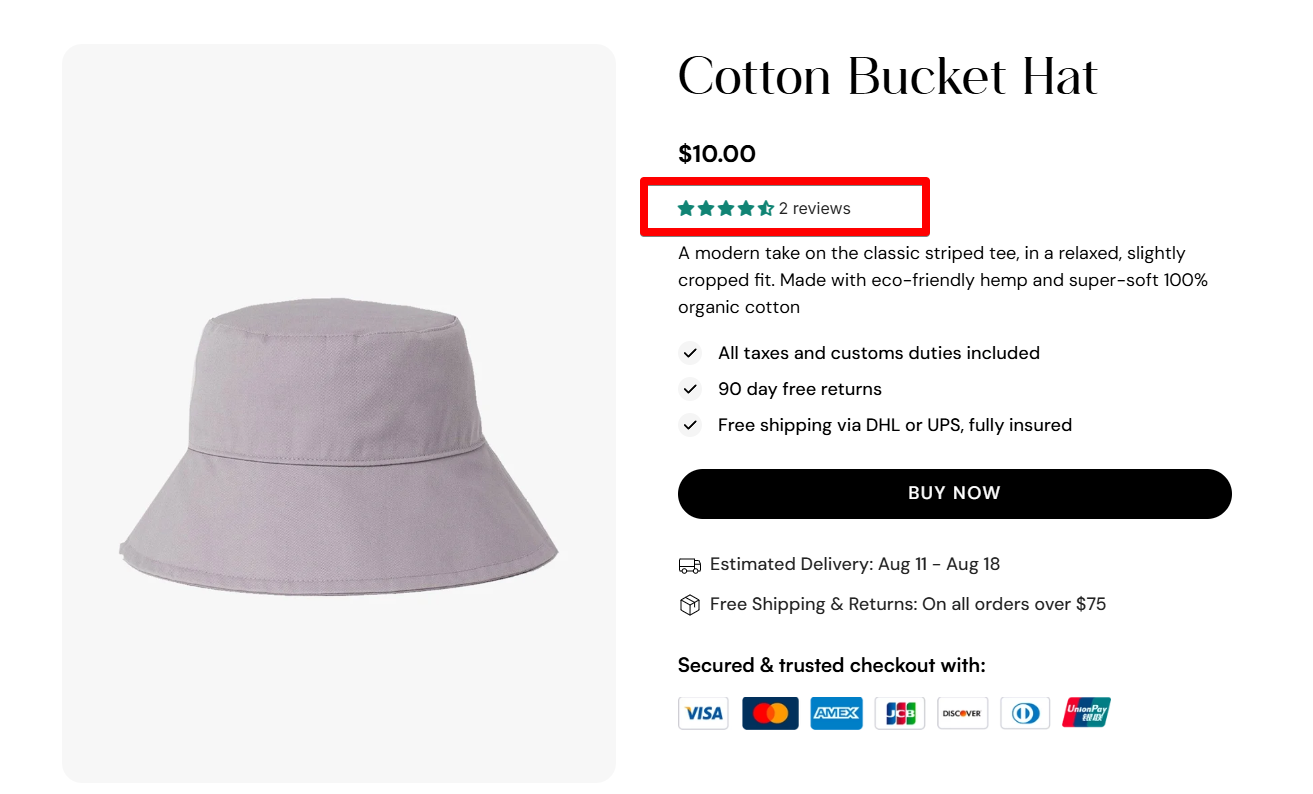
* **Star Rating widget:** Show the average star rating for a product.
* **Reviews Carousel widget:** Highlights top customer reviews in a slider format to boost credibility.

## FAQs

### **Is Judge.me free to use?**

Yes! Judge.me offers a generous Free plan with essential review features. The Awesome plan adds more advanced options for just $15/month.

### **Can I import reviews from other platforms?**

Yes. Judge.me supports review imports from apps like Loox, AliExpress, or via CSV.

### **Can I customize how reviews look?**

Absolutely. You can fully customize the widget's appearance to match your brand via the app settings.

<figure><img src="https://1749964694-files.gitbook.io/~/files/v0/b/gitbook-x-prod.appspot.com/o/spaces%2FfgpgvtRaQLc36GYyIktZ%2Fuploads%2Fu6oqi1DFmOTPfGiFCRx7%2FSleek%20-%20In-blog%20banner%201.jpg?alt=media&#x26;token=9df3ad8e-fe87-44c5-aced-86331e3bead0" alt=""><figcaption><p><a href="https://themes.shopify.com/themes/sleek/presets/sleek?utm_source=FoxEcom&#x26;utm_medium=help_center_foxify_judge.me&#x26;utm_campaign=anchor-text&#x26;utm_term=try_sleek_free_now">Try Sleek free now</a></p></figcaption></figure>