# Product tabs

<div data-full-width="true"><figure><img src="https://1749964694-files.gitbook.io/~/files/v0/b/gitbook-x-prod.appspot.com/o/spaces%2FfgpgvtRaQLc36GYyIktZ%2Fuploads%2FETk3RTZrTHUxALnqCtTH%2FFoxEcom%20changelog%20%20%201250%20x%20200.png?alt=media&#x26;token=a72791be-b9fe-4806-8a28-f1592e470b10" alt=""><figcaption><p><a href="https://foxecom.com/pages/affiliate?utm_source=foxecom&#x26;utm_medium=help_center_foxify_product_tabs&#x26;utm_campaign=anchor-text&#x26;utm_term=explore_foxecom_affiliate_program_perks_now">Explore FoxEcom Affiliate program perks now</a> <span data-gb-custom-inline data-tag="emoji" data-code="2728">✨</span></p></figcaption></figure></div>

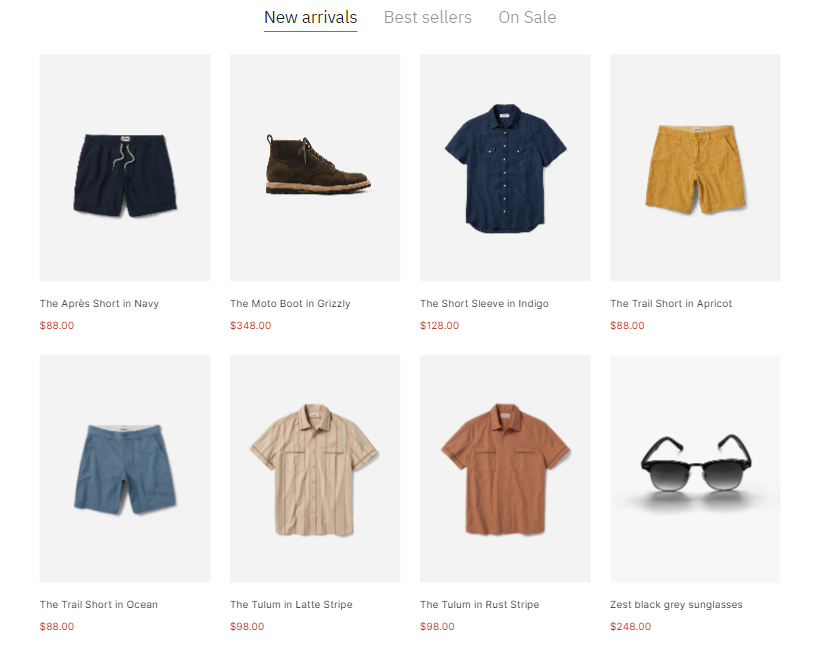
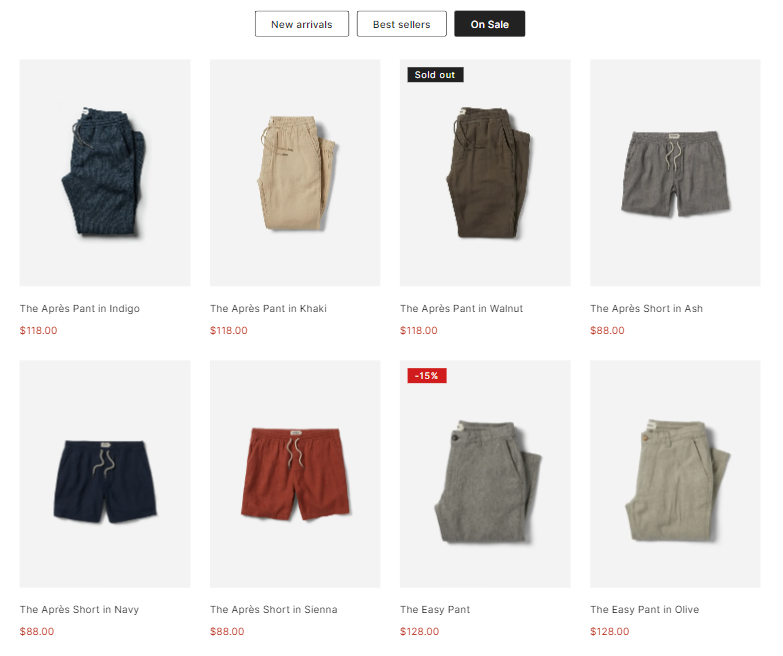
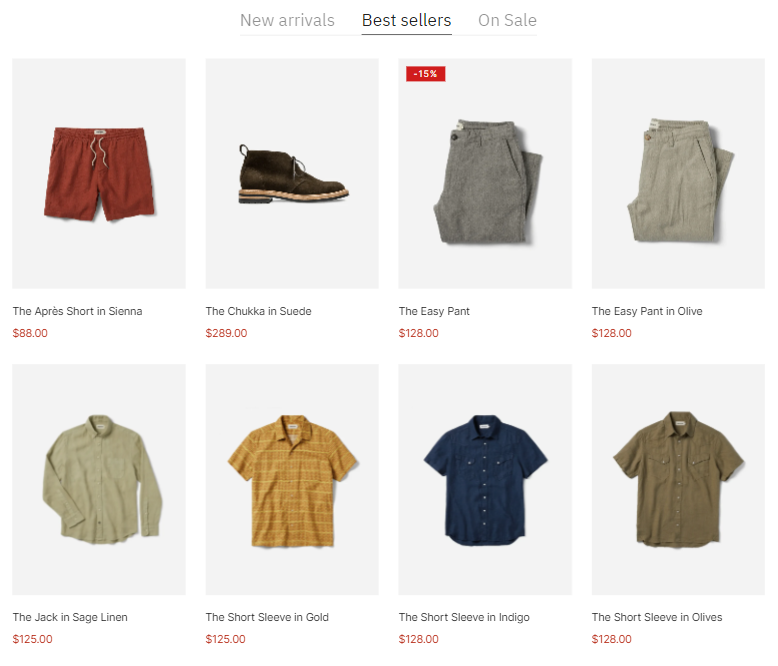
Product tabs can be a great way to showcase your highlighted collections in one section.

## Content settings

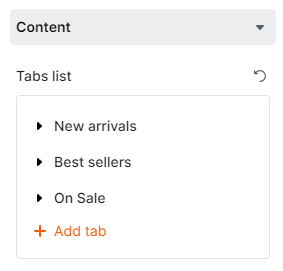
Click **Add tab** to add a new tab to your **Product tabs** section.

<figure><img src="https://1749964694-files.gitbook.io/~/files/v0/b/gitbook-x-prod.appspot.com/o/spaces%2FfgpgvtRaQLc36GYyIktZ%2Fuploads%2FRFvxlAoTNOTeBXSbLikt%2Fimage.png?alt=media&#x26;token=94ac0f41-a67d-435b-a08f-5e15ab687ec9" alt=""><figcaption></figcaption></figure>

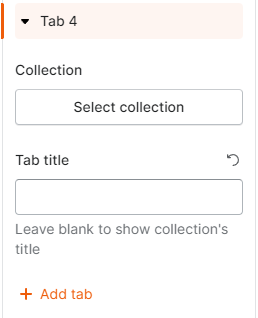
To each of the tabs, select your Collection and add the **Tab title** if needed.&#x20;

<figure><img src="https://1749964694-files.gitbook.io/~/files/v0/b/gitbook-x-prod.appspot.com/o/spaces%2FfgpgvtRaQLc36GYyIktZ%2Fuploads%2F08xc7Vd5wvxNd2GasP0H%2Fimage.png?alt=media&#x26;token=1697ec65-5f28-4a65-9742-a0cf2f91abfb" alt=""><figcaption></figcaption></figure>

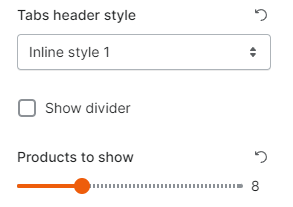
Then, select your **Tabs header style** to your liking and the number of products to show on each tab.

<figure><img src="https://1749964694-files.gitbook.io/~/files/v0/b/gitbook-x-prod.appspot.com/o/spaces%2FfgpgvtRaQLc36GYyIktZ%2Fuploads%2FfSHn5zZbXwtTVm209XhR%2Fimage.png?alt=media&#x26;token=716773e4-58fa-4b74-8f09-264627151cbe" alt=""><figcaption></figcaption></figure>

* Tabs header style:

{% tabs %}
{% tab title="Inline style 1" %}

<figure><img src="https://1749964694-files.gitbook.io/~/files/v0/b/gitbook-x-prod.appspot.com/o/spaces%2FfgpgvtRaQLc36GYyIktZ%2Fuploads%2FZgqdRdAatpNKfnd313Go%2Fimage.png?alt=media&#x26;token=b3e6a7e8-c706-4d87-b2b4-d96ae0d1f99b" alt=""><figcaption></figcaption></figure>
{% endtab %}

{% tab title="Inline style 2" %}

<figure><img src="https://1749964694-files.gitbook.io/~/files/v0/b/gitbook-x-prod.appspot.com/o/spaces%2FfgpgvtRaQLc36GYyIktZ%2Fuploads%2F79Jc8FmlwmOP8XuPFQDT%2Fimage.png?alt=media&#x26;token=6da05b7d-312a-4e64-a6ef-dac985072f59" alt=""><figcaption></figcaption></figure>
{% endtab %}
{% endtabs %}

* Divider: This option is available when the **Tabs header style** is **Inline style 1.**

{% tabs %}
{% tab title="Show divider" %}

<figure><img src="https://1749964694-files.gitbook.io/~/files/v0/b/gitbook-x-prod.appspot.com/o/spaces%2FfgpgvtRaQLc36GYyIktZ%2Fuploads%2F3ZcZ0RyT0nNd1d6kmVe2%2Fimage.png?alt=media&#x26;token=8719a19c-3513-4df2-bad1-b13be33825e8" alt="" width="563"><figcaption></figcaption></figure>
{% endtab %}
{% endtabs %}

## Product card settings

<figure><img src="https://1749964694-files.gitbook.io/~/files/v0/b/gitbook-x-prod.appspot.com/o/spaces%2FfgpgvtRaQLc36GYyIktZ%2Fuploads%2FEvpbSgCmKQdUMyC3ZtaX%2Fimage.png?alt=media&#x26;token=fdb0a760-99d9-45e5-8fae-5e856f5d8aab" alt=""><figcaption></figcaption></figure>

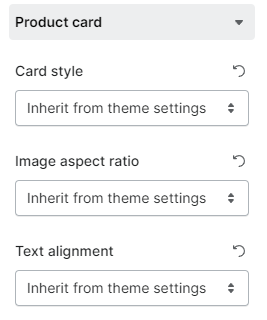
Customize your Card style, Image aspect ratio, and Text alignment. You can either set them as **Inherit from theme settings** or otherwise.

## Device responsiveness

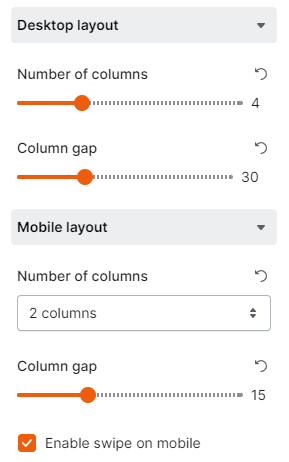
The section also comes with settings for the Desktop layout and Mobile layout separately.&#x20;

<figure><img src="https://1749964694-files.gitbook.io/~/files/v0/b/gitbook-x-prod.appspot.com/o/spaces%2FfgpgvtRaQLc36GYyIktZ%2Fuploads%2F2mvwPxwQYWk2y90Oy3MA%2Fimage.png?alt=media&#x26;token=08e48d5e-19c0-4f7b-b9a5-c1d7437f129e" alt=""><figcaption></figcaption></figure>

### Desktop layout

* Number of columns per tab: between 1 and 12.
* Column gap: between 0 - 100px.

<figure><img src="https://1749964694-files.gitbook.io/~/files/v0/b/gitbook-x-prod.appspot.com/o/spaces%2FfgpgvtRaQLc36GYyIktZ%2Fuploads%2FvMge44NhnWA6GC9hBUWh%2Fezgif.com-gif-maker%20(2).gif?alt=media&#x26;token=ac7a5d49-4fd5-408d-8d72-29630c8bab4a" alt=""><figcaption></figcaption></figure>

### Mobile layout

* Number of columns: to display the products in 1 or 2 columns.
* Column gap (when the number of columns is set as 2 columns): between 0 - 50px.
* Swipe on mobile: when enabled, the number of columns you set earlier will no longer work.