# Quick comparison table

<figure><img src="https://3026705042-files.gitbook.io/~/files/v0/b/gitbook-x-prod.appspot.com/o/spaces%2FAJrvmfqcj9TMoPkl3bNc%2Fuploads%2FvmJpISH5d1VbPpeBiR9c%2FHyper%20docs%20screenshot%20do%20not%20delete%20(75).jpg?alt=media&#x26;token=df3e349a-1e7d-4688-8b48-1912a86da88e" alt=""><figcaption></figcaption></figure>

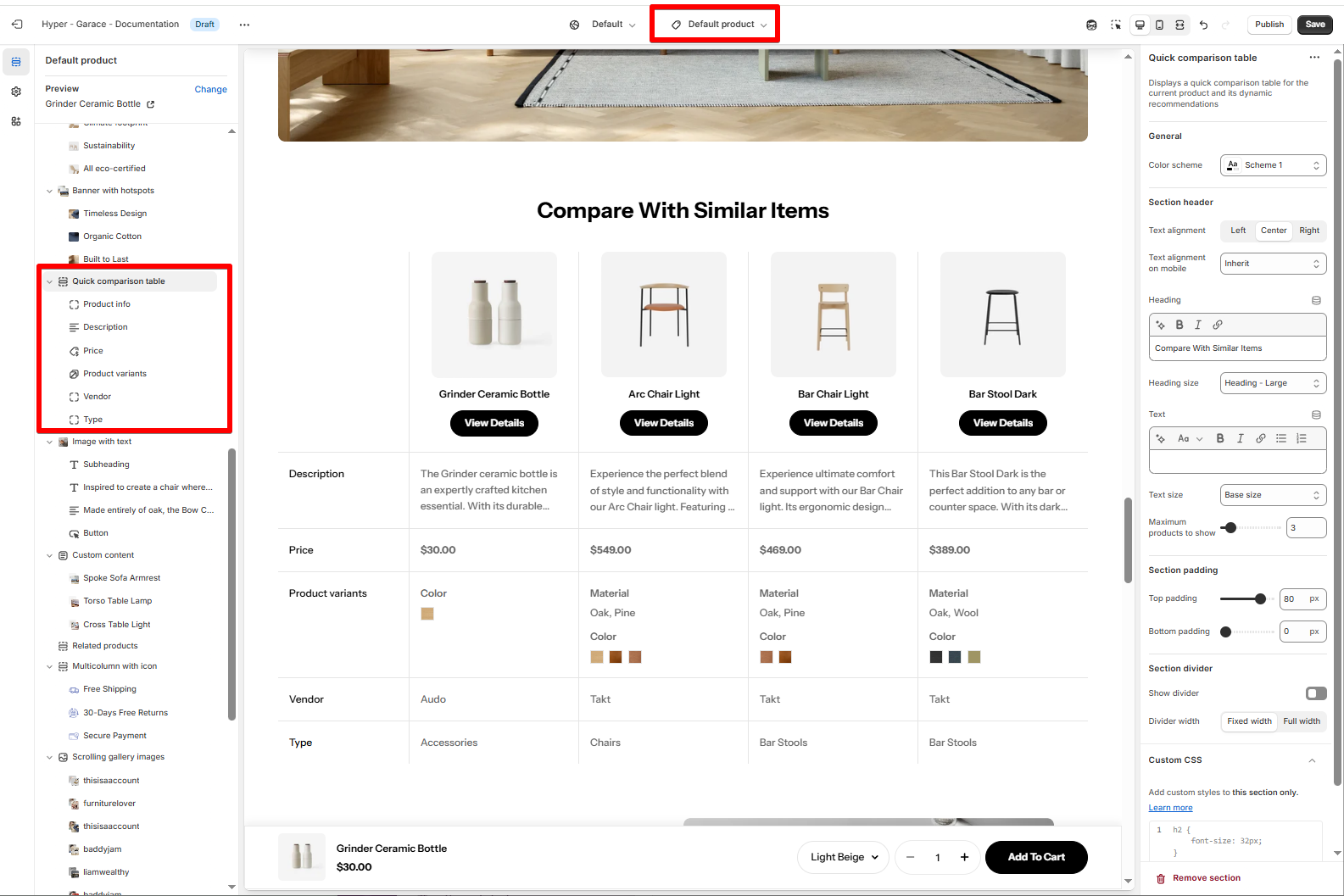
**Quick comparison table** is a powerful product page section that lets customers easily compare the current product with **related items**. It highlights key differences across details like price, description, variants, and more - helping shoppers make faster, more confident buying decisions.

## How to add a Quick comparison table section to your Shopify store

{% hint style="info" %}
This section is only available on the product template.
{% endhint %}

{% hint style="success" %}
Steps:

1. In the theme editor (**Customize**), open the template selector.
2. Locate **Products**, and select a product template you want to make changes to.
3. On the left-sidebar, add **Quick comparison table** section.
4. Make necessary changes > **Save.**
   {% endhint %}

<figure><img src="https://3026705042-files.gitbook.io/~/files/v0/b/gitbook-x-prod.appspot.com/o/spaces%2FAJrvmfqcj9TMoPkl3bNc%2Fuploads%2FX0h6mb25fV7wVIXuQsJK%2Fimage.png?alt=media&#x26;token=f5234fef-aa91-4310-bd20-06470f9d2e7e" alt=""><figcaption></figcaption></figure>

{% hint style="info" %}
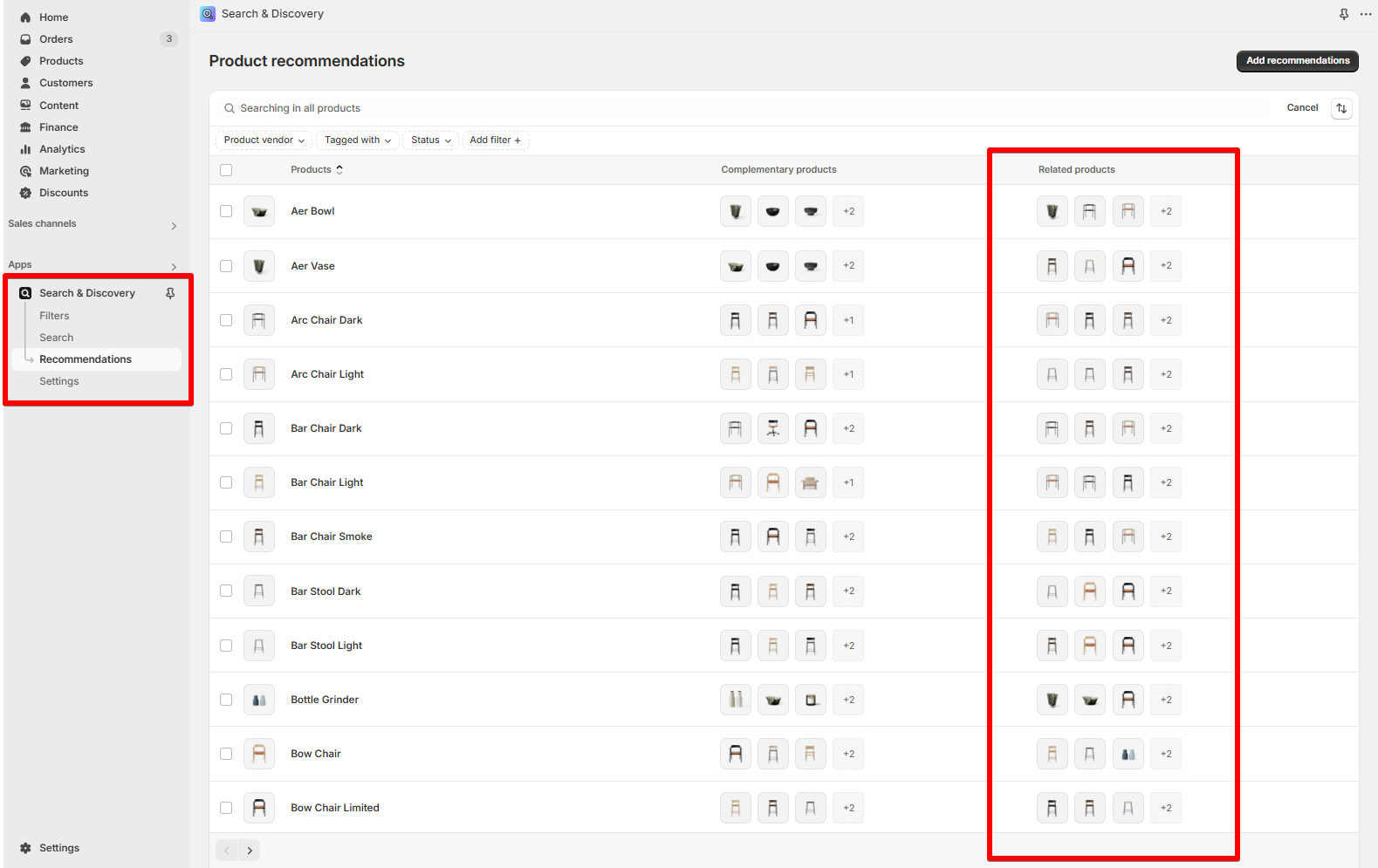
Use [Shopify Search & Discovery](https://apps.shopify.com/search-and-discovery) app to customize the [item's related products](https://help.shopify.com/en/manual/online-store/search-and-discovery/product-recommendations#related-products).

![](https://3026705042-files.gitbook.io/~/files/v0/b/gitbook-x-prod.appspot.com/o/spaces%2FAJrvmfqcj9TMoPkl3bNc%2Fuploads%2F3JSUfETg1VIyBE2QHf6x%2Fimage.png?alt=media\&token=a91d736d-8387-4ff3-9632-359551476756)
{% endhint %}

## How to edit the Quick comparison table section

### Section settings

#### General settings

* **Color scheme**: Select a color scheme to match your styling. Learn more: [colors](https://docs.foxecom.com/hyper-theme/theme-settings/colors "mention")
* **Maximum products to show**: Choose how many related products appear in the comparison alongside the current product.

#### Section header

* **Heading**: Customize the title.
* **Text alignment**: Control the layout on desktop and mobile.
* **Text**: Optional description to introduce the comparison section.

### Block settings

Inside the **Quick comparison table**, you'll see a list of content blocks:

* **Product info**: Product title. You can show/hide the **View details** button.
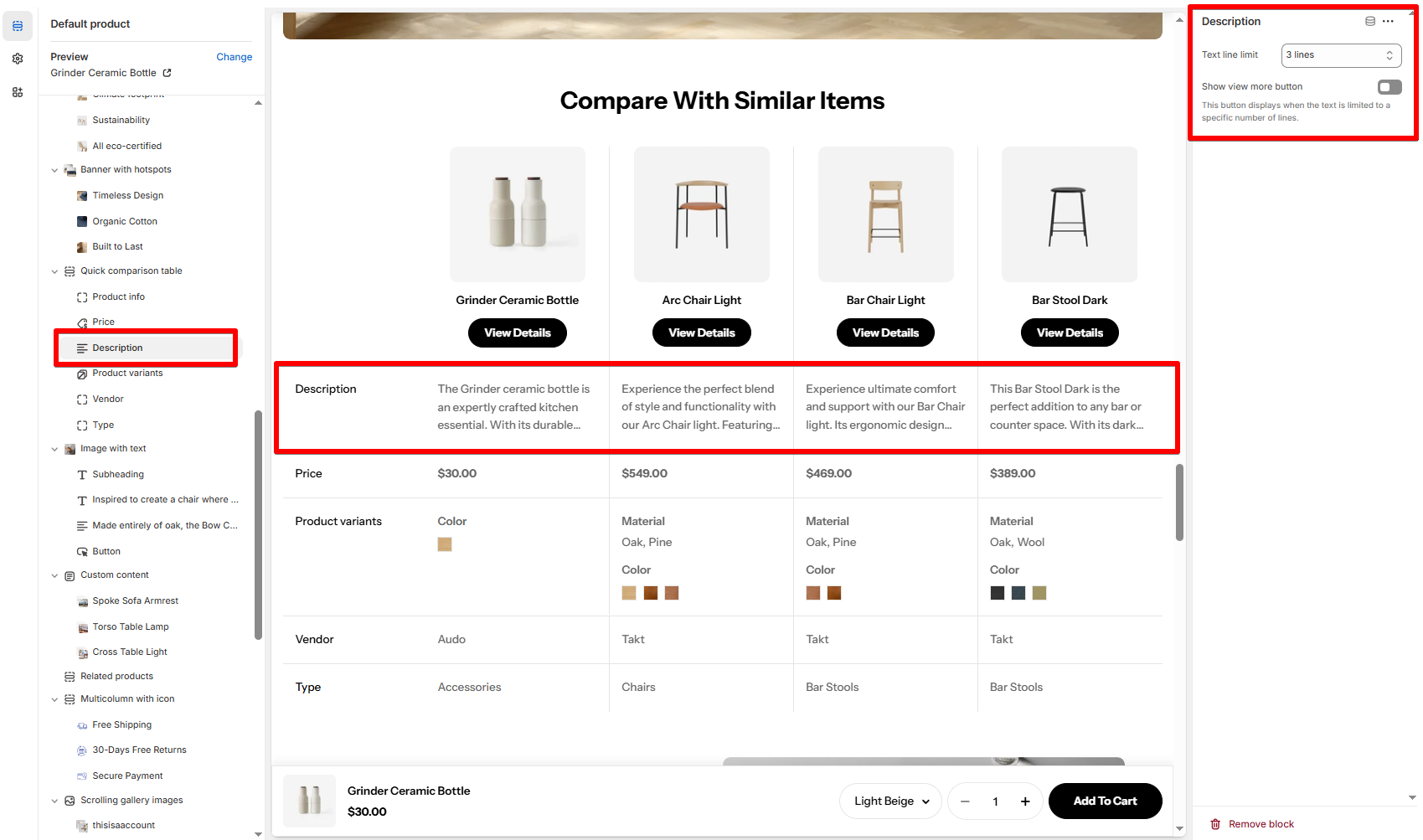
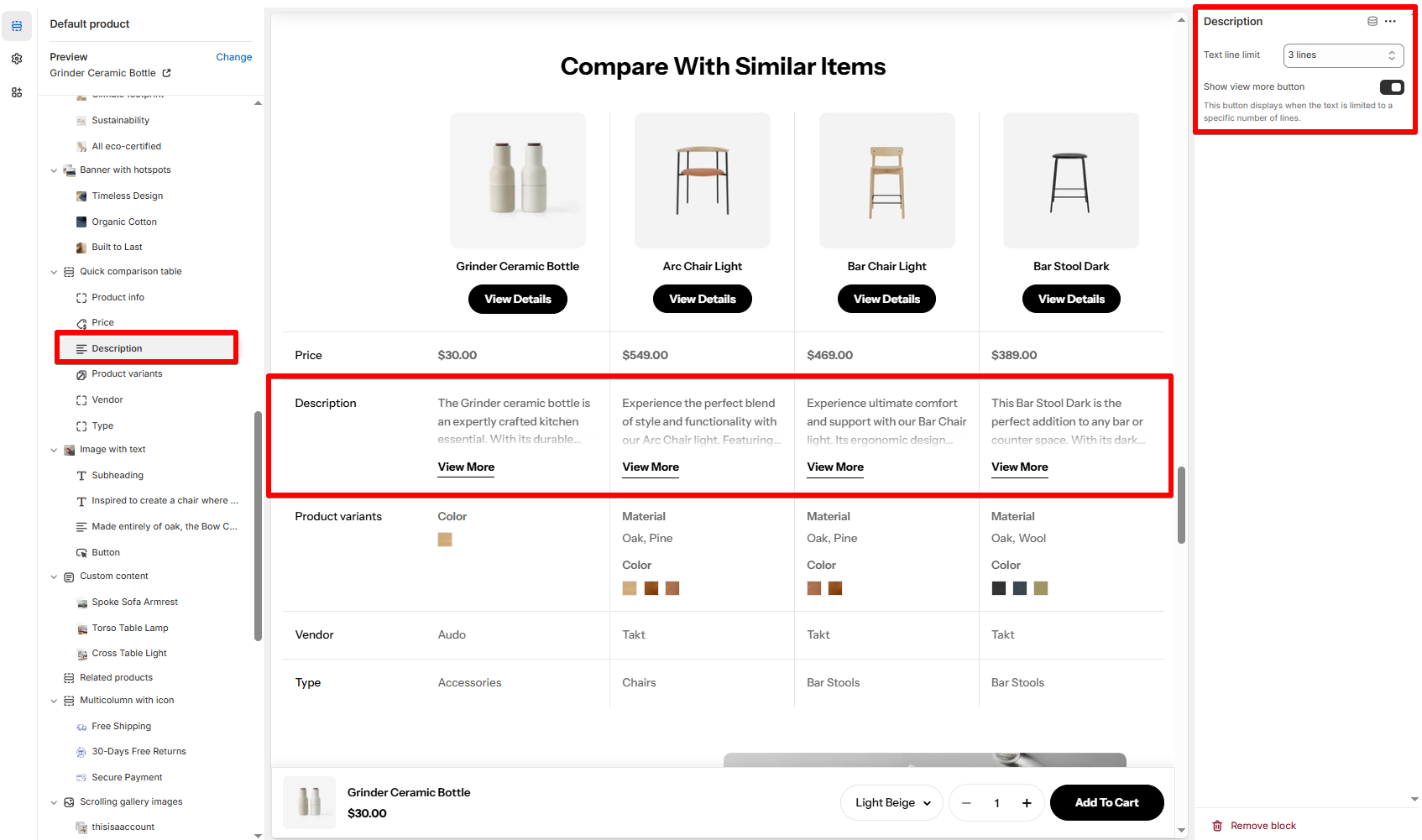
* **Description**: Shortened product descriptions.
  * **Text line limit**: Choose how many lines of text to show per product (No limit or 1-5 lines). This helps keep your comparison clean and balanced across products with varying description lengths.
  * **Show view more button:** Toggle this on if you want to let users expand and read the full description when the line limit is reached. If left off, the text will be truncated without a "View more" link.
<figure><img src="https://3026705042-files.gitbook.io/~/files/v0/b/gitbook-x-prod.appspot.com/o/spaces%2FAJrvmfqcj9TMoPkl3bNc%2Fuploads%2FhA8oKEA1ZrcL4CRjJjmG%2Fimage.png?alt=media&#x26;token=e7df7aeb-699c-4c8e-b16f-f768a3991e08" alt=""><figcaption></figcaption></figure>

<figure><img src="https://3026705042-files.gitbook.io/~/files/v0/b/gitbook-x-prod.appspot.com/o/spaces%2FAJrvmfqcj9TMoPkl3bNc%2Fuploads%2FVGWt4jaTqbiut6VwDzAp%2Fimage.png?alt=media&#x26;token=4da0338e-3b0e-4ab2-967a-591a9cdf8169" alt=""><figcaption></figcaption></figure>

* **Price**: Price of each item
* **Product variants**: Displays available variants (e.g. color, material)
* **Vendor**: Shows brand or supplier
* **Type**: Product category or type.

{% hint style="info" %}
You can remove or reorder these blocks to prioritize the most helpful comparison info for your shoppers.
{% endhint %}

## Best practices 💡

* Keep comparison items relevant (same collection or product type).&#x20;

{% hint style="info" %}
Use [Shopify Search & Discovery](https://apps.shopify.com/search-and-discovery) app to customize the [related products](https://help.shopify.com/en/manual/online-store/search-and-discovery/product-recommendations#related-products) compared in the table.
{% endhint %}

* Limit to 2–3 alternatives to avoid decision fatigue.
* Highlight key differences (e.g. price, material, variants).