# Share a Discount code through Newsletter signups
You can share a discount code with customers who subscribe to your store’s newsletter in a few simple ways. Select the option that best aligns with your brand’s communication and customer experience.
**Before proceeding with the methods below**, make sure you have created discount codes for your products or orders in **Shopify Discounts**.
Learn how to [create discount codes here in Shopify manual](https://help.shopify.com/manual/discounts/discount-methods/discount-codes).
## Method 1: Show the discount in the “Success / Thank You” message
**Steps:**
1. Go to **Shopify Admin > Online Store > Themes**.
2. Find your current theme, click **Actions > Edit default theme content**.
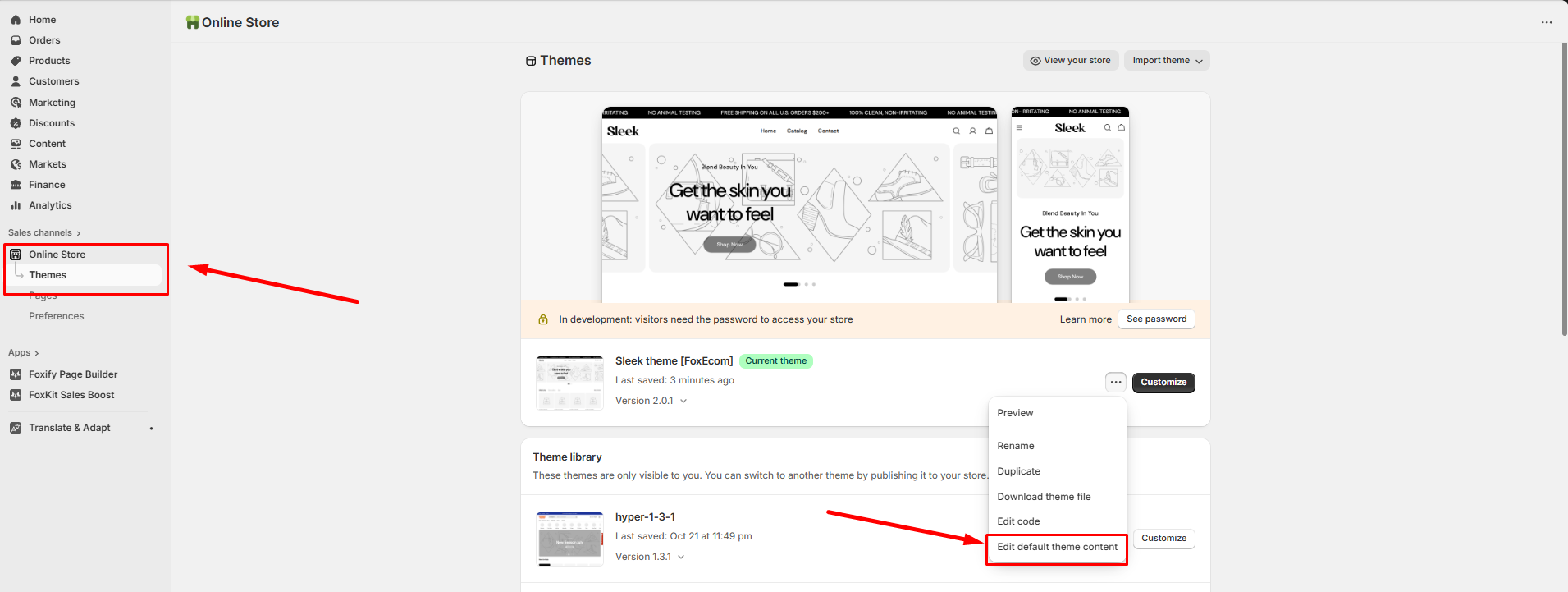
3\. Search for the text field related to the newsletter form — look for ***"Thanks for subscribing"*** message.
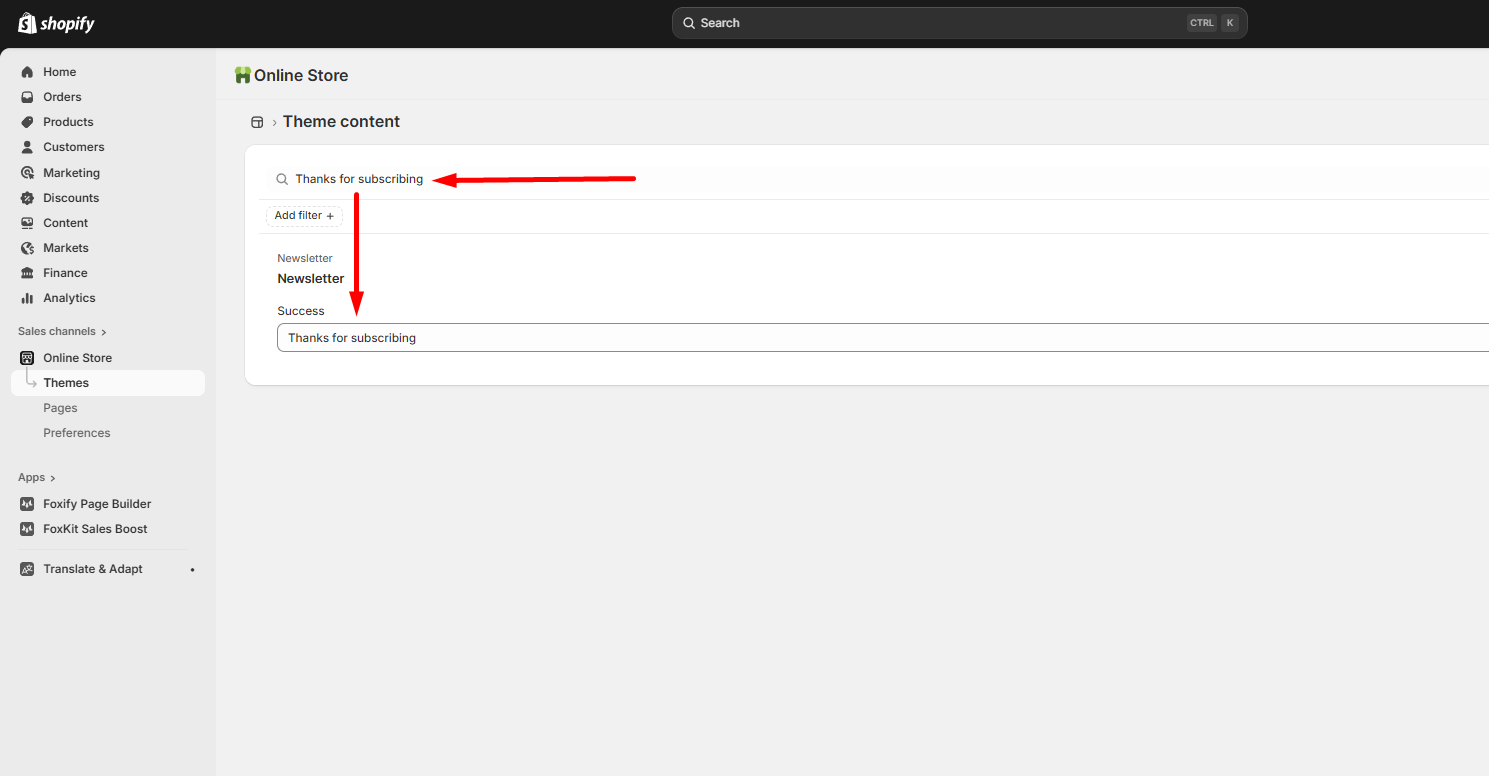
4\. Edit this message to include your discount code (e.g. *“Thanks for subscribing! Use code **WELCOME10** for 10% off your first order.”*).
5\. Save your changes.
**✔** Once a visitor subscribes, they’ll instantly see a thank-you message containing your discount code — quick and seamless.
## Method 2: Include the discount in the Marketing confirmation email
This option delivers the code via email when the customer confirms their subscription.
**Steps:**
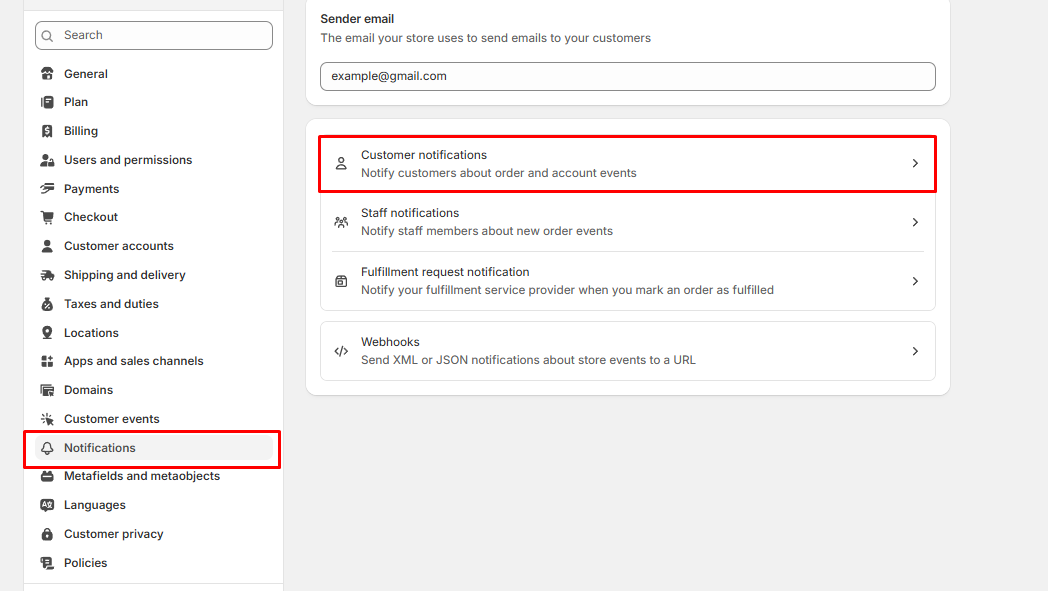
1. Go to **Shopify Admin > Settings > Notifications**.
2. Select **Customer notifications** and scroll down to the **Customer marketing confirmation** section.
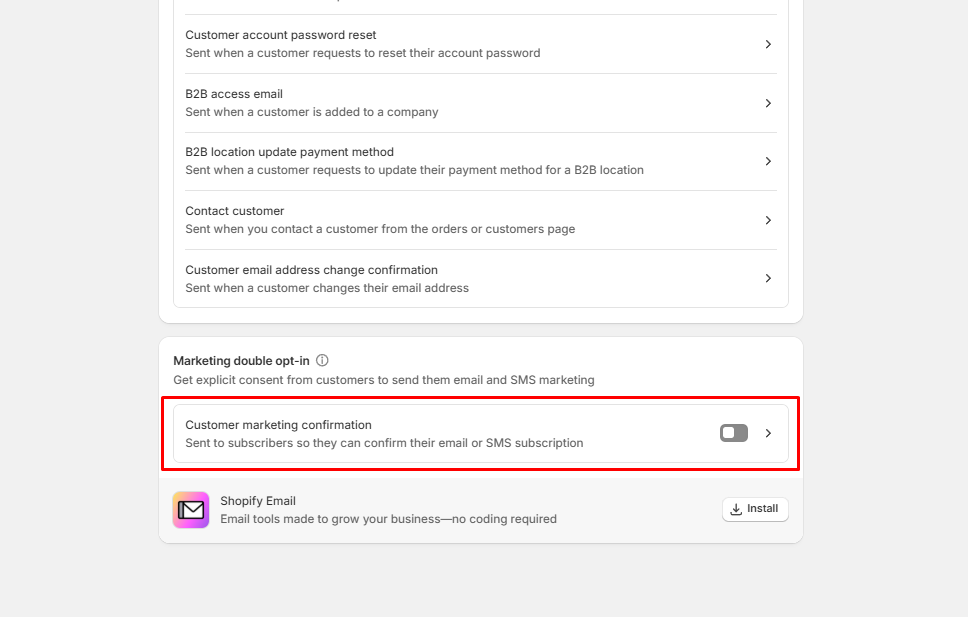
3\. Click **Edit code**, find the `{% capture email_body %} ... {% endcapture %}` block, and insert the discount code into the email body.
4\. Save the changes.
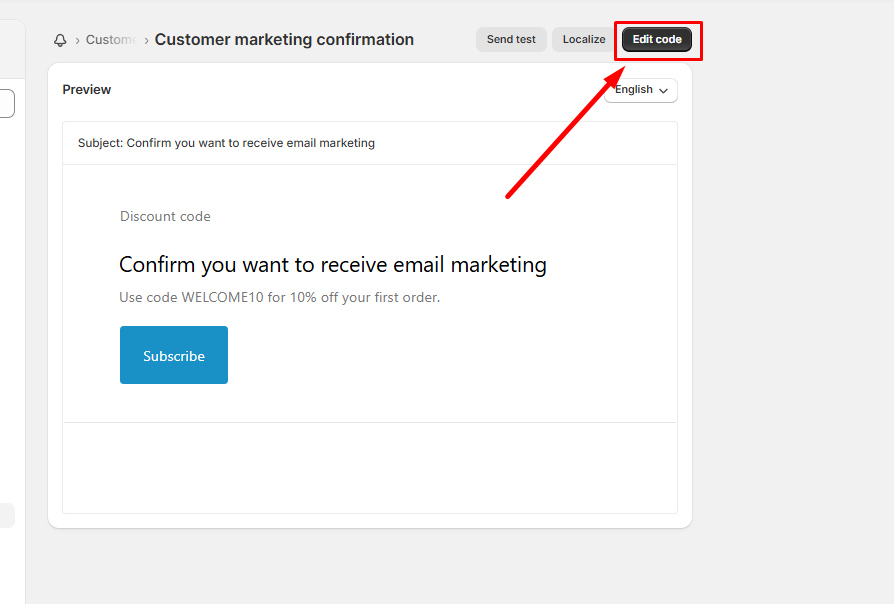
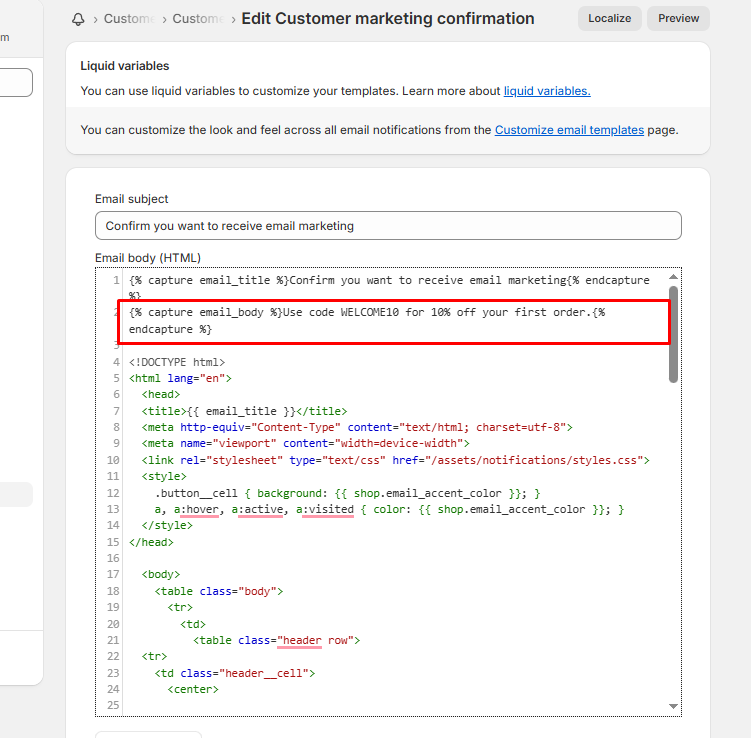
**✔** When someone subscribes to your newsletter, they’ll receive an email confirmation that includes your discount code — ideal if you prefer to send the code directly to their inbox.
## Method 3: Send the discount automatically with a third-party email app
If you use or plan to use an email marketing platform for automation and segmentation, this is the most flexible option.
You can use tools like **Klaviyo**, **Omnisend**, or **Mailchimp** to create automated email flows.
**Steps:**
1. Install and connect your preferred email app to Shopify.
2. Create an **automation flow** triggered by “New newsletter signup.”
3. Design your welcome email and include the discount code (e.g. *“Thanks for subscribing! Use code **WELCOME10** for 10% off your first order.”*).
4. Set your preferred send timing and activate the flow.
✔ Every new subscriber automatically receives a personalized welcome email with your discount code. This option gives you more control over branding, tracking, and follow-up marketing.
**Best practices:**
* Back up your theme before editing content or email templates.
* Use time-limited or single-use codes to prevent sharing.
* Keep all messages on-brand and consistent in tone.
* Test each flow (subscription → message/email → code use) before publishing.