# Product page

{% embed url="<https://youtu.be/TcpMMskv5t8>" %}

A page includes different aspects and features to help customers decide what they want to buy based on different specifications like price, features, reviews, and product comparison.
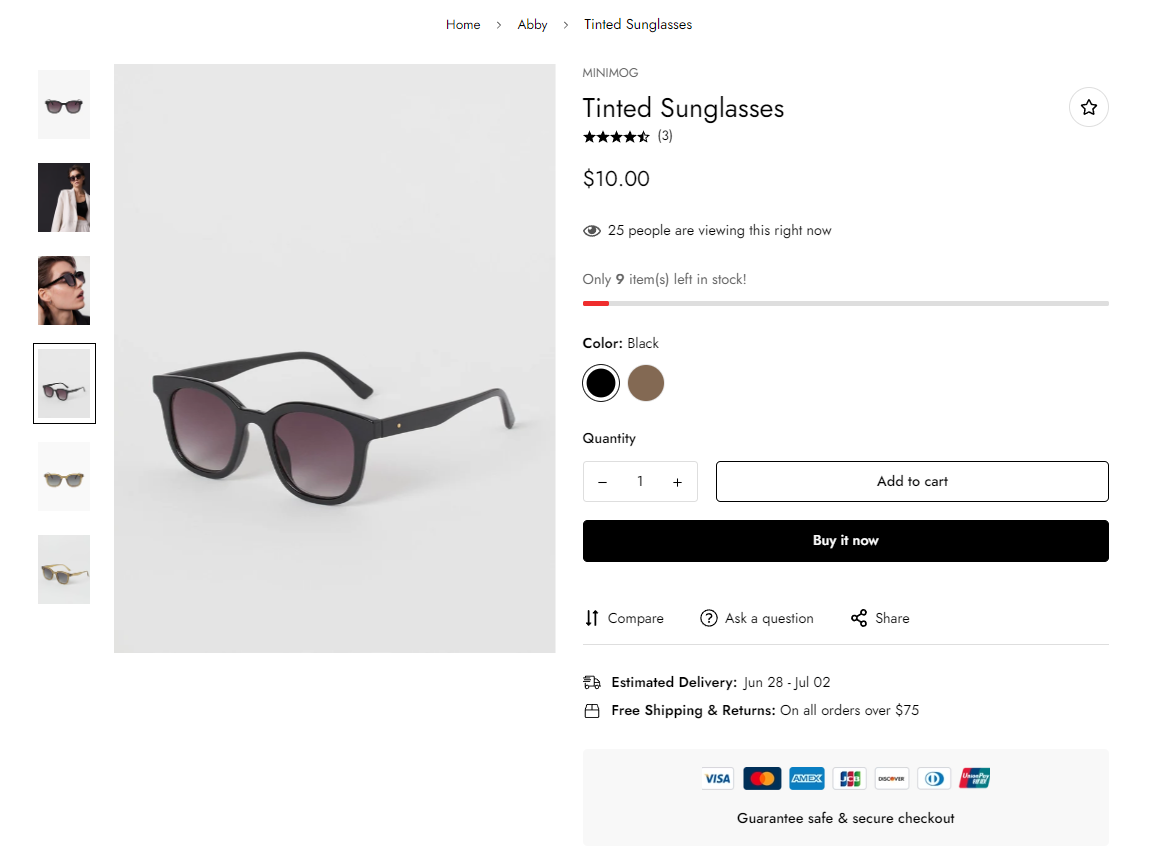
<figure><img src="https://1997835572-files.gitbook.io/~/files/v0/b/gitbook-x-prod.appspot.com/o/spaces%2F-MlL6sK9D7unq8F2VPPp%2Fuploads%2FORINfuCKUrONd6rsBJb7%2Fimage.png?alt=media&#x26;token=85f66130-4b39-49a6-93be-b5ccd8ef6197" alt=""><figcaption></figcaption></figure>

{% hint style="success" %}
Steps

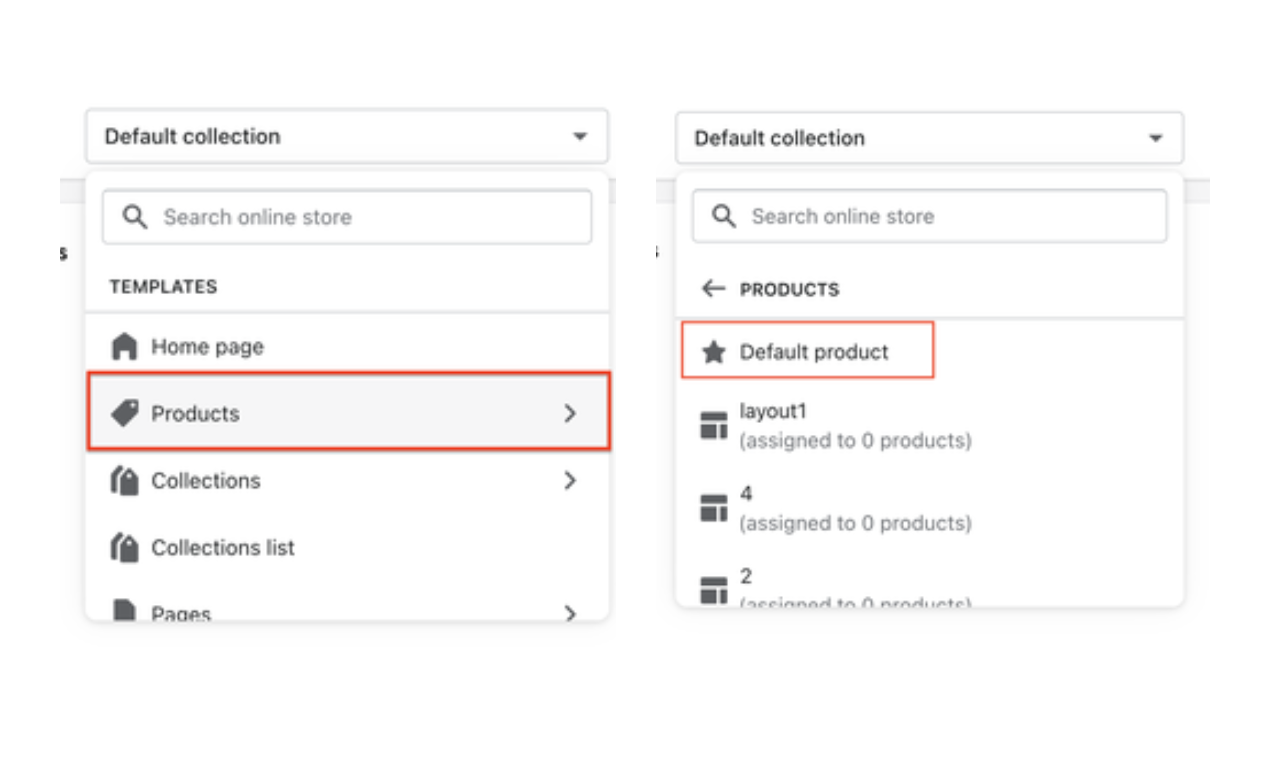
1. In the theme editor (**Customize**), open the template selector.
2. Select **Products**, then **Default product.**
   {% endhint %}

![](https://1997835572-files.gitbook.io/~/files/v0/b/gitbook-x-prod.appspot.com/o/spaces%2F-MlL6sK9D7unq8F2VPPp%2Fuploads%2FhYFc7pvLSsfU3jfbCDLj%2FScreen%20Shot%202021-11-06%20at%2011.32.44.png?alt=media\&token=92cf1aec-da51-47ae-8036-f921d292cb69)

<figure><img src="https://1997835572-files.gitbook.io/~/files/v0/b/gitbook-x-prod.appspot.com/o/spaces%2F-MlL6sK9D7unq8F2VPPp%2Fuploads%2FGeIkBQFI4LGjyGqhvlet%2Flivechat883x471%20(1).png?alt=media&#x26;token=9168d917-bd02-4cd6-a7af-eb9896c7a5ef" alt=""><figcaption><p><a href="https://apps.shopify.com/xflow?utm_source=foxecom&#x26;utm_medium=help_center_minimog&#x26;utm_campaign=banner">Install XFlow Back In Stock Automation FREE</a></p></figcaption></figure>
