# Combined listings app🔥
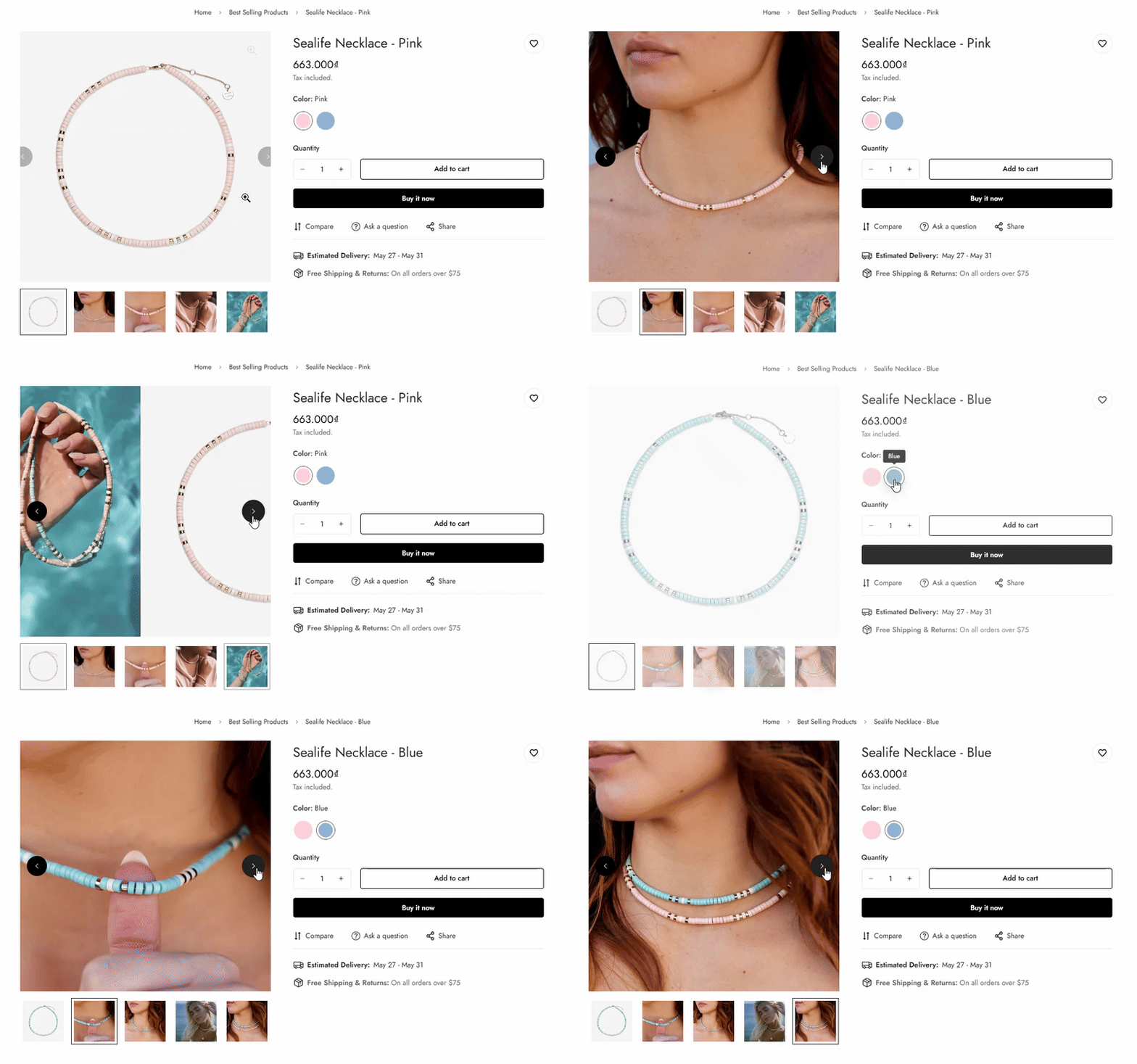
<figure><img src="https://1997835572-files.gitbook.io/~/files/v0/b/gitbook-x-prod.appspot.com/o/spaces%2F-MlL6sK9D7unq8F2VPPp%2Fuploads%2FT2jzEyWOKGZgqmDsR3NV%2Fupdate1.gif?alt=media&#x26;token=2f667c13-60e5-4217-b45a-dd1b9038433e" alt=""><figcaption></figcaption></figure>

{% hint style="danger" %}
The [Shopify Combined Listings app](https://apps.shopify.com/combined-listings) is currently limited to [Shopify Plus customers](https://help.shopify.com/en/manual/intro-to-shopify/pricing-plans/plans-features/shopify-plus-plan).
{% endhint %}

Combined listings use Shopify's existing product model to create combinations of multiple child products under a single parent product. When a customer views the parent or child products in your online store, they will see a single product with all of the options available to them across all of the child products.

*For example:* We have a necklace item that comes with two color variants, and you have each of the colors as a separate product, then you can create a combined listing that displays those two products on the same product page.
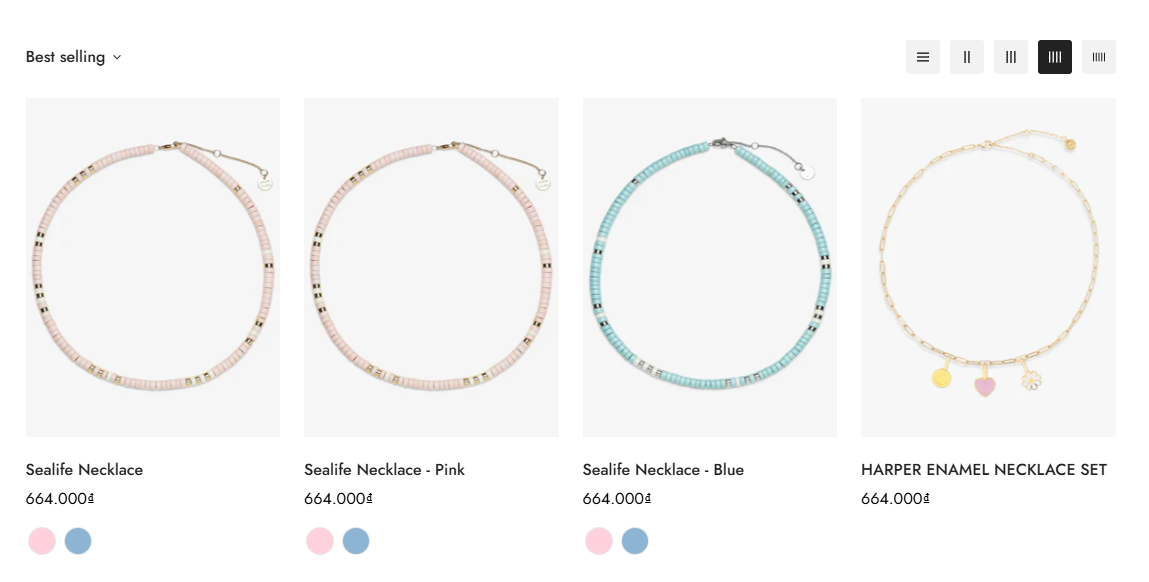
<figure><img src="https://1997835572-files.gitbook.io/~/files/v0/b/gitbook-x-prod.appspot.com/o/spaces%2F-MlL6sK9D7unq8F2VPPp%2Fuploads%2FBAfuLlTjHdmIT1O51cCe%2Fimage.png?alt=media&#x26;token=f60c1388-63ed-4cda-82b7-26cc566f9a2f" alt=""><figcaption></figcaption></figure>

## Requirement

Before using the combined listings app in Minimog, you need to use a compatible theme version:

{% hint style="info" %}
From :sparkles: Minimog **version 5.6.0 and above** :sparkles:, you can use the [Combined listing app](https://apps.shopify.com/combined-listings) to combine products into an enhanced product listing on your online store.

See [**Changelog**](https://docs.foxecom.com/minimog-theme/changelog)**.**
{% endhint %}

## Next steps

:white\_check\_mark: See [limitations apply to combined listings apps](https://help.shopify.com/en/manual/products/combined-listings/overview#limitations).

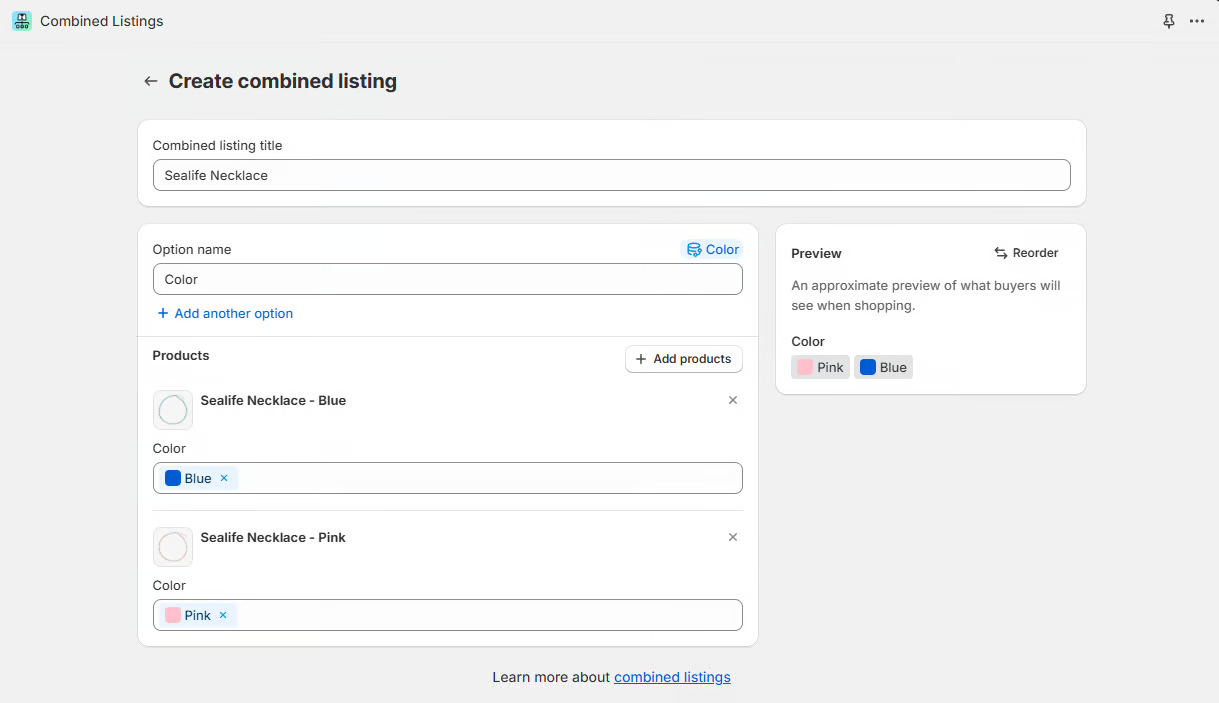
:white\_check\_mark: Learn how to [create a combined listing](https://help.shopify.com/en/manual/products/combined-listings/create-combined-listing).
<figure><img src="https://1997835572-files.gitbook.io/~/files/v0/b/gitbook-x-prod.appspot.com/o/spaces%2F-MlL6sK9D7unq8F2VPPp%2Fuploads%2FUR9D8uaaaLVY1Vq7AzH0%2Fimage.png?alt=media&#x26;token=202e8eaa-e212-486b-9210-d9f1d5fbc6bd" alt=""><figcaption></figcaption></figure>


---

# Agent Instructions: Querying This Documentation

If you need additional information that is not directly available in this page, you can query the documentation dynamically by asking a question.

Perform an HTTP GET request on the current page URL with the `ask` query parameter:

```
GET https://docs.foxecom.com/minimog-theme/faqs/generic/combined-listings-app.md?ask=<question>
```

The question should be specific, self-contained, and written in natural language.
The response will contain a direct answer to the question and relevant excerpts and sources from the documentation.

Use this mechanism when the answer is not explicitly present in the current page, you need clarification or additional context, or you want to retrieve related documentation sections.
