# Age verifier pop-up

{% embed url="<https://youtu.be/ESxR9vsl76g>" %}

If your website contains products that are intended for mature audiences, having an age verifier pop-up can be worthwhile to avoid legal issues down the road.

This article shows how to restrict access based on age by using Minimog's **Age verifier pop-up** feature.

{% hint style="info" %}
This feature is only available in Minimog v3.4.0 onwards. View [changelog](https://docs.foxecom.com/minimog-theme/changelog "mention")
{% endhint %}

## How to activate the Age Verifier pop-up

To have the **Age Verifier pop-up** appear on the site entry, follow the steps below.

{% hint style="success" %}
**Steps:**

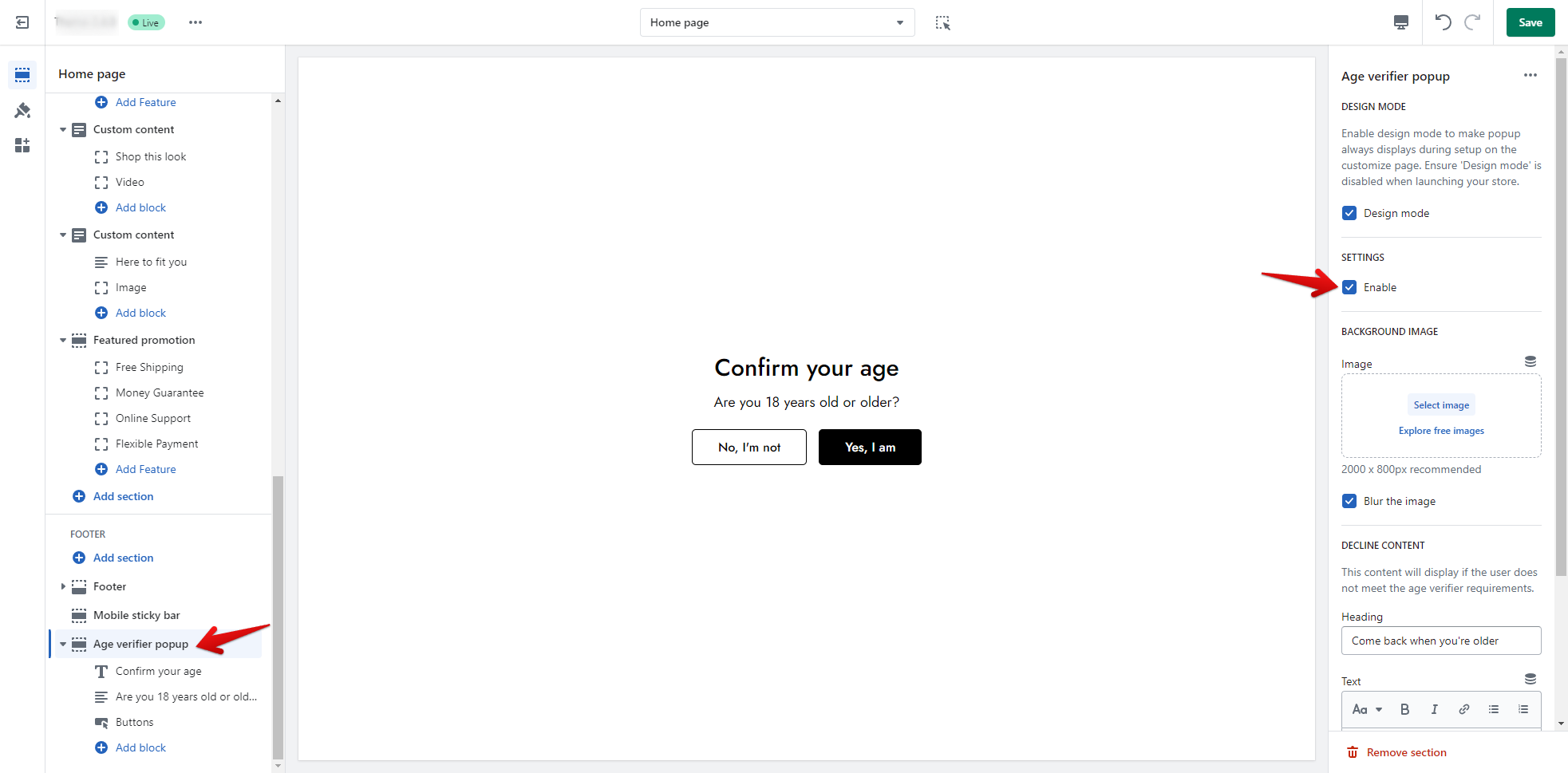
1. In the theme editor **(Customize)**, navigate to the **Age verifier pop-up** (at the end of the section list).
2. In the section settings, click **Enable**.
3. Make necessary changes.
4. Click **Save**.
   {% endhint %}

<figure><img src="https://1997835572-files.gitbook.io/~/files/v0/b/gitbook-x-prod.appspot.com/o/spaces%2F-MlL6sK9D7unq8F2VPPp%2Fuploads%2Fx4W9gkXEmb41hcICa8NK%2Fimage.png?alt=media&#x26;token=df9a5f22-782c-48cf-9a53-d8d4dcebd716" alt=""><figcaption></figcaption></figure>

The pop-up appears at the center of the page upon entering the site, and the customer must answer "Yes" or "No" to continue.

Enable the **Design mode** to display the pop-up during your feature customization process.

## How to customize the Age Verifier pop-up

In the feature settings, you can enable the **Design mode** to have the age verifier pop-up always displayed during your customization process.&#x20;

### Block settings

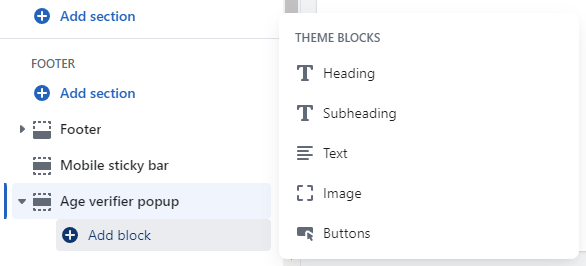
Personalize your verification pop-up content using the section blocks, which are:

* Heading
* Subheading
* Text
* Button
* Image

You can add, remove, or reorder any elements within the section.&#x20;

<figure><img src="https://1997835572-files.gitbook.io/~/files/v0/b/gitbook-x-prod.appspot.com/o/spaces%2F-MlL6sK9D7unq8F2VPPp%2Fuploads%2FPA5oJoSfrBYfW8VDdyRd%2Fimage.png?alt=media&#x26;token=8282b1be-59cd-4b7d-b631-5643cb1f7994" alt=""><figcaption></figcaption></figure>

### Section settings

#### Background image

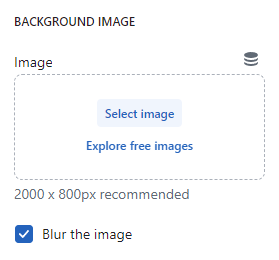
Either select/upload an image for your age verifier screen's background or leave it blank.&#x20;

{% hint style="info" %}
A 2000 x 800px image is recommended.
{% endhint %}

<figure><img src="https://1997835572-files.gitbook.io/~/files/v0/b/gitbook-x-prod.appspot.com/o/spaces%2F-MlL6sK9D7unq8F2VPPp%2Fuploads%2Fq2mNa0E4wwFOnFS1bEGs%2Fimage.png?alt=media&#x26;token=98621394-05d5-44ff-b412-2679bda54044" alt=""><figcaption></figcaption></figure>

#### Decline content

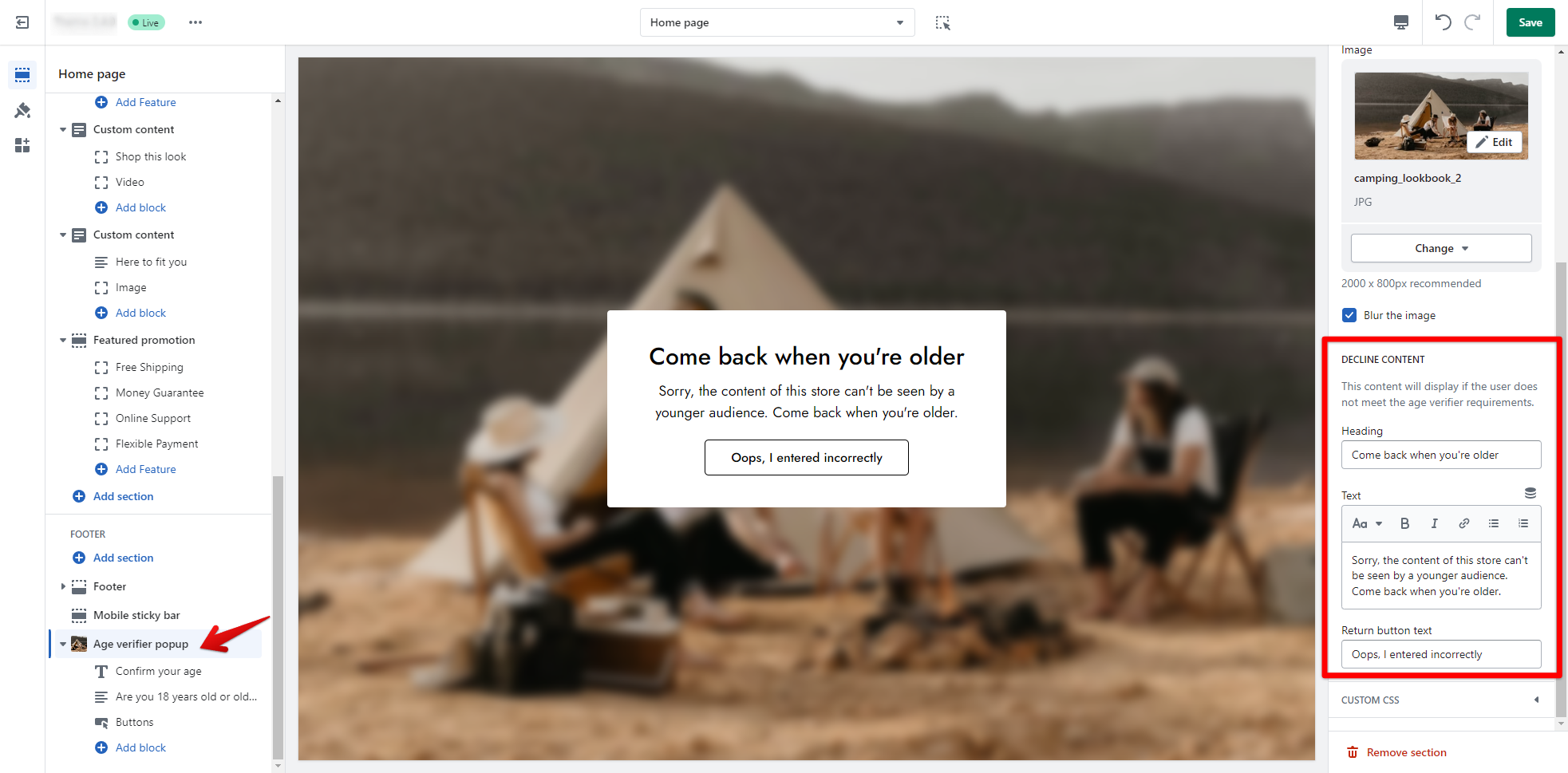
Personalize the response content displayed when the visitor does not meet the age verifier requirements as shown below.
<figure><img src="https://1997835572-files.gitbook.io/~/files/v0/b/gitbook-x-prod.appspot.com/o/spaces%2F-MlL6sK9D7unq8F2VPPp%2Fuploads%2FSWGImaLLrIuPLz3hWUSO%2Fimage.png?alt=media&#x26;token=3ec80829-9ac0-4580-a7bc-3dcbbd9c9c8d" alt=""><figcaption></figcaption></figure>

The return button brings visitors back to the age verifier query for answering.

<figure><img src="https://1997835572-files.gitbook.io/~/files/v0/b/gitbook-x-prod.appspot.com/o/spaces%2F-MlL6sK9D7unq8F2VPPp%2Fuploads%2FGeIkBQFI4LGjyGqhvlet%2Flivechat883x471%20(1).png?alt=media&#x26;token=9168d917-bd02-4cd6-a7af-eb9896c7a5ef" alt=""><figcaption><p><a href="https://apps.shopify.com/xflow?utm_source=foxecom&#x26;utm_medium=help_center_minimog&#x26;utm_campaign=banner">Install XFlow Back In Stock Automation FREE</a></p></figcaption></figure>