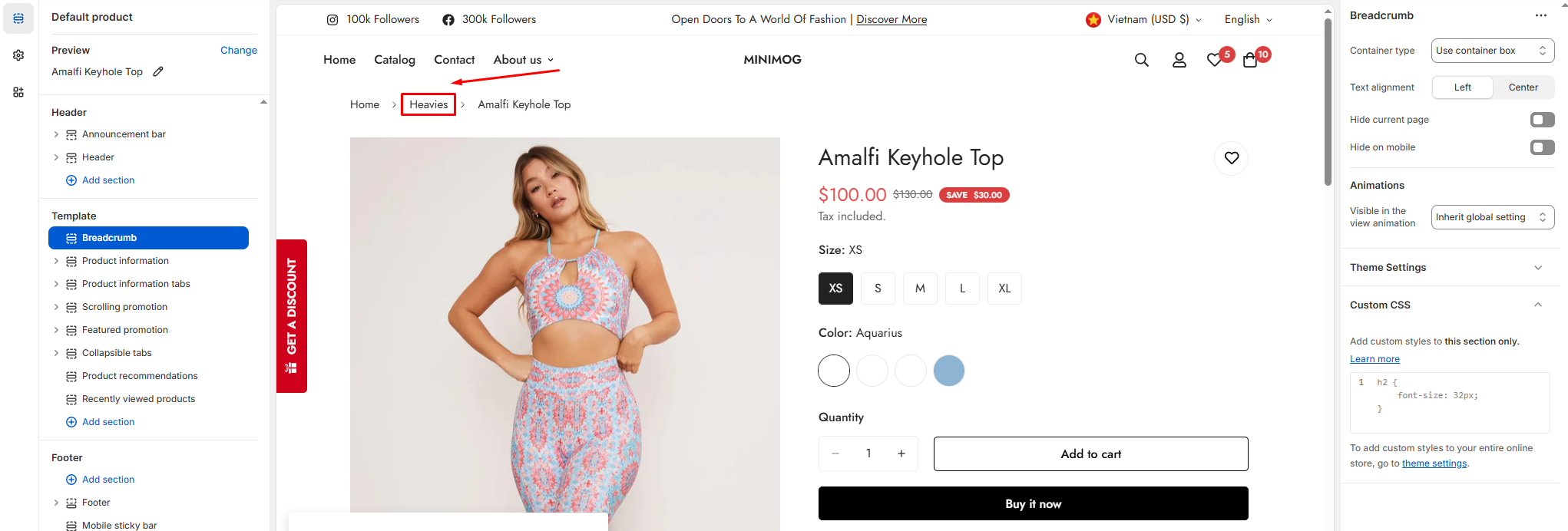
Breadcrumb is a type of secondary navigation scheme that reveals the customers’ location on the website.
Breadcrumbs can improve how a user and Google navigate a website, especially if your website has many products or pages.
Furthermore, breadcrumbs have been proven to decrease bounce rates, keeping users on a website longer.
Lastly, the best benefit of breadcrumbs is SEO-boosting. Google bots use breadcrumbs to categorize and contextualize content in search results more efficiently.
In the theme editor (Customize), open the template selector.
Select Products, then Default product.
On the left-side bar, add Breadcrumb.
Make necessary changes.
Save the settings.
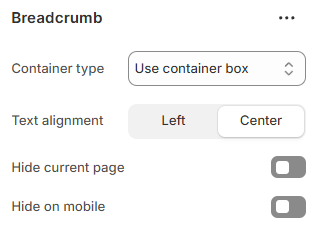
You can control the container type, its positions, and whether they want to display breadcrumbs or not.
When a product belongs to multiple collections, the breadcrumb displayed on the product page will reflect the collection name that appears first in alphabetical order. This automatic sorting ensures consistency in how products are categorized and optimized for SEO.
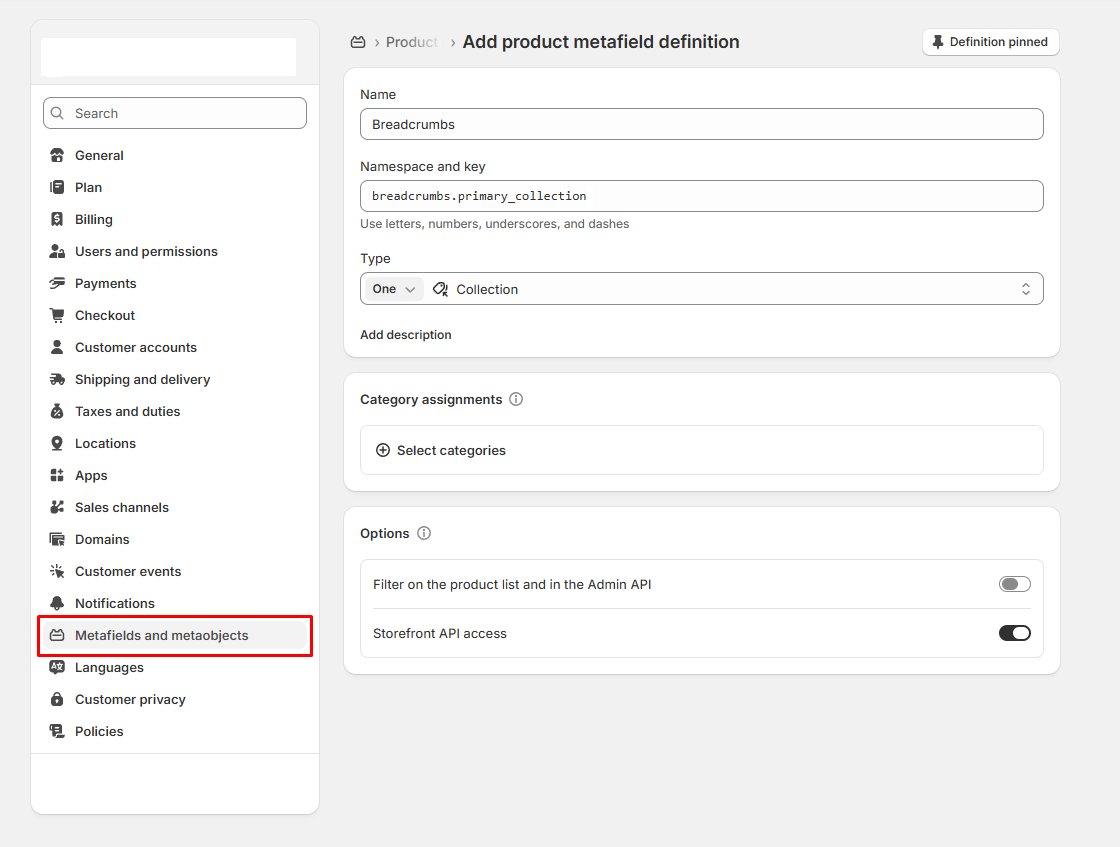
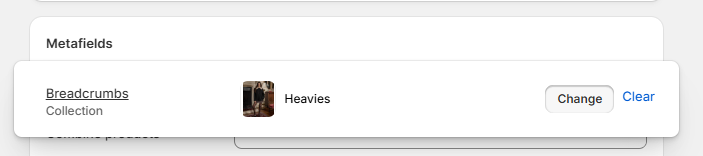
#How to create custom breadcrumbs for individual products
In Minimog, you can set custom product breadcrumbs for each of your products using metafields.