# Product information

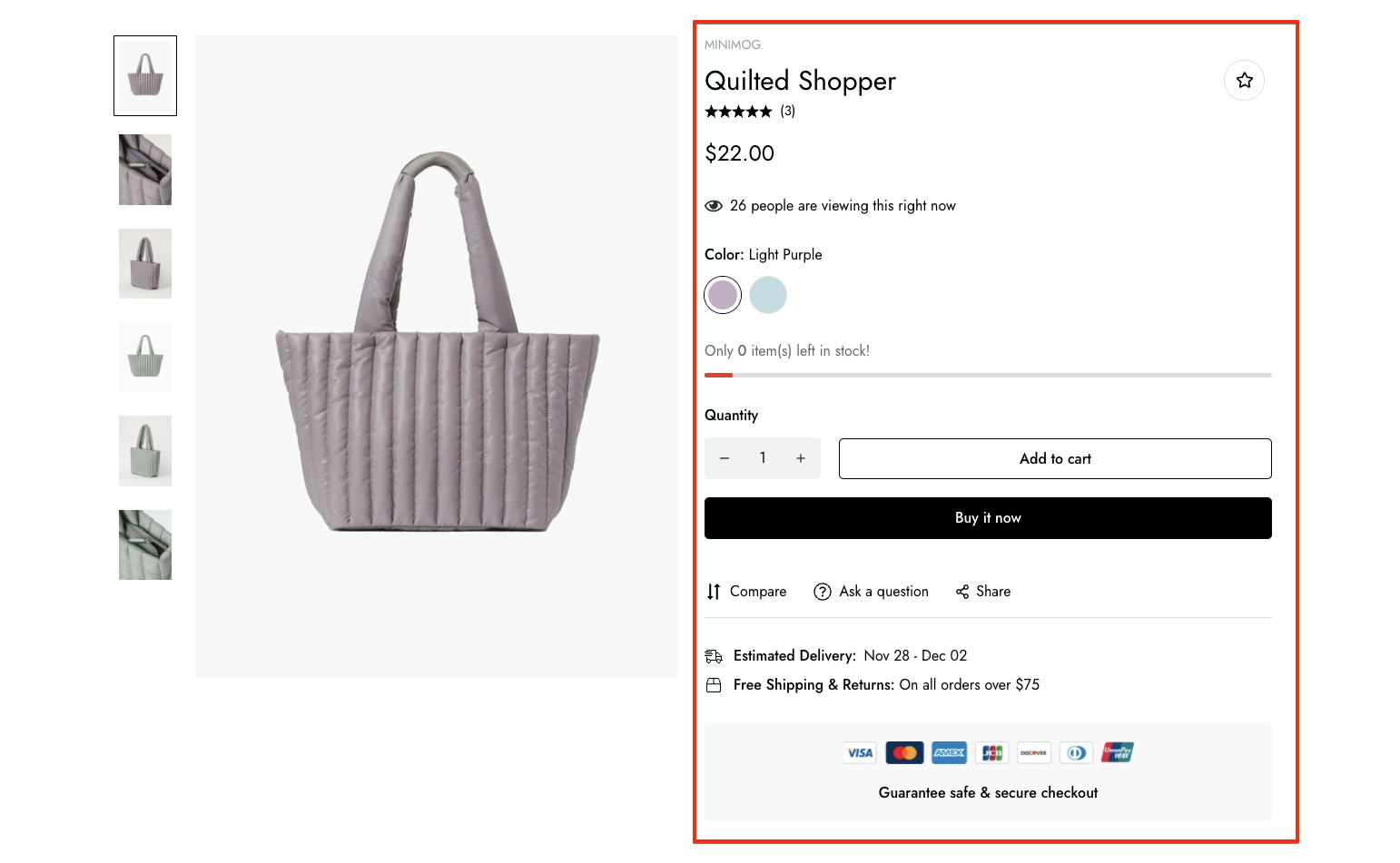
Accurate, reliable, and in-depth product details help customers find the information they need to make buying decisions. This section provides crucial data that belongs to an individual product such as price, title, buy buttons, etc. You can change the product information by re-ordering, removing, and adding blocks.

![](https://1997835572-files.gitbook.io/~/files/v0/b/gitbook-x-prod.appspot.com/o/spaces%2F-MlL6sK9D7unq8F2VPPp%2Fuploads%2FpT2ZPJHbIZsDnZIqvcBt%2F8025fa220654cd0a9445.jpeg?alt=media\&token=5c6bb6d9-4d14-4d81-b358-05a9efaef9c5)

{% hint style="success" %}
Steps

1. In the theme editor (**Customize**), open the template selector
2. Select **Products**, then **Default product.**
3. On the left-sidebar, add **Product information.**
4. Make necessary changes > **Save.**
   {% endhint %}

<figure><img src="https://1997835572-files.gitbook.io/~/files/v0/b/gitbook-x-prod.appspot.com/o/spaces%2F-MlL6sK9D7unq8F2VPPp%2Fuploads%2FGeIkBQFI4LGjyGqhvlet%2Flivechat883x471%20(1).png?alt=media&#x26;token=9168d917-bd02-4cd6-a7af-eb9896c7a5ef" alt=""><figcaption><p><a href="https://apps.shopify.com/xflow?utm_source=foxecom&#x26;utm_medium=help_center_minimog&#x26;utm_campaign=banner">Install XFlow Back In Stock Automation FREE</a></p></figcaption></figure>

### General

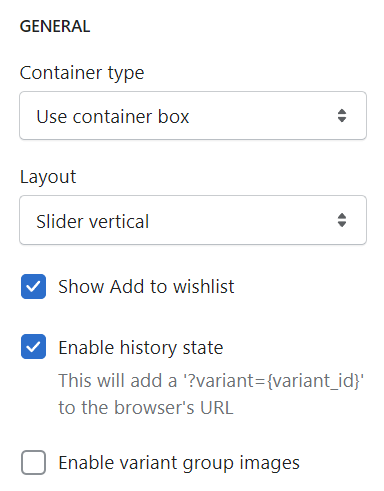
1. Control the container type: Default, full width, and use container box.
2. Control the product information layout:

* [Standard](https://demo.minimog.co/products/denim-jacket?preview_theme_id=125615669438)
* [Grid 1 column](https://demo.minimog.co/products/denim-jacket?preview_theme_id=125615472830)
* [Grid 2 columns](https://demo.minimog.co/products/denim-jacket?preview_theme_id=125615702206)
* [Grid mix](https://demo.minimog.co/products/denim-jacket?preview_theme_id=125615636670)
* [Slider 2 columns](https://demo.minimog.co/products/denim-jacket?preview_theme_id=125615702206)
* [Slider vertical](https://demo.minimog.co/products/wool-blend-jacket?preview_theme_id=125609410750)
* [Slider full-width](https://demo.minimog.co/products/cotton-bucket-hat-black-patterned?preview_theme_id=125616193726)

3\. Display the "Add to Wishlist" icon button and history state. You can also enable variant group images feature.

To set up Variant group images, see [this article](https://app.gitbook.com/s/2gqo9glygWoTkEqRV1dN/sales-boosting/variant-group-images).

<figure><img src="https://1997835572-files.gitbook.io/~/files/v0/b/gitbook-x-prod.appspot.com/o/spaces%2F-MlL6sK9D7unq8F2VPPp%2Fuploads%2FNtA05a7rruPLTKUBV9Xd%2Fimage.png?alt=media&#x26;token=4a958496-6206-482f-9349-314895b23c75" alt=""><figcaption></figcaption></figure>

### Product media

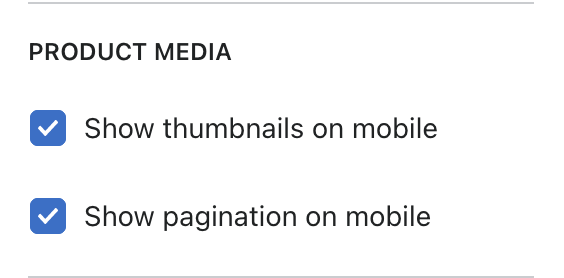
Display thumbnails and pagination on the mobile version.

![](https://1997835572-files.gitbook.io/~/files/v0/b/gitbook-x-prod.appspot.com/o/spaces%2F-MlL6sK9D7unq8F2VPPp%2Fuploads%2FJOIEW6PGJUxNkKTbC1hM%2FScreen%20Shot%202021-11-05%20at%2021.39.17.png?alt=media\&token=84cdea37-9e4b-4a1d-9dff-2d675ebf437b)

### Sticky add-to-cart

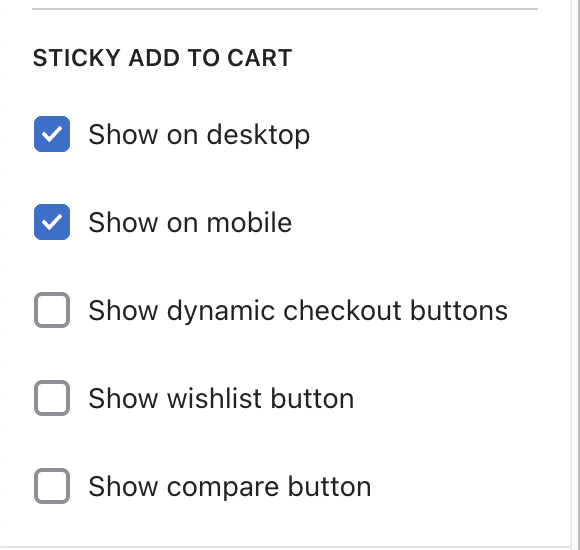
You can enable/ disable the feature on both mobile and desktop.&#x20;

You can also add other buttons such as compare (for product comparison), wishlist, and dynamic checkout.

![](https://1997835572-files.gitbook.io/~/files/v0/b/gitbook-x-prod.appspot.com/o/spaces%2F-MlL6sK9D7unq8F2VPPp%2Fuploads%2FpwVEcqSS79qHOUooAkmI%2FScreen%20Shot%202021-11-05%20at%2021.39.25.png?alt=media\&token=f5cd7023-06a6-4cb0-b83e-780ff40c3966)

### Product information blocks

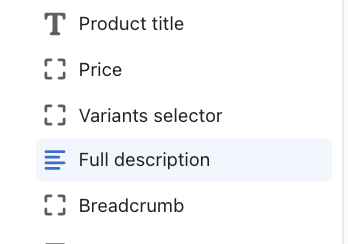
The product information blocks (including title, price, variants selector, full description, and breadcrumb) will automatically get information from the product page to display in this section.&#x20;

You don't have to update the content, but you can re-order them.

![](https://1997835572-files.gitbook.io/~/files/v0/b/gitbook-x-prod.appspot.com/o/spaces%2F-MlL6sK9D7unq8F2VPPp%2Fuploads%2FykY67rEW3kqTg4D5zaXt%2FScreen%20Shot%202021-11-23%20at%2017.12.21.png?alt=media\&token=8a18491c-c171-4ae3-967f-b5988d9cbbbf)

#### Shipping information

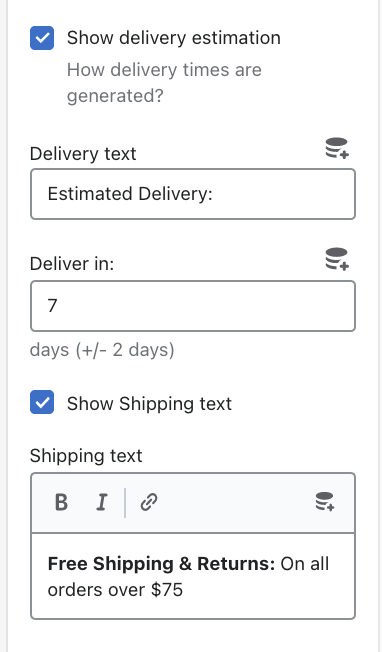
You can enable/ disable the estimated delivery option and shipping text.&#x20;

You can also add preferable info related to the delivery, shipping text, and number of days that the package will arrive.

![](https://1997835572-files.gitbook.io/~/files/v0/b/gitbook-x-prod.appspot.com/o/spaces%2F-MlL6sK9D7unq8F2VPPp%2Fuploads%2FaRwUX7AlE2Tk0RYnGXY9%2FScreen%20Shot%202021-11-17%20at%2021.25.07.png?alt=media\&token=eba3be15-4c42-423d-b5c9-3361634f6614)

#### Buy buttons

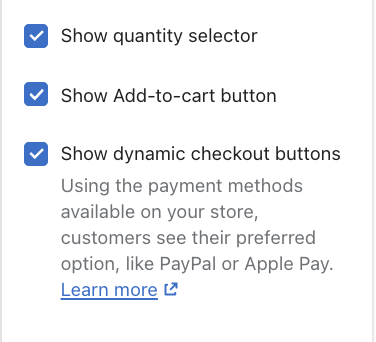
You can enable/ disable the "**Show dynamic checkout button"** to include a direct-to-checkout button. Other buttons such as Add-to-cart or Quantity Selector can be displayed if needed.

![](https://1997835572-files.gitbook.io/~/files/v0/b/gitbook-x-prod.appspot.com/o/spaces%2F-MlL6sK9D7unq8F2VPPp%2Fuploads%2FSPNZJThWegAKMxK6IlMw%2FScreen%20Shot%202021-11-17%20at%2021.30.08.png?alt=media\&token=305b1c6b-5da8-4229-9932-9b1dfb638f9f)

#### Short description

You need to add a metafield with the namespace "descriptor.short\_description" to display a short description.&#x20;

Check out [this article Add metafield](https://shopify.com/admin/metafields/product/create) for more details.

#### Rich text

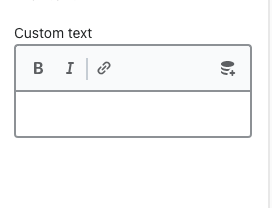
Texts formatted with common formatting options (such as bold and italics style).

![](https://1997835572-files.gitbook.io/~/files/v0/b/gitbook-x-prod.appspot.com/o/spaces%2F-MlL6sK9D7unq8F2VPPp%2Fuploads%2FHGwIJgDkOaWfQzU5wCw3%2FScreen%20Shot%202021-11-17%20at%2021.41.08.png?alt=media\&token=38ca86b0-3de6-41cc-901e-9731e51d9e86)

#### Trust badge

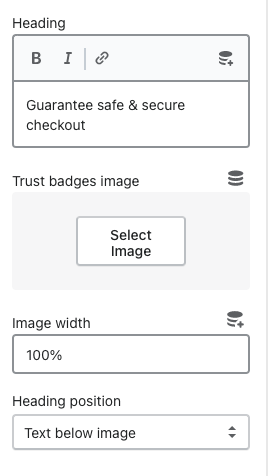
A badge or seal that a store puts on the website to strengthen trust.

You can add a heading and image for the badge.&#x20;

You can control the image width and the heading position.

![](https://1997835572-files.gitbook.io/~/files/v0/b/gitbook-x-prod.appspot.com/o/spaces%2F-MlL6sK9D7unq8F2VPPp%2Fuploads%2F0j4tdbJ2tTNFdwNQVdpf%2FScreen%20Shot%202021-11-17%20at%2021.43.21.png?alt=media\&token=67151144-93dc-4fd8-915c-7042b63d0ac6)

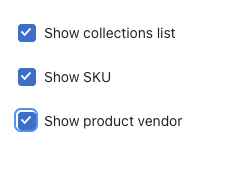
#### Product meta

You can enable/ disable the collection list, SKU, and product vendor.

![](https://1997835572-files.gitbook.io/~/files/v0/b/gitbook-x-prod.appspot.com/o/spaces%2F-MlL6sK9D7unq8F2VPPp%2Fuploads%2FpJenrXwo8EV0ID3gNdbx%2FScreen%20Shot%202021-11-17%20at%2021.45.56.png?alt=media\&token=24ee18c8-deac-4e9e-83ee-be830b205749)

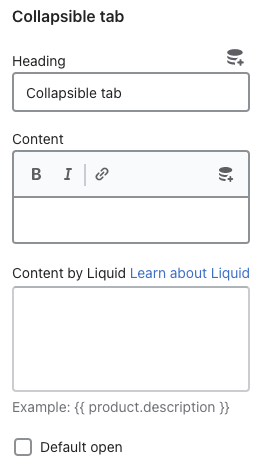
#### Collapsible tab

You can add a heading and the extra information for the tabs.

&#x20;You can also add additional content using custom liquid.

![](https://1997835572-files.gitbook.io/~/files/v0/b/gitbook-x-prod.appspot.com/o/spaces%2F-MlL6sK9D7unq8F2VPPp%2Fuploads%2F49SVxWv23TkhZBlSVLPG%2FScreen%20Shot%202021-11-17%20at%2021.49.40.png?alt=media\&token=e3b0d2d2-16c0-4a45-b258-22a08a886dab)

#### Countdown

You can show a countdown timer and stock countdown from the [FoxKit app](https://app.gitbook.com/s/2gqo9glygWoTkEqRV1dN/).

{% content-ref url="<https://app.gitbook.com/s/2gqo9glygWoTkEqRV1dN/sales-boosting/countdown-timer>" %}
[Countdown timer](https://app.gitbook.com/s/2gqo9glygWoTkEqRV1dN/sales-boosting/countdown-timer)
{% endcontent-ref %}

{% content-ref url="<https://app.gitbook.com/s/2gqo9glygWoTkEqRV1dN/sales-boosting/stock-scarcity>" %}
[Stock scarcity](https://app.gitbook.com/s/2gqo9glygWoTkEqRV1dN/sales-boosting/stock-scarcity)
{% endcontent-ref %}

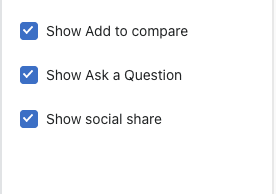
#### Add-on buttons

You can enable/ disable the add-to-compare, ask-a-question, and social share options

![](https://1997835572-files.gitbook.io/~/files/v0/b/gitbook-x-prod.appspot.com/o/spaces%2F-MlL6sK9D7unq8F2VPPp%2Fuploads%2FV3UJZjRG4AFZD46fVeb7%2FScreen%20Shot%202021-11-17%20at%2022.04.14.png?alt=media\&token=313e377d-e881-4f9b-a2e8-026f1a8e0fd7)

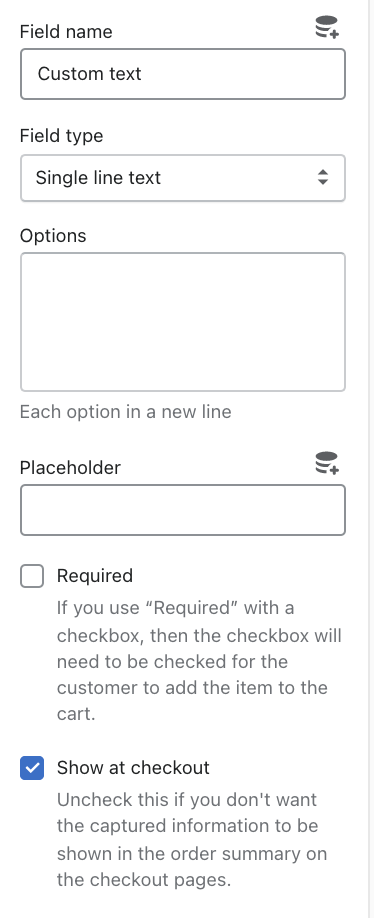
#### Custom content

You can add text in the provided space for the field name, options, and placeholder.&#x20;

You can choose to display this block as "Required", or show it at the checkout.&#x20;

* Required option: The checkbox will need to be checked for the customer to add the item to the cart.

For the field type, there are 3 options:&#x20;

1. single-line text
2. multi-line text
3. select

![](https://1997835572-files.gitbook.io/~/files/v0/b/gitbook-x-prod.appspot.com/o/spaces%2F-MlL6sK9D7unq8F2VPPp%2Fuploads%2F2bIjaU59ApXAk9xp8an3%2FScreen%20Shot%202021-11-23%20at%2019.52.00.png?alt=media\&token=bfca5fd7-e1be-471d-b534-84c81147d60f)

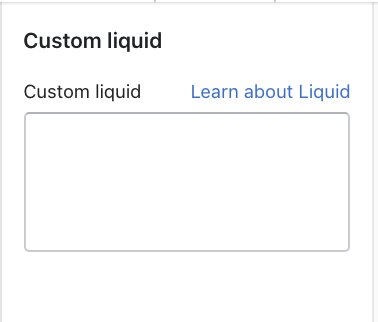
#### Custom liquid

Add codes in the provided field.

![](https://1997835572-files.gitbook.io/~/files/v0/b/gitbook-x-prod.appspot.com/o/spaces%2F-MlL6sK9D7unq8F2VPPp%2Fuploads%2FgRBJoksZn9E0GVMPbqh8%2FScreen%20Shot%202021-11-23%20at%2019.51.16.png?alt=media\&token=68cf0630-cbe8-4f93-8f6b-bca11e1874ad)

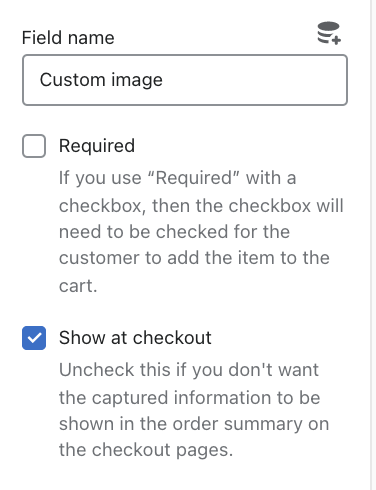
#### Upload image field

Add text in the provided space for the field name.&#x20;

You can choose to display this block as "Required", or show it at the checkout.&#x20;

* Required option: The checkbox will need to be checked for the customer to add the item to the cart

![](https://1997835572-files.gitbook.io/~/files/v0/b/gitbook-x-prod.appspot.com/o/spaces%2F-MlL6sK9D7unq8F2VPPp%2Fuploads%2F3UjCu5Ql1jsSxOCsIUws%2FScreen%20Shot%202021-11-23%20at%2019.51.43.png?alt=media\&token=f963c56a-76ed-4764-a4f9-e074356c504c)

#### Custom tags

Display your custom product tags added using valid formats as shown.

Learn more about Product tags [here](https://docs.foxecom.com/minimog-theme/faqs/collection-page/add-custom-badges-to-my-product-card).

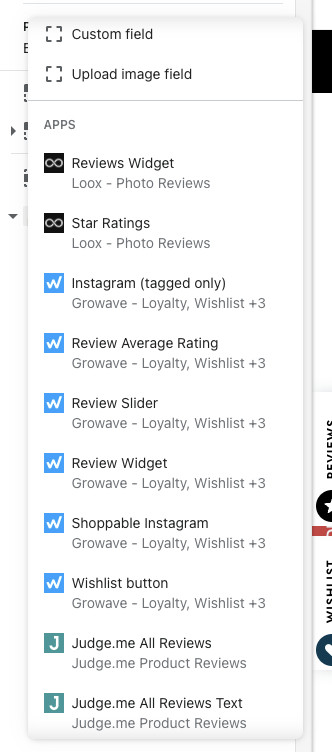
#### Apps block

You can select the suitable app block based on the 3rd-party apps integrated with Minimog theme.

![](https://1997835572-files.gitbook.io/~/files/v0/b/gitbook-x-prod.appspot.com/o/spaces%2F-MlL6sK9D7unq8F2VPPp%2Fuploads%2FhLkcHe1jpD7ME6KuZumn%2F8b9d79c069b1a2effba0.jpeg?alt=media\&token=2c235239-8591-4b36-8938-753f30059c70)

Learn more about Product tags [here](https://docs.foxecom.com/minimog-theme/faqs/collection-page/add-custom-badges-to-my-product-card).

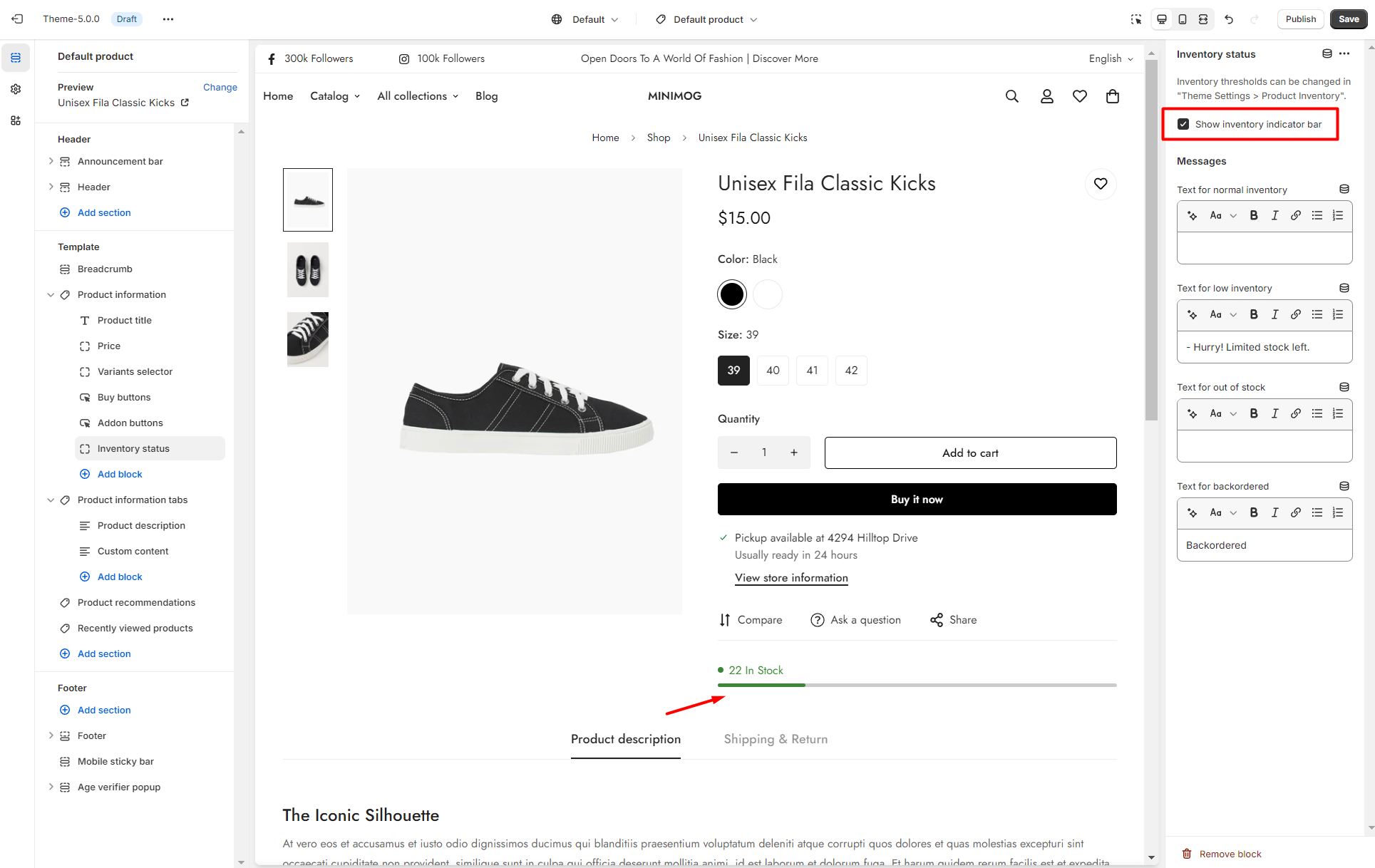
#### Inventory status

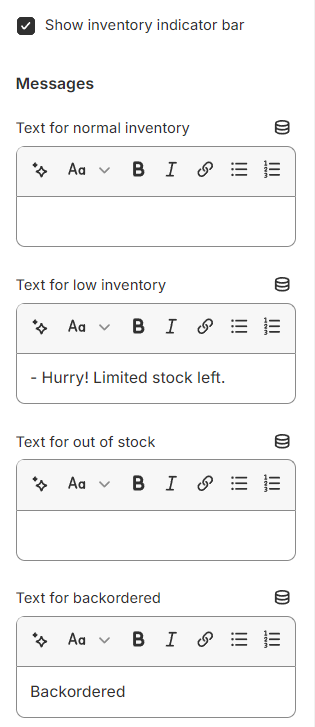
Create scarcity, increase the perceived value of your products, and push your customers to make faster buying decisions with the **Inventory status** block.

To set the threshold for the product inventory, see [product-inventory](https://docs.foxecom.com/minimog-theme/theme-settings/product-inventory "mention")

For the product page, you can determine whether to **show or hide the indicator bar**:

<figure><img src="https://1997835572-files.gitbook.io/~/files/v0/b/gitbook-x-prod.appspot.com/o/spaces%2F-MlL6sK9D7unq8F2VPPp%2Fuploads%2FAySyGObsDm019U6m6IkK%2Fimage.png?alt=media&#x26;token=9f6dd5f8-4286-4b3d-86c9-614153c2577f" alt=""><figcaption></figcaption></figure>

Set the **messages** for your status or leave them blank.
<figure><img src="https://1997835572-files.gitbook.io/~/files/v0/b/gitbook-x-prod.appspot.com/o/spaces%2F-MlL6sK9D7unq8F2VPPp%2Fuploads%2FjmAb2dyDQ6ciwUlFZFWw%2Fimage.png?alt=media&#x26;token=d71564f8-9e52-49cc-bec6-c13a45dd500e" alt=""><figcaption></figcaption></figure>