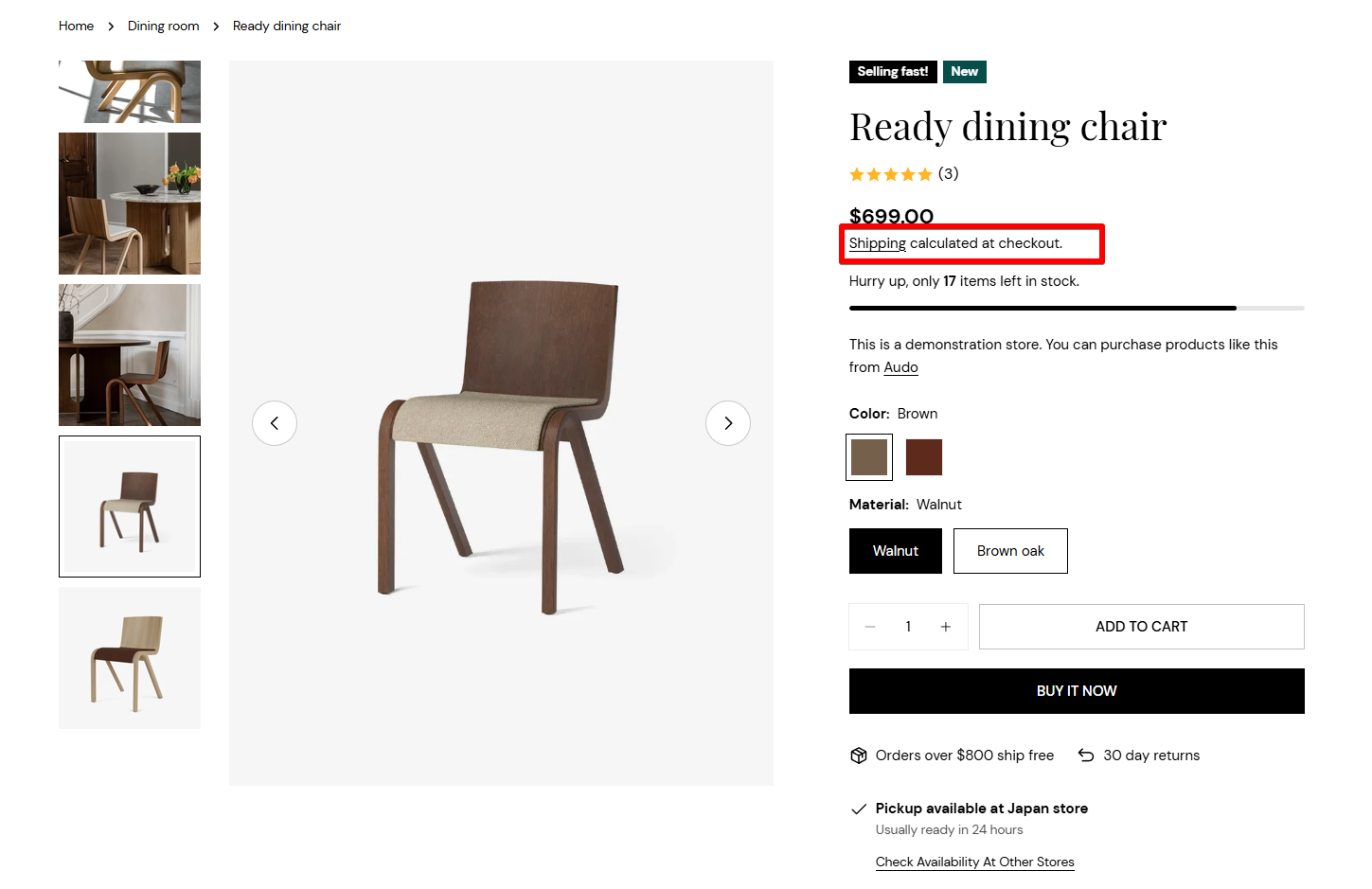
# Remove text Tax included and Shipping calculated at checkout below the product price

By default, Shopify adds a note under the product price that says **“Tax included”** and **“Shipping calculated at checkout”** — but in many cases, you might want to hide this to keep things clean.

Here’s how you can remove it using your Shopify settings — no need to touch theme code! 🙌

<figure><img src="https://3064615700-files.gitbook.io/~/files/v0/b/gitbook-x-prod.appspot.com/o/spaces%2F3yE7VVjvl0MgK6awOPKB%2Fuploads%2FDc2fIKnGRcyR6mKeP0ya%2Fimage.png?alt=media&#x26;token=73714420-c219-41b5-9cd2-232cbd365192" alt=""><figcaption></figcaption></figure>

{% hint style="success" %}
Steps:

1. From Shopify admin, navigate to **Online Store > Themes**.
2. Next to the theme you want to make change to, click **Actions > Edit default theme content**.
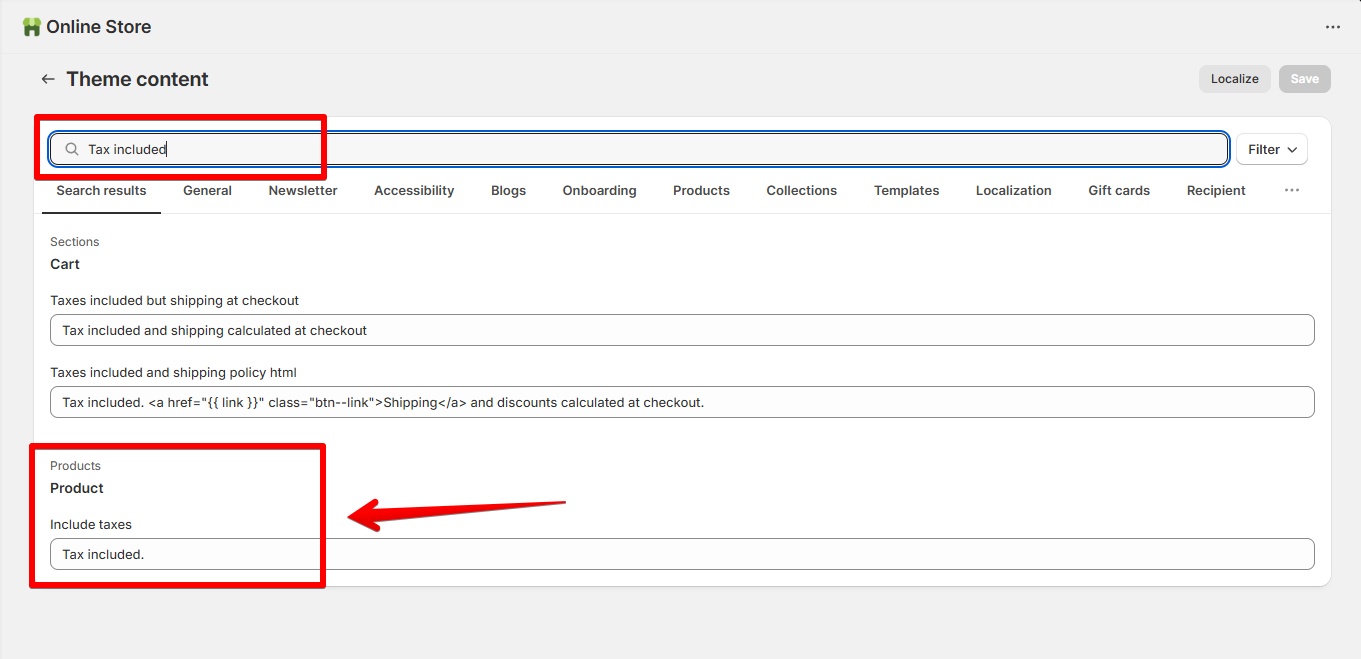
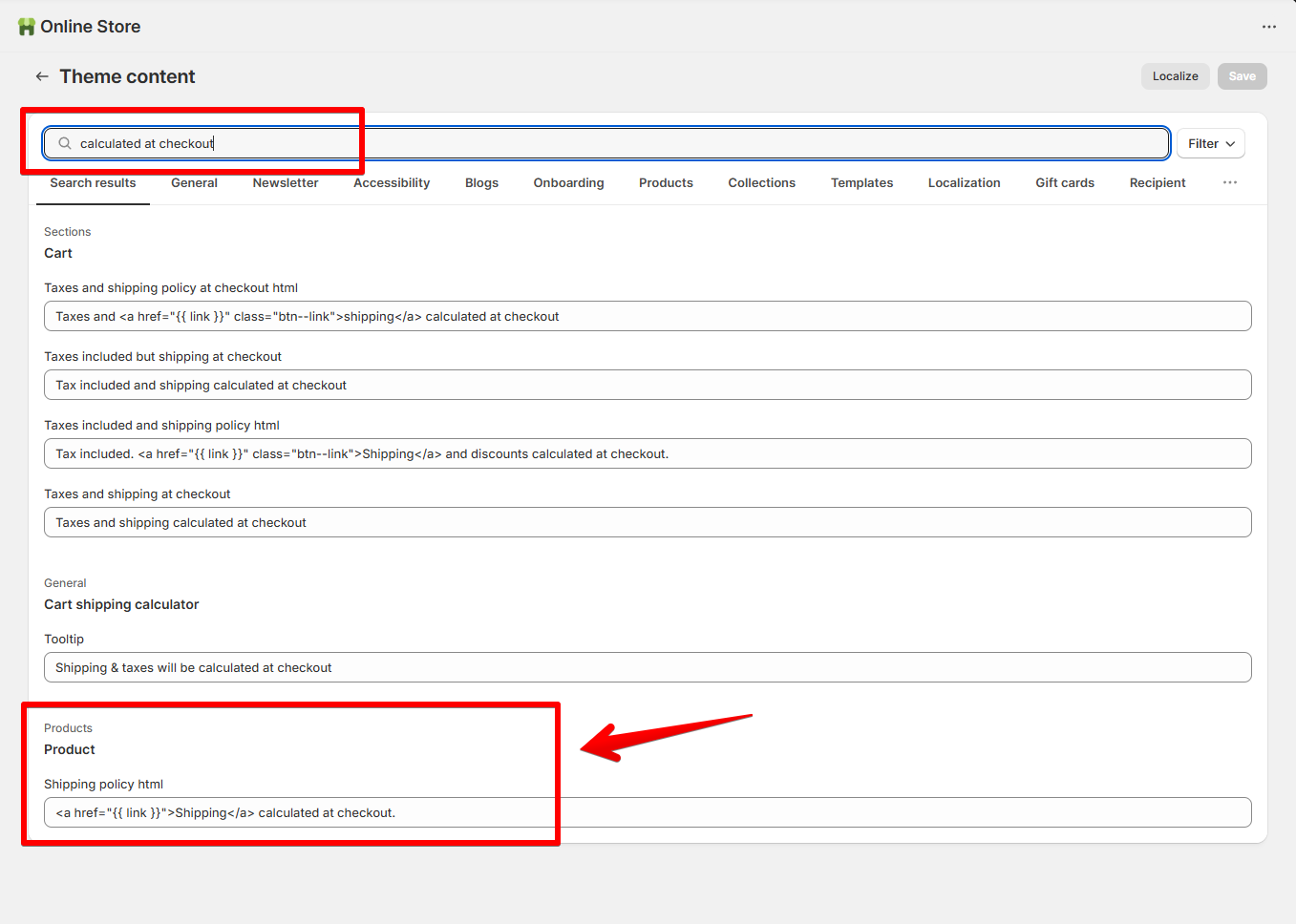
3. Search for the text you want to remov&#x65;**:**&#x20;

```
Tax included
```

```
calculated at checkout
```

and delete it.
{% endhint %}

<figure><img src="https://3064615700-files.gitbook.io/~/files/v0/b/gitbook-x-prod.appspot.com/o/spaces%2F3yE7VVjvl0MgK6awOPKB%2Fuploads%2FrhhxEjf6Q3T7aI8GJPfH%2Fimage.png?alt=media&#x26;token=2b7485f7-1b53-4084-aac9-c08727ce7a28" alt=""><figcaption></figcaption></figure>

<figure><img src="https://3064615700-files.gitbook.io/~/files/v0/b/gitbook-x-prod.appspot.com/o/spaces%2F3yE7VVjvl0MgK6awOPKB%2Fuploads%2FP9CbMO6JiVMBkAr8Ygv5%2Fimage.png?alt=media&#x26;token=a50e440a-eee0-4c11-8a86-bd55817a7284" alt=""><figcaption></figcaption></figure>

{% hint style="info" %}
You can also replace the text with your own custom message.
{% endhint %}