# Related products

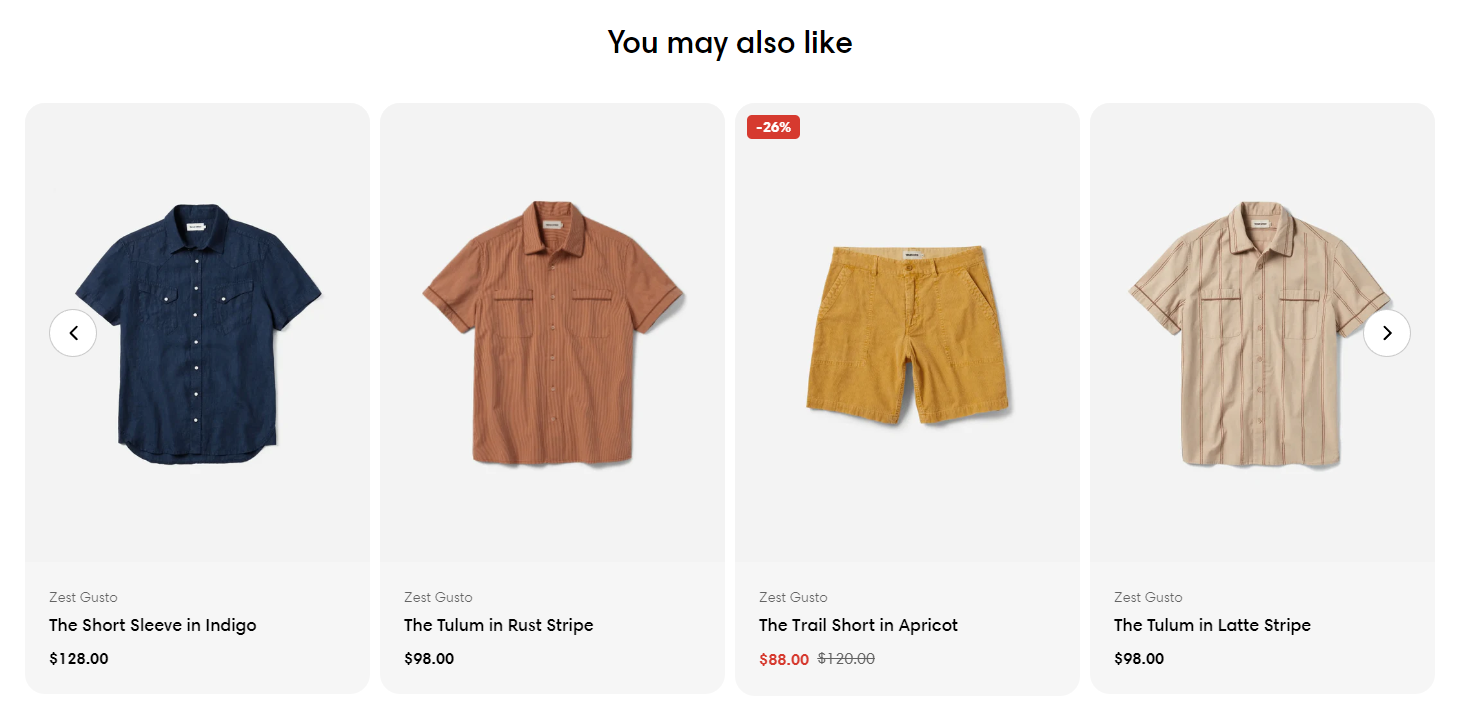
Related products are products that are similar to a selected product. You can display potential substitutes to help customers discover other similar products they might like.

<figure><img src="https://3064615700-files.gitbook.io/~/files/v0/b/gitbook-x-prod.appspot.com/o/spaces%2F3yE7VVjvl0MgK6awOPKB%2Fuploads%2FyQBBthB2o7kPjgS6KXv6%2Fimage.png?alt=media&#x26;token=d3f5d2d2-1a97-4643-bfa0-fa79be62669e" alt=""><figcaption></figcaption></figure>

## How to add the Related products to your product page

{% hint style="success" %}
Steps

1. In the theme editor (**Customize**), open the template selector
2. Select **Products**, then **Default product.**
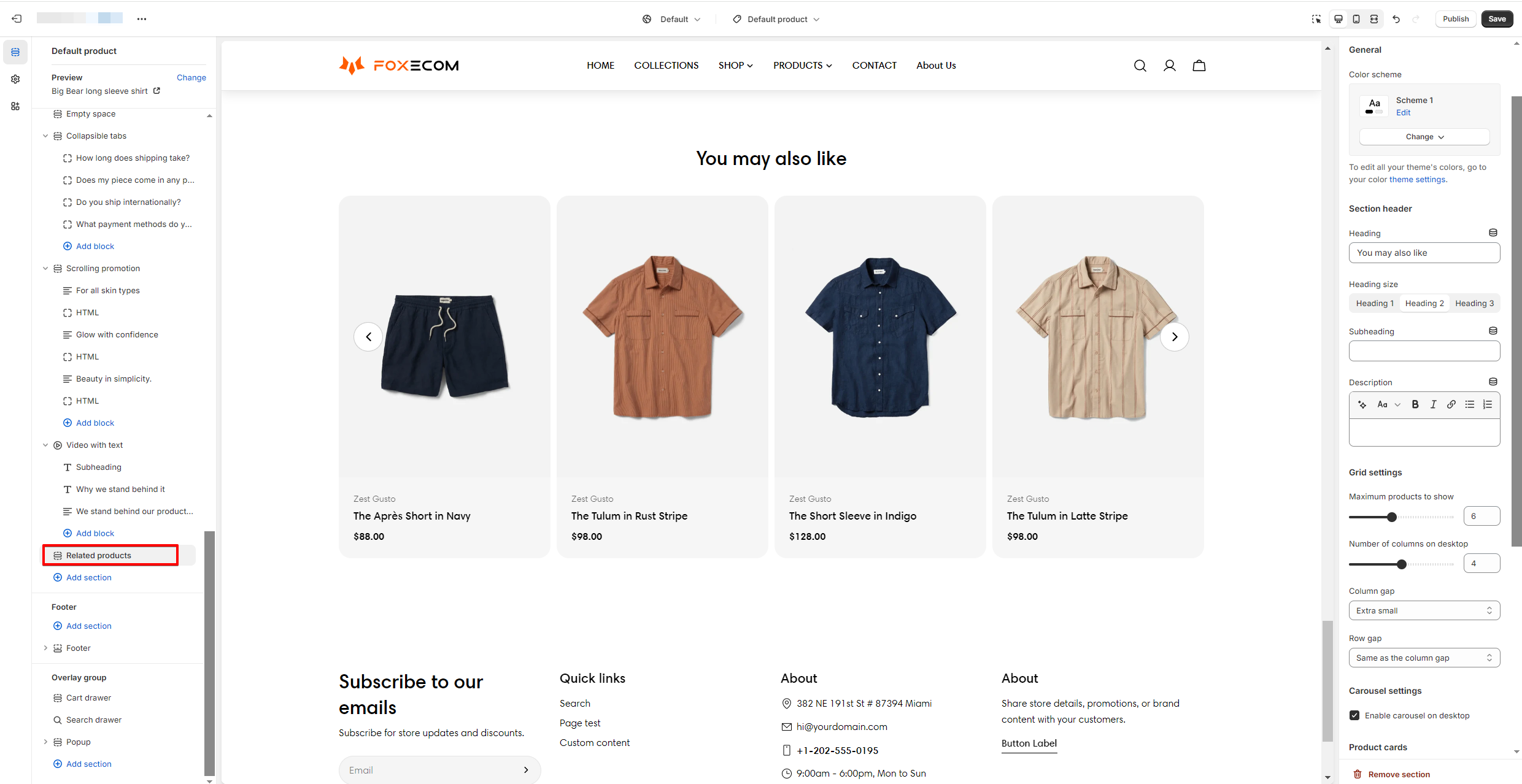
3. On the left-side bar, add **Related products.**
4. Make necessary changes **> Save.**
   {% endhint %}

You can adjust the elements based on your needs to display the recommendation section such as heading, number of products to show, per row, etc. in the section settings.

<figure><img src="https://3064615700-files.gitbook.io/~/files/v0/b/gitbook-x-prod.appspot.com/o/spaces%2F3yE7VVjvl0MgK6awOPKB%2Fuploads%2FYA8OcLmZb8SNelkQAEIj%2Fimage.png?alt=media&#x26;token=722ebb7a-dea6-45dd-b4ed-b92848fbddbd" alt=""><figcaption></figcaption></figure>

## Automatically generated product recommendations <a href="#automatically-generated-product-recommendations" id="automatically-generated-product-recommendations"></a>

Related product recommendations are automatically generated for each product in your store. When you're customizing recommendations for a product in the Search & Discovery app, you can see a preview of the generated recommendations.

Shopify has built-in strategies to adjust these product recommendations based on products that are commonly purchased together, have a similar product description, or products in related collections. Each strategy has its own requirements in order to be used:

* Purchase history: The product needs previous sales to assess buying behavior.
* Product description: Only available to merchants with an English storefront.
* Related collections: Used when recommendations based on purchase history and product descriptions aren't available.

It's not possible to edit the generated product recommendations, but you can [add your own recommendations](https://help.shopify.com/en/manual/online-store/search-and-discovery/product-recommendations#create-product-recommendations) manually.

The generated recommendations for a product change frequently. It is common to have different recommendations when you revisit a product page as Shopify suggests new products that might be more relevant to shoppers. The product recommendations previewed in the Search & Discovery app will often be different than storefront for this reason.

## Create product recommendations <a href="#create-product-recommendations" id="create-product-recommendations"></a>

Customize product recommendations that display on your product page.

#### Steps: <a href="#steps" id="steps"></a>

1. In the Shopify Search & Discovery app, click **Product recommendations**, and then click **Add recommendations**.
2. Select a product that you want to customize product recommendations for.
3. Select up to 10 **Complementary products**.
4. Select up to 10 **Related products** to recommend. Set the product to display only the custom recommendations or to display both custom recommendations and automatically generated recommendations.
5. Click **Save**.