# Cart & Checkout
## Checkout
For the checkout page, merchants can check the instructions in the link below.
Steps
1. In the theme editor (**Customize**), open the template selector.
2. Select **Checkout.**
3. Make necessary changes.
4. **Save.**
Checkout
## Cart
For the cart page, merchants can add any section that is listed in the [Theme sections](https://docs.foxecom.com/megamog-theme/theme-sections/before-after-image-slider). Nevertheless, there is a section designed specifically for the cart page.
Steps
1. In the theme editor (**Customize**), open the template selector
2. Select **Cart**
3. On the left-side bar, select **Cart template.**
4. Make necessary changes **> Save.**
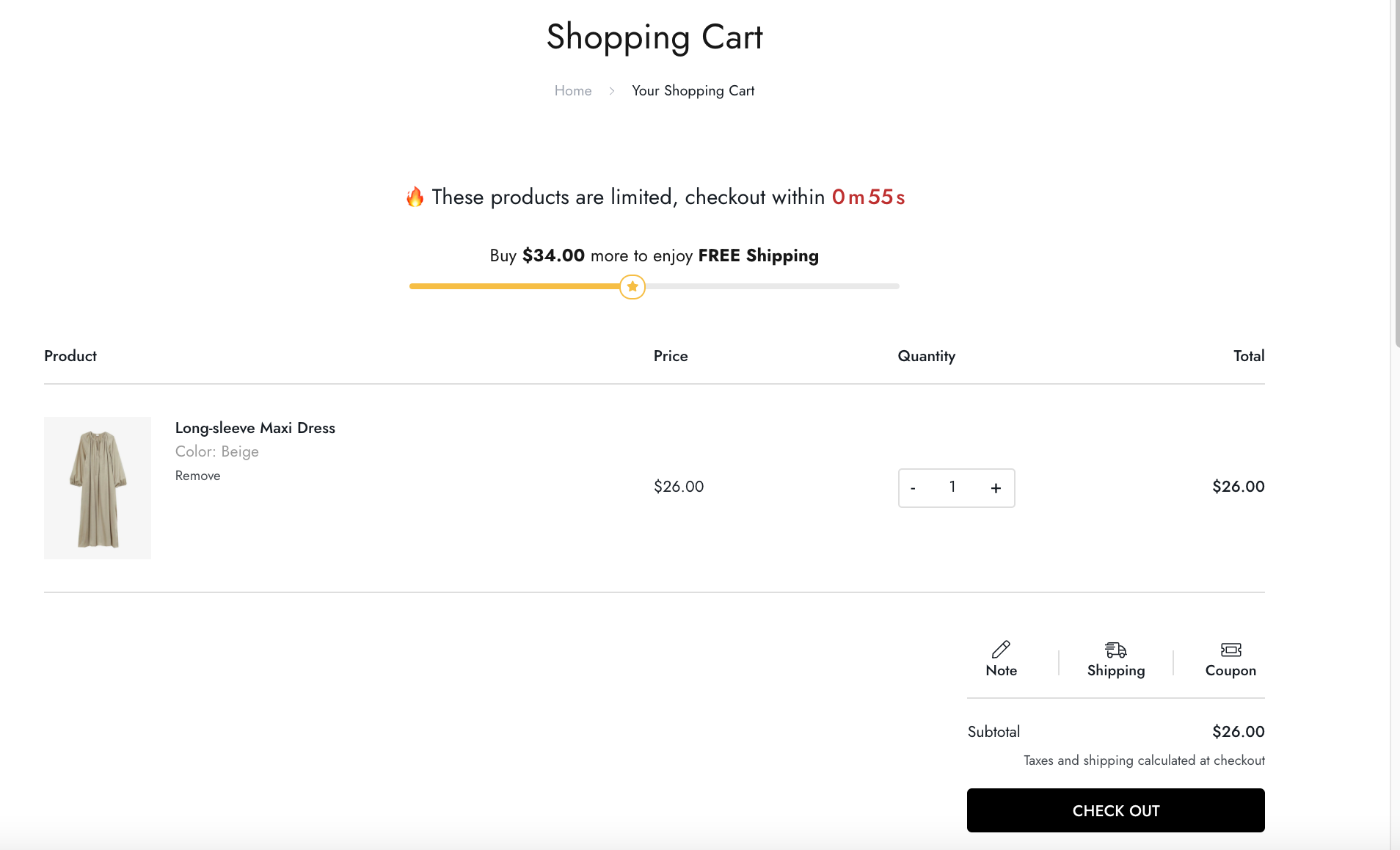
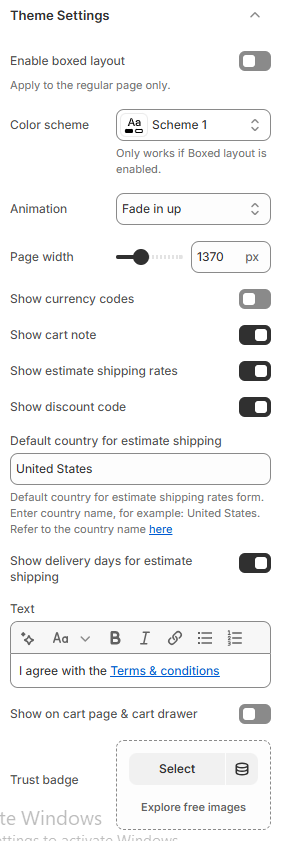
* **Show cart note**: allow users to add any additional for the store to check before shipping out.
* **Show discount code**: provide any special promotion coupon
* **Show estimate shipping rates**: users enter their address to determine the shipping fee.
* **Show currency codes**: Display currency codes (e.g., USD, EUR) next to prices to clarify which currency is being used.
* **Show delivery days for estimate shipping**: display estimated delivery days.
* **Show on cart page & cart drawer**: display the **Text** on both cart page and drawer
* **Trust badge** image.