
WorkflowsUnderstanding workflow conditions
Workflow condition: An event occurred
4 min read
_zwfp61x7.jpg)
Before you begin
- New to workflows? Take a quick look atHow workflows work andUnderstanding workflow conditions to get up to speed.
- You can also check out the Workflow condition: Customer criteria to unlock more flexible workflow paths.
Description
- Event: Select event type.
- Email: Select the email used in any action within the workflow (Optional — leave blank to apply to all emails).
Available events
| Available events | Condition | Evaluates to | Use case |
|---|---|---|---|
| Email opened | email.opened | True if customer opened any email in this workflow | Send follow-up only if customer engaged |
| Email clicked | email.clicked | True if customer clicked any link in the email | High-intent customers get priority offers |
| Customer unsubscribed | customer.unsubscribed | True if customer opted out of notifications | Stop all further communications |
| Customer purchased | customer.purchased | True if customer bought the product (within attribution window) | Stop follow-ups after conversion |
Explore more: Available triggers, actions, and conditions
Example of workflow condition: An event occurred
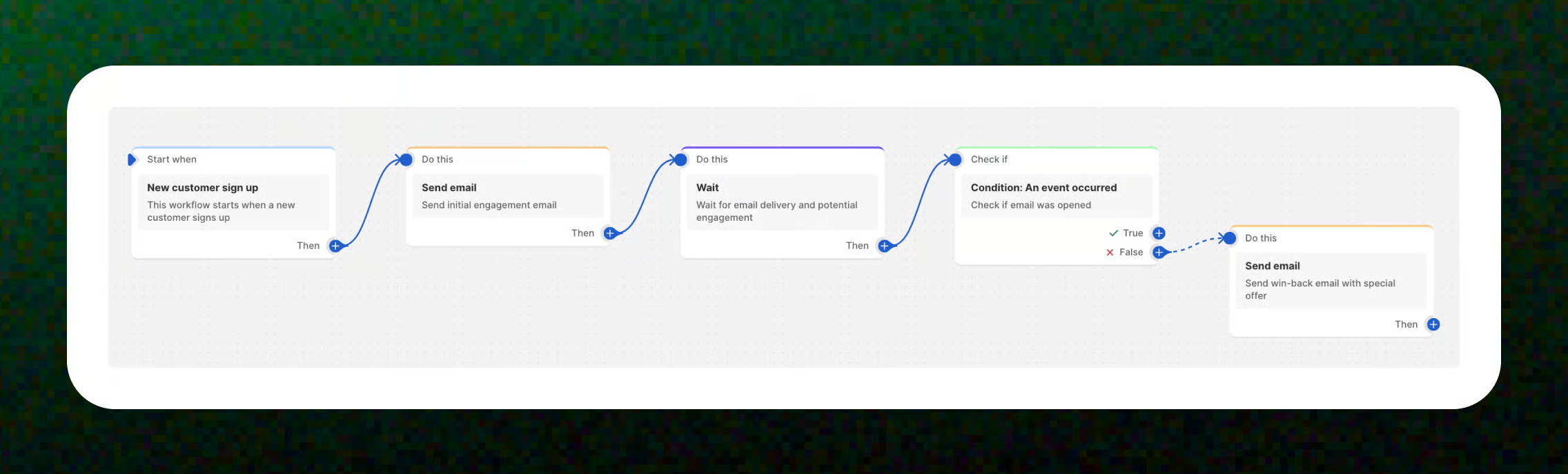
Example 1: An event occurred - Email opened
→ Action (If False): Send email (Send win-back email with special offer)
🔗 Learn more: Win-back campaign for inactive subscribers
🔗 Learn more: Win-back campaign for inactive subscribers
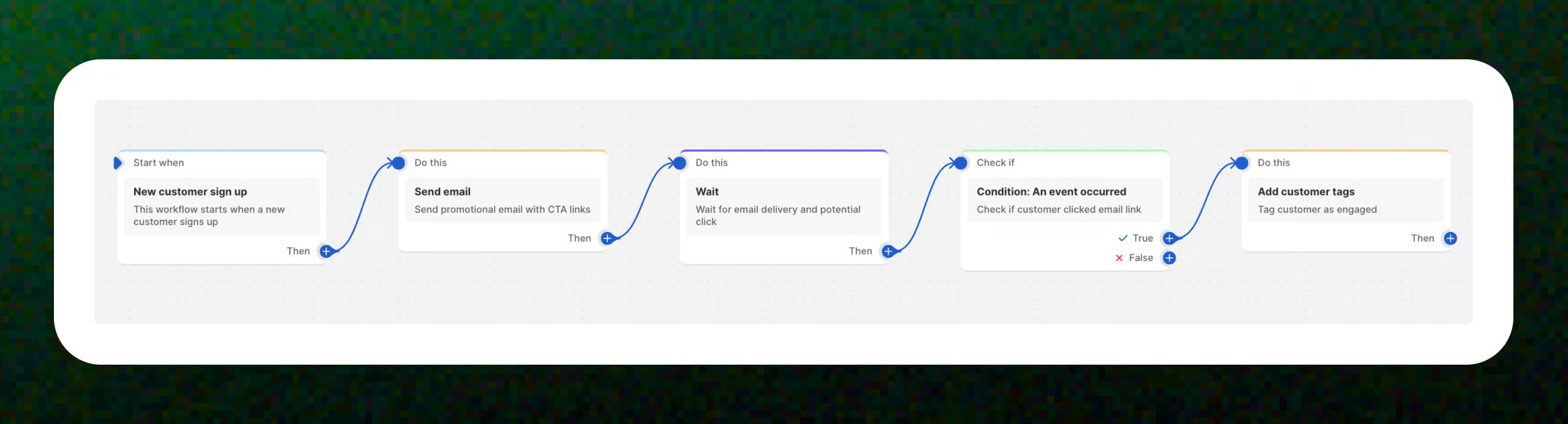
Example 2: An event occurred - Email clicked
→ Action (If True): Add customer tags (Tag customer as engaged)
⚠️ Without CTA links in your email, the “Email clicked” event cannot be detected.
🔗 Learn more: Tag engaged customers after email click
⚠️ Without CTA links in your email, the “Email clicked” event cannot be detected.
🔗 Learn more: Tag engaged customers after email click
Example 3: An event occurred - Customer unsubscribed
_3IvX6LMu.jpg)
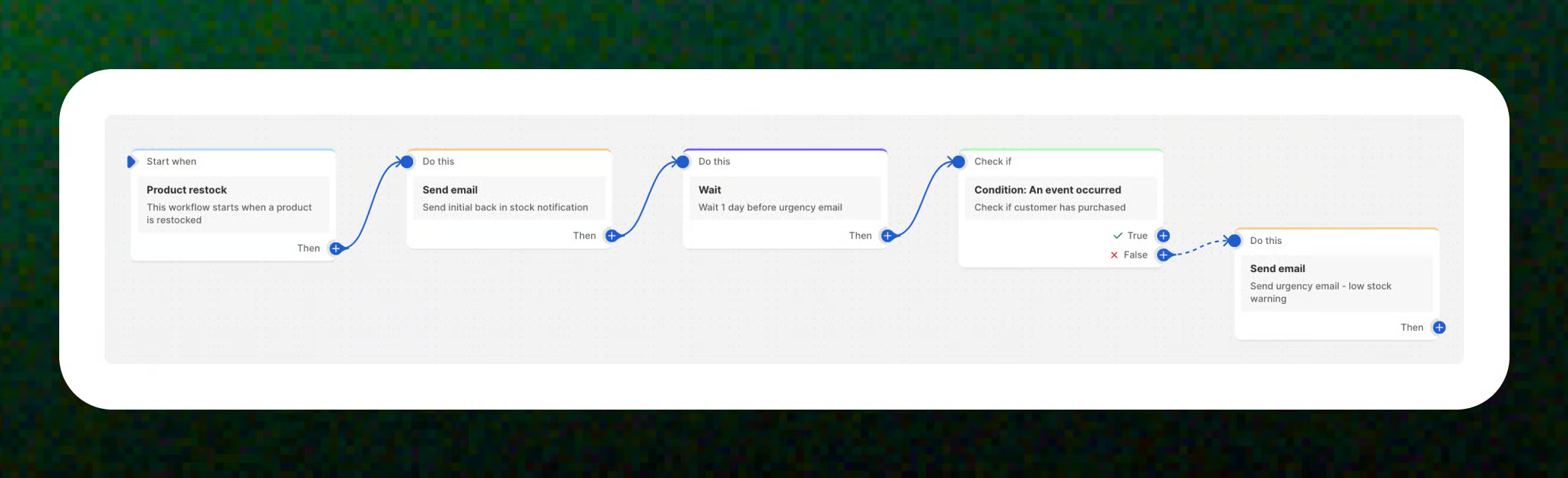
Example 4: An event occurred - Customer purchased
→ Action (If False): Send email (if the customer has not purchased, send a follow-up "low stock warning" email to create urgency)
🔗 Learn more: Urgency back in stock notification
🔗 Learn more: Urgency back in stock notification
Best practices
- Add a Wait step: Include a Wait action before adding a condition. This gives your customers a little breathing room to open the email and check out your message.
- Include a clickable link: If you want to track Email clicked, make sure your email includes a button or link. No link = no clicks to track 😉
- Create urgency with follow-ups: Use the False path (for customers who haven’t purchased yet) to send a friendly reminder, such as a “Limited stock available!” message. This can help encourage last-minute conversions.
- Keep your mailing list clean: Use the Unsubscribe condition to automatically remove users who opt out. This helps maintain a healthy list and ensures you’re only communicating with engaged subscribers. Learn more: How the unsubscribe link works?
Related articles
How workflows work
Available triggers, actions, and conditions
Get started with workflow templates library
Create a workflow
Last updated