# What is XFLow
If you don’t have XFlow installed yet, you can quickly add it here:
## What is XFlow
XFlow is a **back-in-stock automation app** for Shopify designed to help online stores recover lost sales by sending **smart, personalized back-in-stock email alerts**. It automatically notifies customers when out-of-stock products are restocked, driving higher engagement and conversions without requiring any coding.
It combines personalized emails and an advanced automation builder to help Shopify stores never miss a sale again.
## Who should use XFlow
XFlow is ideal for Shopify merchants who want to recover lost sales and improve customer engagement through automated back-in-stock notifications.
XFlow is best suited for:
* **E-commerce store owners** looking to convert out-of-stock demand into sales
* **Marketing teams** who want to run personalized, automated email campaigns without coding
* **Growth and retention teams** focused on increasing conversions and reducing missed revenue
* **Stores with frequent stockouts** that want to capture demand instead of losing customers
* **Teams that need scalable automation**, reusable workflows, and performance tracking
Whether you’re a small Shopify store or a growing brand with multiple campaigns, XFlow helps you turn restock alerts into a reliable revenue channel — simply and efficiently.
## What are the benefits of using XFlow
XFlow introduces a more flexible and scalable approach to back-in-stock workflows. Below are the key benefits that make XFlow stand out and empower Shopify merchants to recover more revenue with greater efficiency:
* **Recover lost sales:** Re-engage customers who showed interest in out-of-stock products and convert demand into revenue.
* **Automated back-in-stock alerts:** Automatically notify customers as soon as products are restocked, saving time and effort.
* **Personalized customer communication:** Send tailored emails to different customer segments for higher engagement and conversions.
* **No-code automation workflows:** Easily build and manage notification workflows using triggers, conditions, and actions — no technical skills needed.
* **Reusable workflows and templates:** Create workflows and email templates once and reuse them across multiple campaigns.
* **Multiple campaign management:** Run and manage multiple back-in-stock campaigns simultaneously from a single platform.
* **Performance tracking and optimization:** Monitor campaign performance and optimize emails to improve conversion rates.
* **Internal notifications:** Notify your team about restock demand or new subscribers to stay informed and act quickly.
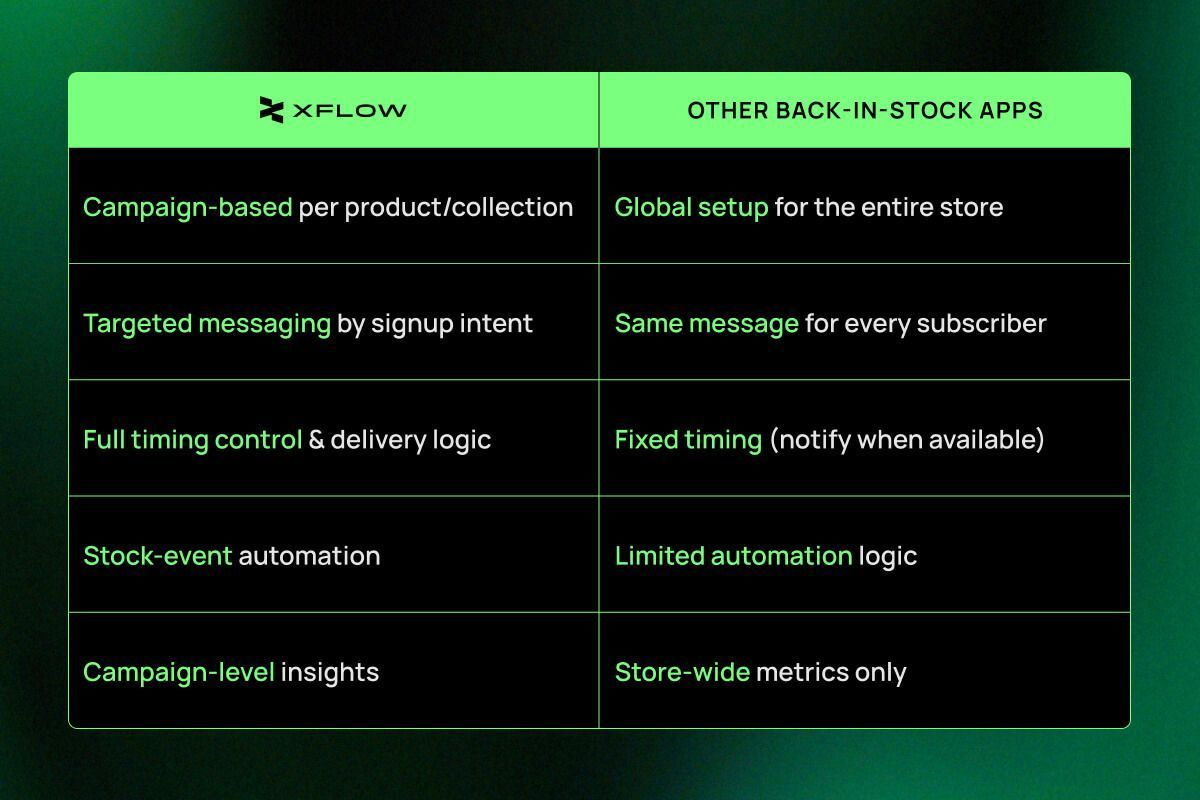
## How does XFlow work
### Automated workflows
Build automation workflows using triggers, conditions, and actions to define when and how notifications should be sent.
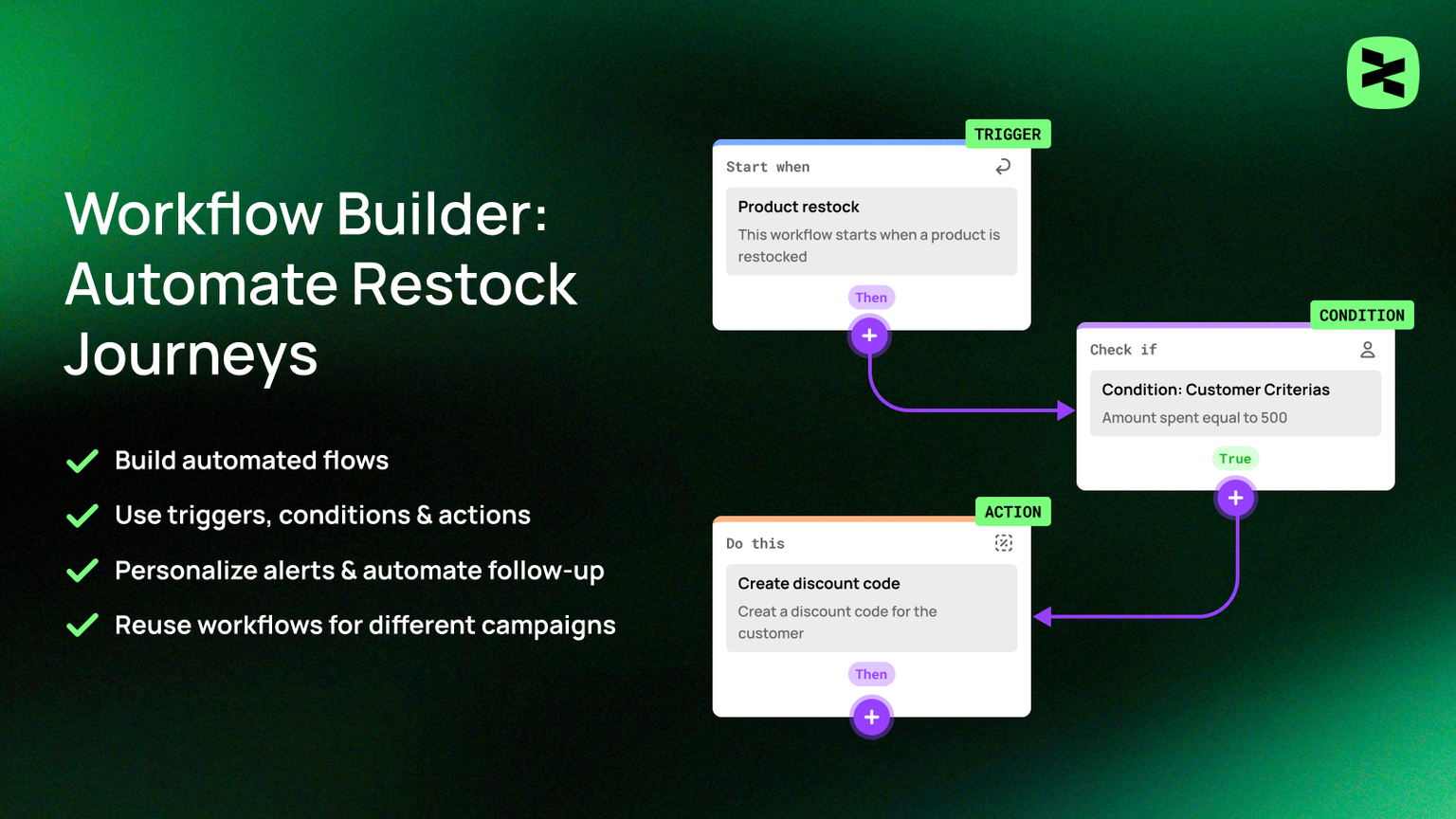
Workflows
### Build high-converting emails
Design reusable email templates and personalize content to match different products and customer segments.
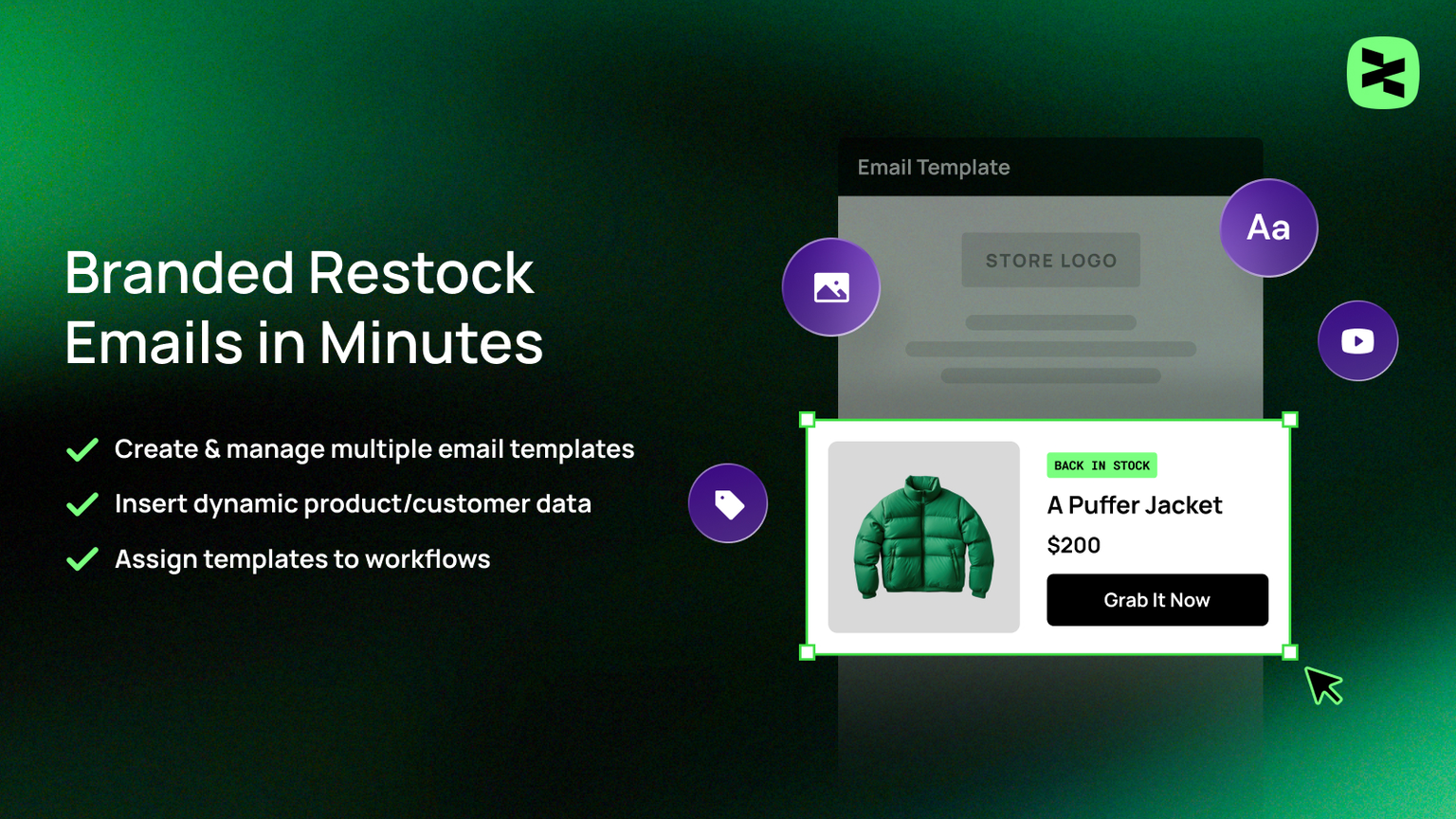
Email templates
### Multiple targeted campaigns
Link workflows and templates together into campaigns that manage your back-in-stock notifications.
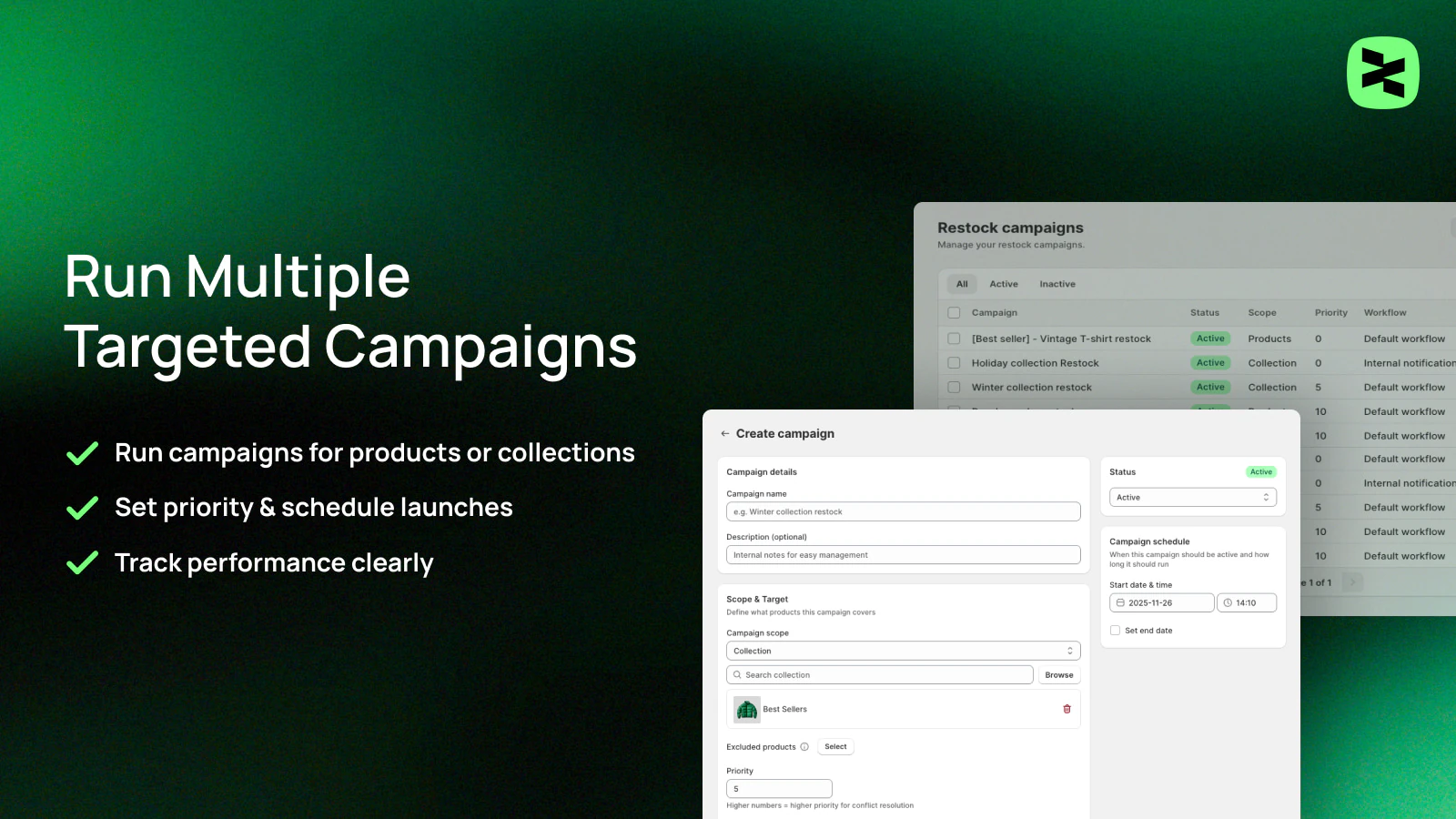
Campaigns
### Send automated notifications & track results
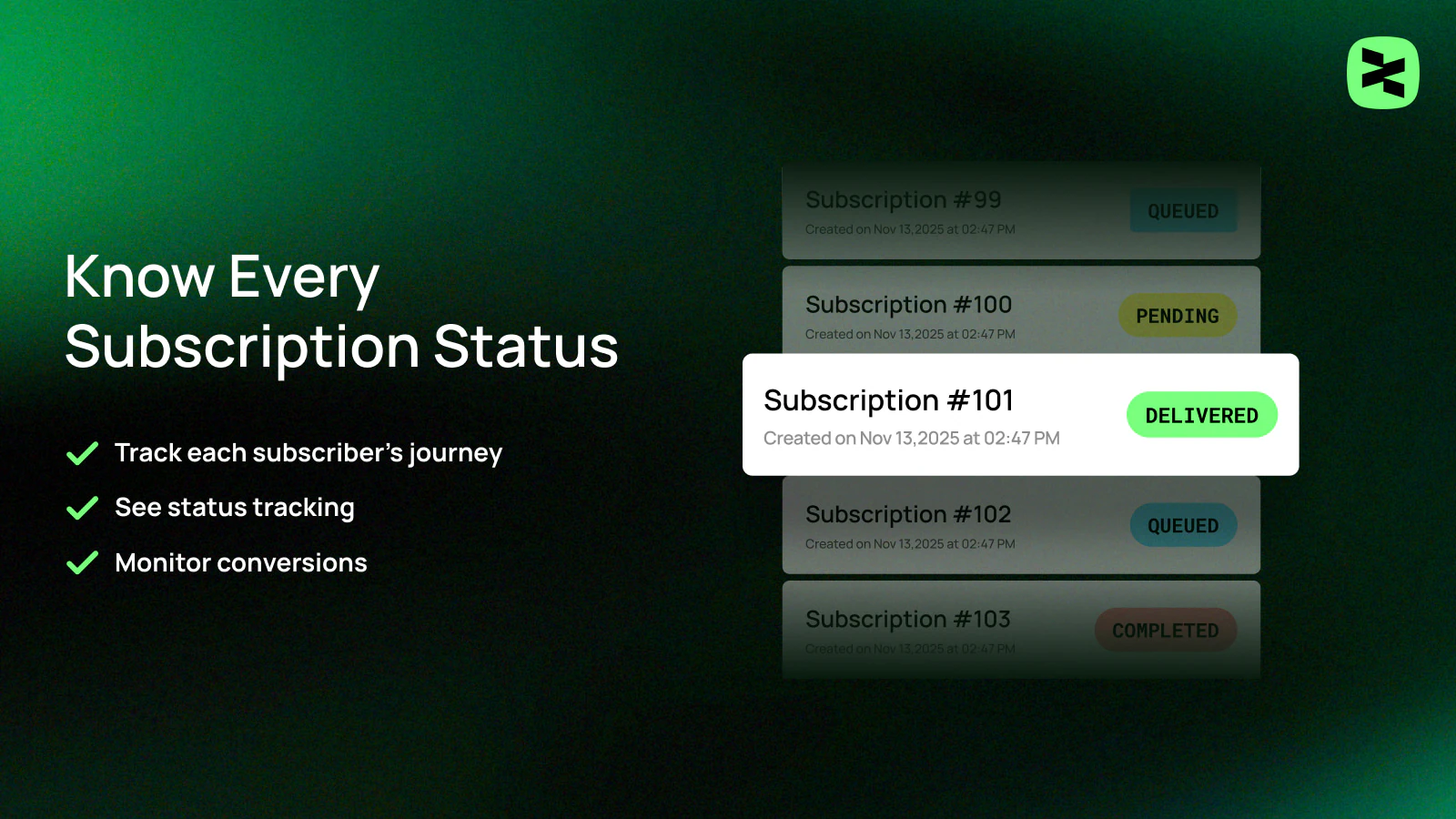
Personalized back-in-stock emails are sent automatically, while performance data is collected to help optimize future campaigns.
Store management
## What use cases can XFlow power for your store?
Here are some common and high-impact use cases you can leverage with XFlow to recover lost sales and improve customer engagement.
Automatically notify customers the moment out-of-stock products are restocked. XFlow detects restock events and sends timely emails to interested shoppers, helping you capture existing demand without manual effort.
Engage new subscribers and customers from day one with automated welcome messages. XFlow enables you to send timely, personalized emails that introduce your brand, set expectations, and build early trust—helping turn new sign-ups into long-term customers.
Create and deliver exclusive campaigns with targeted discounts for VIP and loyal customers based on their purchase behavior or engagement. XFlow helps you reward your most valuable customers at the right time, increase retention, and encourage repeat purchases
Keep internal teams aware of high-value subscriber activity with automated notifications. XFlow identifies important subscriber events, such as new sign-ups or returning high-value customers, and sends timely internal alerts, enabling your team to prioritize follow-up, respond faster, and deliver more personalized engagement without manual monitoring.
## Related articles
Quick start guideKey concept overviews