# Qikify Quantity Discount
## What is Qikify Quantity Discount?
Qikify Quantity Discount motivates customers to increase their cart size using volume discounts, quantity breaks, or mix-and-match product bundles. It is the perfect tool for wholesale pricing, bulk orders, or seasonal promotions, allowing customers to save more as they purchase larger quantities.
The app enables you to apply percentage or fixed discounts to specific products or collections and offer tiered free gifts to further drive purchase intent. You have full creative control over the widget—customize colors, fonts, and layouts, or use custom CSS to ensure it perfectly matches your brand identity.
**What you can do with Qikify Quantity Discount:**
* Quantity Breaks: Set up tiered pricing (e.g., Buy 3 get 10% off, Buy 5 get 20% off).
* Mix & Match Bundles: Allow customers to combine different items into a single bundle to trigger a discount.
* Tiered Free Gifts: Automatically reward customers with free gifts when they reach specific quantity or value milestones.
* Unlimited Customization: Use the visual editor to adjust colors, text, and layouts, or apply custom CSS for a seamless fit.
## How to use Qikify Quantity Discount in Foxify Smart Page Builder
### Install Qikify Quantity Discount from the Shopify App Store
Before using the app widget in Foxify, you need to install the app in your Shopify store and configure its settings. If you’re new to this app, check [its documentation](https://help.qikify.com/en/category/qikify-quantity-discount-jy3mk3/) to understand how it works.
Steps:
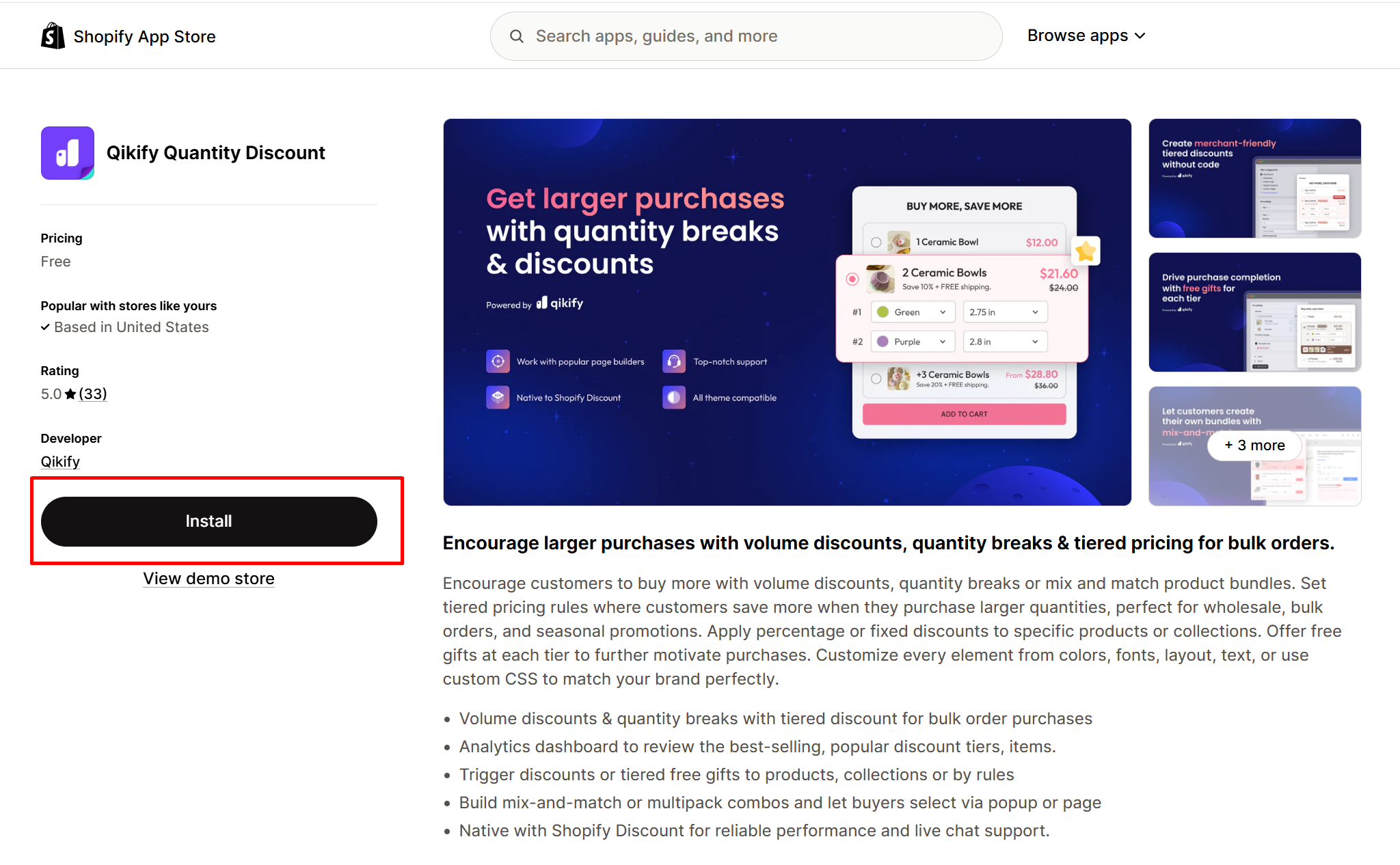
1. Log in to the Shopify App Store.
2. Find the [**Qikify Quantity Discount** app](https://apps.shopify.com/qikify-bundles-quantity-break) and click **Install**.
3. In your Shopify admin, to authorize the use of the app, click **Install.**
After the app is installed, you can view and use it from the **Apps** page in your Shopify admin.
Here’s how you can insert **Qikify Quantity Discount** inside your templates.
### Set up **Qikify Quantity Discount** with Foxify
Qikify Quantity Discount has been integrated as a built-in extension in Foxify Smart Pagebuilder, so all you need to do is:
Steps:
1. In your **Foxify dashboard**, open a page (or create a new one) in which you want to embed **Qikify Quantity Discount** feature.
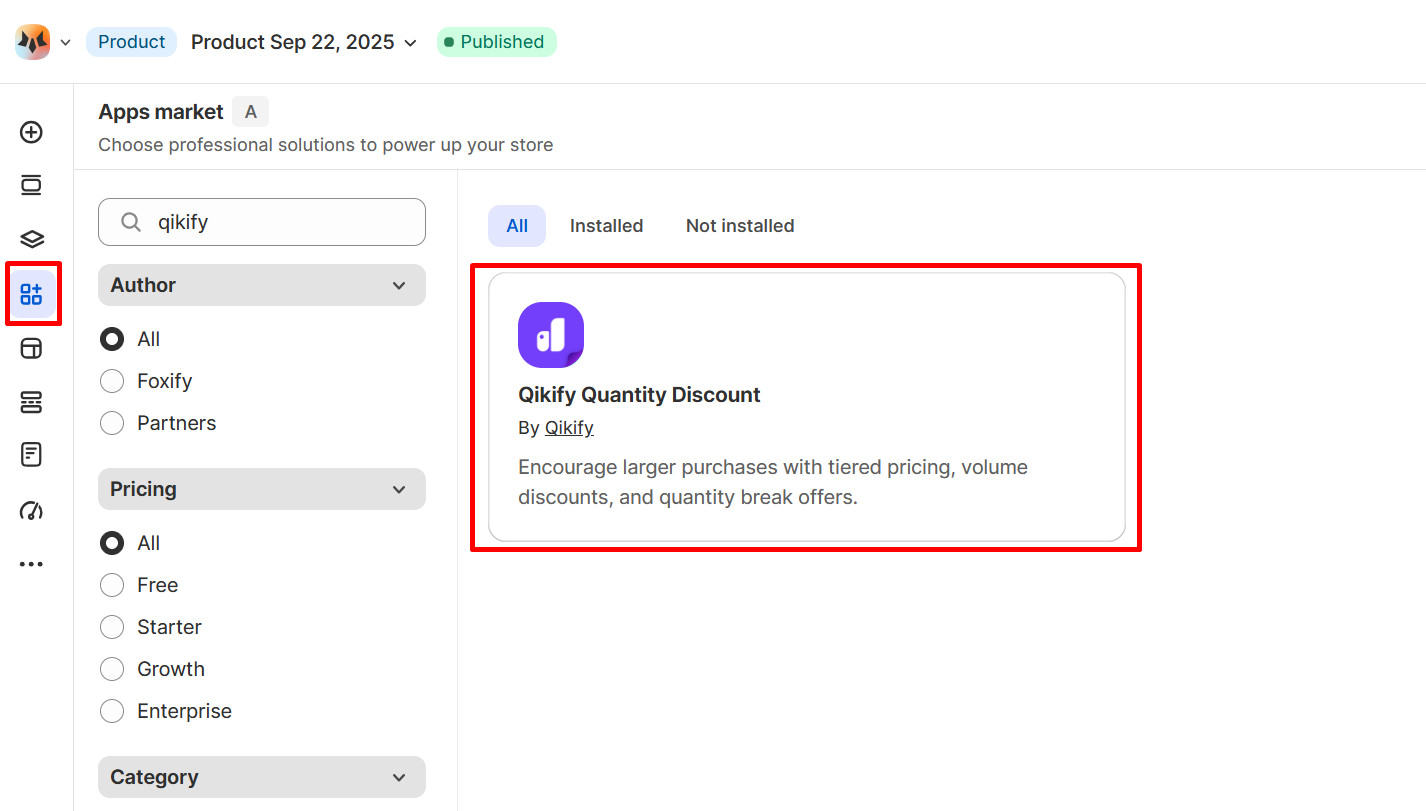
2. On the left sidebar, select **Apps Market**; or press \[A].
3. **Filter for Author: Partner**, look for **Qikify Quantity Discount.**
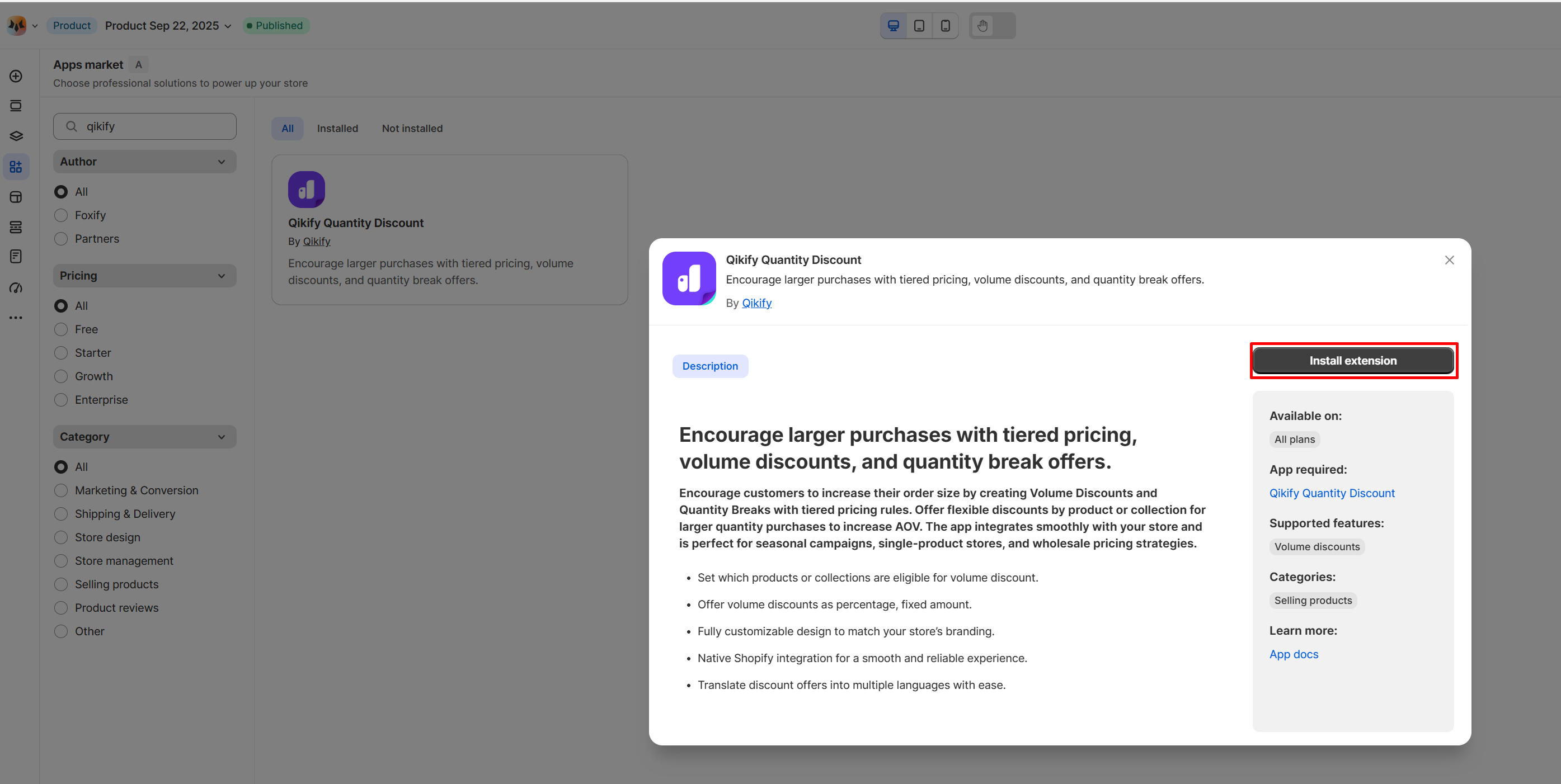
4. Choose **Install Extension.**
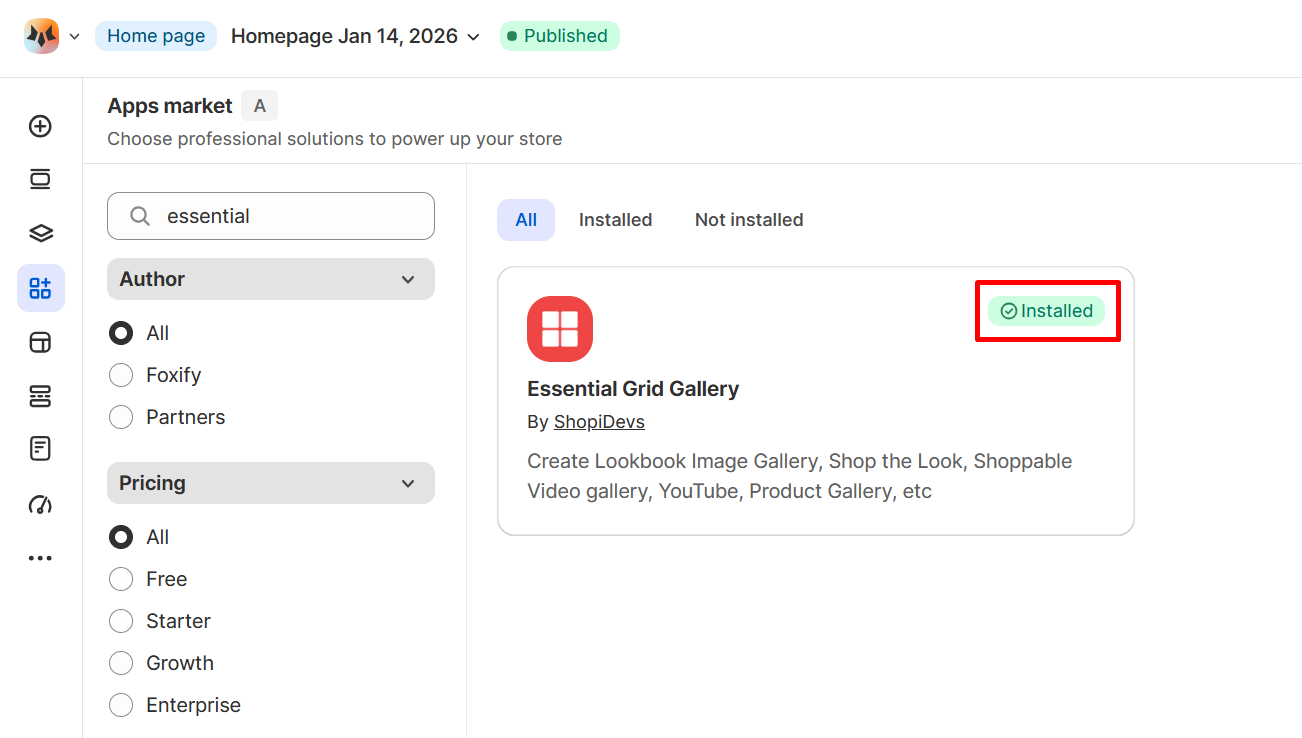
Once you see a green **checkmark** next to Qikify Quantity Discount, it means Qikify Quantity Discount has been activated and is now ready to be featured.
### Set up Qikify Quantity Discount's widget
Steps:
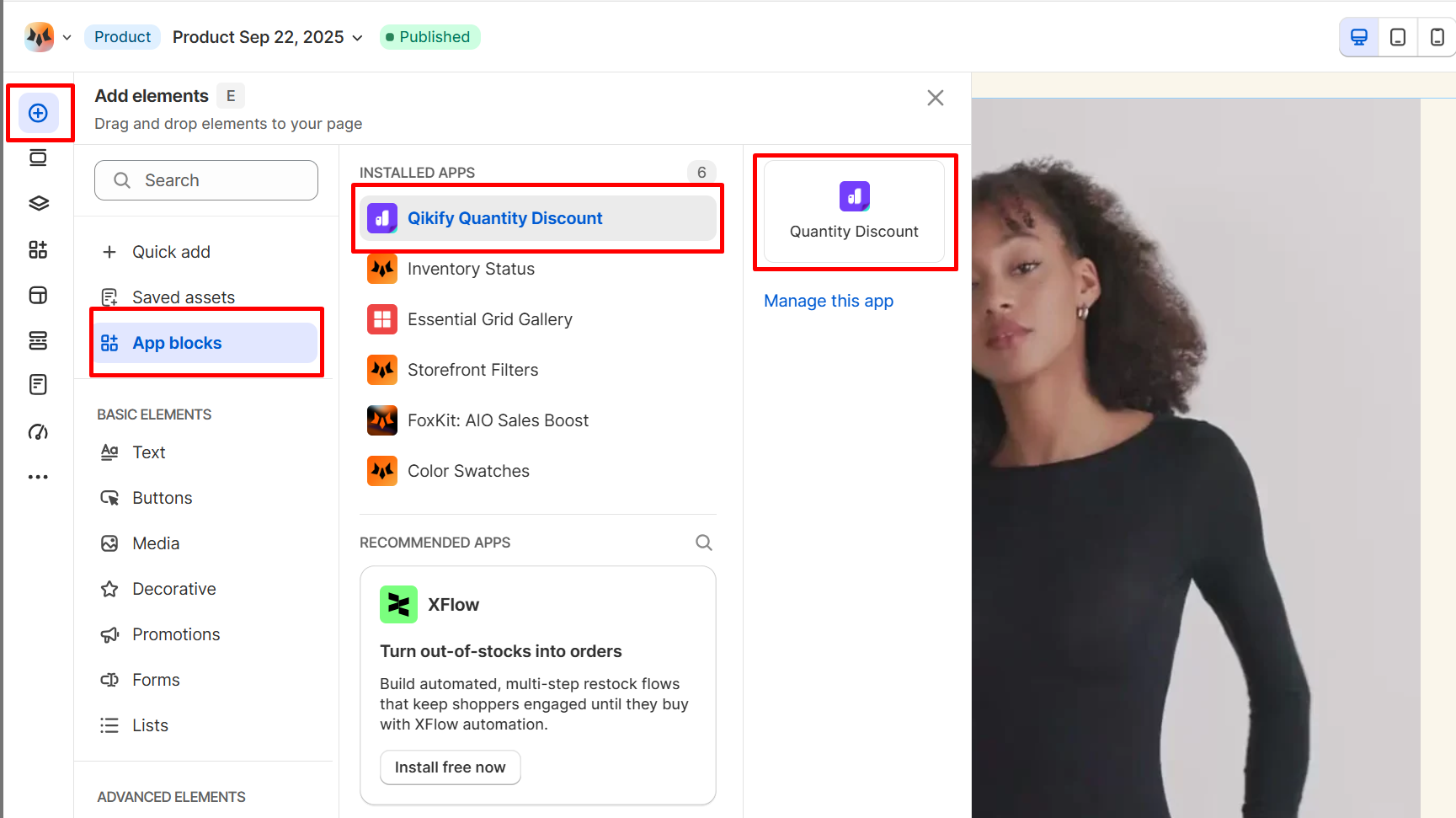
1. In **Pages manager**, open the page you want to add the app features to. Select **Add element > App blocks.**
2. Select Qikify Quantity Discount's widget from the **Installed apps** list, and drag the app widget you want to feature on your page.
3. Select the product you want to display widget.
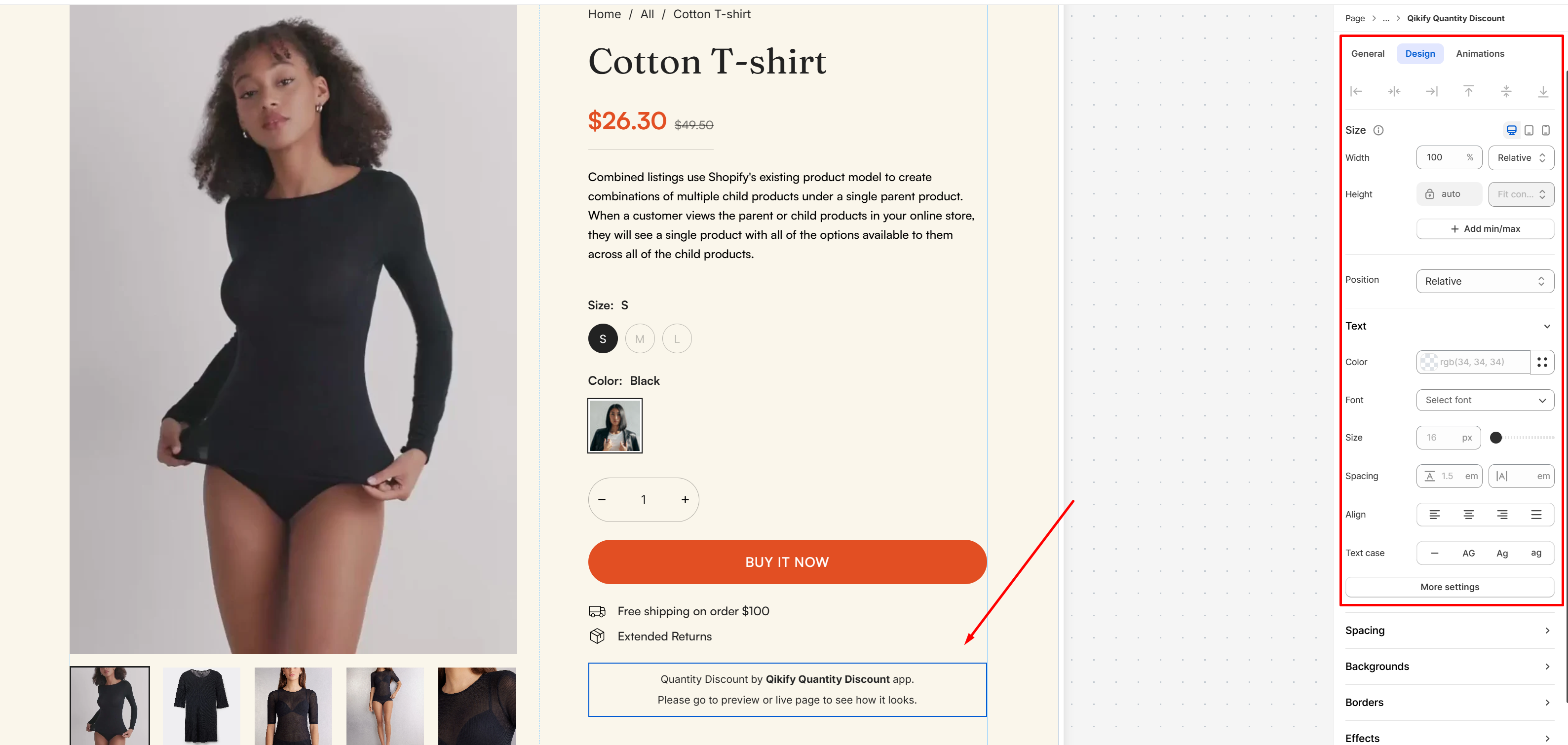
4. Adjust the element's sizing if needed.
5. **Save** the changes and go to the preview page or live page to see the app widget.
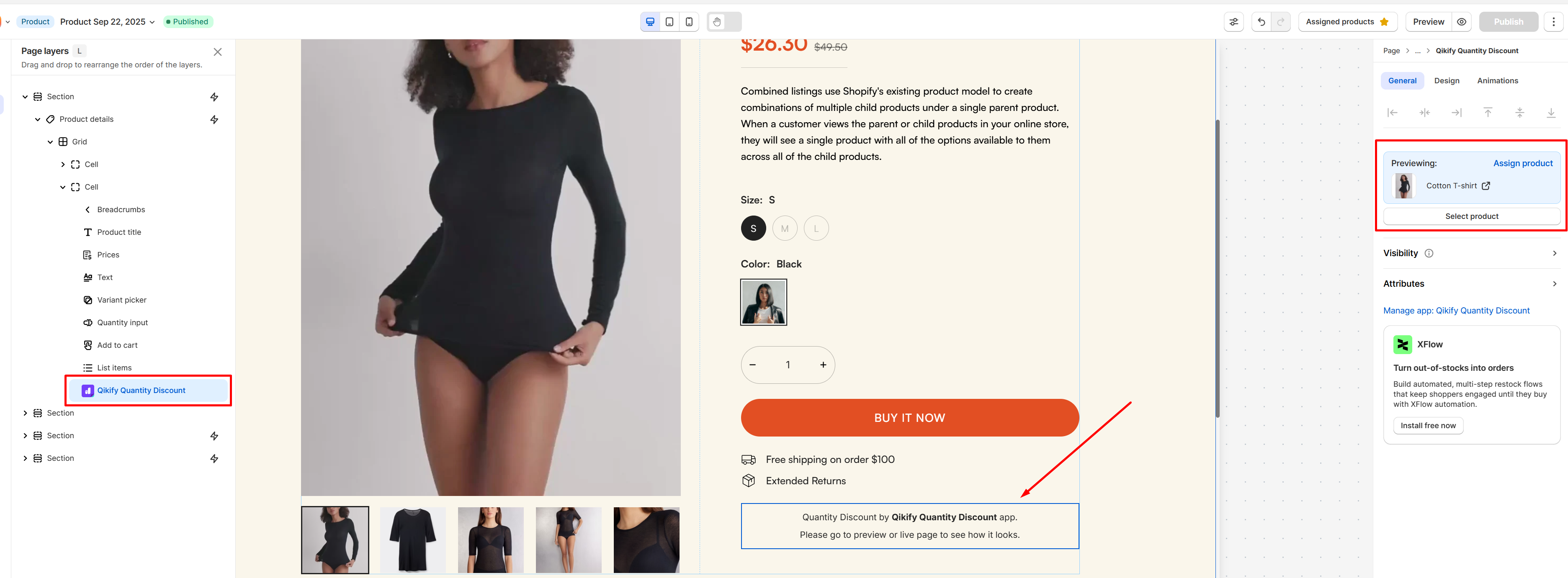
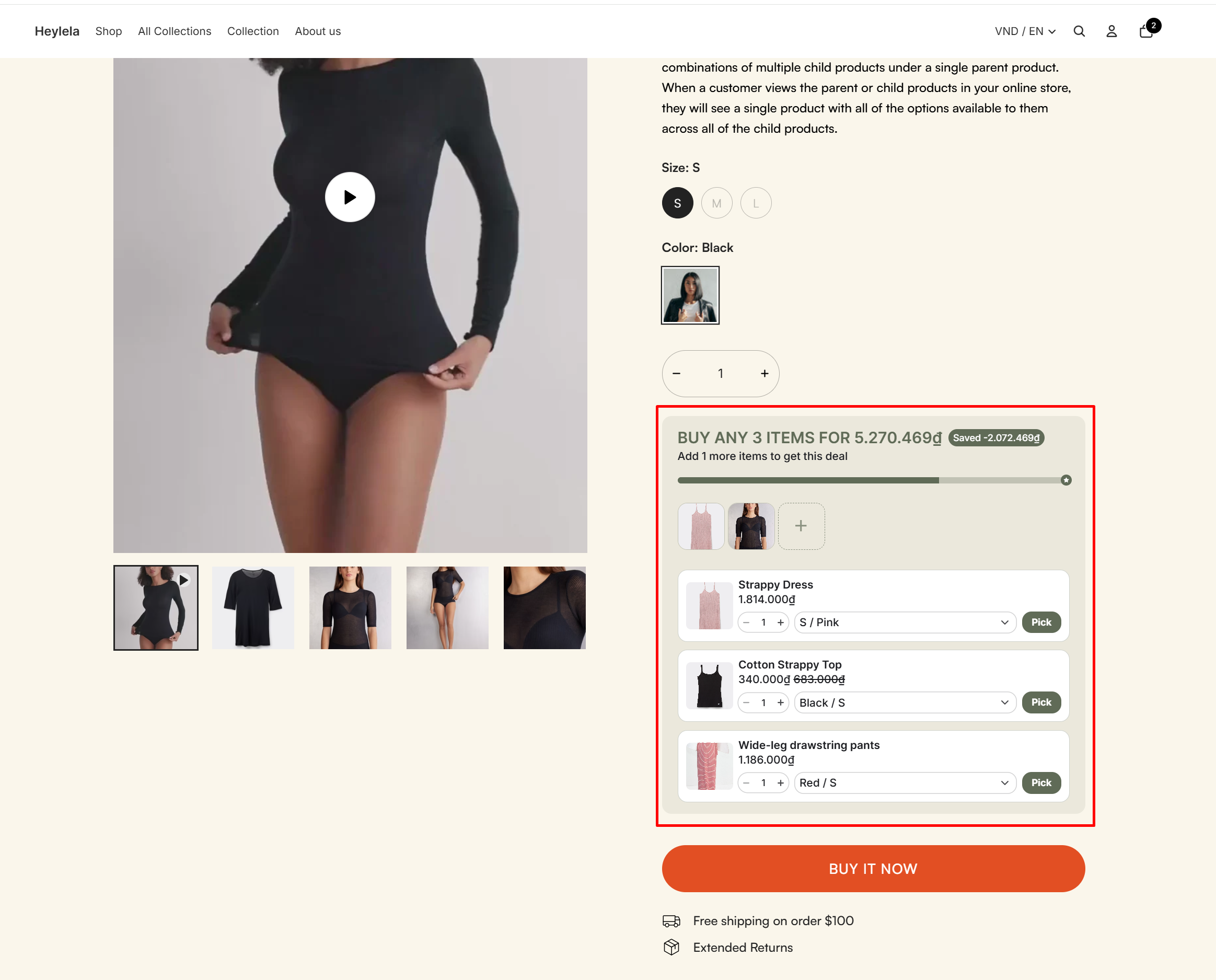
**Pro tip**: To maximize cross-sell effectiveness, place the discount widget inside the **Product details element**. Showing savings right next to product info captures attention at the most critical point of the buying journey.
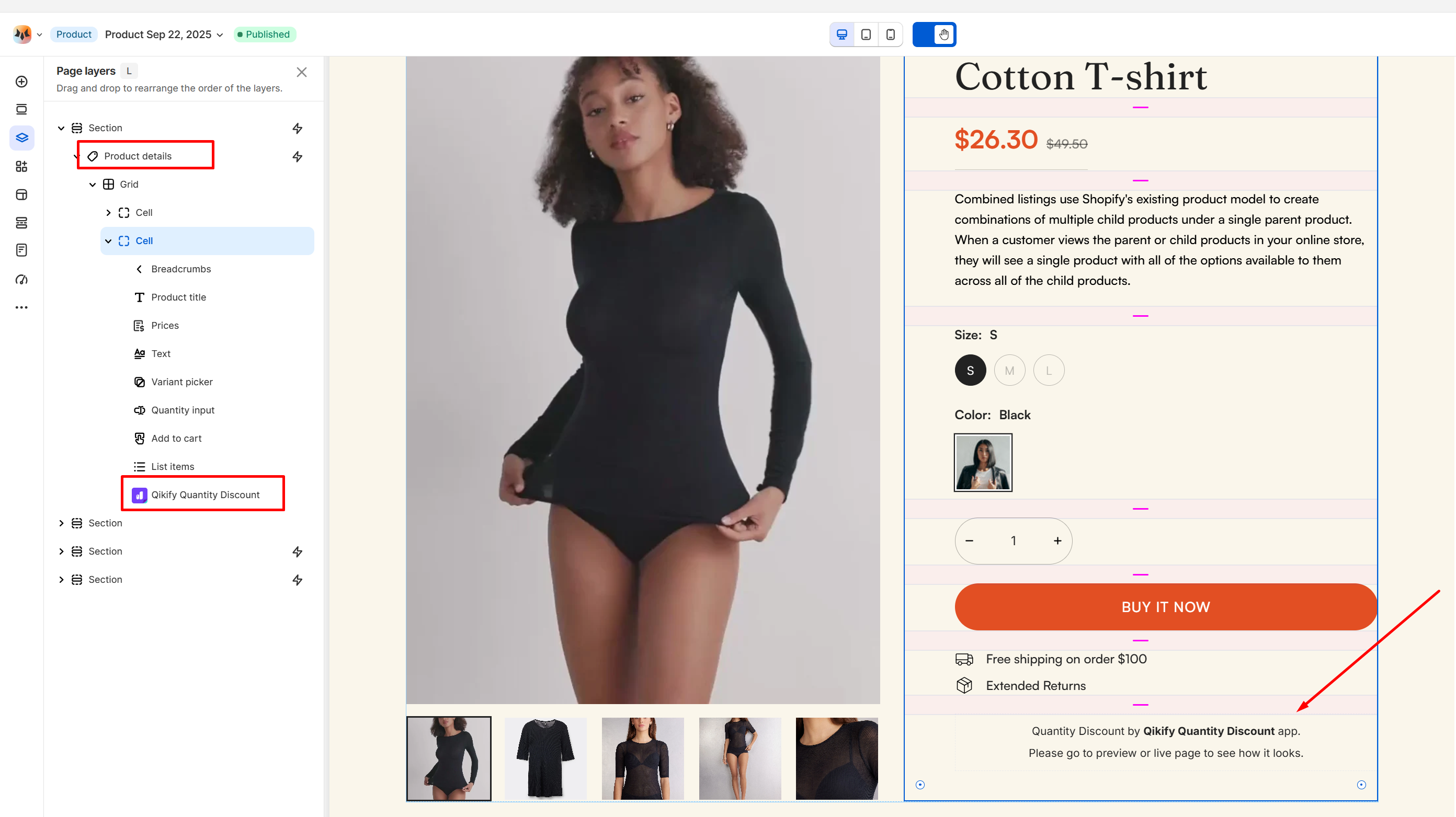\
\
Learn more about [Product details](https://docs.foxecom.com/foxify-app/foxstudio/add-and-edit-elements/product-details)