
PagesCreate a page
Generate a page layout with AI
3 min read
When to use
- You're starting a new page and don't want to build it section-by-section from a blank canvas
- You already have a clear idea of the page (e.g. "a modern homepage with hero banner, product showcase, and contact form") but no time to design it manually
- You want a fast first layout draft to edit, rather than a finished, pre-designed template
How is this different from the other ways to start a page?
Use this
Build with AI
You have a clear idea of your page but want AI to draft the structure for you.
Use instead if...
Choose a template
You want a professionally designed, ready-to-launch page and don't need a custom structure.
Use instead if...
Start from scratch
You want full control over every section from the very first block.
How to generate a page layout with AI
Start a new page
- From the Foxify dashboard, click Create on the main page, or Create page on the Pages manager.
- Select a page type
- On the Create your [page type] layout screen, type a prompt in Describe your page, then click Analyze with AI.
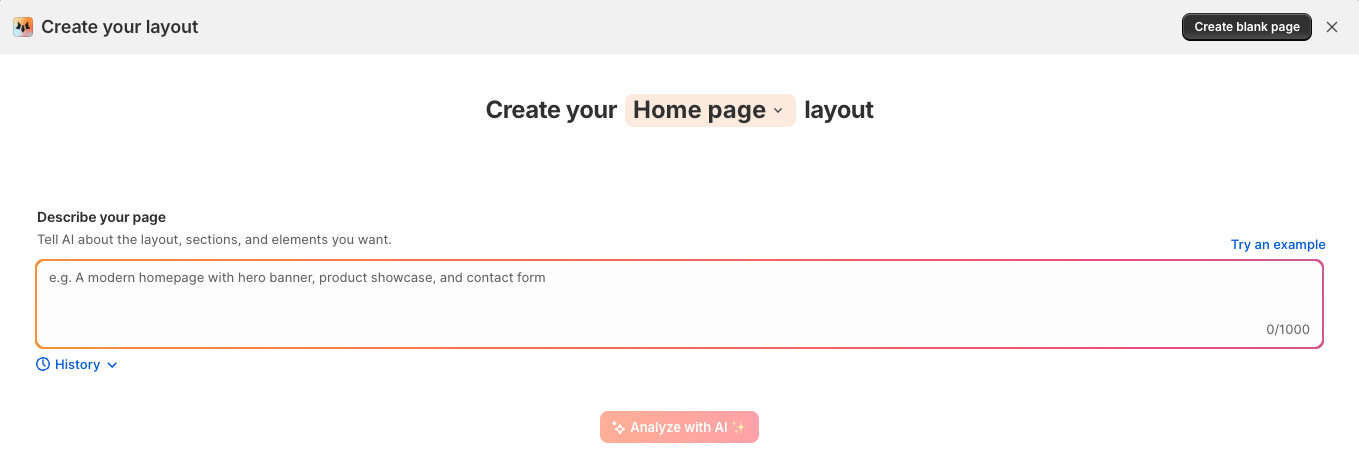
Describe your page
- Your store's niche or industry
- The goal of the page
- The feel or style
- Key sections you want
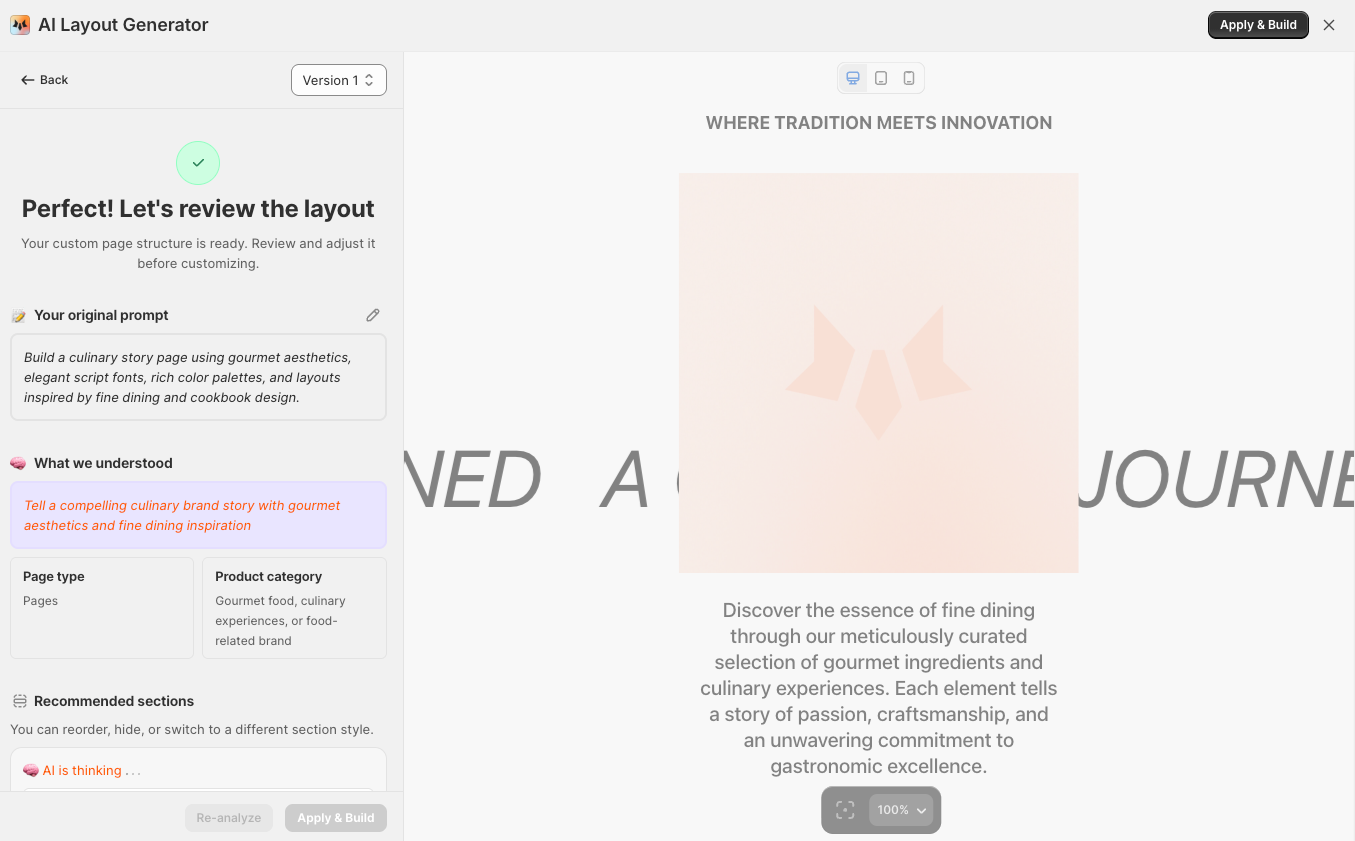
Review the generated plan
- AI's interpretation of your description
- A recommended list of sections
- Suggested design style and features
Review each section — you can preview, regenerate, or remove individual sections before applying. The layout is responsive by default.
Apply and customize
FAQs
Related articles
Last updated