
GROW YOUR STORE
Write product copy that converts
3 min read
A formula that works
- Feature — what it actually is or has (e.g., "12MP sensor with 4K video")
- Benefit — what that means for the customer (e.g., "captures crystal-clear memories, even in low light")
- Reassurance — head off the objection that would stop them buying (shipping time, fit, durability, return policy)
Tips
- Lead with the benefit, not the spec
Translate features into outcomes. "Captures crystal-clear memories" lands harder than "12MP sensor" on its own — pair both, benefit first. - Write for scanning
Most shoppers skim. Short sentences, short paragraphs, and bullets for key specs beat a dense block of text. - Address the objection before they think of it
If a product runs small, ships slowly, or needs assembly, say so upfront — it builds trust and reduces returns more than staying quiet does. - Be specific, not just "high-quality"
Vague adjectives don't do the work. Name the material, the dimension, the exact benefit — specifics read as more credible. - Keep one primary keyword in mind
Work your main search term into the title and first line naturally, without stuffing. See Improve your page's SEO. - Match your brand's tone consistently
Whether playful or minimal, keep the voice the same across every product so the store feels like one brand, not a patchwork.
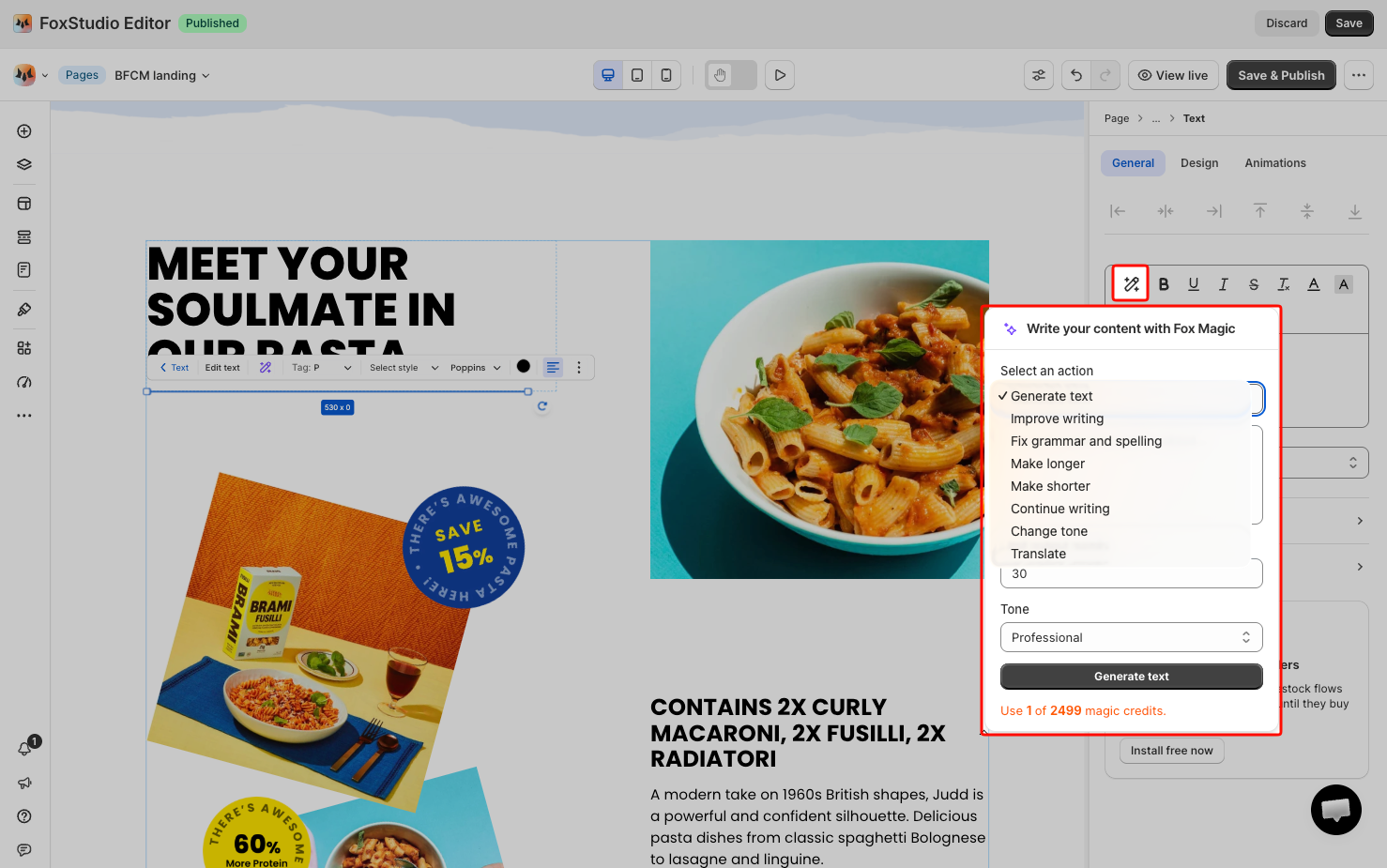
Draft faster with Fox Magic
FAQs
Where do I add this copy in Foxify?
Mainly the Description field inside the Product details element, plus any Text elements you use elsewhere on the page for supporting copy.
Mainly the Description field inside the Product details element, plus any Text elements you use elsewhere on the page for supporting copy.
Related articles
Last updated