# Build an upsell or cross-sell section
Showing the right product at the right moment — a pricier alternative, a matching accessory, an item they'd forgotten — is one of the easiest ways to lift order value. Foxify covers the basics with native elements; for more automated or rule-based offers, [FoxKit](https://apps.shopify.com/foxkit?utm_source=foxecom\&utm_medium=help_center_foxify_build_upsell_crosssell_section=anchor_text) is the built-in app to reach for next.
## Elements you can use
### Related products
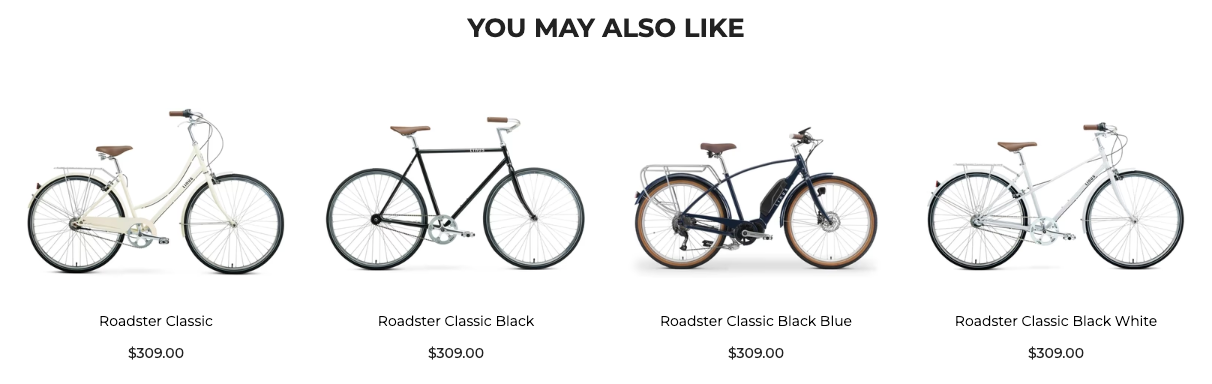
A native element that pulls Shopify's own product recommendations automatically — no manual curation needed. Good default for a simple "You may also like" cross-sell row.
Source: Foxify demo - Product: Bike
### Product list
A native element where you hand-pick the exact products to show. Better than Related Products when you want a specific "Frequently bought together" or "Complete the look" row rather than an algorithm's pick.
### Product card
The individual product tile used to build any of the above, or to hand-build a fully custom bundle section from scratch (e.g., 2–3 Product cards wrapped in a Stack for "Buy it with"). Supports a sale badge (text, fixed amount, or percentage) when the product has a Compare-at price. See [Product card](https://docs.foxecom.com/foxify-app/foxstudio/add-and-edit-elements/product-card).
### Need bundle or bulk discounts? FoxKit
The elements above require manual setup per product or collection and don't handle pricing logic. If you want to offer a bundle discount or a bulk purchase discount, **FoxKit** — FoxEcom's own all-in-one upsell & cross-sell app — is the built-in extension to reach for first:
* [Product bundles](https://docs.foxecom.com/foxkit-app/cross-sells/product-bundles) — group complementary products together as a bundle offer. 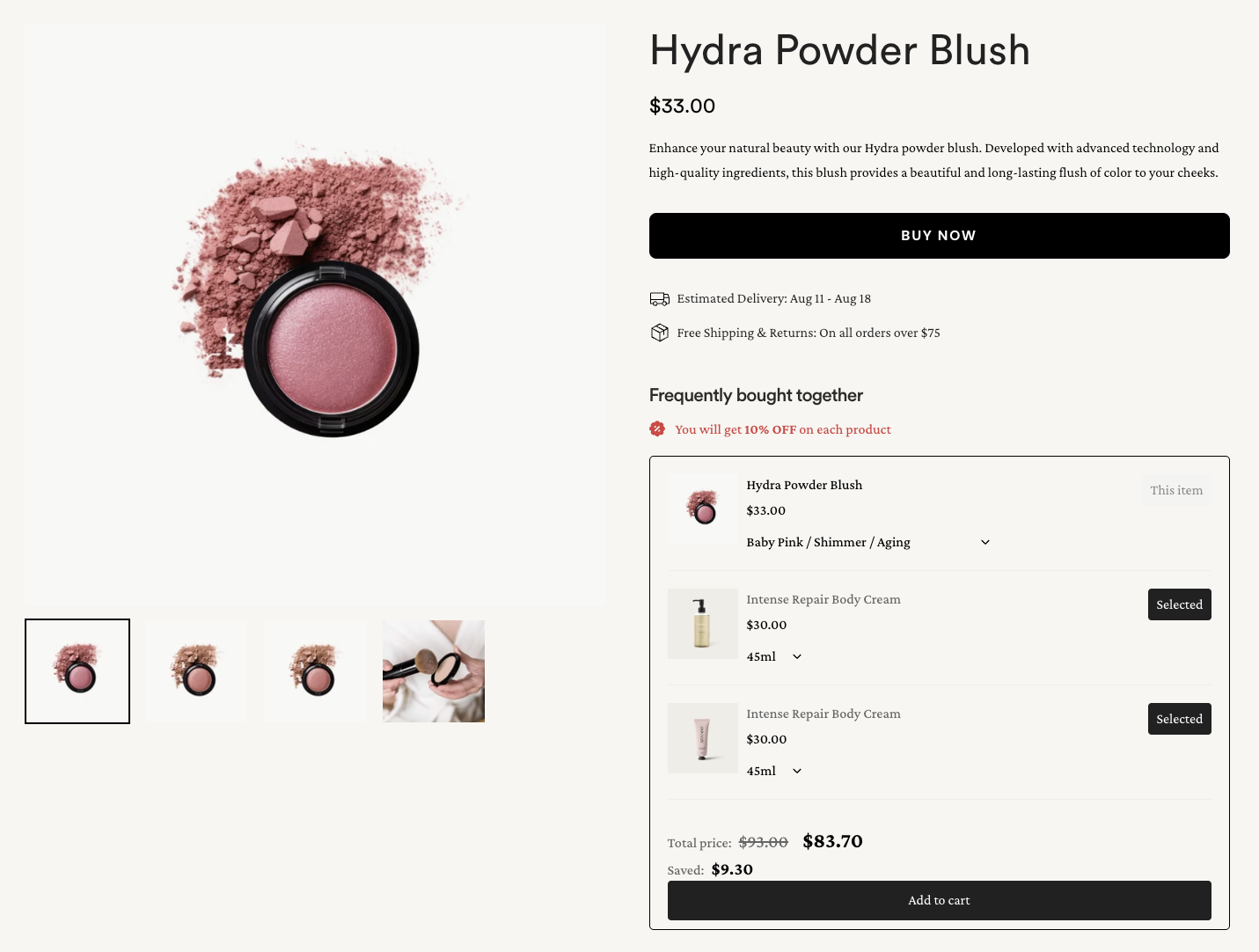
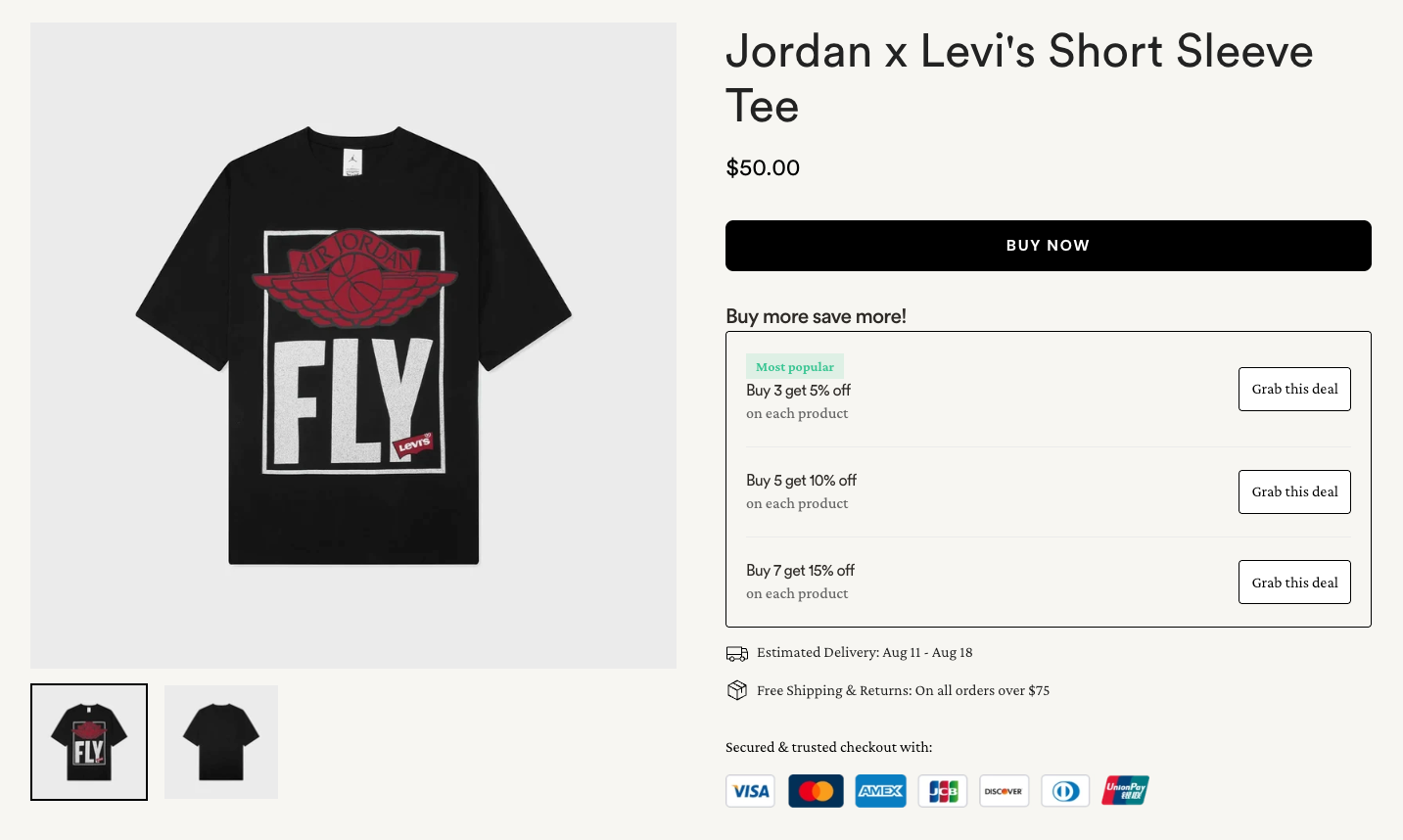
* [Volume discounts](https://docs.foxecom.com/foxkit-app/upsells/volume-discounts) — offer better pricing as customers buy more.
FoxKit also includes other sales-boosting blocks (Countdown timer, Size chart opener, Pre-order data) usable as app blocks in Foxify. See how to set up [FoxKit All-in-one Upsell Cross-sell.](https://docs.foxecom.com/foxify-app/integrations/marketing-and-conversion/foxkit-all-in-one-upsell-cross-sell)
If you need something FoxKit doesn't cover, Foxify also integrates with other Marketing & conversion apps for addon features — see the full list under [Marketing & conversion](https://docs.foxecom.com/foxify-app/integrations/marketing-and-conversion).
## FAQs
#### What's the difference between Related products and Product list?
Related products pulls Shopify's automatic recommendations with no setup. Product list lets you hand-pick exactly which products to show — more control, more manual work.
#### Do I need FoxKit, or are the native elements enough?
The native elements cover simple, manually curated upsell/cross-sell rows and collection callouts, but don't handle discount pricing. Reach for FoxKit or similar apps if you want bundle or bulk purchase discounts.
#### Why isn't my sale badge showing on a Product card?
Make sure the product has a Compare-at price set in Shopify — the sale badge is calculated from the gap between Compare-at price and Price.