
Build your store pages
Get your page ready for a sale event
3 min read
Sections that create urgency
Countdown timer

Marquee banner
A scrolling announcement strip is an easy way to make sure visitors don't miss the sale, wherever they land. Add up to 10 rotating messages (e.g., "30% OFF SITEWIDE", "FREE SHIPPING THIS WEEKEND"), each optionally linked. Learn more: Marquee text.

Stock messaging
"Only 3 left" is more persuasive than a generic timer alone. On product pages, use Foxify's built-in Inventory Status extension to show real, live in-stock/low-stock/incoming messages tied to your Shopify inventory — no extra app needed. On other pages, a fixed Text element with your own copy works fine.
Sale badges
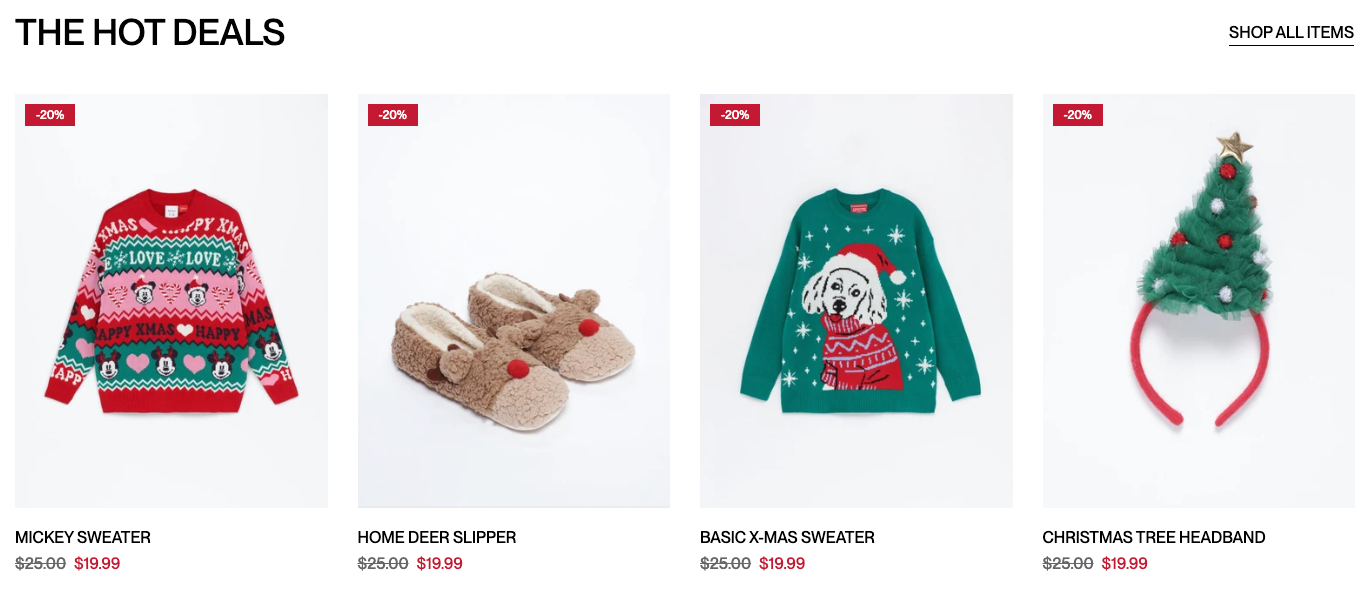
A visible "% OFF" or "SALE" badge on product images helps deals stand out in a grid. This works for products with a Compare-at price set — the badge calculates its discount from the gap between Compare-at price and Price. See Shopify's Setting sale prices for products.
Learn how to enable sale badges in product cards.
Don't stack too many urgency elements at once (e.g., a countdown, a marquee, and multiple stock warnings all above the fold) — it can read as pressure tactics rather than a genuine deal. Pick 2–3 that fit the page, and keep at least one trust signal (guarantee, secure checkout badge, or testimonial) visible alongside them. See Design a page that builds trust.
FAQs
Related articles
Last updated