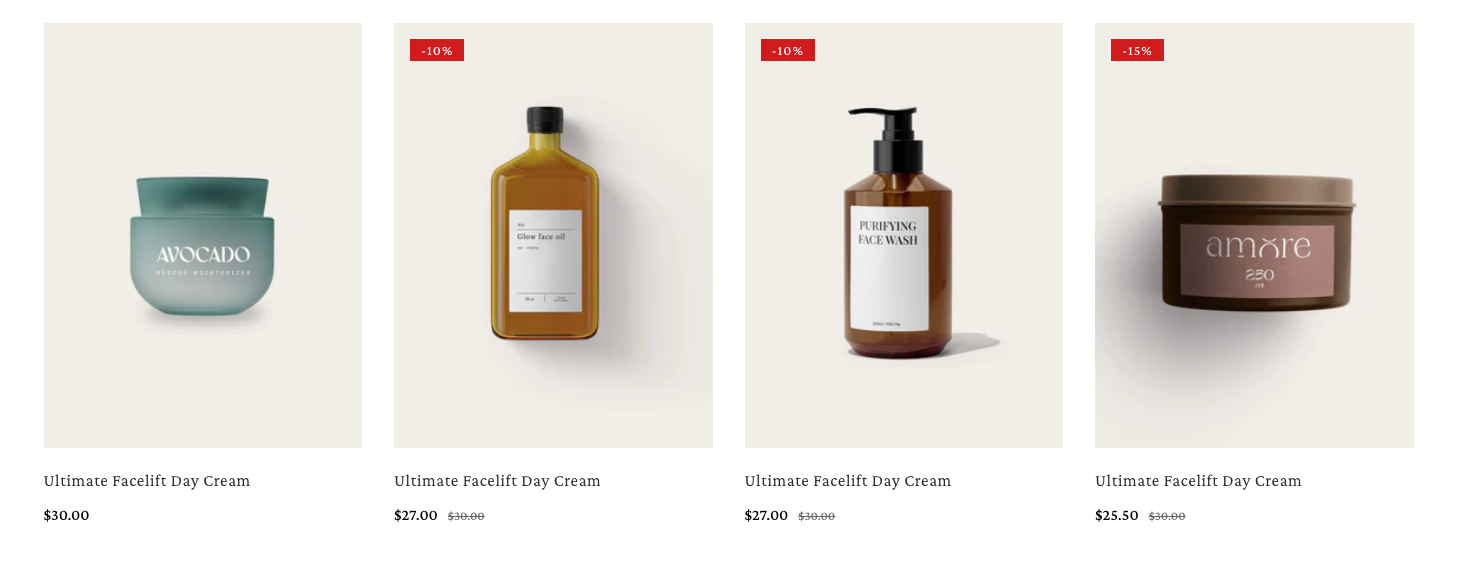
# Product card

<figure><img src="https://1749964694-files.gitbook.io/~/files/v0/b/gitbook-x-prod.appspot.com/o/spaces%2FfgpgvtRaQLc36GYyIktZ%2Fuploads%2FccwJLi7Q5en9udTOPPNY%2Fimage.png?alt=media&#x26;token=a364eee4-52be-4f5e-9e31-ddf76ca998c5" alt=""><figcaption></figcaption></figure>

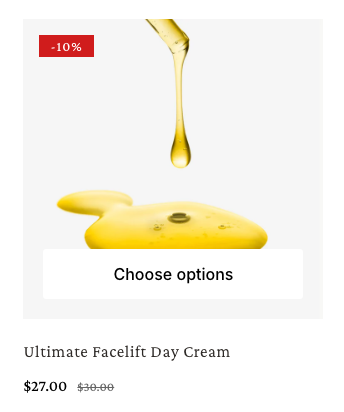
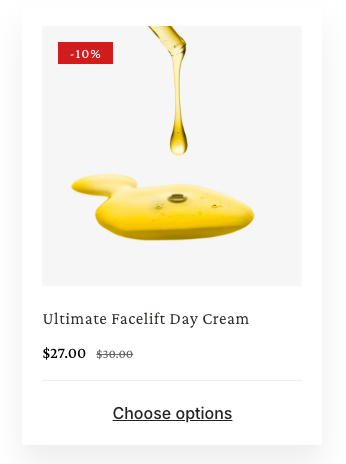
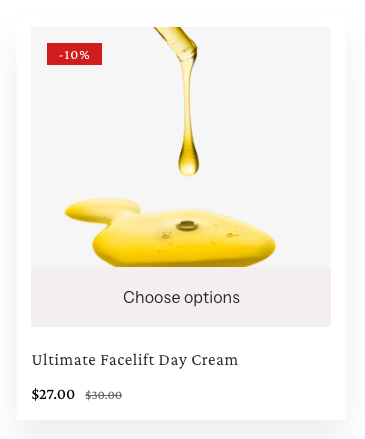
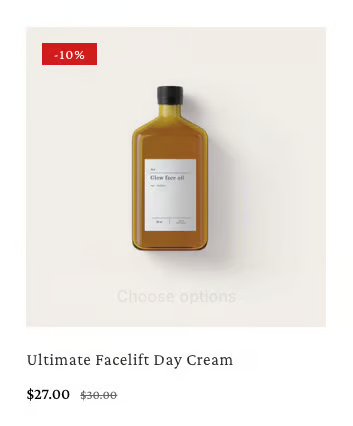
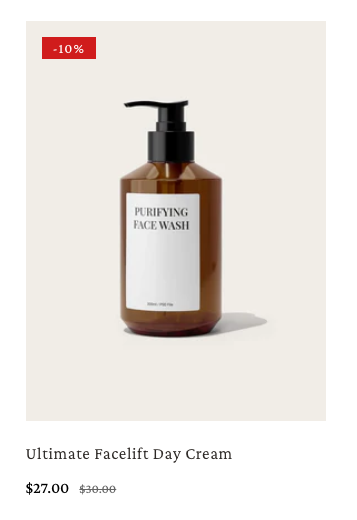
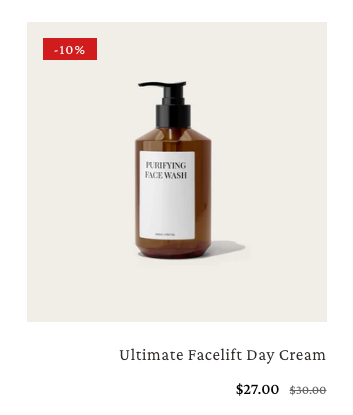
**Product card** is an element that showcase products with key details like images, titles, prices, and discounts in a clean, engaging layout.

## How to add a Product card

{% hint style="success" %}
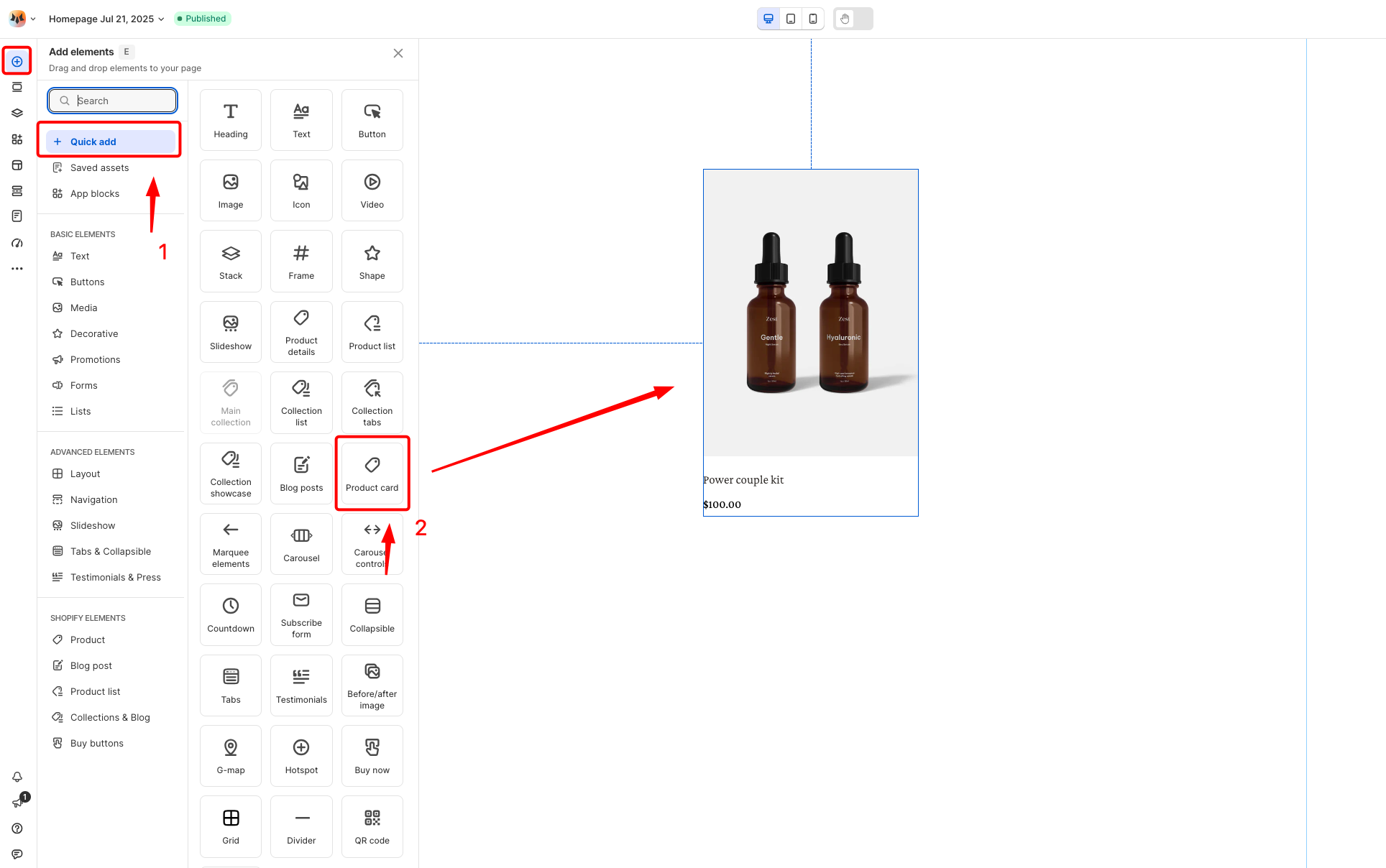
Steps:

1. In the FoxStudio editor, on the left Sidebar > Click **Add elements**, or press **E**.
2. In **Quick add**, select **Product card.**
3. Drag the **Product card** onto your canvas.
   {% endhint %}

<figure><img src="https://1749964694-files.gitbook.io/~/files/v0/b/gitbook-x-prod.appspot.com/o/spaces%2FfgpgvtRaQLc36GYyIktZ%2Fuploads%2Fpd1vAxyakvdtfNrhsnNH%2Fimage.png?alt=media&#x26;token=769959b0-0c0f-40aa-9254-3916398814b8" alt=""><figcaption></figcaption></figure>

## How to edit a Product card

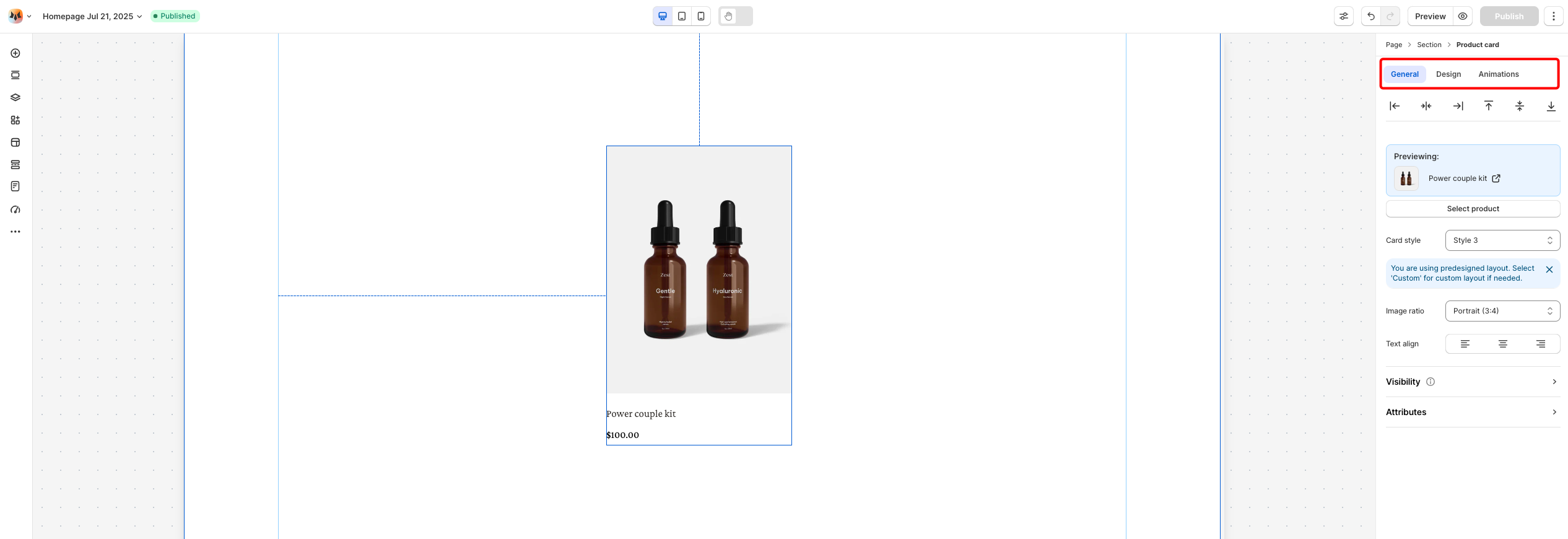
Once you’ve added the Product card, the next step is to edit it to match your desired action.

{% hint style="success" %}
**Steps:**

1. **Select** the relevant Product card element in the editor.
2. Use the tools bar above the selected element to quickly edit it.&#x20;

All the formatting tools below can be found in the right hand sided **Inspector** panel.
{% endhint %}

<figure><img src="https://1749964694-files.gitbook.io/~/files/v0/b/gitbook-x-prod.appspot.com/o/spaces%2FfgpgvtRaQLc36GYyIktZ%2Fuploads%2FfNII0pr4EL0Xyp3iiBP9%2Fimage.png?alt=media&#x26;token=3957017b-4fa1-4ebc-84df-db8b3e73e98d" alt=""><figcaption></figcaption></figure>

### Preset card style

<figure><img src="https://1749964694-files.gitbook.io/~/files/v0/b/gitbook-x-prod.appspot.com/o/spaces%2FfgpgvtRaQLc36GYyIktZ%2Fuploads%2FeIlYpo4srUF2vNzt3Y0d%2Fimage.png?alt=media&#x26;token=2fedffb3-e06b-4e2f-8fbe-f5eb18f55394" alt=""><figcaption></figcaption></figure>

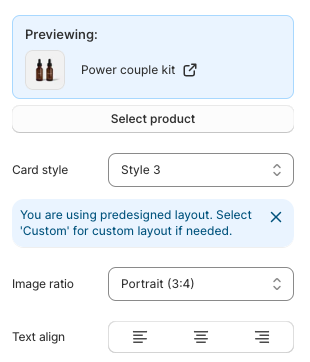
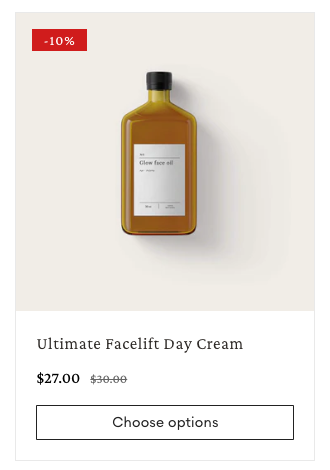
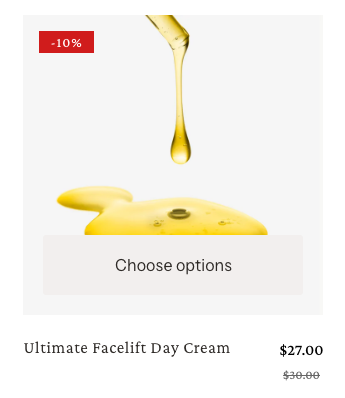
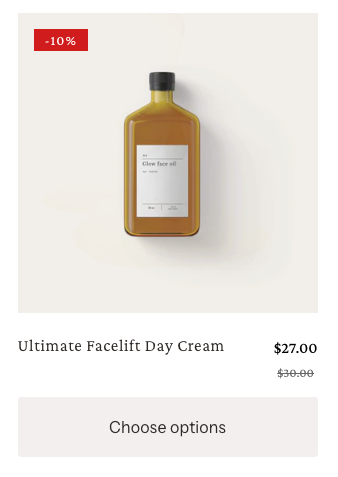
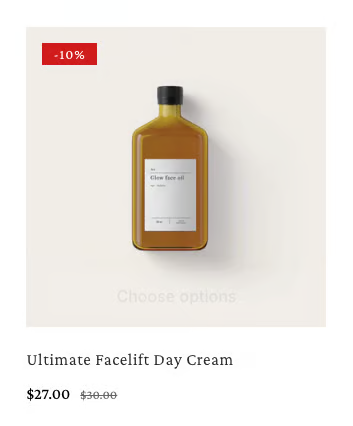
* **Select product:** Choose which product you want to display in the card.
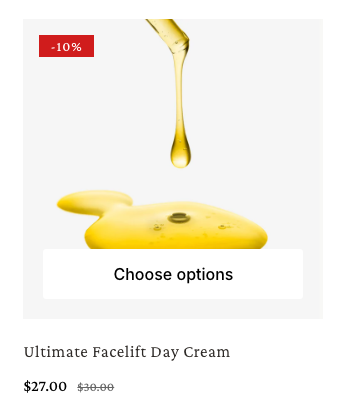
* **Card style:** Choose styling for your product cards.
{% tabs %}
{% tab title="Use global" %}

<figure><img src="https://1749964694-files.gitbook.io/~/files/v0/b/gitbook-x-prod.appspot.com/o/spaces%2FfgpgvtRaQLc36GYyIktZ%2Fuploads%2FaCuVlGS5gb4eTwYV7bIQ%2Fimage.png?alt=media&#x26;token=990a9bfd-6c07-4614-b26f-c48ba03f2611" alt=""><figcaption></figcaption></figure>

* Apply the product card styles defined in **Theme settings > Product cards**, ensuring consistent design across your store.

{% hint style="info" %}
Learn more: [Product Cards in Theme settings](https://docs.foxecom.com/foxify-app/page-management/theme-settings#product-cards)
{% endhint %}
{% endtab %}

{% tab title="Style 1" %}

<figure><img src="https://1749964694-files.gitbook.io/~/files/v0/b/gitbook-x-prod.appspot.com/o/spaces%2FfgpgvtRaQLc36GYyIktZ%2Fuploads%2FThkaC1CyHhxXNigXOVfP%2Fimage.png?alt=media&#x26;token=7e173ca1-946b-4996-9695-74d33d9b4080" alt=""><figcaption></figcaption></figure>
{% endtab %}

{% tab title="Style 2" %}

<figure><img src="https://1749964694-files.gitbook.io/~/files/v0/b/gitbook-x-prod.appspot.com/o/spaces%2FfgpgvtRaQLc36GYyIktZ%2Fuploads%2F6VP5x2Hn0Z8T6kMzMQLl%2Fimage.png?alt=media&#x26;token=42e558c5-b6a4-42e6-864e-d89583805f4a" alt=""><figcaption></figcaption></figure>
{% endtab %}

{% tab title="Style 3" %}

<figure><img src="https://1749964694-files.gitbook.io/~/files/v0/b/gitbook-x-prod.appspot.com/o/spaces%2FfgpgvtRaQLc36GYyIktZ%2Fuploads%2FjuyRhtTEeFgMTmdxLI83%2Fimage.png?alt=media&#x26;token=20288bc9-fff0-4186-8586-77865f1965f9" alt=""><figcaption></figcaption></figure>
{% endtab %}

{% tab title="Style 4" %}

<figure><img src="https://1749964694-files.gitbook.io/~/files/v0/b/gitbook-x-prod.appspot.com/o/spaces%2FfgpgvtRaQLc36GYyIktZ%2Fuploads%2FlF9BVVX5OqL723JJMpcR%2Fimage.png?alt=media&#x26;token=2a60ff36-688f-44ad-87db-6eac928ab891" alt=""><figcaption></figcaption></figure>
{% endtab %}

{% tab title="Style 5" %}

<figure><img src="https://1749964694-files.gitbook.io/~/files/v0/b/gitbook-x-prod.appspot.com/o/spaces%2FfgpgvtRaQLc36GYyIktZ%2Fuploads%2FsVuk8G6blnaDC9E9oQYJ%2Fimage.png?alt=media&#x26;token=2ca70340-9ac4-4871-bc27-18a3c236d243" alt=""><figcaption></figcaption></figure>
{% endtab %}

{% tab title="Style 6" %}

<figure><img src="https://1749964694-files.gitbook.io/~/files/v0/b/gitbook-x-prod.appspot.com/o/spaces%2FfgpgvtRaQLc36GYyIktZ%2Fuploads%2FC4WGz3w2HJe0Hckt1Rmp%2Fimage.png?alt=media&#x26;token=e206e05f-9ab5-4d1e-81ee-47344c1dfae6" alt=""><figcaption></figcaption></figure>
{% endtab %}
{% endtabs %}

* **Image ratio**: Defines the ratio of product images.
{% tabs %}
{% tab title="Use global" %}

<figure><img src="https://1749964694-files.gitbook.io/~/files/v0/b/gitbook-x-prod.appspot.com/o/spaces%2FfgpgvtRaQLc36GYyIktZ%2Fuploads%2F0uNcCx59jIIA3VI6pTfe%2Fimage.png?alt=media&#x26;token=fa022feb-1f14-4387-8a2a-217bbcb5aee6" alt=""><figcaption></figcaption></figure>

* Apply the Image ratio defined in **Theme settings > Product cards**, ensuring consistent design across your store.

{% hint style="info" %}
Learn more: [Product Cards in Theme settings](https://docs.foxecom.com/foxify-app/page-management/theme-settings#product-cards)
{% endhint %}
{% endtab %}

{% tab title="Adapt to image" %}

<figure><img src="https://1749964694-files.gitbook.io/~/files/v0/b/gitbook-x-prod.appspot.com/o/spaces%2FfgpgvtRaQLc36GYyIktZ%2Fuploads%2F7LEJoVzNtaCnVDwbQ6kO%2Fimage.png?alt=media&#x26;token=3ef56da1-5c88-4fd0-a6fc-4a05571f3426" alt=""><figcaption></figcaption></figure>
{% endtab %}

{% tab title="Square (1:1)" %}

<figure><img src="https://1749964694-files.gitbook.io/~/files/v0/b/gitbook-x-prod.appspot.com/o/spaces%2FfgpgvtRaQLc36GYyIktZ%2Fuploads%2F1hbJ4TwMWiPn8Qh9Tcof%2Fimage.png?alt=media&#x26;token=91dd0764-63ec-4ea2-a98e-cb8f47759c97" alt=""><figcaption></figcaption></figure>
{% endtab %}

{% tab title="Portrait (3:4)" %}

<figure><img src="https://1749964694-files.gitbook.io/~/files/v0/b/gitbook-x-prod.appspot.com/o/spaces%2FfgpgvtRaQLc36GYyIktZ%2Fuploads%2FyL90xEbTW5gb0cRIFswy%2Fimage.png?alt=media&#x26;token=8e1e57b0-22b1-4f76-a080-936c35809cbb" alt=""><figcaption></figcaption></figure>
{% endtab %}

{% tab title="Landscape (4:3)" %}

<figure><img src="https://1749964694-files.gitbook.io/~/files/v0/b/gitbook-x-prod.appspot.com/o/spaces%2FfgpgvtRaQLc36GYyIktZ%2Fuploads%2F4MsMk7PpQ3NU1NnwO1sM%2Fimage.png?alt=media&#x26;token=9f72640a-c84e-45d2-a764-8011ad9d44be" alt=""><figcaption></figcaption></figure>
{% endtab %}
{% endtabs %}

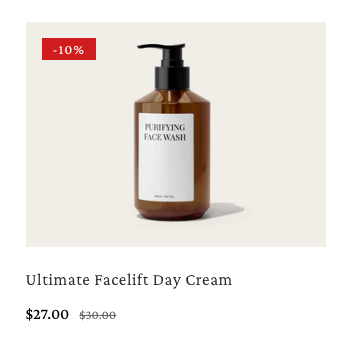
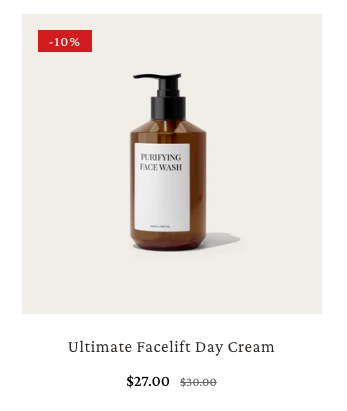
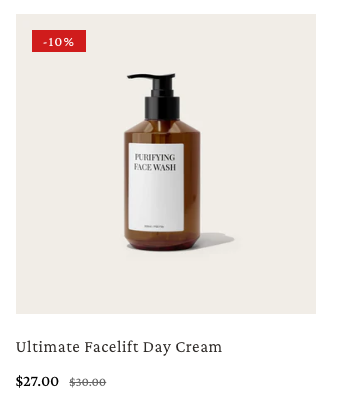
* **Text align:** Control the alignment of text content.
{% tabs %}
{% tab title="Left" %}

<figure><img src="https://1749964694-files.gitbook.io/~/files/v0/b/gitbook-x-prod.appspot.com/o/spaces%2FfgpgvtRaQLc36GYyIktZ%2Fuploads%2FFj8XZCxrVJ3oh5LYNT8I%2Fimage.png?alt=media&#x26;token=d396534a-0045-4284-88b9-743f135f2c6b" alt=""><figcaption></figcaption></figure>
{% endtab %}

{% tab title="Center" %}

<figure><img src="https://1749964694-files.gitbook.io/~/files/v0/b/gitbook-x-prod.appspot.com/o/spaces%2FfgpgvtRaQLc36GYyIktZ%2Fuploads%2FK9f9KzBdcEllKbv4i0jL%2Fimage.png?alt=media&#x26;token=66b3c714-70cf-4272-b2fc-141f4ce42740" alt=""><figcaption></figcaption></figure>
{% endtab %}

{% tab title="Right" %}

<figure><img src="https://1749964694-files.gitbook.io/~/files/v0/b/gitbook-x-prod.appspot.com/o/spaces%2FfgpgvtRaQLc36GYyIktZ%2Fuploads%2FnmYAfIvgZyfmP3vzXK5V%2Fimage.png?alt=media&#x26;token=cb84d516-e553-41a6-9d4e-40ee38fd5398" alt=""><figcaption></figcaption></figure>
{% endtab %}
{% endtabs %}

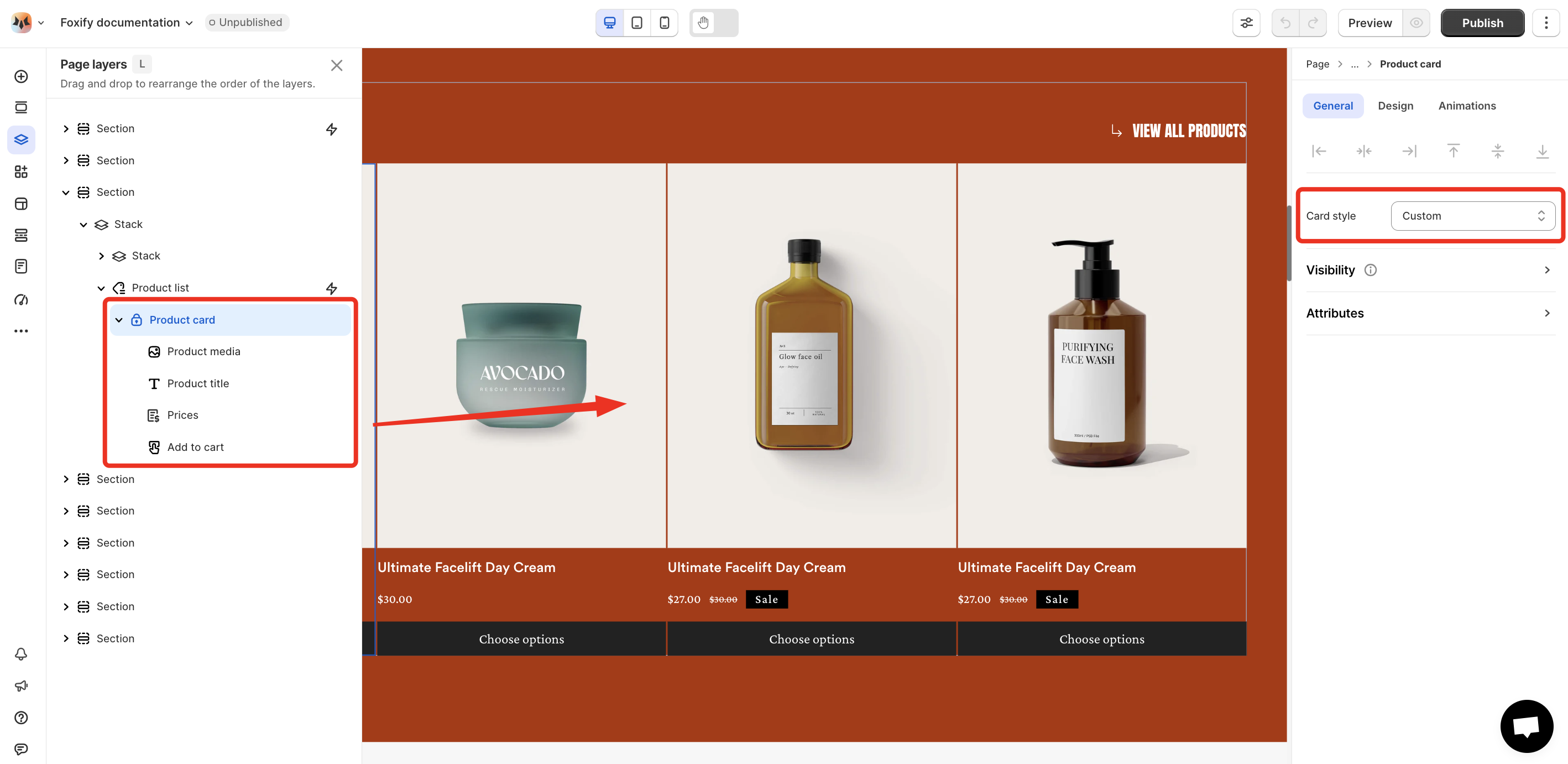
### Custom card style

<figure><img src="https://1749964694-files.gitbook.io/~/files/v0/b/gitbook-x-prod.appspot.com/o/spaces%2FfgpgvtRaQLc36GYyIktZ%2Fuploads%2FNkDIh9CJ5igN87fgIStf%2Fimage.png?alt=media&#x26;token=4658b269-351e-418d-a859-fdaa1fa01b96" alt=""><figcaption></figcaption></figure>

**Manage product card's elements:**&#x20;

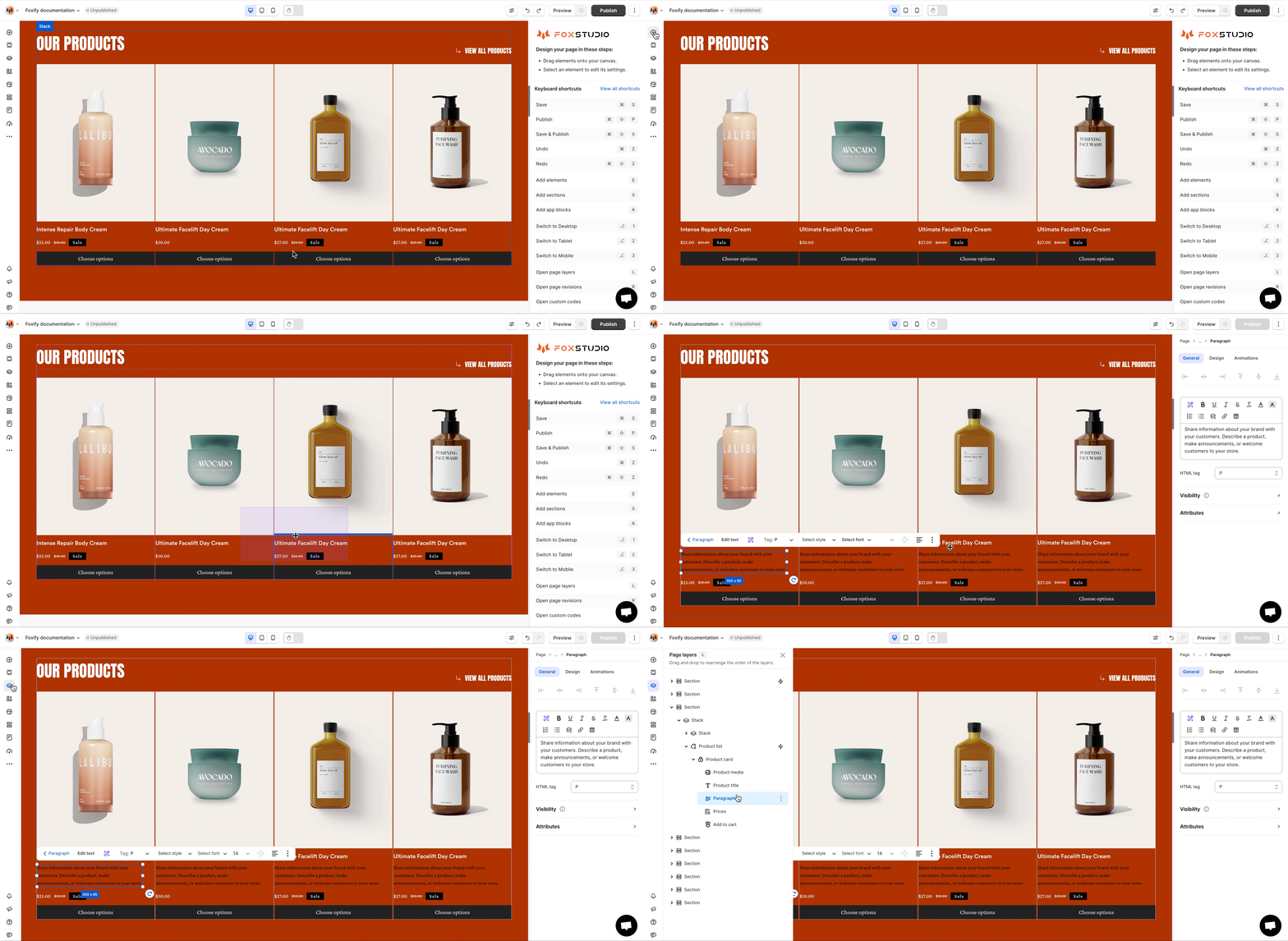
* **Add new elements**: Insert additional fields or information into the product card.
<figure><img src="https://1749964694-files.gitbook.io/~/files/v0/b/gitbook-x-prod.appspot.com/o/spaces%2FfgpgvtRaQLc36GYyIktZ%2Fuploads%2F5YdZA3lDnDrItJKvsZr4%2Fgif%20foxify%201.gif?alt=media&#x26;token=952ee549-6c6c-4d74-bcc7-f29c9a73ff03" alt=""><figcaption></figcaption></figure>

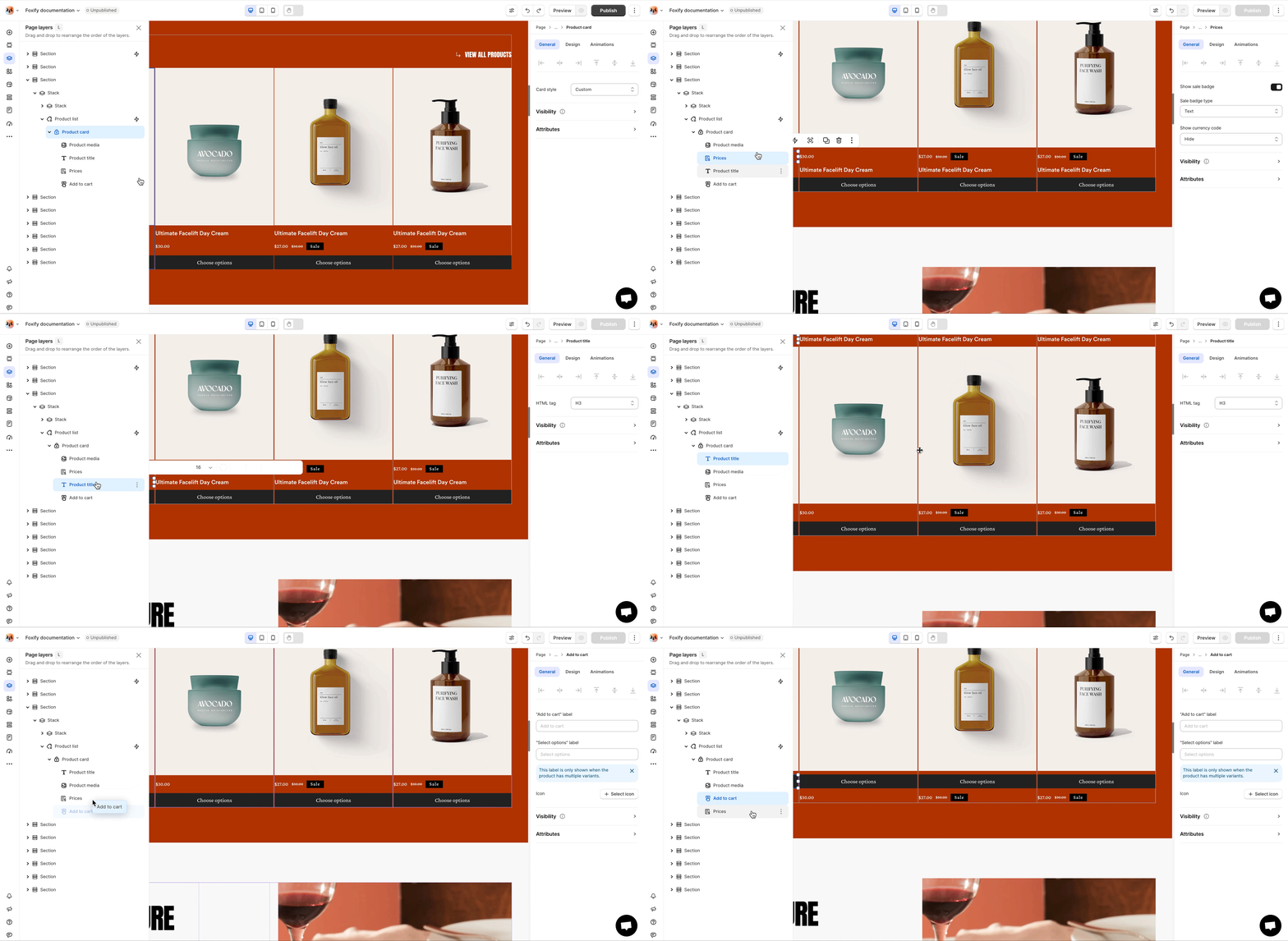
* **Reorder elements**: Rearrange the order of elements in the product card to prioritize important content.
<figure><img src="https://1749964694-files.gitbook.io/~/files/v0/b/gitbook-x-prod.appspot.com/o/spaces%2FfgpgvtRaQLc36GYyIktZ%2Fuploads%2FDgh1s3uE5xsQJIACM6Ot%2Fgif%20foxify%202.gif?alt=media&#x26;token=ba890d87-5681-4e39-8d5a-1be30e09428c" alt=""><figcaption></figcaption></figure>

* **Product media:**
  * **Image ratio:** Defines the ratio of product images.
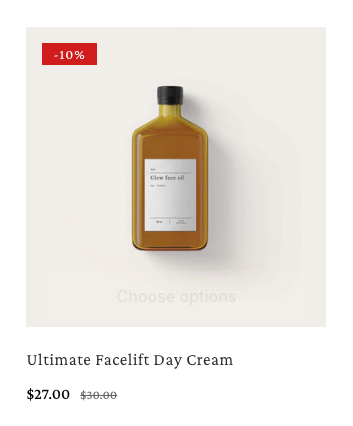
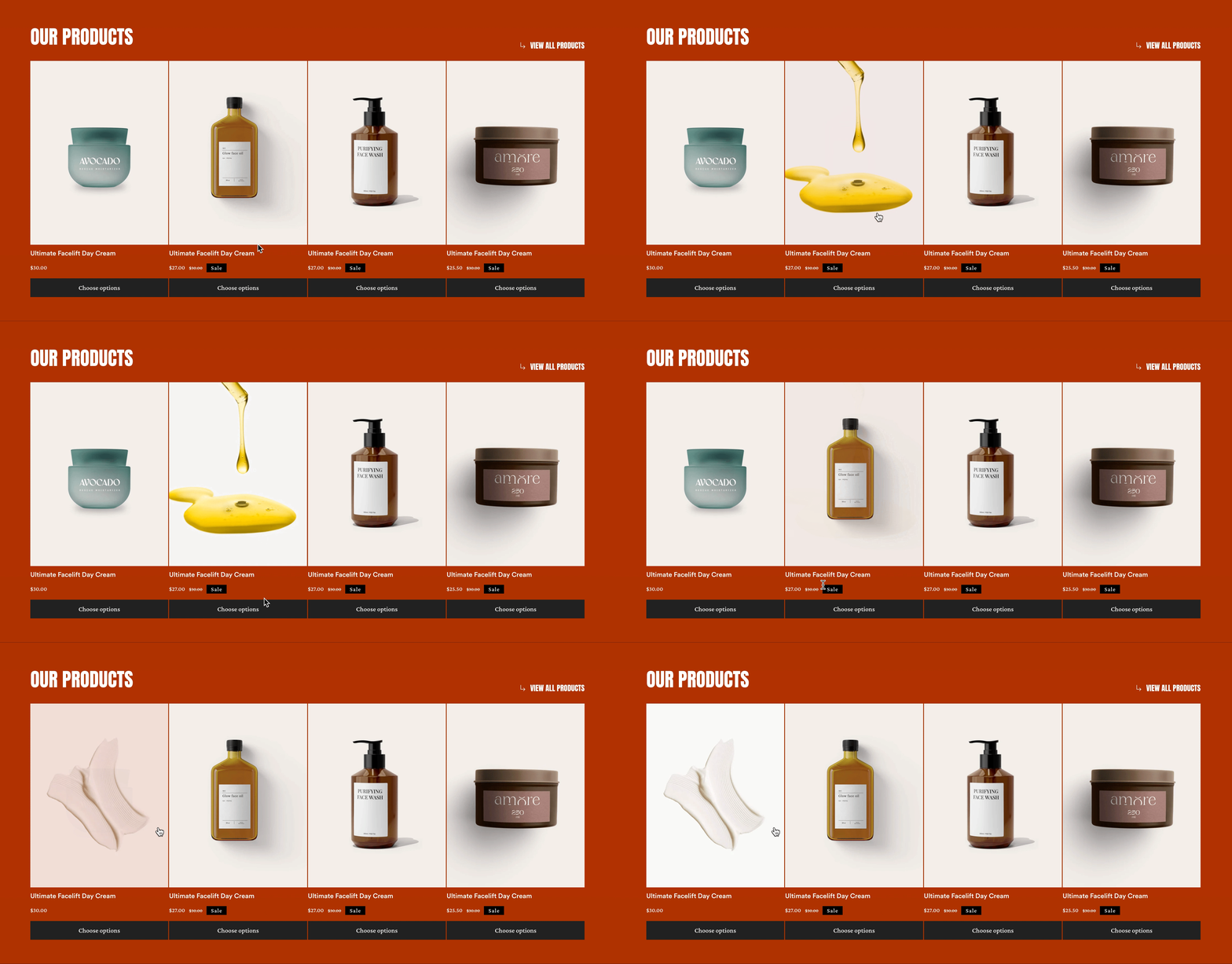
  * **Show second image:** Display second image on hover
<figure><img src="https://1749964694-files.gitbook.io/~/files/v0/b/gitbook-x-prod.appspot.com/o/spaces%2FfgpgvtRaQLc36GYyIktZ%2Fuploads%2FY9C1iOriaIdhCiZEMWsA%2Fgif%20foxify%203.gif?alt=media&#x26;token=a611cb1c-b3ff-4cef-993c-5b9b947dd63f" alt=""><figcaption></figcaption></figure>

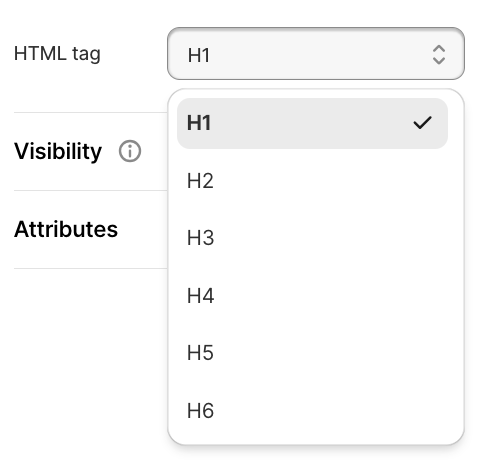
* **Product title:** Define the HTML tag (e.g., span, h2, h3) for the product titles.
<figure><img src="https://1749964694-files.gitbook.io/~/files/v0/b/gitbook-x-prod.appspot.com/o/spaces%2FfgpgvtRaQLc36GYyIktZ%2Fuploads%2FCGkmBCVxREQBiXIsTUrG%2Fimage.png?alt=media&#x26;token=0fab511d-5fea-4b9a-a440-9246cadc4a05" alt=""><figcaption></figcaption></figure>

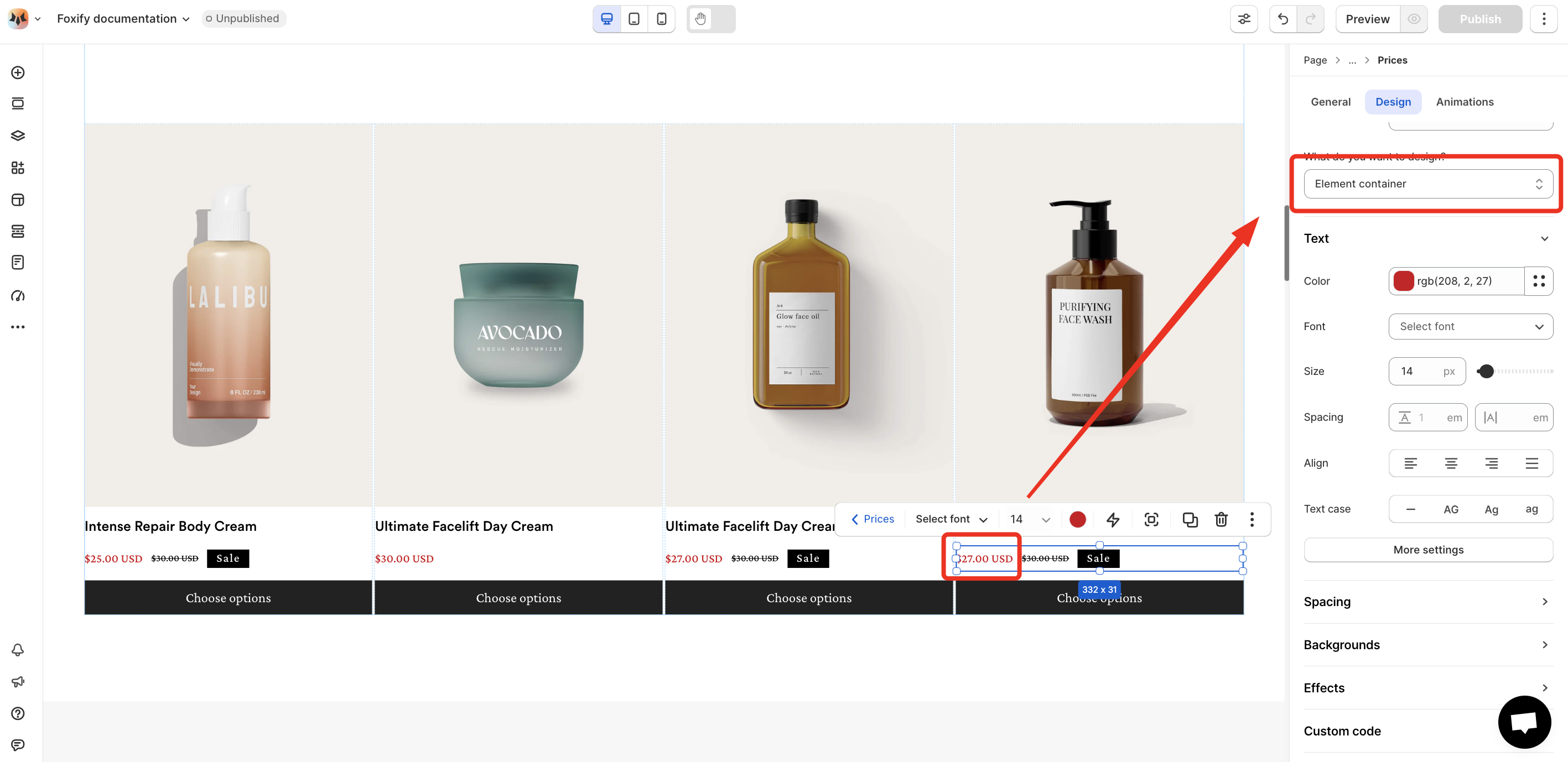
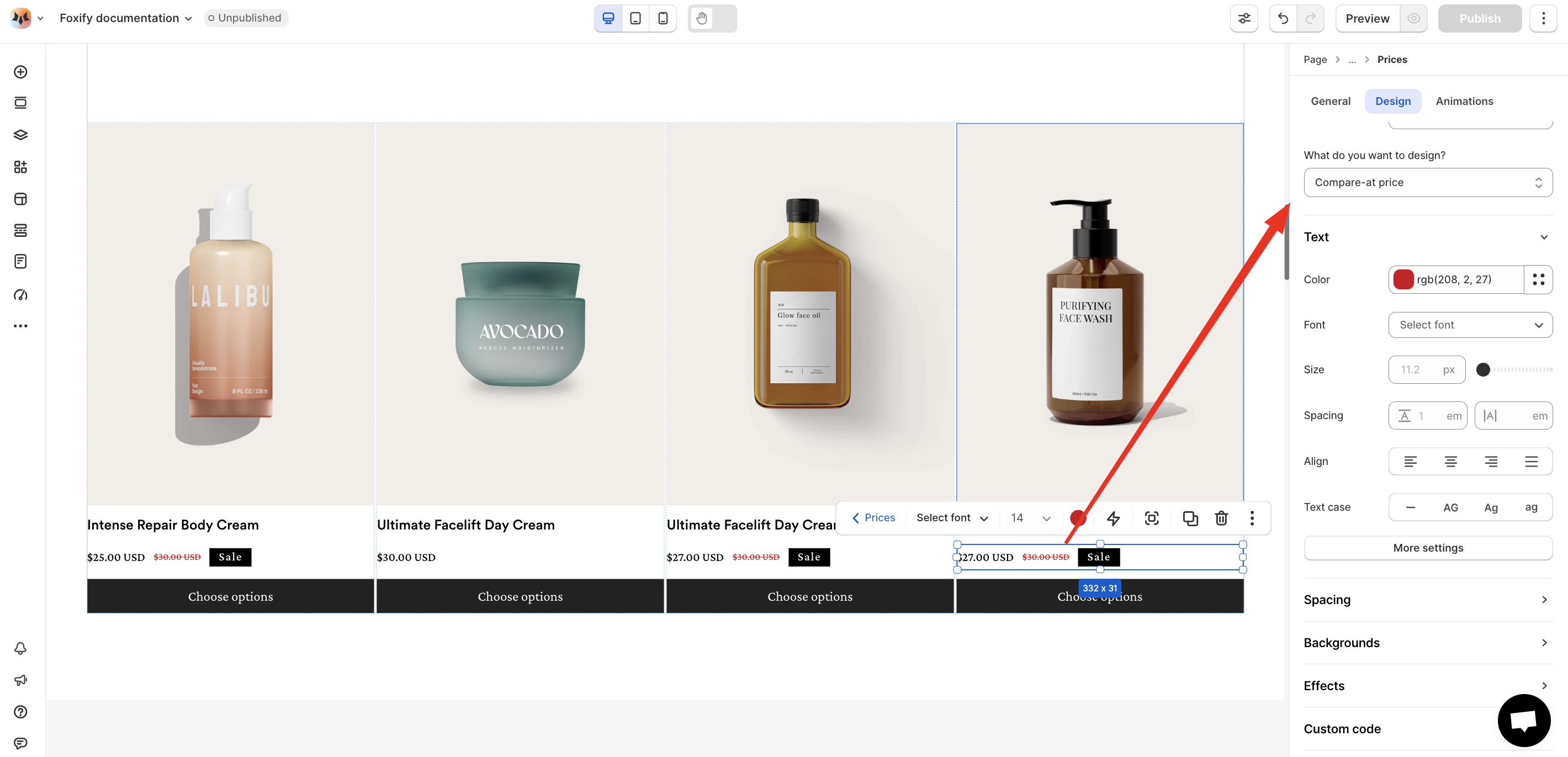
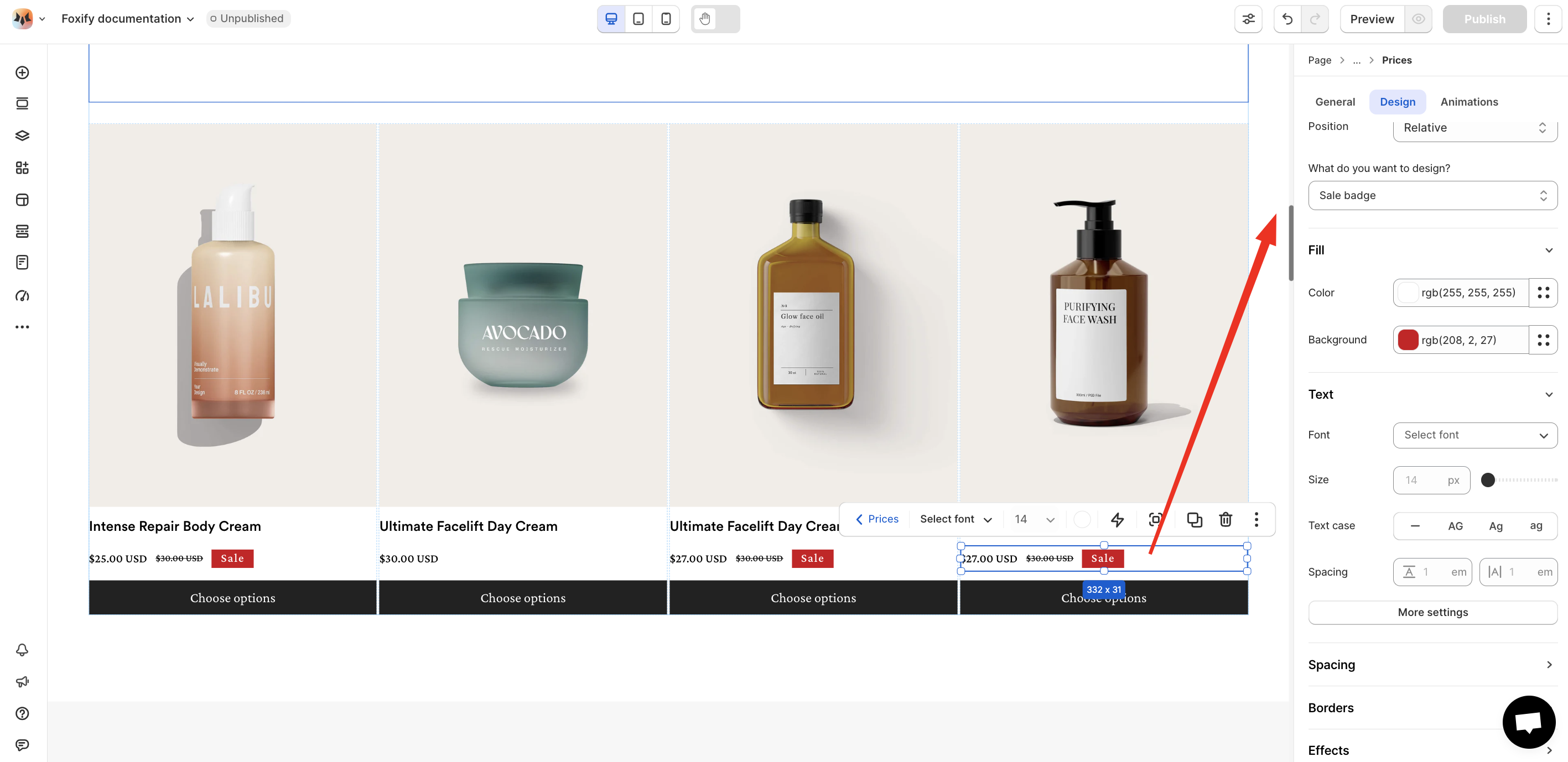
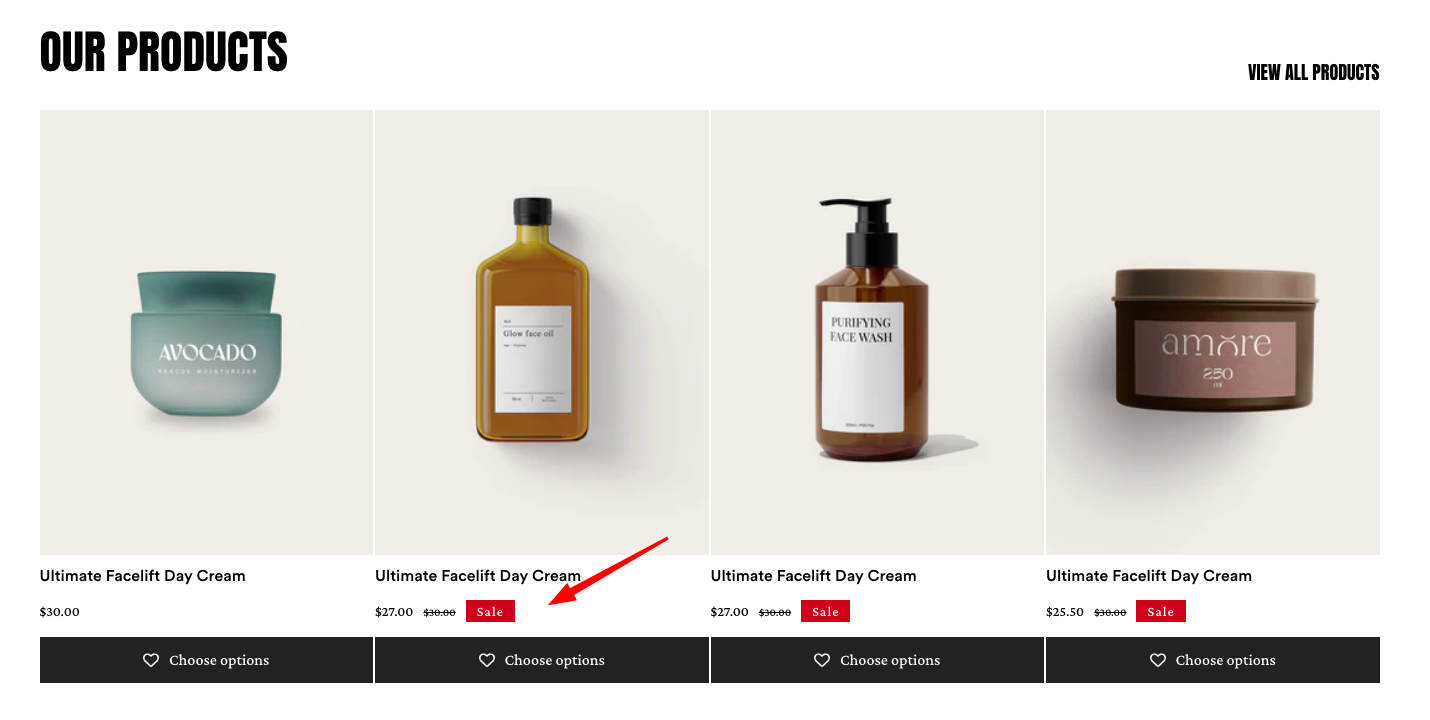
* **Prices:**&#x20;
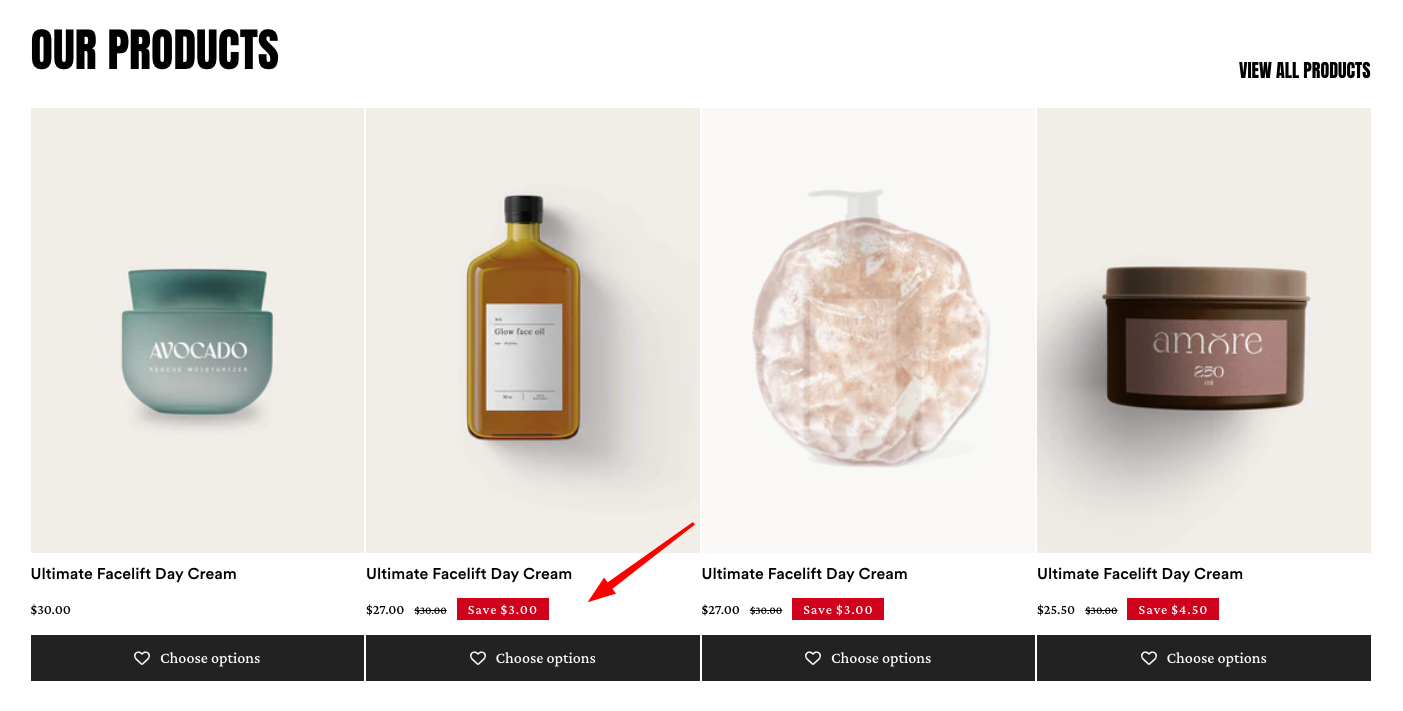
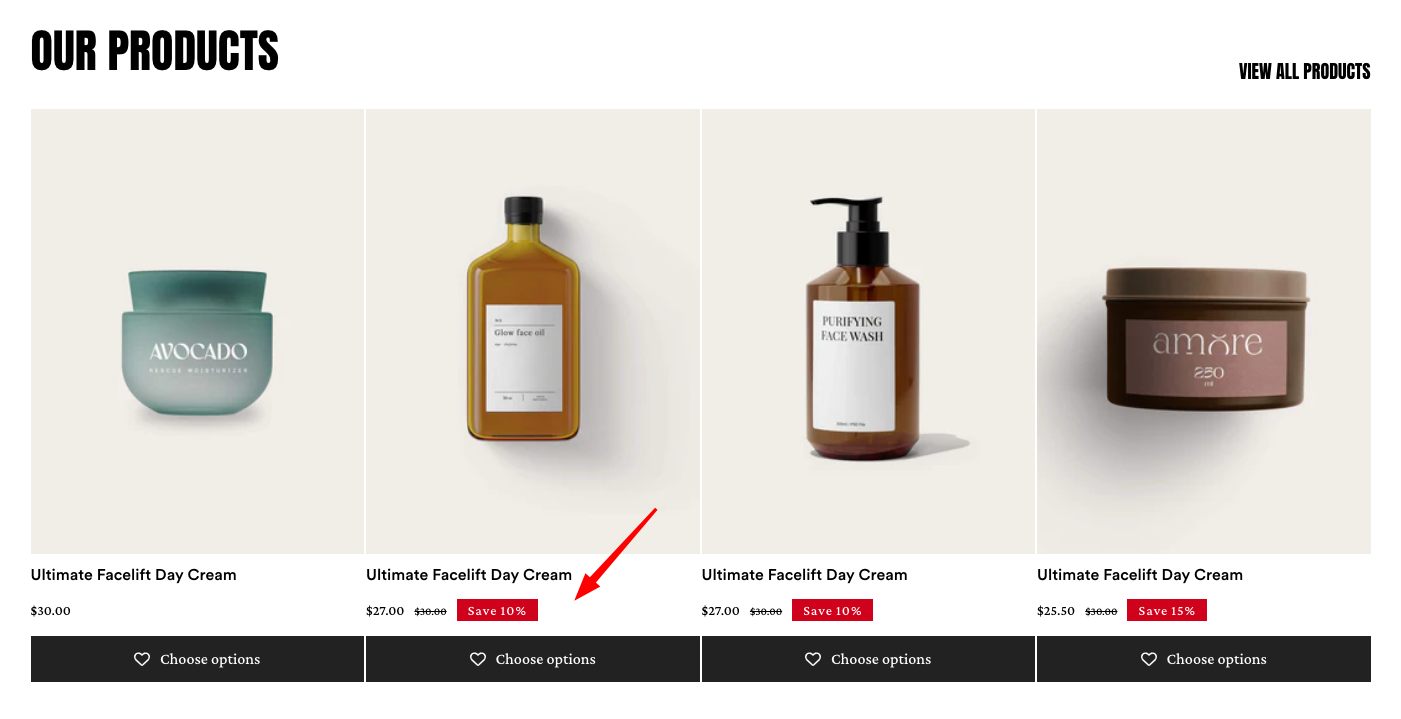
  * **Show sale badge:** Enable or disable the display of a sale badge.
  * **Sale badge type:** Choose the style of the sale badge (Text/Fixed amount/Percentage)
  * **Show currency code:** Display the currency code (e.g., USD, EUR) alongside prices.
{% tabs %}
{% tab title="Text" %}

<figure><img src="https://1749964694-files.gitbook.io/~/files/v0/b/gitbook-x-prod.appspot.com/o/spaces%2FfgpgvtRaQLc36GYyIktZ%2Fuploads%2FnuoTRbi3CvV2XiPxyjQJ%2Fimage.png?alt=media&#x26;token=e91faf0f-4847-48cd-a42e-c737f093cf54" alt=""><figcaption></figcaption></figure>
{% endtab %}

{% tab title="Fixed amount" %}

<figure><img src="https://1749964694-files.gitbook.io/~/files/v0/b/gitbook-x-prod.appspot.com/o/spaces%2FfgpgvtRaQLc36GYyIktZ%2Fuploads%2F9L4r160L1A99QbyuRGEA%2Fimage.png?alt=media&#x26;token=bfcfc497-7465-4608-b635-9a086366d2c1" alt=""><figcaption></figcaption></figure>
{% endtab %}

{% tab title="Percentage" %}

<figure><img src="https://1749964694-files.gitbook.io/~/files/v0/b/gitbook-x-prod.appspot.com/o/spaces%2FfgpgvtRaQLc36GYyIktZ%2Fuploads%2FPLRG9cnoNDQ2ljyhtW3f%2Fimage.png?alt=media&#x26;token=9d760d26-271a-47ea-b602-2811d96b36f0" alt=""><figcaption></figcaption></figure>
{% endtab %}
{% endtabs %}

**Design settings**

{% tabs %}
{% tab title="Element container" %}

<figure><img src="https://1749964694-files.gitbook.io/~/files/v0/b/gitbook-x-prod.appspot.com/o/spaces%2FfgpgvtRaQLc36GYyIktZ%2Fuploads%2FzjvuwDMBsirUKXM5v2zO%2Fimage.png?alt=media&#x26;token=114953c2-ed60-4829-9713-9d8cee3cb02e" alt=""><figcaption></figcaption></figure>
{% endtab %}

{% tab title="Compare-at-price" %}

<figure><img src="https://1749964694-files.gitbook.io/~/files/v0/b/gitbook-x-prod.appspot.com/o/spaces%2FfgpgvtRaQLc36GYyIktZ%2Fuploads%2FgPcYuxD7x1vnX1KBZYeE%2Fimage.png?alt=media&#x26;token=a801d0cb-c1e2-4917-8874-5c111cccb513" alt=""><figcaption></figcaption></figure>
{% endtab %}

{% tab title="Sale badge" %}

<figure><img src="https://1749964694-files.gitbook.io/~/files/v0/b/gitbook-x-prod.appspot.com/o/spaces%2FfgpgvtRaQLc36GYyIktZ%2Fuploads%2F03wJVjDixe39SGahUCpz%2Fimage.png?alt=media&#x26;token=9948b768-2d6d-4f6c-ab00-523a5a3d38b0" alt=""><figcaption></figcaption></figure>
{% endtab %}
{% endtabs %}

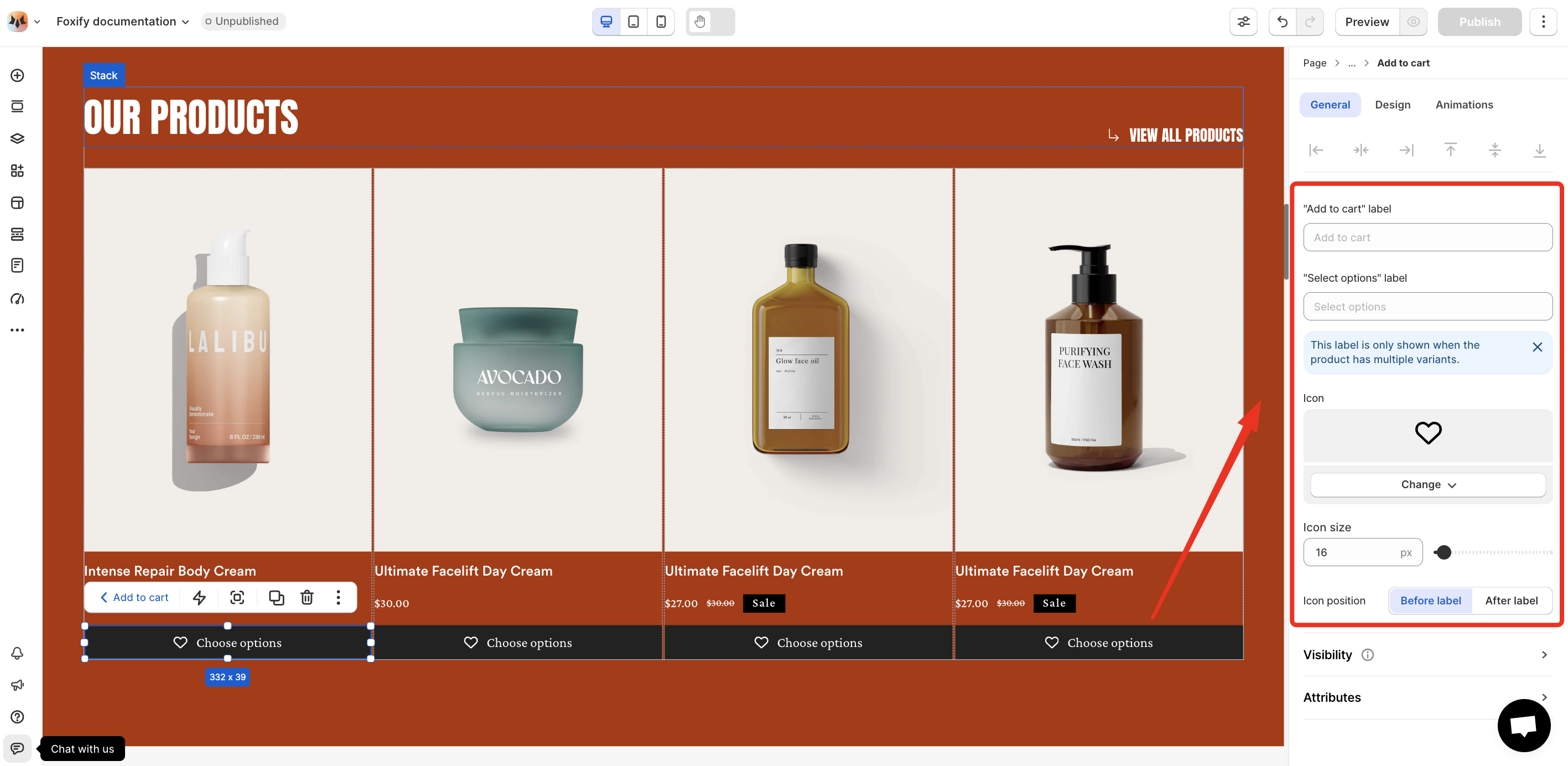
* **Add to cart:**
  * **"Add to cart" label**: Customize the text shown on the add-to-cart button.
  * **"Select options" label**: Customize the text shown when a product has multiple variants.
  * **Icon**: Choose an icon to display alongside the button label.
  * **Icon size**: Adjust the size of the icon.
  * **Icon position**: Set the icon to appear before or after the label text.
<figure><img src="https://1749964694-files.gitbook.io/~/files/v0/b/gitbook-x-prod.appspot.com/o/spaces%2FfgpgvtRaQLc36GYyIktZ%2Fuploads%2FGBhlhC8KO7rzu23PkR4j%2Fimage.png?alt=media&#x26;token=46c3a4b5-47e5-4d5a-86bf-79c1d7a9d8d8" alt=""><figcaption></figcaption></figure>