
Theme Affiliate Program
This section provides everything you need to know about promoting FoxEcom's themes - through the affiliate portal, including how to manually submit referrals, track conversions, and receive commission payouts.
#Submitting Theme Referrals
Submitting theme referrals manually is required to ensure the accuracy and integrity of conversions. Here's how:
#Step 1:
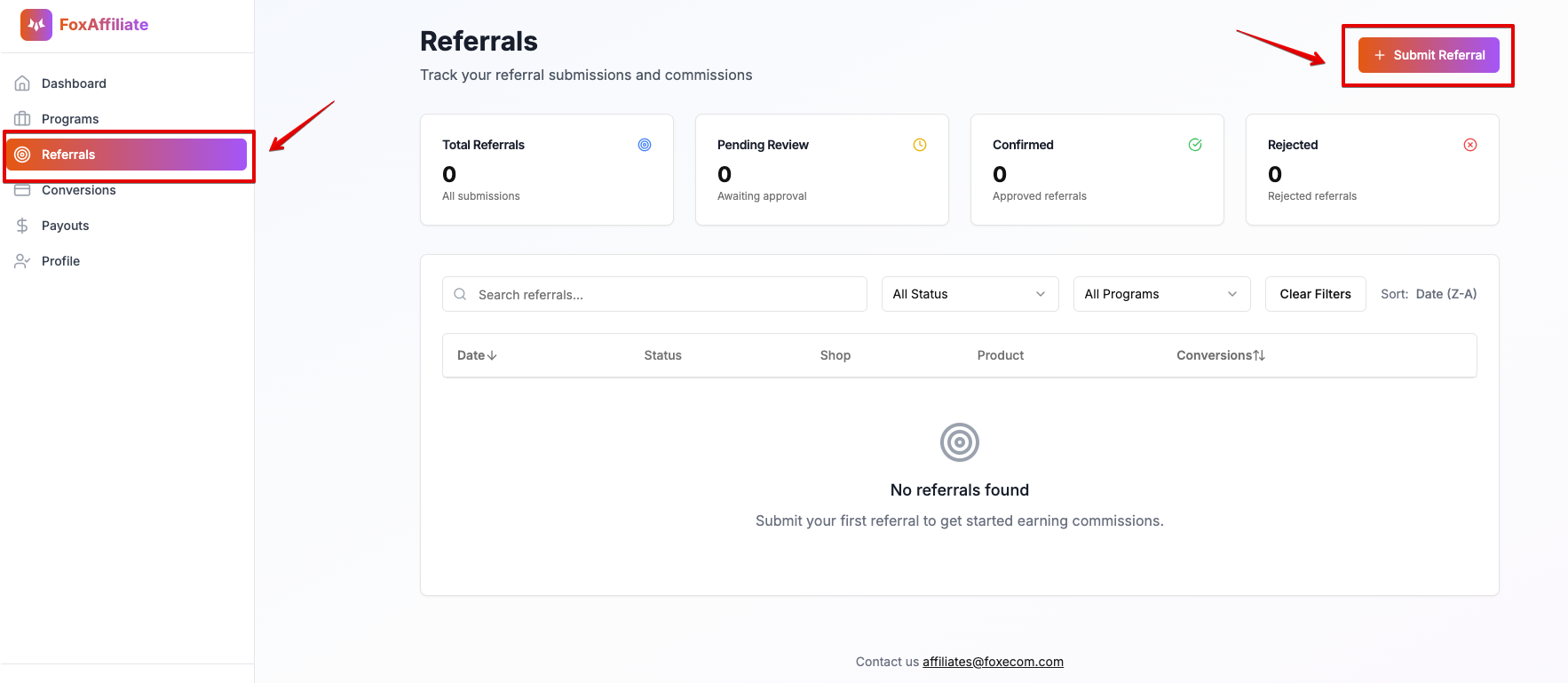
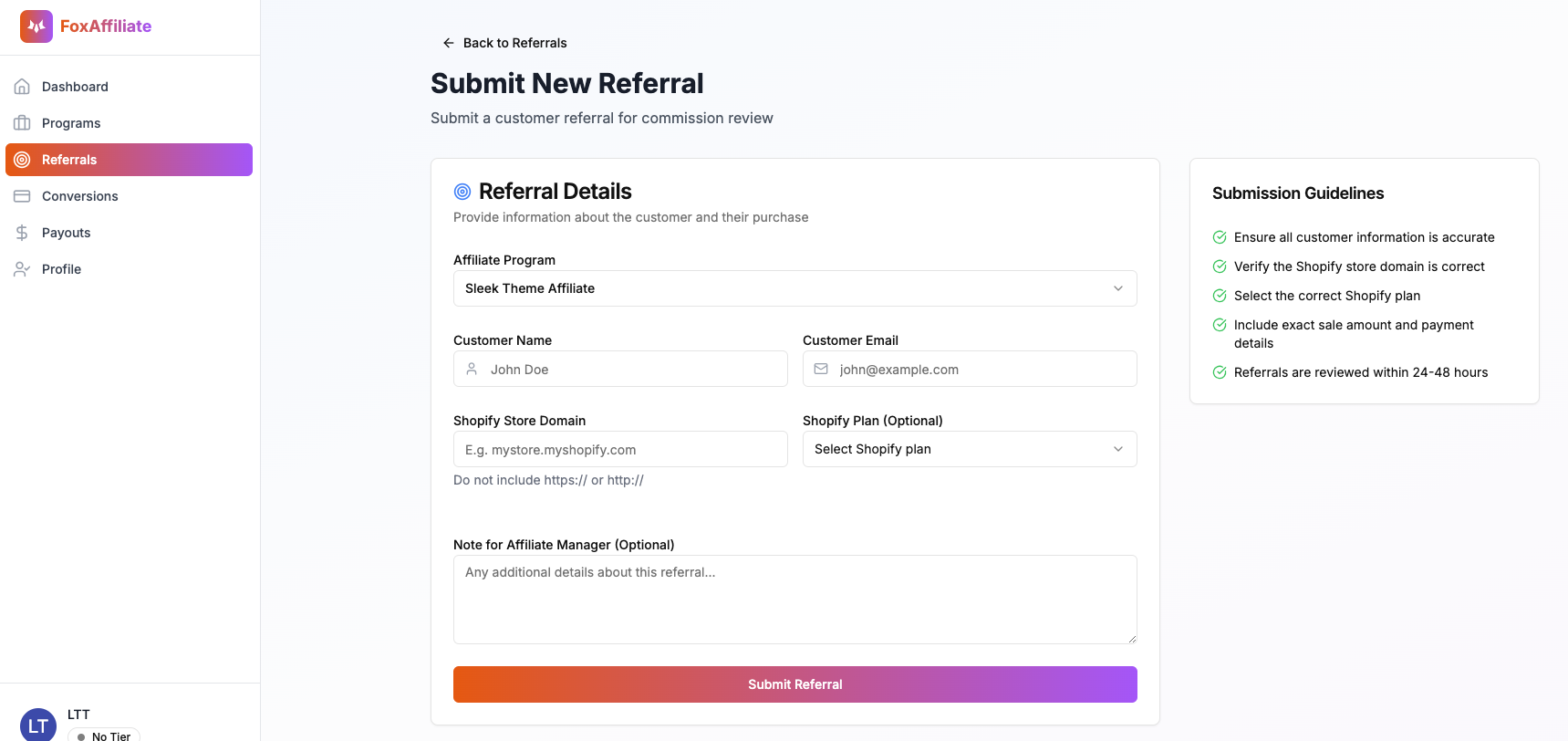
Go to the “Referrals” section of the affiliate portal. Click “Submit Referral”, select the theme you referred (Minimog, Megamog, Zest, Sleek, Hyper, or Pebble), and complete all required fields in the submission form.
#Step 2:
Once submitted, the referral status will change to “On-hold” for up to 30 days. This review period helps us prevent fraudulent commission claims related to payment abuse or refund requests.
#Validating Theme Referrals
After receiving submissions from affiliate partners, the FoxEcom team will validate each referral to ensure it qualifies for commission payout.
For first-time referrals from newly joined affiliates, as well as referrals that show signs of non-transparent attribution, a confirmation email from the store owner may be required to verify that the theme was genuinely recommended by the partner.
This validation process applies to the following themes: Hyper, Zest, Sleek, Pebble, Minimog, and Megamog.
If the confirmation email is not provided or cannot be verified, the referral will be rejected.
Tip: Always provide complete client information (name and email address) to help speed up the validation process.
#Tracking Conversions
Once the submitted theme referral is verified and deemed valid, its status will be updated to “Approved” in the portal.
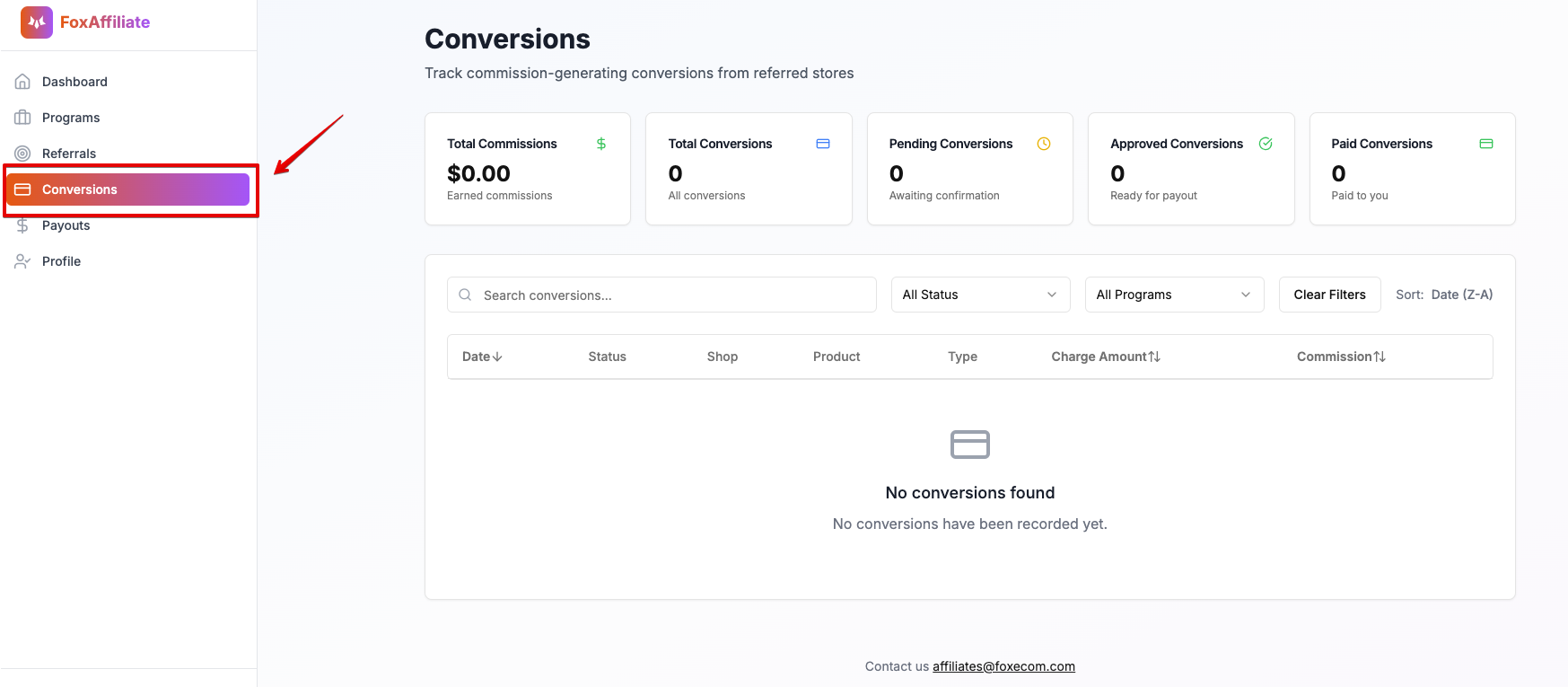
You can monitor all referral activity and conversion status under the “Conversions” section of the portal.
#Submission Timing Requirement
Affiliate partners must submit referrals within the same month the theme is purchased. For example, if a theme is purchased in April, the referral must be submitted by April 30.
If the submission falls into the following month, it must be completed within no more than 5 days after the purchase date. For instance, if a theme is purchased on April 29, the referral must be submitted by May 5.
#On-hold Period
To prevent abuse of program loopholes (such as refunds for unauthorized cards or fake invoices), all referrals will be subject to a 30-day hold period (starting from the date the theme/app payment is made).
After 30 days, the referral status will be updated to Approved and will be ready for commission payout.
#Receiving Commission
Commission payouts are processed on a fixed monthly schedule - on the 5th day of each month. All payouts are sent directly to your PayPal account linked to the affiliate portal.