# App Affiliate Program
This section provides everything you need to know about promoting FoxEcom apps, including Foxify, FoxKit, and XFlow -through the affiliate portal, including how to get your referral link, track conversions, and receive commission payouts.
## Getting The Referral Link
To start earning from the App Affiliate Program, you’ll need to use your unique referral link. Here's how:
### **Step 1:**
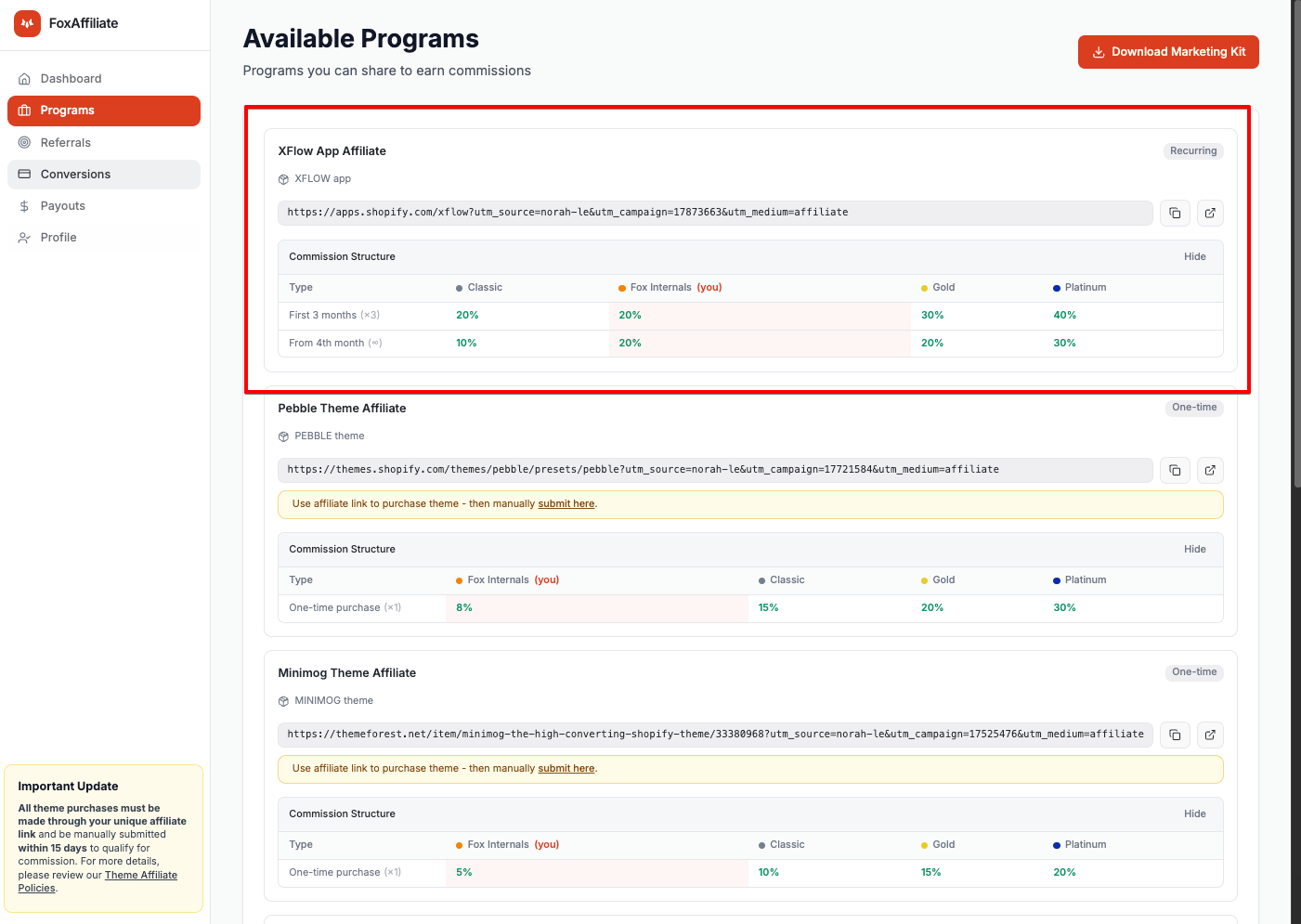
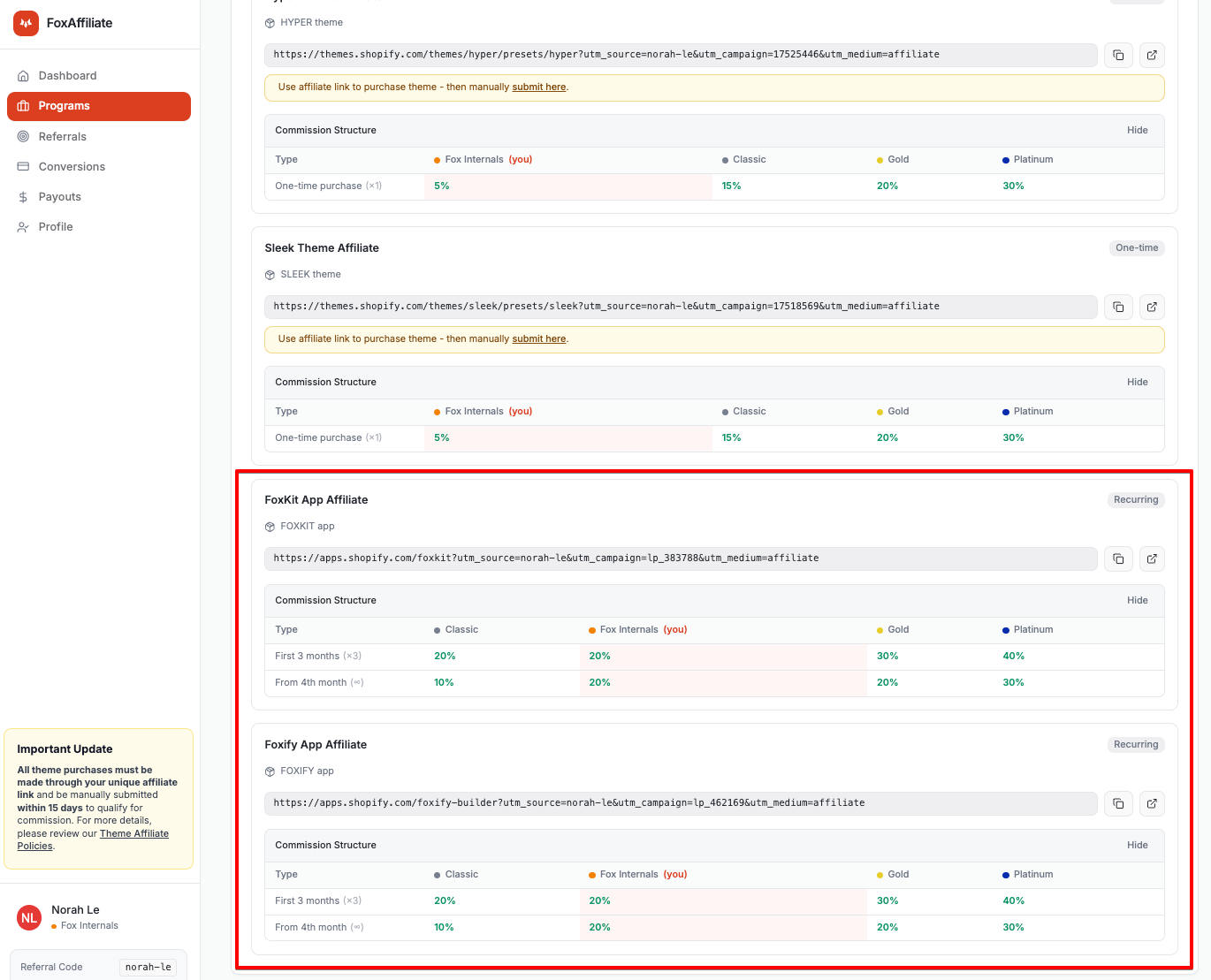
Navigate to the **“Programs”** section in the affiliate portal. Select the program for **Foxify,** **FoxKit**, **or XFlow** and copy your referral link.
### **Step 2:**
Start promoting the selected app. Once the second merchant referred via your link subscribes to a **paid plan**, your commission will begin to accrue.
## Tracking Conversions
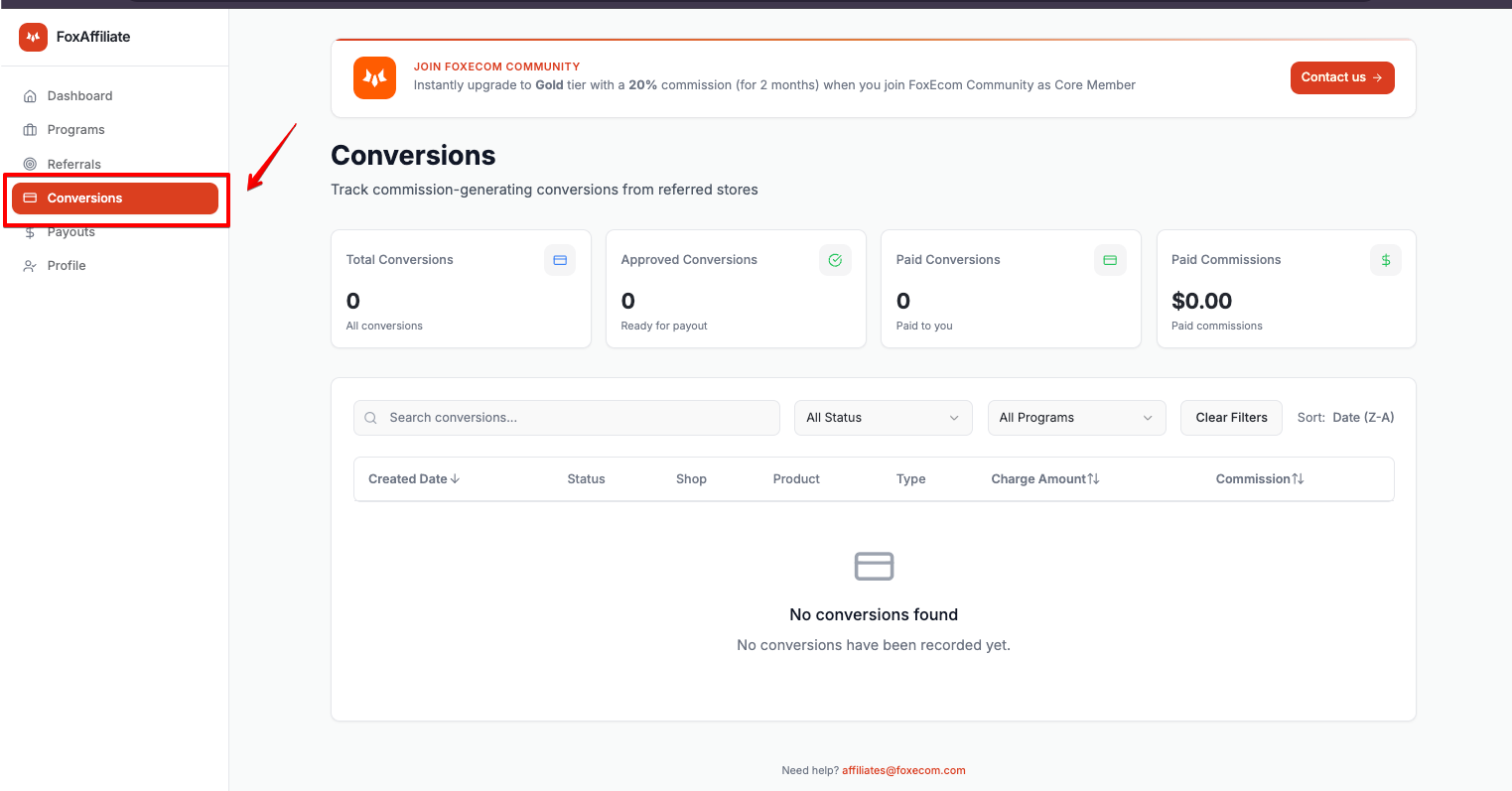
Your referral link is equipped with built-in tracking, allowing conversions to be automatically recorded. As soon as a valid subscription is detected, the **commission earned** will be automatically updated in your dashboard.
You can monitor all referral activity and conversion status under the **“Conversions”** section of the portal.
## Unqualified Referrals
**All app referrals are tracked via your unique affiliate links; therefore, manual referral submissions are not required.**

### **Step 2:**
Start promoting the selected app. Once the second merchant referred via your link subscribes to a **paid plan**, your commission will begin to accrue.
## Tracking Conversions
Your referral link is equipped with built-in tracking, allowing conversions to be automatically recorded. As soon as a valid subscription is detected, the **commission earned** will be automatically updated in your dashboard.
You can monitor all referral activity and conversion status under the **“Conversions”** section of the portal.

## Unqualified Referrals
**All app referrals are tracked via your unique affiliate links; therefore, manual referral submissions are not required.**
If affiliate partners do not use their affiliate links and instead submit referrals manually, those referrals will not be approved, as we are unable to validate them.
> 💡 **Tip:** Always share your unique app affiliate link to ensure your referrals are properly tracked and eligible for commission.
## Receiving Commission
Commission payouts are processed on a **fixed monthly schedule**, specifically on the **1st day of each month**. All payouts are sent directly to your **PayPal account** linked to the affiliate portal.