
App Affiliate Program
This section provides everything you need to know about promoting FoxEcom apps—Foxify and FoxKit—through the affiliate portal, including how to get your referral link, track conversions, and receive commission payouts.
#Getting The Referral Link
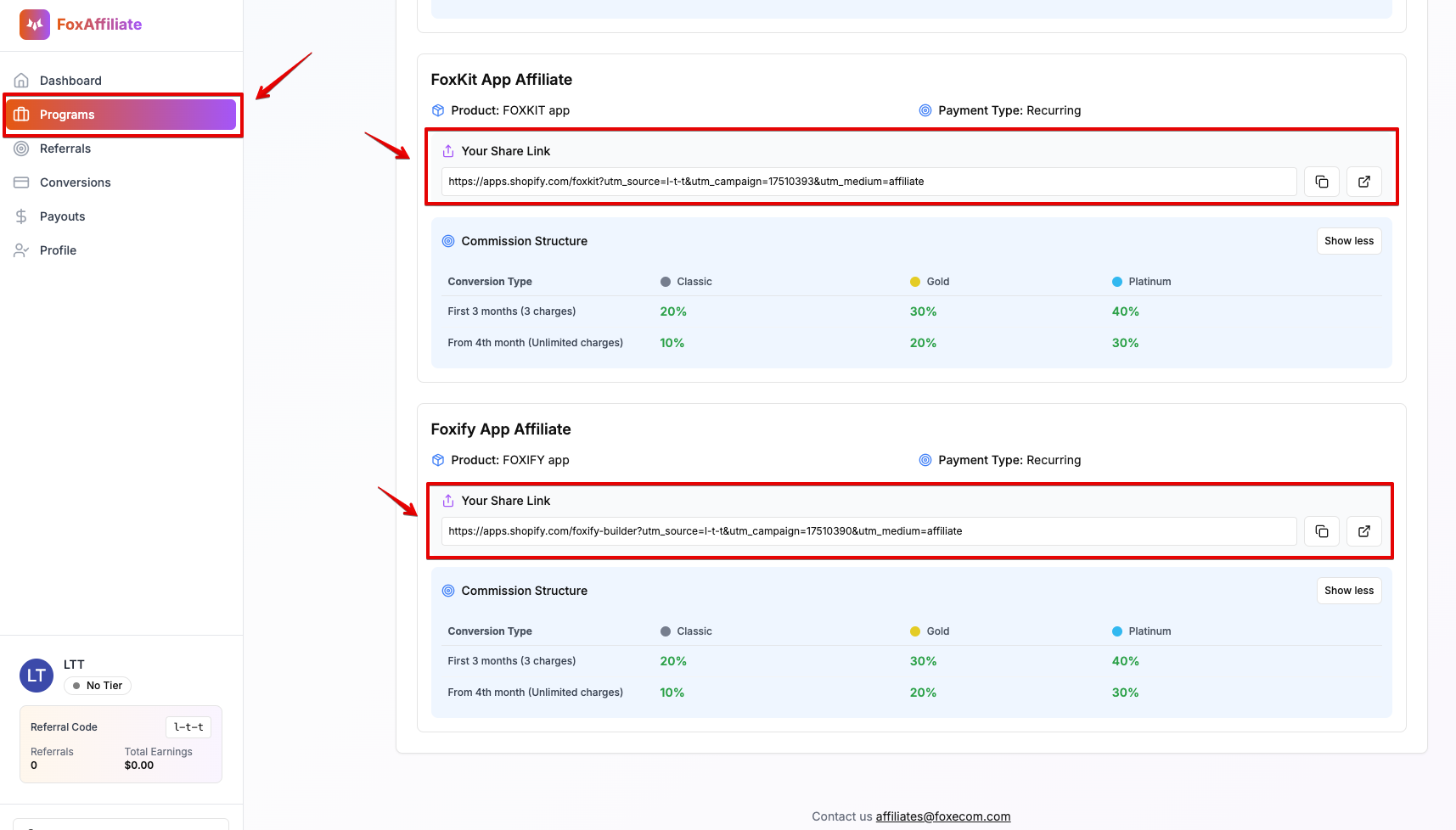
To start earning from the App Affiliate Program, you’ll need to use your unique referral link. Here's how:
#Step 1:
Navigate to the “Programs” section in the affiliate portal. Select the program for Foxify or FoxKit, and copy your referral link.
#Step 2:
Start promoting the selected app. Once the second merchant referred via your link subscribes to a paid plan, your commission will begin to accrue.
#Tracking Conversions
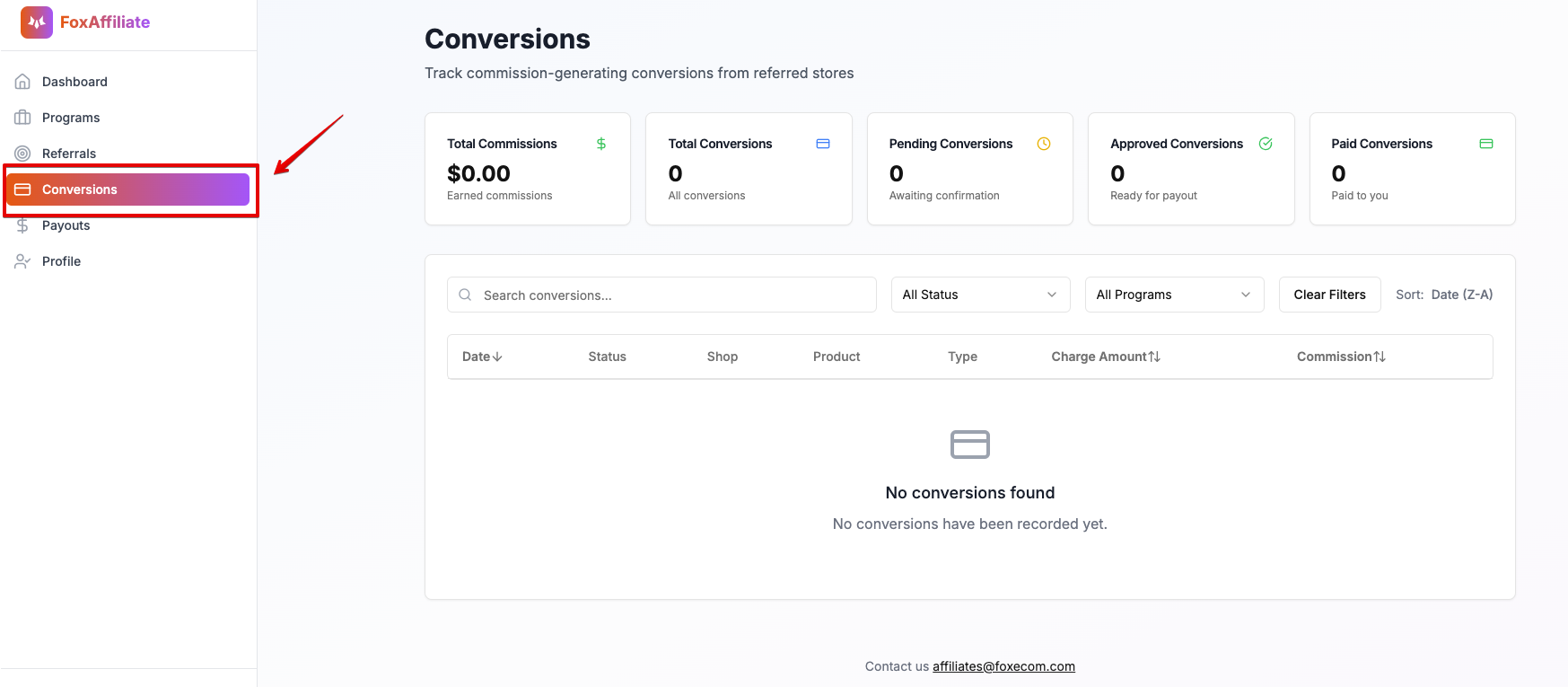
Your referral link is equipped with built-in tracking, allowing conversions to be automatically recorded. As soon as a valid subscription is detected, the commission earned will be automatically updated in your dashboard.
You can monitor all referral activity and conversion status under the “Conversions” section of the portal.
#Unqualified Referrals
All app referrals are tracked via your unique affiliate links; therefore, manual referral submissions are not required.
If affiliate partners do not use their affiliate links and instead submit referrals manually, those referrals will not be approved, as we are unable to validate them.
💡 Tip: Always share your unique app affiliate link to ensure your referrals are properly tracked and eligible for commission.
#Receiving Commission
Commission payouts are processed on a fixed monthly schedule, specifically on the 1st day of each month. All payouts are sent directly to your PayPal account linked to the affiliate portal.