How to apply your discount code for Foxify, FoxKit, and XFlow
Thank you for being a part of our BFCM 2026 campaign! This is a special BFCM offer from the FoxEcom team for new users who install our apps between October 1, 2026, and December 24, 2025. You’ll receive a 35% OFF for 3 months on any paid plan of Foxify, FoxKit, and XFlow After entering your email on the landing page, your discount code will appear immediately on the screen and will also be sent directly to your email. Each Shopify store can use the code only once for each app
2 min read
How to apply your code for Foxify AI Store Builder
- Step 1: Install Foxify from the Shopify App Store.
- Step 2: Open the app and go to the Plans & Pricing page.
- Step 3: Enter your discount code and click Apply.
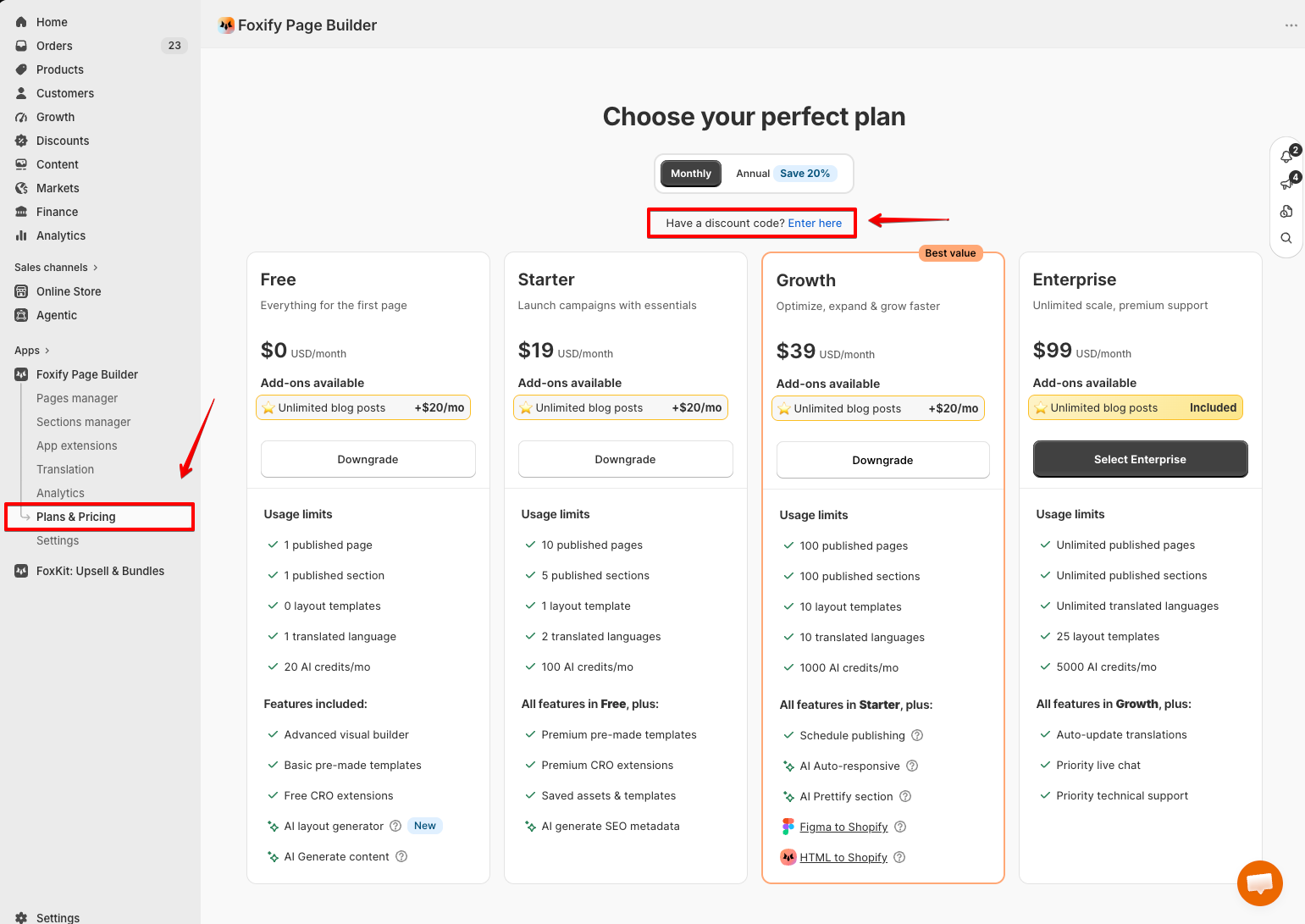
- Step 4: Choose the paid plan you’d like to experience.
- Step 5: Click Approve charge to activate your discount.
How to apply your code for FoxKit: Upsell & Bundles App
- Step 1: Install FoxKit from the Shopify App Store.
- Step 2: Open the app and go to the Plan page.
- Step 3: Enter your discount code and click Apply.
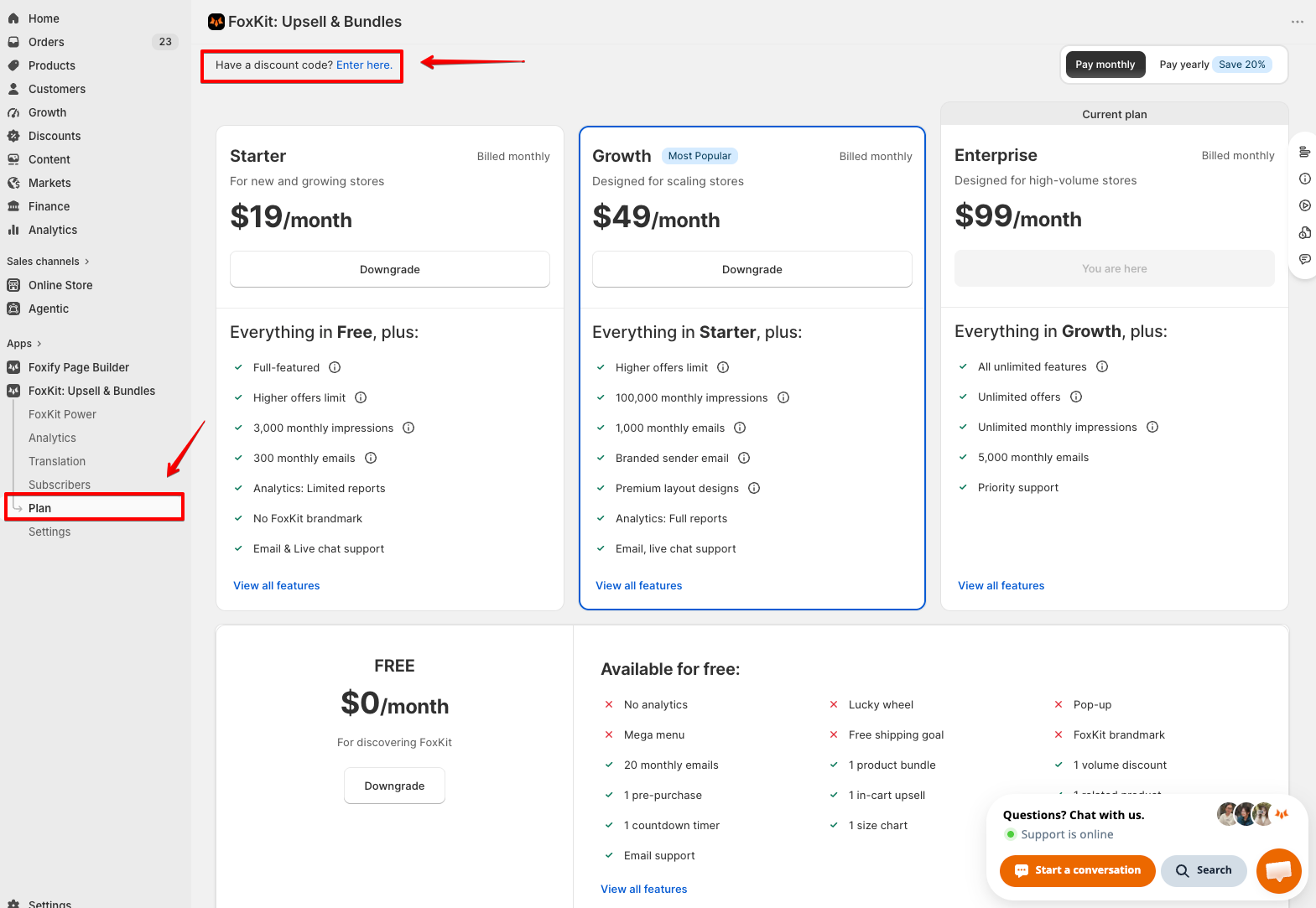
- Step 4: Choose the paid plan you’d like to experience.
- Step 5: Click Approve charge to activate your discount.
How to apply your code for XFlow Back-in-stock Alert
- Step 1: Install XFlow from the Shopify App Store.
- Step 2: Open the app and go to the Plan and billing page.
- Step 3: Enter your discount code and click Apply.
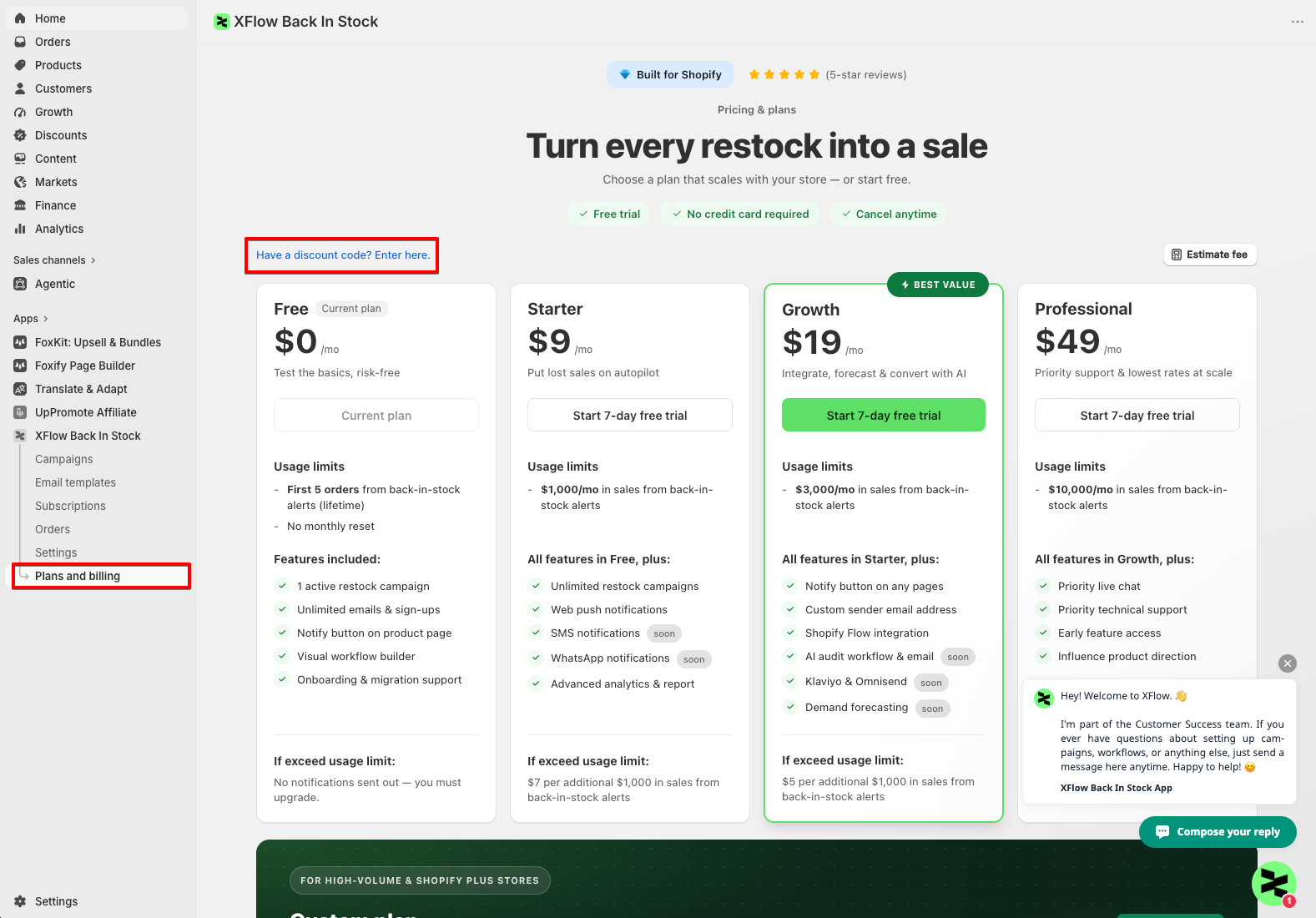
- Step 4: Choose the paid plan you’d like to experience.
- Step 5: Click Approve charge to activate your discount.
💬 Need help?
If you run into any issues applying your code, feel free to reach out to us via live chat or email happytohelp@foxecom.com - our team is happy to assist!
Last updated