# Flash sale notification for back in stock
Not sure where to use this template? Check out [Get started with workflow templates library](https://docs.foxecom.com/xflow-app/workflows/get-started-with-workflow-templates-library)
## About this template
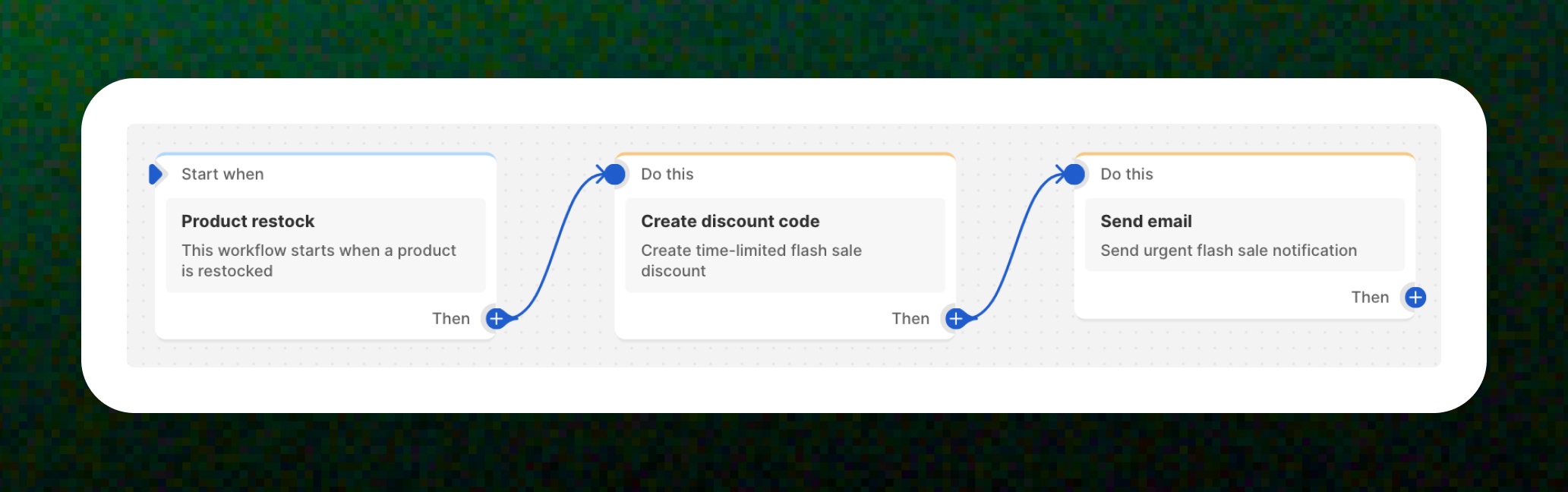
When a **popular item is back in stock**, create a **time-limited discount code** and send an urgent **notification to customers who subscribed for alerts**. Perfect for creating FOMO.
## Step-by-step guide to set up this template
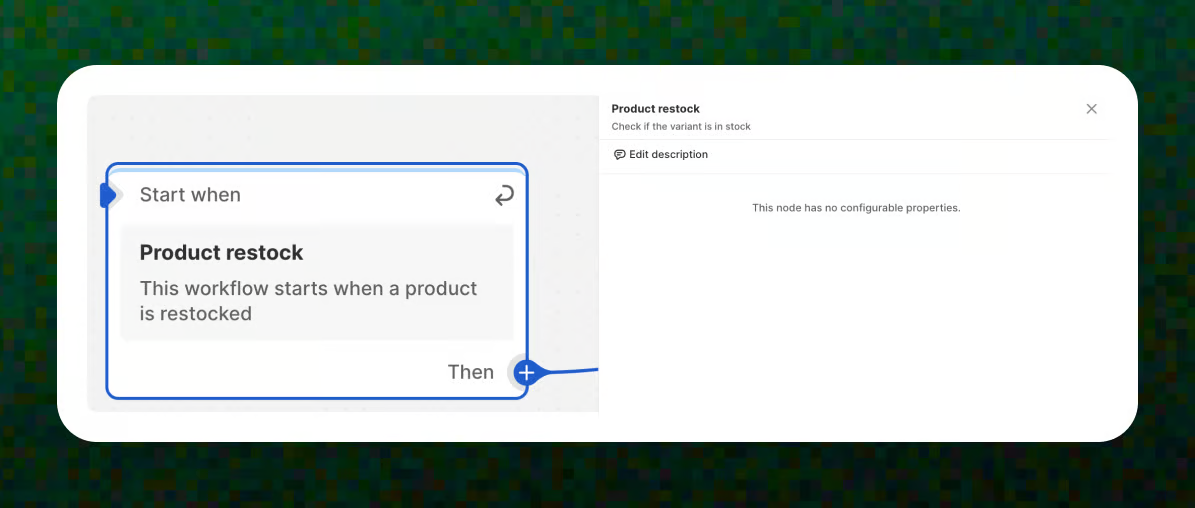
### Trigger – Product restock
The workflow starts when a product is restocked and becomes available again.
📝 Learn more about triggers: [Understanding workflow triggers](https://docs.foxecom.com/xflow-app/workflows/understanding-workflow-triggers)
### Action – Create discount code
Create a **time-limited flash sale discount code** that will be used specifically for this restock moment. This adds urgency and gives customers a little extra push to buy now.
📝 Learn more about actions: [Understanding workflow actions](https://docs.foxecom.com/xflow-app/workflows/understanding-workflow-actions)
_b5yMmRuz.jpg)
### Action – Send email
Send an **urgent flash sale notification email** to customers, highlighting that the product is back and the discount is only available for a short time.
1. Enter the **email subject**.
2. Select the **email template** that you have prepared in advance.
If you don’t have an **email template** yet, check out [Create an email template](https://docs.foxecom.com/xflow-app/email-templates/create-an-email-template)
Read more about the **variables** you can use in email: [Available variables in email templates](https://docs.foxecom.com/xflow-app/email-templates/understanding-personalization-variables-in-email-templates/available-variables-in-email-templates)
_yHQCnmQk.jpg)
That’s it! With this workflow in place, customers are notified the moment an item is restocked, paired with a flash sale to encourage fast action.
**🌟 Pro Tip:**
* Keep the discount **short-lived** to create real urgency (e.g. “Valid for 24 hours”).
* Use strong subject lines like *“Back in stock — flash sale inside!”* to boost open rates.
* Make sure the discount code is **easy to apply** and clearly visible in the email.
## Common use cases
The **Flash sale notification for back in stock** workflow template is commonly used when:
* You want to **drive quick sales** as soon as a product is restocked.
* You’re running a **limited-time flash sale** and need to create urgency.
* You want to **re-engage customers** who showed interest in out-of-stock products.
* You want to **clear inventory fast** by combining restock alerts with a time-limited discount.